Recraft Review for Vector Art
Have you ever found yourself staring at a blank canvas, needing a perfect vector illustration or logo, but the thought of painstakingly drawing every curve in traditional software just makes you want to pull your hair out? The demand for crisp, scalable graphics is higher than ever, and designers, marketers, and small business owners are constantly battling against tight deadlines and budget constraints. This guide dives deep into Recraft, an AI image generation tool, specifically examining how it handles the unique challenges and opportunities of creating vector art, and whether it can genuinely streamline your creative workflow.
Understanding Recraft for Vector Art
The world of AI image generation has exploded, but a common pain point has always been the output format. Most tools excel at generating raster images – pixels, essentially – which look fantastic until you try to scale them beyond their original resolution. That’s where vector art truly shines, offering infinitely scalable graphics without any loss of quality. Recraft steps into this arena, promising to bridge the gap between AI generation and vector output, a prospect that's incredibly appealing for anyone in graphic design or branding.
What Makes Vector Art Unique with AI?
Vector art, by its nature, is composed of paths, points, and mathematical statements rather than a grid of pixels. This means you can blow up a vector logo from a tiny favicon to a billboard-sized advertisement, and it will remain perfectly sharp and clear. For a long time, achieving this with AI felt like a distant dream. AI models typically learn from vast datasets of raster images, making the leap to mathematically precise vector shapes a significant technical hurdle. Tools that claim to produce vector art from AI often either trace existing raster outputs (which can be clunky and imperfect) or generate simpler, more abstract vector graphics.
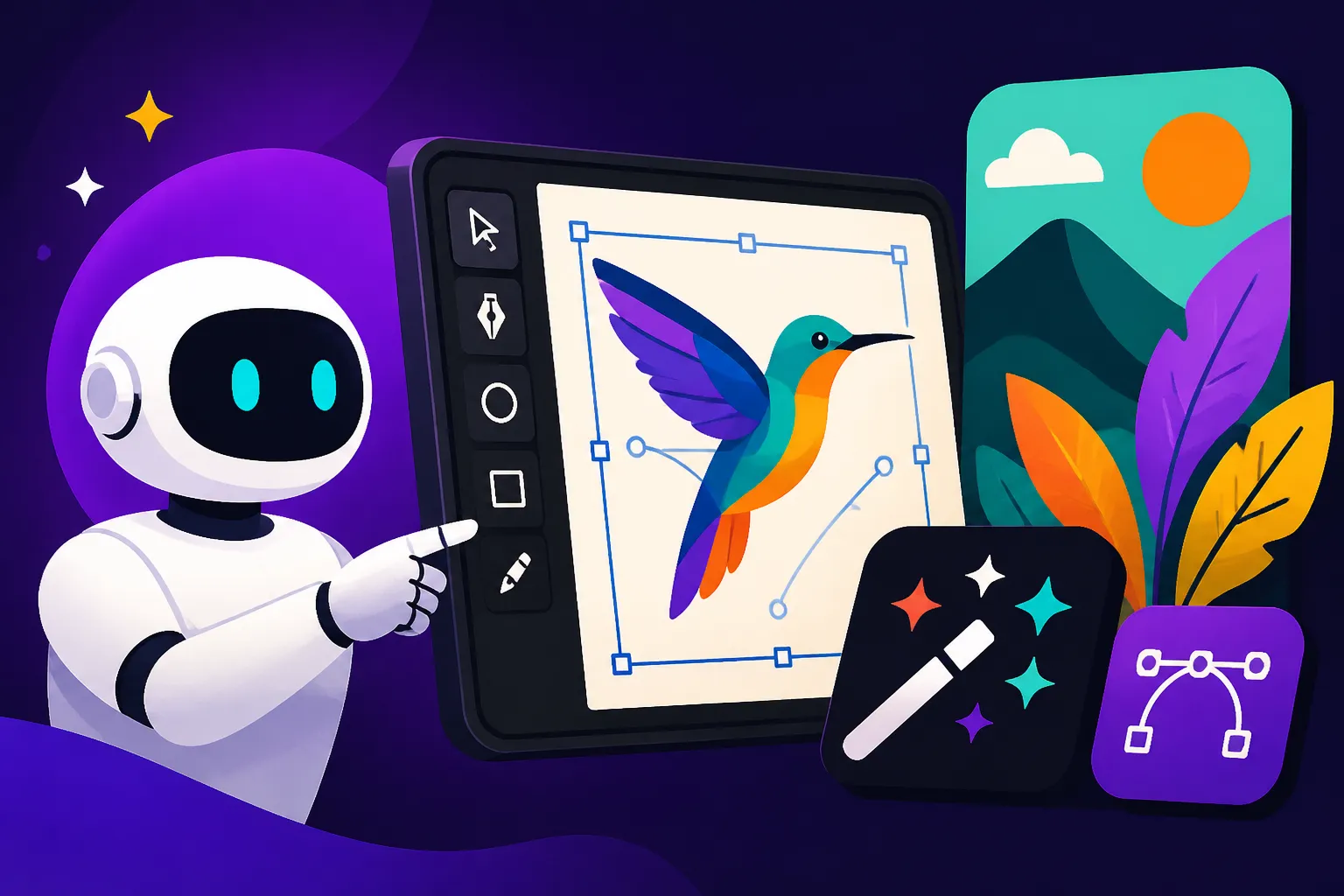
Recraft aims to tackle this head-on, offering functionalities designed specifically for vector output. This isn't just about making pretty pictures; it's about making usable pictures for design workflows. Imagine being able to quickly generate a suite of icons, a complex brand pattern, or even preliminary logo concepts that are immediately ready for refinement in Adobe Illustrator or Inkscape, all without the pixelation headaches. This capability is a game-changer for many, eliminating tedious conversion steps and ensuring design integrity from the get-go.
Recraft's Philosophy for Vector Creation
Recraft's core philosophy seems to revolve around democratizing high-quality design, making it accessible to both seasoned professionals and those without extensive design backgrounds. They understand that while AI can generate stunning visuals, the utility of those visuals often depends on their adaptability. For vector art, this adaptability is paramount. Their approach isn't just about generating an image and calling it a vector; it's about providing controls and options that lend themselves to typical vector use cases, such as logo design, icon sets, illustrations for web, and print.
The platform tries to anticipate the needs of a vector artist by allowing for a certain degree of control over style, complexity, and even color palettes, which are all crucial elements when working with scalable graphics. Instead of just giving you a flat image, Recraft often produces elements that feel like they were designed with layers and shapes in mind, even if the initial generation process is entirely AI-driven. This focus on practical output is what sets it apart from many other general-purpose AI image generators. For a more general overview of its capabilities, you might want to check out our main Recraft Review: Pros, Cons, and Pricing article.
Key Features of Recraft for Vector Generation
When you're diving into an AI tool for vector art, you're not just looking for pretty images; you're looking for practical tools that integrate into a design workflow. Recraft offers several features that are specifically geared towards vector production, making it a contender for artists and marketers alike.
AI-Powered Vector Creation Tools
At its heart, Recraft utilizes advanced AI models to interpret your text prompts and translate them into vector graphics. Unlike some tools that merely offer an SVG export option for a raster image, Recraft's generation process is often aware of vector principles from the outset. This means it can generate clean shapes, smooth curves, and distinct color blocks that are naturally suited for vector formats. You can ask for something as simple as "a minimalist line art icon of a coffee cup" or a more complex "flat design illustration of a bustling city street at sunset," and the AI attempts to render it in a scalable, editable format.
One of the more impressive aspects is its ability to handle different vector styles, from crisp, geometric designs to more organic, hand-drawn aesthetics. While it might not perfectly replicate every nuance of a human artist's stroke, it gets remarkably close for many common vector styles. This AI-driven approach significantly speeds up the initial brainstorming and prototyping phase, giving you diverse options to choose from without spending hours in a vector editor. If you're specifically interested in how it fares for branding, our detailed Recraft SVG and Logo Review dives even deeper into its performance.
Style Customization and Control
Generating a random vector graphic is one thing; generating one that fits your brand or project aesthetic is another. Recraft provides various controls to guide the AI's output, helping you achieve a consistent style. You can select from a range of pre-defined styles – such as "flat design," "isometric," "line art," "geometric," or "cartoon" – to steer the AI in the right direction. This is crucial because consistency is king in branding and design. Imagine needing a series of icons for a website; being able to apply a consistent style across all of them without manual re-drawing saves an enormous amount of time and effort.
Beyond general styles, Recraft also allows for some control over color palettes, giving you the power to nudge the AI towards your brand colors or a specific mood. While it's not as precise as manually picking every hex code, it's a valuable starting point. For instance, you could prompt for "a forest scene, flat design, pastel colors" and Recraft will generate options adhering to those specifications. This level of guided generation is essential for moving beyond generic AI outputs to something truly usable and on-brand.
Export Options and Integrations
What good is an AI-generated vector if you can't use it where you need it? Recraft understands this, offering robust export options. The most critical for vector art is the ability to download in formats like SVG (Scalable Vector Graphics), which is the industry standard for vector files. This means your AI-generated creation isn't just a static image; it's an editable asset that can be opened and tweaked in popular vector editing software like Adobe Illustrator, Affinity Designer, or CorelDRAW. This is a huge advantage over tools that only export in raster formats like PNG or JPG.
Furthermore, Recraft often allows for exporting components or layers, depending on the complexity of the generated graphic. This means you can take individual elements from a composite image and reuse them independently. For designers working on larger projects, this modularity can accelerate workflows significantly. Some users have noted seamless integration into their existing design stacks, allowing them to quickly generate elements in Recraft and then bring them into their primary design software for final polish. For comparison, it's interesting to see how these features stack up against others, like in a Recraft vs Ideogram: Full Comparison.
The Process: How to Create Vector Art with Recraft
Getting started with AI art generators can feel a bit like learning a new language, especially when you're aiming for specific outputs like vector art. Recraft, like many tools, has its own nuances, but the general process for generating scalable graphics is quite straightforward once you get the hang of it.
Crafting Your Initial Prompt
The journey to a perfect vector graphic in Recraft begins with your prompt. Think of your prompt as your brief to a very fast, but sometimes literal, design assistant. The more detailed and clear you are, the better the initial results tend to be. Instead of just saying "logo," try "minimalist geometric logo of a mountain, professional, clean lines, two colors: forest green and light grey, vector art." Adding keywords like "vector," "flat design," "line art," or "illustration" explicitly guides the AI towards the desired aesthetic and output type.
It’s also helpful to specify the purpose or context of the image. Are you creating an icon for an app? A header for a website? A graphic for a T-shirt? Including these details can influence the composition and complexity the AI generates. Don't be afraid to experiment with different prompt structures, playing with the order of adjectives or the level of detail. Sometimes, a slightly different wording can lead to a dramatically different, and often better, outcome. If you're struggling, looking at examples of How to Write AI Prompts for Logos can be a great starting point.
Refining and Iterating on Designs
Rarely does the first AI generation hit all the marks, especially for something as precise as vector art. Recraft excels in allowing for rapid iteration. Once you receive your initial set of generated images, you're not stuck with them. You can select your favorite option and then make changes directly from that starting point. This might involve adjusting the prompt further – perhaps refining the color scheme, asking for a different angle, or adding more stylistic keywords.
Many users find success by treating the AI as a collaborative partner. If the first attempt is close but not quite right, provide specific feedback in your next prompt. For example, if you got a mountain logo but wanted it more stylized, you might say, "Redraw, more abstract mountain peaks, fewer details, bolder lines." This iterative feedback loop is where the real magic happens, allowing you to sculpt the AI's output closer and closer to your vision without having to start from scratch every time.
Leveraging Pre-made Styles and Templates
Beyond freeform prompting, Recraft also offers a library of pre-made styles and templates that can significantly speed up the vector art creation process. These aren't just for inspiration; they can be applied directly to your generated images or used as a base for new creations. For instance, if you're aiming for a consistent set of social media icons, you might pick a "flat icon" template and then generate individual icons within that defined style. This ensures visual coherence across your assets, which is a common challenge when relying solely on open-ended prompts.
For specific use cases like logos or website elements, these templates can be invaluable. They provide a structural or stylistic foundation that the AI can build upon, reducing the chances of wildly inconsistent results. Think of it as having a set of professional design presets that you can apply with a click. While skilled designers might prefer more granular control, for beginners or those in a hurry, these templates offer a robust shortcut to polished, production-ready vector graphics. This functionality is particularly useful when trying to figure out How to Generate AI Vectors and SVGs efficiently.
Strengths of Recraft for Vector Artists
For designers, speed, quality, and versatility are paramount. Recraft brings some compelling advantages to the table, especially for those looking to integrate AI into their vector art workflow. It’s not just about what it can do, but how well it performs those tasks compared to manual methods or other AI tools.
Speed and Efficiency in Prototyping
One of Recraft's most significant benefits for vector artists is its ability to drastically cut down the time spent in the initial design phases. Imagine you need five different logo concepts for a client presentation by tomorrow. Manually drafting even rough sketches for each in Illustrator could take hours. With Recraft, you can input a few variations of your prompt and generate dozens of ideas in minutes. This rapid prototyping capability is a game-changer for brainstorming and getting immediate visual feedback.
This speed isn't just for initial concepts; it extends to iterations. If a client wants a slight tweak to a logo's style or a different color variation, you can often achieve new options with a modified prompt in a fraction of the time it would take to manually adjust a vector file. This agility allows designers to explore more creative avenues, present more options, and ultimately deliver projects faster. This efficiency is a core reason why many professionals consider using AI tools.
Accessibility for Non-Designers
Traditional vector design software like Adobe Illustrator has a steep learning curve. For small business owners, marketers, or content creators who need professional-looking vector assets but lack formal design training or expensive software, Recraft offers an incredibly accessible alternative. Its intuitive interface and prompt-based generation mean you don't need to understand Bézier curves or pathfinding operations to create scalable graphics.
Someone running an Etsy shop might need a simple vector icon for a new product line or a scalable graphic for print-on-demand merchandise. Recraft allows them to describe what they need in plain language and get a usable SVG file without hiring a designer or spending weeks learning a complex program. This democratization of design tools empowers a wider range of individuals and businesses to create high-quality visual content, blurring the lines between professional design and DIY creative work. If you're a small business owner, learning How to Make AI Logos for a Business through tools like Recraft can be invaluable.
High-Quality Scalable Output
The core promise of Recraft for vector art is, of course, the quality of its scalable output. And in many cases, it delivers. When it generates SVG files, these files are generally clean, with distinct paths and shapes that are easily editable in standard vector software. This isn't always the case with other tools that might export SVGs but essentially just vectorize a raster image, leading to bloated files with jagged or overly complex paths.
Recraft's generated vectors often maintain their integrity even when scaled dramatically, making them suitable for everything from tiny website favicons to large-format print materials. This fidelity is crucial for maintaining brand consistency across different mediums. For instance, if you generate a complex illustration for a website hero image, you can then scale it down for a mobile app icon without losing any detail or introducing pixelation. This reliable, high-quality vector output is what truly makes Recraft a valuable tool in a designer's arsenal, allowing for creative freedom without sacrificing technical precision.
Limitations and Challenges
While Recraft offers significant advantages for vector art generation, it's essential to approach it with realistic expectations. Like any AI tool, it has its quirks and limitations that can impact specific workflows or creative visions. Understanding these challenges helps users leverage Recraft effectively while knowing when to turn to traditional methods.
Maintaining Brand Consistency
One of the trickiest aspects of using AI for design, especially for an established brand, is maintaining absolute consistency. While Recraft offers style controls and templates, achieving pixel-perfect (or vector-perfect) consistency across multiple generations can still be challenging. If you need a logo or icon set that adheres to extremely specific brand guidelines – exact stroke widths, corner radii, or a precise visual language – the AI might occasionally deviate.
For example, generating five variations of a character logo might result in slightly different facial expressions, limb proportions, or line weights across each, even with identical prompts. This means that while Recraft is fantastic for initial concepts and broader stylistic adherence, fine-tuning for brand-level precision often still requires human intervention in a traditional vector editor. The AI can get you 90% of the way there, but that final 10% for brand-critical assets might demand manual polish. For situations where brand consistency is paramount, comparing tools like Adobe Firefly Commercial Safety Review might offer different assurances, though not specifically for vector.
Complexity of Advanced Customization
Recraft's strength lies in its ability to quickly generate designs based on prompts and pre-set styles. However, when you need highly specific, intricate, or unusual vector art that deviates from common archetypes, the AI can struggle. It's excellent for generating a minimalist coffee cup icon, but asking it for a complex, Escher-esque tessellation with specific optical illusions might push its current capabilities.
The level of direct control over individual vector points, paths, and gradients is also limited. You can guide the AI with words and style selections, but you can't manually adjust a curve or nudge a point within the Recraft interface itself. This means that for complex illustrations, custom typography, or highly stylized abstract pieces, designers will still need to export the SVG and dive into a dedicated vector editing program to achieve their exact vision. This isn't necessarily a flaw, but an inherent characteristic of an AI generation tool versus a direct manipulation editor.
Learning Curve and Unexpected Results
While Recraft is generally user-friendly, mastering the art of prompt engineering for optimal vector output still involves a learning curve. New users might initially get some odd or unexpected results, leading to frustration. It takes time and experimentation to understand which keywords, styles, and negative prompts yield the best vector-specific outcomes. The AI's interpretation of abstract concepts can sometimes be surprising, requiring users to iterate and refine their prompts repeatedly.
Moreover, occasionally, even with detailed prompts, the AI might introduce subtle artifacts, illogical connections in paths, or areas that are not as clean as desired in the SVG export. These issues, while often minor and fixable in an editor, add an extra step to the workflow. Users need to be prepared for a certain degree of trial and error and understand that the AI is a tool to assist, not entirely replace, the designer's critical eye and editing skills. When exploring different tools, it's always good to consider general reviews like Best AI Image Generators Ranked to understand the landscape of potential quirks across platforms.
Recraft vs. Other AI Vector Tools
The landscape of AI image generation is constantly evolving, with new tools emerging and existing ones adding features. When evaluating Recraft specifically for vector art, it's helpful to understand where it fits in relative to other options, both those focused on vector and those more geared toward raster images.
Recraft's Niche in the AI Landscape
Recraft carves out a distinct niche by offering genuinely vector-focused AI generation. Many general-purpose AI image generators can export to SVG, but they often do so by tracing a raster image, leading to bloated, messy, or imperfect vector paths. Recraft, on the other hand, seems to prioritize generating clean, editable vector structures from the initial prompt. This makes it particularly strong for simple icons, abstract patterns, and flat illustrations where clean lines and shapes are paramount.
Its emphasis on stylistic controls and ease of use positions it well for graphic designers who need to rapidly prototype and iterate on vector assets without getting bogged down in the minutiae of traditional vector software for every single initial concept. While it might not have the raw artistic prowess or photorealism of some of the leading raster AI tools, its vector utility is a significant differentiator. It's a tool built for practicality in the design workflow, aiming to deliver functional, scalable graphics.
Comparison with Raster-focused AI Tools
Tools like Midjourney, DALL-E, or Stable Diffusion are renowned for their ability to create stunning, high-fidelity raster images across a vast range of styles, from photorealism to painterly art. However, their primary output is pixel-based. While some can approximate vector styles or offer "vectorize" options, the underlying generation isn't inherently vector-aware. This means that if you generate a beautiful logo in Midjourney, you'd typically need to manually trace or use a separate vectorization tool to get a usable, scalable SVG.
Here’s a quick comparison of general capabilities:
| Feature/Aspect | Recraft (Vector Focus) | Raster-focused AI Tools (e.g., Midjourney, DALL-E) |
|---|---|---|
| Primary Output | SVG, Vector-aware PNG/JPG | PNG, JPG, high-res raster |
| Scalability | Infinite (native vector) | Limited (pixel-based, becomes blurry when scaled) |
| Editability | High (in vector editors) | Low (pixel-editing only) |
| Best Use Cases | Logos, Icons, Flat illustrations, UI/UX | Photorealism, Complex scenes, Artistic renders |
| Ease of Vector Use | High (native vector generation) | Low to Medium (requires post-processing/tracing) |
| Photorealism | Lower (focus on clean shapes) | Very High (can generate stunning realism) |
| Text Generation | Decent for simple text elements | Often struggles with legible text |
As you can see, Recraft fills a specific gap that the more generalized raster tools often leave unaddressed. For those who frequently need vector output, Recraft significantly streamlines the process compared to a multi-step raster-to-vector workflow. You can also explore options like Ideogram vs DALL-E for Text in Images to see how text is handled in different tools, as that's often a consideration for vector work too.
Considerations for Hybrid Workflows
Many designers don't use just one tool; they employ a hybrid workflow, leveraging the strengths of multiple platforms. Recraft fits perfectly into this strategy. You might use Recraft for the initial generation of vector icons, patterns, or logo concepts, quickly getting multiple scalable options. Then, you could take the best SVG output into Adobe Illustrator for detailed refinement, specific color adjustments, typography integration, or complex compositing with other elements.
Alternatively, you might use a raster-focused tool like Midjourney Review: Features, Pricing, and Quality to generate a stunning, detailed background image or a photorealistic character, and then use Recraft to create clean, scalable vector elements to overlay onto that raster image. This allows you to combine the best of both worlds: the rich visual detail of raster AI with the clean, scalable utility of vector AI. This intelligent layering of tools ensures that designers can achieve complex results efficiently and with a high degree of fidelity, maximizing their creative potential.
Is Recraft Right for Your Vector Art Needs?
Deciding whether to integrate a new tool like Recraft into your workflow boils down to understanding its strengths relative to your specific needs and current challenges. It’s not a one-size-fits-all solution, but for many, it can be a valuable addition.
Who Benefits Most from Recraft?
Recraft shines particularly brightly for several groups:
- Graphic Designers and Illustrators (Especially Freelancers): If you're constantly churning out icons, simple illustrations, social media graphics, or logo concepts, Recraft can be an incredible time-saver for the initial ideation and production phases. It allows you to present more options to clients faster, or to quickly mock up assets for web and app design. The ability to quickly iterate and generate vector files for things like UI elements or infographics is a huge productivity boost.
- Marketers and Content Creators: For those who need a steady stream of visual content for blogs, social media, presentations, or ads, but aren't expert designers, Recraft provides an accessible way to create professional-looking, scalable graphics. It eliminates the need to rely solely on stock photos or heavily pixelated images, empowering them to create unique, on-brand visuals. Our article on Best AI Image Generator for Blog Images might offer other helpful insights for content creators.
- Small Business Owners and Entrepreneurs: When budgets are tight, and time is a luxury, Recraft can help founders create their own brand assets, website icons, or product graphics without investing in expensive software or hiring a full-time designer for every single visual need. It’s perfect for getting quick, usable assets for initial launches or ongoing marketing efforts.
- UI/UX Designers: Creating consistent icon sets and interface elements is a core part of UI/UX design. Recraft can rapidly generate variations of icons, buttons, and other UI components in SVG format, allowing designers to quickly test different styles and integrate them into their prototypes with ease.
When to Consider Traditional Software
While Recraft is powerful, it's crucial to know its limits. You’ll likely still need traditional vector software like Adobe Illustrator or Inkscape for:
- Highly Complex Illustrations with Specific Artistic Demands: If your project requires intricate detail, specific hand-drawn textures, nuanced shading, or a unique artistic style that goes beyond Recraft's pre-defined categories, human artistry and precise manual control are still irreplaceable.
- Brand Guidelines with Exacting Precision: For established brands with strict color palettes (specific Pantone codes), typography, and precise logo construction rules, Recraft might get you close, but the final, approval-ready asset will almost certainly require manual adjustments in a professional editor to meet those exact specifications.
- Custom Typography and Lettering: While Recraft can generate text within images, creating unique, custom-designed vector lettering or intricate typographic logos is best done with the granular control offered by dedicated vector font tools and editors.
- Complex Vector Effects and Manipulation: If your design requires complex gradient meshes, intricate distortions, or advanced pathfinding operations, traditional vector software offers the tools for that level of manipulation that AI simply isn't designed for yet.
Making the Investment Decision
Ultimately, the decision to invest in Recraft (whether through its free tier or a paid subscription) depends on your specific use cases and how often you need vector assets. If your workflow frequently demands scalable graphics for logos, icons, web elements, or print materials, and you're looking to accelerate your prototyping and generation process, Recraft is definitely worth exploring. The time savings alone can quickly justify the cost for busy professionals.
For those who only occasionally need a simple vector graphic, the free tier or a free alternative might suffice. But for anyone serious about incorporating AI into their vector design toolkit, Recraft offers a compelling blend of ease of use and dedicated vector output that sets it apart. Consider trying out the available free options to see if it integrates smoothly into your creative process before committing to a paid plan. Checking out our larger Best AI Image Generator Comparison can also help contextualize Recraft's place in the broader ecosystem.
Disclaimer
The information provided in this article is for general informational purposes only and does not constitute professional advice. While we strive to keep the information up-to-date and correct, we make no representations or warranties of any kind, express or implied, about the completeness, accuracy, reliability, suitability, or availability with respect to the website or the information, products, services, or related graphics contained in this article for any purpose. Any reliance you place on such information is therefore strictly at your own risk.