AI Prompt Examples for Pencil Sketch Art
It can be incredibly frustrating when you're trying to evoke the delicate, expressive lines of a pencil sketch with an AI image generator, only to end up with something that looks flat, digital, or just plain wrong. Many creators struggle to translate the nuance of traditional art into effective prompts, leading to results that lack the genuine charm and depth of a hand-drawn piece. This guide will walk you through precise AI prompt examples and techniques designed to help you generate truly authentic-looking pencil sketch art, transforming your vision into stunning digital drawings.
Understanding the Intricacies of Pencil Sketch Art for AI Prompts
When we think of a pencil sketch, we're not just thinking about a black-and-white image. There's a rich tapestry of characteristics that give a sketch its soul: the varied pressure of the lead, the grain of the paper showing through, the deliberate smudges, and the distinct line work. Getting AI to understand and replicate these subtleties is key to moving beyond generic interpretations.
The Defining Features of a Great Pencil Sketch
A truly captivating pencil sketch isn't just about the lines; it's about how those lines interact with each other and the perceived surface. Think about the lightness of initial construction lines, the confident dark strokes that define form, and the delicate cross-hatching or stippling that creates shadows and texture. The absence of color forces an emphasis on form, light, and shadow, making every stroke meaningful. A great sketch also often carries a sense of movement or a raw, unfinished quality that adds to its appeal. It's about capturing an essence, not necessarily every microscopic detail.
How AI Interprets Artistic Mediums
AI models like Midjourney, DALL-E, or Stable Diffusion interpret artistic mediums by recognizing patterns in vast datasets of images. When you prompt for "pencil sketch," the AI sifts through millions of images tagged or described as such. However, the default interpretation might lean towards a simplified, almost vectorized version of a sketch, rather than the organic, hand-drawn feel. This is where specific, descriptive prompting becomes your superpower. You're essentially teaching the AI what kind of pencil sketch you want, guiding it beyond its general understanding to a more refined output. It's a dialogue where your words shape its artistic interpretation. If you want to learn more about the fundamentals, check out our guide on how to Write AI Image Prompts.
Core Components of Effective Pencil Sketch Prompts
To truly master AI-generated pencil sketch art, you need to break down your desired outcome into actionable descriptive elements that the AI can understand. It's not enough to say "pencil sketch"; you need to tell it how to sketch.
Describing the Subject with Precision
The first step, naturally, is defining your subject. However, for a sketch, this needs a touch more care. Instead of just "a cat," consider "a fluffy Persian cat, sitting elegantly, looking to the side." The more details you provide about the subject's posture, expression, and identifying features, the better the AI can render it accurately, even within the constraints of a sketch. Think about the lines that would define your subject in a traditional drawing – the curve of a back, the sharp angle of a jawline, the softness of fur.
For instance, compare:
a womana young woman with windswept hair, delicate features, thoughtful expression
The second prompt gives the AI so much more to work with, even before you add the "pencil sketch" modifier. It helps the AI build a clear mental image to then apply the artistic style to.
Essential Style Keywords for Pencil Sketch Art
This is where the magic really begins. Beyond "pencil sketch," a host of keywords can dramatically alter the outcome.
- "Graphite drawing," "charcoal sketch," "conte crayon drawing": These specify the drawing tool, which impacts texture and line weight. Graphite often implies finer lines, charcoal broader and smudgier, conte crayon a rich, earthy tone.
- "Hand-drawn," "traditional art," "artist's sketch": These terms emphasize the human element, pushing the AI away from overly digital or vectorized looks.
- "Sketchbook style," "concept art sketch": These can add context, implying a more raw, process-oriented aesthetic.
- "Cross-hatching," "stippling," "rendering": These describe specific shading techniques that are characteristic of pencil work.
Let's look at examples:
a bustling Parisian street scene, highly detailed, pencil sketcha bustling Parisian street scene, highly detailed, hand-drawn graphite drawing, with delicate cross-hatching and expressive line work
The second prompt is far more likely to produce a nuanced, authentic sketch.
Adding Detail, Texture, and Shading for Authenticity
The texture of the paper, the imperfections of the lead, and the way shadows are built up are crucial for a convincing sketch.
- "Textured paper," "rough paper," "parchment paper": These can introduce subtle background elements that mimic the tooth of real paper.
- "Rough lines," "loose sketch," "energetic strokes": These describe the quality of the lines themselves, suggesting dynamism over precision.
- "Lightly shaded," "deep shadows," "smudged graphite," "eraser marks": These dictate how light and shadow are represented and can introduce the delightful imperfections of a real sketch.
- "Monochromatic," "sepia tone," "grayscale": While pencil sketches are often grayscale, specifying these can reinforce the desired color palette and prevent accidental color bleed.
Imagine prompting for: a portrait of an old fisherman, weathered face.
Now, consider: a detailed portrait of an old fisherman with a weathered face, graphite drawing on textured paper, deep shadows created with heavy cross-hatching, some smudged graphite, monochromatic. This detailed prompt leaves little to chance in terms of artistic execution. For more guidance on refining your prompts, explore our comprehensive guide on How to Write a Detailed Image Prompt.
Guiding Composition and Lighting for Impact
Even in a simple sketch, composition and lighting play a huge role in the emotional impact.
- "Close-up," "wide shot," "full body," "profile view": These set the framing of your subject.
- "Dramatic lighting," "soft natural light," "backlit," "chiaroscuro": These define how light interacts with the subject, crucial for creating depth and mood in a grayscale image.
- "Centered composition," "rule of thirds," "dynamic angle": These provide instructions on how the elements within the sketch should be arranged.
For instance, a medieval knight on horseback, pencil sketch versus a medieval knight on horseback, dramatic profile view, under stark moonlight, rendered in a detailed graphite sketch with strong chiaroscuro shading. The latter evokes a much more powerful and specific image.
Advanced Techniques for Realistic Pencil Sketches
Once you've mastered the basics, you can delve into more nuanced techniques to push the realism and artistic quality of your AI-generated pencil sketches even further.
Mimicking Different Pencil Grades and Hardness
Artists know that a 2H pencil creates entirely different lines and tones than an 8B. While AI doesn't have a physical pencil, you can suggest these qualities through descriptive language.
- For hard pencils (H, 2H, etc.): Use terms like "fine lines," "light pressure," "delicate strokes," "crisp details," "minimal shading." These pencils are ideal for outlines and precise work.
- Example Prompt:
architectural blueprint of a Victorian house, highly detailed, drawn with a 2H pencil, crisp fine lines, light shading, on white paper.
- Example Prompt:
- For medium pencils (HB, B): Think "balanced shading," "clear lines," "moderate contrast," "standard sketch." These are versatile and often form the backbone of a sketch.
- Example Prompt:
portrait of a young girl laughing, expressive, drawn with an HB pencil, balanced shading, clear outline, on off-white paper.
- Example Prompt:
- For soft pencils (2B, 4B, 8B, etc.): Emphasize "deep shadows," "rich tones," "smudged effects," "heavy pressure," "dark outlines," "velvety texture." These are fantastic for dramatic effect and heavy rendering.
- Example Prompt:
close-up of a tiger's eye, intense gaze, rendered with an 8B charcoal pencil, deep velvety shadows, heavy pressure strokes, raw emotion.
- Example Prompt:
By specifying these characteristics, you guide the AI to generate a more accurate representation of the desired pencil grade.
Adding Imperfections and the Human Touch
The beauty of a human-drawn sketch often lies in its imperfections – the stray mark, the slightly smudged area, the visible eraser trail. AI can mimic these if prompted correctly, making the output less sterile and more authentic.
-
"Visible pencil strokes," "sketch lines," "rough edges," "uneven lines": These directly tell the AI to show the drawing process.
-
"Smudges," "fingerprints," "graphite dust": These add realistic texture and a sense of handling.
-
"Eraser marks," "ghosting," "lightly erased details": These suggest corrections and revisions, common in a working sketch.
-
"Quick sketch," "gestural drawing," "unfinished look": These emphasize spontaneity and a less polished aesthetic.
-
Example Prompt:
figure drawing of a dancer in motion, quick gestural charcoal sketch, visible energetic strokes, some smudges and eraser marks, on coarse brown paper.This approach makes the image feel less like a render and more like a true piece of art created by hand.
Incorporating Mixed Media and Tonal Effects
Sometimes, a pencil sketch isn't purely pencil. A subtle wash of watercolor or a sepia tone can add character.
-
"Sepia toned graphite drawing," "burnt sienna pencil sketch": These add a warm, antique feel to the grayscale.
-
"With a subtle watercolor wash," "touches of muted color": Introduce very slight hints of color, often in a background or a specific element, to enhance the pencil sketch without overpowering it. This can be particularly effective for subtle emphasis.
-
"Charcoal and pastel drawing": Combining mediums can lead to interesting textural variations.
-
Example Prompt:
vintage portrait of an explorer, sepia toned pencil sketch, on aged parchment, with very subtle, faded blue watercolor accents in the background.This provides a unique artistic flair.
Prompt Examples and Breakdowns
Let's dive into some concrete examples, breaking down why each element contributes to the final sketch aesthetic. This will help you understand how to structure your own prompts effectively. For an even deeper understanding of prompt structure, consider reading our guide on how to structure a Midjourney prompt.
Example 1: Detailed Architectural Study
Imagine you want a sketch of an intricate building.
Prompt: A highly detailed architectural sketch of a gothic cathedral, front view, rendered in fine graphite pencil on slightly textured cream paper, intricate flying buttresses, rose windows, and gargoyles, with delicate cross-hatching for shadow, precise lines, studio lighting, professional illustration.
Breakdown:
A highly detailed architectural sketch: Sets the subject, style, and emphasis on detail.of a gothic cathedral, front view: Specific subject and perspective.rendered in fine graphite pencil: Specifies the drawing tool and implies lighter, more controlled lines.on slightly textured cream paper: Adds a realistic background surface.intricate flying buttresses, rose windows, and gargoyles: Directs the AI to include specific architectural features.with delicate cross-hatching for shadow: Details the shading technique, contributing to a hand-drawn feel.precise lines: Reinforces the architectural drawing style.studio lighting: Suggests clean, even illumination suitable for study.professional illustration: Elevates the expected quality and finish.
Example 2: Expressive Wildlife Portrait
Let's try a dynamic animal portrait.
Prompt: Close-up portrait of a majestic lion's face, roaring fiercely, expressive charcoal sketch on rough art paper, heavy shading around the mane, dramatic lighting from the side, energetic and bold strokes, gritty texture, raw power, monochrome.
Breakdown:
Close-up portrait of a majestic lion's face, roaring fiercely: Subject, expression, and framing.expressive charcoal sketch: Specifies the medium, implying bolder, darker lines and smudging.on rough art paper: Adds textural background.heavy shading around the mane: Directs where to apply dense shading for depth and realism.dramatic lighting from the side: Establishes mood and emphasizes contours.energetic and bold strokes, gritty texture: Describes the drawing style, making it feel less smooth and more visceral.raw power: Emphasizes the emotional impact.monochrome: Ensures a true grayscale output.
Example 3: Tranquil Landscape Scene
Now for a more serene setting.
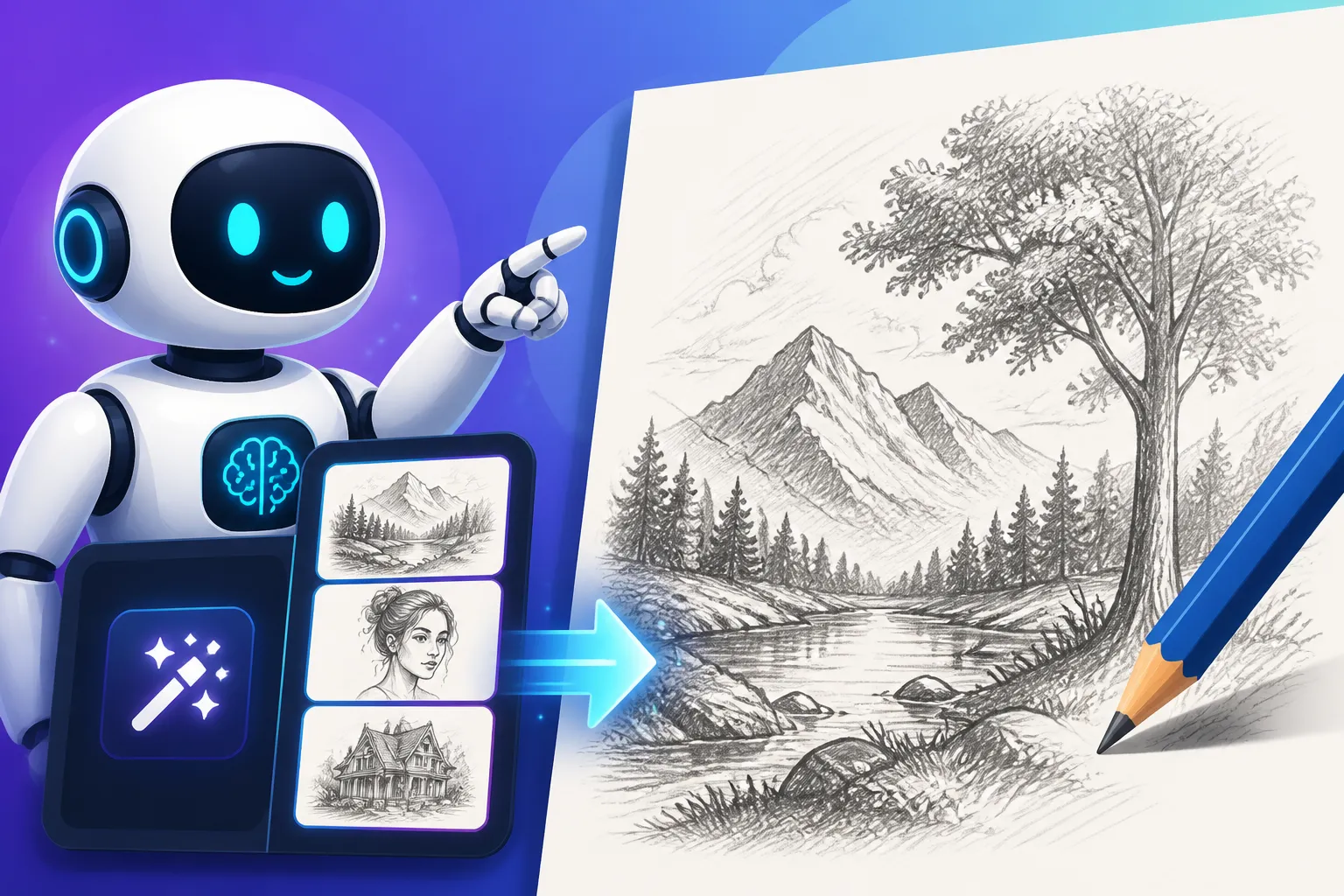
Prompt: A peaceful mountain landscape with a still lake, rendered as a serene pencil drawing, soft lead pencil, subtle atmospheric perspective, light clouds in the sky, gentle reflections on the water, minimal shading, on smooth gray paper, calm and tranquil mood.
Breakdown:
A peaceful mountain landscape with a still lake: Subject and desired atmosphere.rendered as a serene pencil drawing: Style and mood.soft lead pencil: Suggests softer edges and blended tones over sharp lines.subtle atmospheric perspective: Indicates how depth should be handled, with distant objects fading slightly.light clouds in the sky, gentle reflections on the water: Specific details to include.minimal shading: Keeps the drawing light and airy.on smooth gray paper: Defines the background texture.calm and tranquil mood: Reaffirms the desired emotional tone.
Table: Common Pencil Sketch Prompt Modifiers
This table summarizes some essential modifiers you can mix and match to achieve different effects:
| Category | Keywords for Lighter/Finer Sketch | Keywords for Darker/Bolder Sketch | Keywords for Textured/Rough Sketch | Keywords for Refined/Smooth Sketch |
|---|---|---|---|---|
| Pencil Type | graphite, 2H pencil, fine liner | charcoal, 8B pencil, conte crayon | charcoal stick, wax crayon | mechanical pencil, fine point |
| Line Quality | delicate lines, crisp, wispy | bold strokes, heavy lines, gestural | rough edges, cross-hatching, smudged | smooth, clean lines, precise |
| Shading | light shading, minimal, subtle | deep shadows, heavily rendered | gritty, textured shading, blended | soft gradients, smooth transitions |
| Paper Type | smooth paper, vellum, white paper | rough paper, coarse grain, Kraft paper | toothy paper, watercolor paper | Bristol board, fine art paper |
| Art Style | line art, contour drawing, study | expressive, raw, dramatic | rustic, aged, concept sketch | technical drawing, polished |
| Imperfections | (omit or minimal) | eraser marks, graphite dust, smudges | messy, unfinished, energetic | (omit or minimal) |
Remember, the best prompts often combine elements from several categories.
Refining Your Pencil Sketch AI Art
Generating a fantastic initial sketch is just the first step. The true artist knows how to iterate and refine, and with AI, you have powerful tools to do just that.
Iteration and Experimentation: The Artist's Process
Think of your first AI-generated image as a "first pass" or a "rough draft." It's a starting point, not necessarily the finished product.
- Slight Adjustments: Did the shading come out too heavy? Try adding "lighter shading" or "minimal shadows" to your next prompt. Was the line work too digital? Add "hand-drawn feel" or "organic lines." Small tweaks can make a huge difference.
- Changing Parameters: Most AI image generators allow you to adjust parameters like
--style raw(in Midjourney) or apply different models (in Stable Diffusion). Experiment with these to see how they influence the pencil sketch aesthetic. Sometimes, a different base model will inherently be better at certain styles. - Variations: Generate multiple variations of a prompt. Often, one will stand out or give you new ideas for refinement. Don't be afraid to generate dozens of images from slightly different prompts. This iterative process is key to getting the results you want, as highlighted in our guide on How to Iterate on AI Image Prompts.
Using Negative Prompts to Enhance Quality
Negative prompts are incredibly powerful for subtraction. They tell the AI what not to include or what qualities to avoid. This is especially useful for achieving a clean, authentic pencil sketch look.
- Removing Unwanted Digital Artifacts:
no digital art, no vector art, no colored lines, no paint, no photorealistic - Ensuring Pure Grayscale:
no color, no saturation, monochrome only(though specifying graphite or charcoal usually handles this, sometimes a subtle tint might sneak in). - Avoiding Over-Rendered Looks:
no overly smooth, no plastic look, no cartoon, no anime - Preventing Specific Flaws: If you notice the AI frequently adding unnatural textures or odd smudges you don't want, you can negative prompt them.
For example, if you're getting sketches that look too slick and digital, you might use: pencil sketch of a serene forest, morning mist, --no digital, --no computer graphics, --no smooth, --no saturation. Understanding how to effectively use negative prompts is a game-changer for control. You can find more detailed advice on this in our article on How to Use Negative Prompts.
Post-Generation Enhancements for Perfection
Even the best AI-generated sketch might need a little polish.
- Upscaling: AI images often generate at a lower resolution. Using an upscaler can significantly improve detail and clarity, making the sketch look more professional. Tools like Magnific AI Upscaler Review can take your images to the next level.
- Minor Edits: A quick pass in an image editor like Photoshop can fix small imperfections. This might involve removing a stray pixel, slightly adjusting contrast, or subtly enhancing the paper texture.
- Adding Grain or Noise: Sometimes, adding a very subtle layer of noise or film grain in post-production can make a digital image feel more like a scanned traditional drawing.
- Tonal Adjustments: Fine-tuning the curves and levels can bring out the full range of grays, from crisp whites to deep blacks, giving your sketch more depth and impact.
Common Pitfalls and How to Avoid Them
Even with the best intentions and carefully crafted prompts, you might encounter issues. Knowing these common traps can save you a lot of time and frustration.
Over-Prompting and Confusing the AI
It's tempting to throw every descriptive word you can think of into a prompt, but sometimes, less is more. An overly long and complex prompt can confuse the AI, leading to images that miss the mark or combine elements in unexpected ways.
- The Problem: The AI might struggle to prioritize instructions, leading to a muddled style, conflicting details, or a deviation from the core "pencil sketch" aesthetic. For instance, if you say "highly detailed photorealistic pencil sketch on smooth paper with rough edges and gritty textures," the AI might not know whether to prioritize realism, sketchiness, smooth surfaces, or rough textures.
- The Solution: Be concise and focused. Build your prompt incrementally. Start with the core subject and the "pencil sketch" modifier. Then, add one or two key descriptors for shading, texture, or mood. Generate, evaluate, and then add more specific details if needed. If you're struggling with results, you might be making common mistakes, which we discuss in our article on Common AI Image Prompt Mistakes.
Relying on Generic Keywords
Just saying "pencil sketch" isn't enough, as we've discussed. Generic keywords often result in generic images that lack the specific artistic qualities you're aiming for.
- The Problem: The AI's default interpretation of "pencil sketch" might be a clean, almost clipart-like rendering that doesn't capture the organic feel of a real drawing. It might miss the nuances of line weight, texture, or intentional imperfections.
- The Solution: Use specific, evocative keywords. Instead of "pencil sketch," try "graphite drawing," "charcoal rendering," "hand-drawn study," "cross-hatching," "smudged lines," "textured paper." Think like a traditional artist describing their work. This is why detailed language matters when you're learning how to write AI prompts for photorealistic images or any specific style.
Ignoring Aspect Ratios and Resolution
The dimensions and quality of your image can significantly impact how a pencil sketch is perceived.
- The Problem: A default square aspect ratio might not suit your subject, or a low-resolution output could make delicate lines appear pixelated and rough, not in an artistic way, but in a technically poor way. Sketch lines and paper textures are particularly sensitive to resolution; they can lose their nuance if the image isn't generated at an adequate size.
- The Solution: Always specify your desired aspect ratio (e.g.,
--ar 16:9for landscape,--ar 9:16for portrait, or--ar 2:3for a classic print ratio). Experiment to see which aspect ratio best frames your subject in a sketch format. Generate images at higher resolutions where possible, or plan to use an upscaler post-generation. For example, if you're planning to use the image for a blog, consider how to generate AI images for blog images with optimal dimensions. This ensures that the fine details of your sketch are preserved and presented beautifully.
Disclaimer
Please remember that while AI image generators are powerful tools, the outputs are algorithmically generated. Always review the terms of service for any specific AI tool regarding commercial use and intellectual property. The advice provided here is for informational and creative guidance.