Best AI Image Prompts for Animals
It can be incredibly frustrating when you're trying to generate a stunning image of a majestic lion or a playful puppy with AI, only to end up with something that looks more like a creature from a fever dream than a real animal. The struggle is real; generic prompts often lead to generic, or worse, anatomically incorrect results. This guide is here to unravel the mystery of crafting the best AI image prompts for animals, helping you bring your wild (or domestic) visions to life with precision and beauty.
Understanding the Building Blocks of Animal Prompts
When you're trying to conjure up a lifelike or artistic depiction of an animal using AI, simply typing "dog" or "cat" just won't cut it. You need to give the AI more to work with, thinking about the creature itself, what it's doing, and where it is. It's like being a director on a film set – you need to tell your actors (the AI) exactly what you envision for the scene.
Specifying the Animal and Breed
The first step, and perhaps the most obvious, is to clearly define the animal you want to generate. But don't stop there! Just as you wouldn't expect a general prompt for "person" to give you a specific individual, "dog" won't give you a particular canine. Getting granular with breeds, species, or even specific colors and markings can dramatically improve your results. For example, instead of just "horse," try "Andalusian horse with a flowing mane" or "Shetland pony grazing in a meadow."
Consider the subtle differences between a Siberian husky and an Alaskan Malamute, or a Bengal cat versus a Domestic Shorthair. The AI models are trained on vast datasets, and often, they can distinguish these nuances if you provide them. If you’re aiming for a majestic animal, adding descriptors like "regal," "powerful," or "graceful" can help guide the AI towards the desired aesthetic. For instance, "a sleek black panther stalking through dense jungle foliage" is far more descriptive and effective than "big cat in jungle." When learning how to write AI image prompts, specificity is always your friend.
Defining Actions and Poses
An animal standing still in the center of the frame can be lovely, but often you want to capture a moment, an emotion, or a dynamic scene. This is where defining actions and poses becomes crucial. Is your animal running, leaping, sleeping, playing, hunting, or gazing intently? The verbs you choose bring the image to life. "A golden retriever fetching a frisbee at the beach" paints a vivid picture that "golden retriever beach" simply doesn't.
Think about the posture and movement. "A majestic eagle soaring against a sunset sky" is much more evocative than "eagle sky." If you want to capture a specific mood, the action can really sell it. A "curled-up tabby cat purring contentedly by a fireplace" conveys warmth and comfort. Don't shy away from adding details about the action itself, like "mid-leap," "pouncing playfully," or "resting serenely." These details guide the AI in rendering a more believable and engaging scene.
Setting the Environment and Background
The surroundings play a massive role in grounding your animal in reality and enhancing the overall composition. An animal without a proper background can look unnatural or "cut out." Is your creature in its natural habitat, a fantastical landscape, or an urban setting? Specifying the environment helps the AI create a cohesive image. For instance, "a red fox trotting through a snowy forest" is much better than "red fox."
Beyond just the type of environment (forest, desert, ocean, cityscape), consider details like the time of day, weather, and specific elements within the scene. "A family of elephants at a watering hole during golden hour," or "a playful dolphin leaping out of crystal-clear turquoise waters on a sunny day," or even "a vigilant barn owl perched on a weathered wooden fencepost under a full moon." These environmental cues not only provide context but also influence the lighting and mood of the image. For more insights on prompt structures, check out our guide on how to get better AI image results.
Mastering Artistic Styles and Photographic Techniques
Once you've nailed down the core elements of your animal, action, and setting, the next layer of sophistication comes from guiding the AI on how to render that image. This is where artistic styles and photographic techniques come into play, transforming a basic generation into a piece of art.
Exploring Art Styles and Mediums
The beauty of AI image generation is its ability to mimic virtually any artistic style. Do you want a photorealistic image, or something more stylized? Don't just settle for the default; experiment! You could ask for "an impressionistic painting of a herd of wild horses," "a watercolor illustration of a hummingbird sipping nectar," or "a cyberpunk-style robotic owl perched on a neon-lit skyscraper." The possibilities are truly endless.
Think about famous artists or art movements that inspire you. Imagine a "Van Gogh-style starry night sky with a wolf howling at the moon" or a "Picasso-esque cubist portrait of a bewildered cat." You can also specify different art mediums like "charcoal sketch," "oil painting," "digital art," "pencil drawing," "pixel art," or even "3D render." Adding these stylistic descriptors breathes unique life into your animal images, making them stand out. Our guide on AI Image Prompt Examples by Style delves deeper into this.
Incorporating Lighting and Camera Angles
Just like in traditional photography or filmmaking, lighting and camera angles can dramatically alter the mood and impact of your AI-generated animal image. Don't leave these crucial elements to chance. A "low-angle shot of a powerful grizzly bear standing on its hind legs," or "a close-up portrait of a domestic cat with soft, natural window light illuminating its eyes," will yield much more deliberate and professional-looking results.
Consider various lighting scenarios: "golden hour," "dramatic chiaroscuro lighting," "backlit," "soft studio lighting," "moonlight," "neon glow," or even specific times of day like "dawn" or "dusk." The same animal can look entirely different under varying light conditions. For camera angles, think "eye-level shot," "aerial view," "worm's-eye view," "wide-angle shot," or "macro shot." Each choice influences how the viewer perceives the animal and the scene. These techniques are often highlighted in advanced guides like the Midjourney Prompt Guide or the DALL-E Prompt Guide.
Adding Emotional Nuance and Storytelling
Animals, like humans, can convey a wide range of emotions and be part of compelling narratives. Infusing your prompts with emotional language or subtle storytelling elements can make your images resonate more deeply. Instead of just "a dog," try "a loyal dog patiently waiting by the front door," or "a playful kitten batting at a dangling toy with mischievous eyes."
You can suggest emotions like "curious," "fierce," "serene," "anxious," "joyful," "tired," or "determined." Combine these with actions and settings to build a mini-narrative. For example, "a wise old owl perched contemplatively on a branch, deep in thought as the sun sets," or "a small, timid deer peeking out from behind ancient trees in a magical forest." These prompts go beyond mere description, inviting the AI to create an image with depth and character.
Advanced Prompting for Unique Animal Creations
Once you're comfortable with the basics, it's time to push the boundaries and explore more sophisticated prompting techniques. This is where you can truly differentiate your AI animal images and tackle more complex concepts.
Utilizing Negative Prompts for Refinement
Sometimes, it's not about what you want in an image, but what you absolutely don't want. This is where negative prompts come in handy. They instruct the AI to avoid certain elements or styles, helping you refine the output and steer clear of common pitfalls. For instance, if you're generating a realistic dog and keep getting cartoonish results, you might add a negative prompt like --no cartoon, illustration, drawing. Or, if the background is too busy, --no cluttered, distracting background.
Negative prompts are especially useful for preventing anatomical weirdness, like extra limbs or distorted faces, which can be a real headache with animals. If you notice strange fur patterns or unnatural color shifts, try --no blurry, warped, mutated, strange colors. Learning how to use negative prompts effectively is a game-changer for achieving cleaner, more accurate results.
Crafting Prompts for Hybrid or Fantasy Creatures
The realm of imagination truly opens up when you start prompting for animals that don't exist in our world. Whether it's a mythical beast or a whimsical hybrid, AI can bring these creatures to life. The key is to blend descriptive elements of real animals with fantastical attributes.
For a griffin, you might combine "majestic eagle head," "powerful lion body," and "golden feathers, sharp talons." For a unique hybrid, try something like "a fox with iridescent butterfly wings, perched on a glowing mushroom in a bioluminescent forest." Be as detailed as possible about each component of your fantasy creature, including its texture, color, and how its different parts integrate. Don't forget to specify the environment that would suit such a creature, enhancing its believability within its fantastical world. These kinds of prompts are especially fun for tools like Midjourney due to its strong artistic capabilities.
Achieving Consistency Across Multiple Images
A common challenge when generating a series of animal images is maintaining consistency, especially if you want the same character or a consistent style across different scenes. This can be tricky, but there are strategies to improve your chances. One method is to use a consistent "seed" if your AI tool supports it, which helps replicate the initial noise pattern.
Another approach is to heavily rely on descriptive tags and parameters that remain constant across all your prompts. For example, if you want the "same playful golden retriever puppy," always include "playful golden retriever puppy, short fur, bright eyes, specific collar type" in every prompt, along with detailed descriptors for its pose and environment. Some advanced users even generate a "character reference sheet" for their AI animals, using specific image references to help maintain visual continuity. Explore strategies for character consistency in guides like "How to Prompt for Consistent Characters."
Troubleshooting Common Issues with AI Animal Images
Even with the best prompts, AI can sometimes throw you a curveball. Distorted limbs, weird fur, or a creature that looks "off" are common frustrations. Knowing how to identify and address these issues is key to mastering AI animal image generation.
Fixing Anatomical Distortions
This is probably the most common complaint when generating animals: an extra leg, missing eyes, or a bizarrely twisted neck. Animals, like humans, have complex anatomy that AI models sometimes struggle with, especially in dynamic poses or unusual angles. If you’re consistently running into issues like these, the first step is to simplify your prompt. Remove overly complex actions or extreme camera angles and see if a more straightforward pose yields better results.
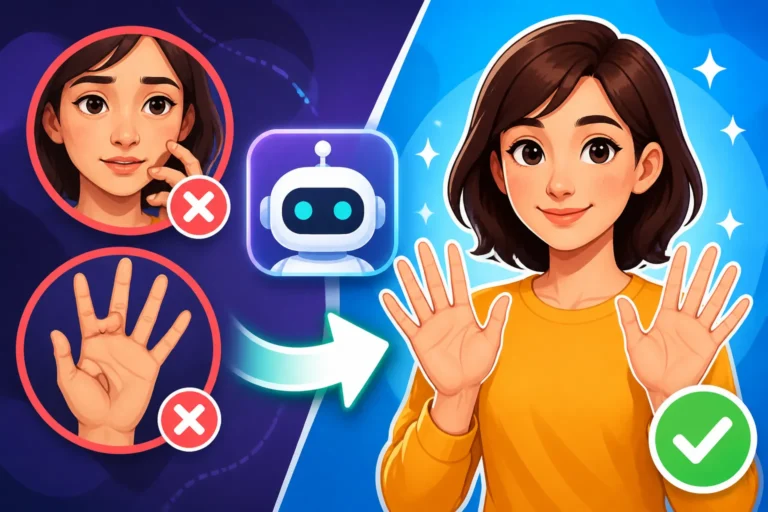
Once you have a solid base, you can gradually reintroduce complexity. Using strong negative prompts like --no distorted, mutated, extra limbs, deformed, ugly, unrealistic anatomy can be incredibly effective. Sometimes, simply generating multiple variations of an image will give you a perfect one among several flawed ones. Another trick is to specify the number of certain body parts, e.g., "a cat with four paws and two ears." Tools are improving, but getting "hands" (or paws, in this case) right is still a common challenge, and sometimes it just takes more iterations. For more general advice on problematic outputs, read about how to fix bad AI image results.
Improving Fur, Feathers, and Scales
The texture of an animal's covering – be it fur, feathers, or scales – is vital for realism and aesthetic appeal. If your AI-generated tiger looks like it has plastic fur, or your parrot's feathers are blurry blobs, your prompt might be lacking specific detail.
To enhance realism, add descriptive terms for texture and detail. For fur, think "fluffy fur," "silky smooth fur," "thick shaggy coat," "individual strands of fur visible." For feathers, "iridescent feathers," "soft downy plumage," "sharp quill details." For scales, "shimmering scales," "rough, leathery scales," "intricate scale patterns." You can also specify the type of detail you want, like "hyper-detailed," "photorealistic texture," or "macro details." Remember that adding terms like "8K," "4K," or "ultra-detailed" can also push the AI to render finer textures.
Battling Unwanted Background Elements
You've got the perfect animal, but there's a distracting lamppost in the savanna or a rogue coffee cup in the forest. Unwanted background elements can ruin an otherwise great image. This often happens because the AI interprets broad environment descriptors too literally or pulls in common objects from its training data.
The easiest way to combat this is to be very specific about what should be in the background and use negative prompts for what shouldn't. For example, if you want a clean forest background, try "lush green forest, no man-made objects, no trash, no plastic." You can also specify simplicity: "minimalist background," "bokeh background," or "blurred background." Some AI tools offer inpainting or outpainting features that allow you to selectively remove or replace elements after generation, which can be a lifesaver. For common pitfalls, our guide on Common AI Image Prompt Mistakes might offer some valuable insights.
Prompt Element Breakdown for Different Animal Types
To make it easier, here's a quick reference table breaking down crucial prompt elements for different categories of animals. Remember, these are starting points – mix and match and get creative!
| Animal Category | Key Species/Breeds to Specify | Common Actions/Poses | Environment Descriptors | Stylistic/Detail Cues | Negative Prompts to Consider |
|---|---|---|---|---|---|
| Domestic Pets | Golden Retriever, Siamese Cat, Hamster, Budgie | Playing, sleeping, cuddling, watching, eating | Cozy home, garden, park, urban street, veterinary clinic | Soft focus, bokeh, cute, photorealistic, playful, candid | cartoon, scary, aggressive, blurry, distorted paws |
| Wild Mammals | Lion, Wolf, Bear, Elephant, Deer, Fox | Hunting, running, grazing, roaring, stalking | Forest, savanna, mountains, jungle, tundra, desert | Majestic, powerful, rugged, wildlife photography, cinematic | domestic, caged, anthropomorphic, blurry, unnatural colors |
| Birds | Eagle, Owl, Hummingbird, Parrot, Robin | Soaring, perching, flying, nesting, singing | Sky, tree branches, desert, rainforest, urban rooftop, garden | Feathers detailed, iridescent, dynamic flight, elegant, vibrant | blurry wings, deformed, cartoon, ugly, simple drawing |
| Reptiles/Amphibians | Snake, Lizard, Frog, Turtle, Crocodile | Basking, slithering, swimming, camouflaged | Swamp, desert, rainforest, rock, water, pond | Scaly skin texture, intricate patterns, cold-blooded, ancient | cute, fluffy, cartoon, blurry, smooth skin |
| Marine Life | Dolphin, Whale, Shark, Fish, Octopus | Swimming, breaching, diving, hunting, schooling | Ocean, coral reef, deep sea, calm water, kelp forest | Underwater photography, bioluminescent, ethereal, serene, dynamic | shallow water, tank, cartoon, distorted fins, unclear |
Disclaimer
The information provided in this article is for general guidance and informational purposes only. While AI image generation tools are powerful, results can vary greatly depending on the specific model, your prompt wording, and numerous other factors. Always review and refine your outputs.