How to Control Composition in Prompts
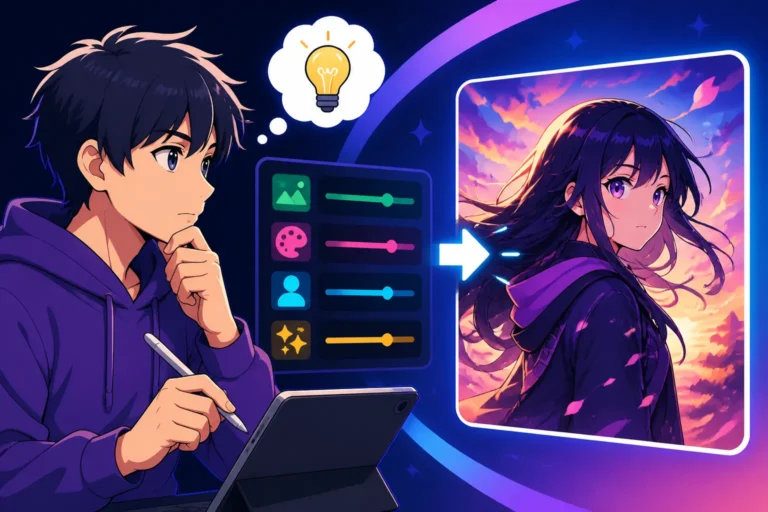
It's incredibly frustrating when you have a clear vision for an AI-generated image – perhaps a stunning landscape or a dynamic character portrait – but the tool churns out something completely random, with the subject crammed into a corner or an awkward, unbalanced layout. Getting your AI image tool to understand where things should go in the frame, not just what should be there, can feel like talking to a wall. This comprehensive guide is here to break down exactly how you can take charge and control composition in your AI image prompts, transforming chaotic outputs into beautifully structured visuals.
Understanding Composition in AI Art
Generating images with AI has opened up a world of creative possibilities, but for many, it quickly becomes apparent that while the AI is fantastic at interpreting subjects and styles, it often struggles with the nuanced art of composition. You might ask for "a majestic dragon," and get a dragon, but it could be tiny in the corner, cut off, or just placed in a way that makes the image feel dull. Understanding composition is the key to elevating your AI art from a mere collection of elements to a cohesive, impactful visual story.
Why Composition Matters for AI Images
Think about your favorite photographs or paintings. What makes them so captivating? More often than not, it's not just the subject matter itself, but how that subject is presented within the frame. Composition is essentially the arrangement of visual elements within an image. It's about leading the viewer's eye, creating balance, fostering a sense of harmony or tension, and ultimately, communicating your intended message more effectively.
For AI images, this is doubly important because the default settings often prioritize quantity of elements or general aesthetic appeal over deliberate placement. A well-composed AI image feels intentional and professional. For example, if you're generating an image for a blog post, a composition that places a key object slightly off-center using the rule of thirds can be far more visually engaging than one where everything is plopped dead center. If you're designing a book cover, the composition needs to guide the eye to the title and author name, creating a strong hierarchy. Without conscious control over composition, your AI images risk looking amateurish or failing to convey the emotional impact you desire. It’s the difference between a random snapshot and a carefully crafted piece of art.
The AI's Default Behavior: Chaos and Cliche
When you give an AI image generator a simple prompt like "a cat in a field," it will likely give you exactly that: a cat, in a field. But where in the field? What's the angle? Is the cat a tiny speck or filling the frame? Most AI models, without specific instructions, tend to fall back on common, often predictable, compositional patterns. Sometimes it's a dead-center subject, other times it's a slightly haphazard arrangement of elements that don't quite cohere. This isn't because the AI is "bad" at composition, but because it's an incredibly complex, human-centric skill based on aesthetics, cultural context, and artistic intent.
Consider how many images you've seen where the subject is perfectly centered. While sometimes effective, this can often lead to a static, uninteresting image. AI models like DALL-E or Midjourney learn from billions of images, and many of these images are simple, straightforward shots. Without nuanced guidance, the AI will default to averages, producing results that lack dynamic flair or thoughtful arrangement. This "chaos and cliché" cycle means you'll often get images that are technically correct in terms of objects present, but compositionally weak, failing to tell a compelling story or capture a specific mood. This is where your prompt engineering skills become crucial; you need to become the virtual director of photography for your AI artist.
Core Compositional Elements to Control
To steer your AI towards better compositions, you need to understand the fundamental building blocks of visual arrangement. These elements are universally applied in photography, painting, and graphic design, and with the right vocabulary, you can convey them to your AI.
Subject Placement and Rule of Thirds
One of the most powerful and widely used compositional guidelines is the Rule of Thirds. Imagine your image divided into nine equal sections by two horizontal and two vertical lines. The idea is to place your main subject or points of interest along these lines or, even better, at the intersections where they meet. This creates a more balanced and dynamic image than simply centering everything.
To apply this in your prompts, you can be quite direct. For example, instead of "a lone tree," try "a lone tree positioned in the upper right third of the frame." Or for a character, "a charismatic leader standing at the left vertical third line, gazing into the distance." You can also guide the AI to use principles like leading lines that draw the eye towards your subject, or effective use of negative space to make your subject stand out. "A minimalist portrait, subject silhouetted against a vast, empty sky, positioned in the lower third" is a great example of combining subject placement with negative space. These explicit instructions push the AI beyond its default centered interpretations and towards more sophisticated layouts.
Framing and Perspective
The way you frame your shot and the perspective from which it's taken dramatically alters the composition and the feeling of an image. Are you looking up at your subject, down at it, or head-on? Is the frame tightly cropped or wide open?
You can directly specify camera angles and shot types in your prompts. For instance:
- Camera Angles:
- "Low angle shot of a towering skyscraper, emphasizing its height and grandeur."
- "High angle shot of a bustling market, showing the crowd and activity below."
- "Eye-level perspective of a child playing with a toy."
- Shot Types:
- "Wide shot of an ancient forest, the vastness of the trees emphasized."
- "Close-up of a blooming rose, intricate petals filling the frame."
- "Medium shot of a person smiling, natural light, shallow depth of field."
- "Extreme close-up on a single dewdrop reflecting the sunrise."
Consider how a "Dutch angle" (a tilted horizon) can add tension, or how a "bird's-eye view" can give a sense of scale. Beyond just camera angles, you can ask for environmental framing, like "a cozy cottage viewed through an archway of trees," which adds layers and depth to the composition. By being specific about perspective and framing, you're not just telling the AI what to draw, but how to compose it, adding significant artistic control. If you're struggling to achieve the desired effect, sometimes adjusting parameters for Midjourney Aspect Ratios Explained can also influence the perceived distance and framing.
Advanced Prompting Techniques for Compositional Control
Once you've got a handle on basic subject placement and camera angles, it's time to dive into some more advanced techniques that give you even finer control over your AI's compositional choices. These methods leverage the AI's understanding of relationships between elements and its ability to exclude or prioritize certain features.
Using Aspect Ratios and Resolution
The aspect ratio of your image (the ratio of its width to its height) fundamentally dictates the canvas on which your composition will unfold. A square image (1:1) lends itself to central, balanced compositions. A wide, cinematic ratio (e.g., 21:9) naturally encourages panoramic landscapes or scenes with multiple subjects spread horizontally. A tall, vertical ratio (e.g., 9:16) is perfect for portraits, emphasizing height and grandeur. Many AI tools allow you to specify the aspect ratio directly in your prompt or settings, often using parameters like --ar 16:9 in Midjourney or similar options in DALL-E or Stable Diffusion.
Understanding how different aspect ratios influence composition is crucial. For instance, if you want a striking portrait of a wizard, choosing a 2:3 or 9:16 aspect ratio guides the AI to frame the figure vertically, allowing for more emphasis on clothing, staff, or flowing beard. Conversely, for an epic battle scene, a 16:9 or 21:9 ratio provides the horizontal space needed to capture the scope and action. The resolution you target can also indirectly impact perceived composition; a higher resolution image might encourage the AI to include more intricate details, affecting how elements are spaced and arranged within the frame. It's not just about the final output size, but how the AI "thinks" about filling that space.
Negative Prompts and Prompt Weights
These two techniques are incredibly powerful for refining composition by telling the AI what not to do, or how much emphasis to place on certain elements.
Negative Prompts: These are instructions that tell the AI what you don't want to see in your image. When it comes to composition, negative prompts can be a lifesaver for removing distracting elements or unwanted compositional tendencies. For example:
- If your AI keeps generating crowded scenes when you want a minimalist feel, you might add:
--no crowded, busy, cluttered background. - If you're trying to get a clear shot of a product but the AI adds extraneous objects, use:
--no extra objects, props, distractions. - If you want a simple, clean background, try:
--no complex background, overwhelming details.
Learning How to Use Negative Prompts effectively can dramatically clean up your compositional outputs, forcing the AI to focus on the core elements you've defined.
Prompt Weights: Some advanced AI models, like Midjourney, allow you to assign "weights" or emphasis to different parts of your prompt. This means you can tell the AI to prioritize certain compositional instructions over others. For instance, if you want "a lone adventurer ::2 standing on a cliff edge ::1.5 overlooking a vast canyon ::1," you're telling the AI to put more emphasis on the adventurer and their pose, slightly less on the cliff edge, and least on the overall canyon scene, potentially affecting how prominently each element appears and how it's framed. A heavier weight on a compositional term like "rule of thirds" could enforce it more rigorously. Experimenting with How to Use Weights in AI Prompts can help you fine-tune the visual hierarchy within your generated images.
Incorporating Artistic Techniques
Beyond explicit instructions, you can prompt the AI using the language of traditional art and photography to suggest sophisticated compositional layouts. The AI, having been trained on vast datasets of art, can often interpret these terms surprisingly well.
- Leading Lines: Ask for "a winding road leading to a distant castle," "railroad tracks receding into the horizon," or "a beam of light cutting through a dark room, guiding the eye." These phrases imply lines that direct the viewer's gaze towards a focal point.
- Symmetry and Asymmetry: For a grand, balanced look, try "perfectly symmetrical architecture with a reflection in a still lake." For something more dynamic and interesting, prompt "asymmetrical composition, a small boat against a vast, stormy sea."
- Patterns and Repetition: "Repeated archways stretching into the distance," "a field of sunflowers creating a vibrant pattern," or "a mosaic pattern on the floor leading to an altar" can evoke strong visual structures.
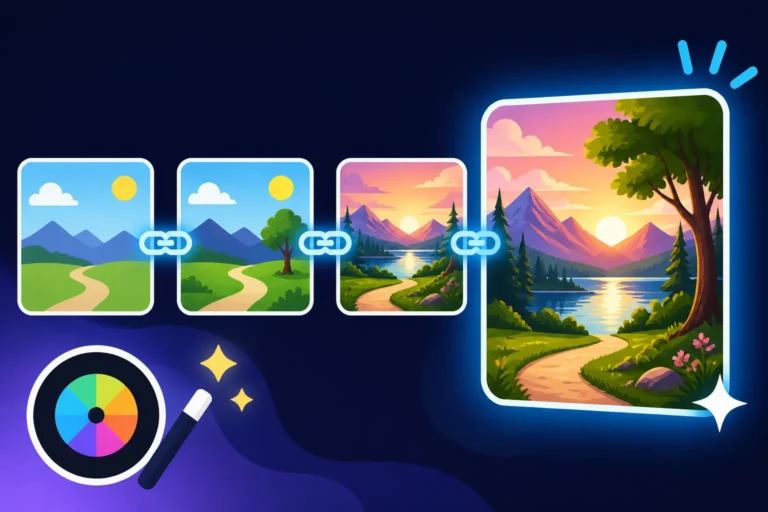
- Depth and Foreground Elements: Use phrases like "in the foreground, blooming wildflowers," "a mysterious figure silhouetted in the midground," or "layers of mist receding into the background" to create a sense of depth and guide the eye through the scene.
- Specific Art Movements: You can even hint at compositional styles by referencing art movements. "Renaissance painting composition of a holy family," "Dutch Golden Age composition, warm light illuminating a domestic scene," or "Bauhaus geometric symmetry in an urban landscape" can inform the AI about the desired arrangement of elements, not just their appearance. These subtle cues tap into the AI's understanding of artistic principles and can produce incredibly nuanced results.
Practical Scenarios and Prompt Examples
Let's get down to some real-world examples. Knowing the theory is great, but applying it is where the magic happens. Here are some scenarios and prompt examples to help you gain compositional control for various types of images.
Crafting Dynamic Character Shots
Generating compelling characters isn't just about their appearance; it's about how they're presented in the scene. A well-composed character shot can convey emotion, action, or status.
Scenario 1: A Heroic Full-Body Shot
You want a powerful, full-body image of a knight, emphasizing their strength and readiness for battle, with plenty of room to appreciate their armor and weapon.
- Basic Prompt (less control): "A knight in shining armor."
- Improved Prompt: "A heroic knight in ornate shining armor, standing triumphantly on a windswept cliff, a wide shot capturing their full majestic form, posed dynamically, dramatic lighting, epic landscape background with a distant castle, hyperrealistic, 16k –ar 16:9."
- Why it works: "Wide shot capturing their full majestic form" and "posed dynamically" explicitly guide the framing. "Triumphantly on a windswept cliff" adds environmental context.
- For more inspiration, explore our guide on Best AI Image Prompts for Characters.
Scenario 2: An Expressive Close-Up Portrait
You need an intimate portrait of a wizard, focusing on their wise, aged face and sparkling eyes, with a slightly blurred background to make them pop.
- Basic Prompt (less control): "A wise wizard."
- Improved Prompt: "Close-up portrait of an ancient, wise wizard, deep wrinkles around sparkling, observant eyes, gentle smile, intricate details on their pointed hat, shallow depth of field, subtle magical glow emanating from behind, bokeh background, cinematic lighting, 8k, –ar 2:3."
- Why it works: "Close-up portrait," "deep wrinkles around sparkling, observant eyes," and "shallow depth of field, bokeh background" all work together to ensure the face is the absolute focal point with a pleasing, de-emphasized background.
Generating Engaging Landscape Scenes
Landscapes can be breathtaking, but without proper composition, they can look flat or uninteresting. It's about leading the eye and establishing scale.
Scenario 1: A Vast, Awe-Inspiring Mountain Range
You want to convey the sheer scale and majesty of a mountain range, with a small element to provide perspective.
- Basic Prompt (less control): "Mountains at sunset."
- Improved Prompt: "Epic panoramic landscape, majestic snow-capped mountain range at golden hour sunset, a lone tiny hiker with a red backpack visible on a winding trail in the lower left third, emphasizing immense scale, dramatic clouds, leading lines from the trail, vibrant colors, hyper-detailed, 16k –ar 21:9."
- Why it works: "Epic panoramic landscape" and "–ar 21:9" set the stage. "Tiny hiker…in the lower left third, emphasizing immense scale" explicitly guides the key compositional element for scale and placement. "Leading lines from the trail" tells the AI to incorporate a directional element.
- To master your scenery, check out our insights on Best AI Image Prompts for Landscapes.
Scenario 2: A Tranquil Forest Scene
You're looking for a peaceful forest image, with sunlight dappling through the leaves and a clear sense of depth.
- Basic Prompt (less control): "A forest."
- Improved Prompt: "Serene ancient forest, sunlight filtering through a dense canopy, creating dappled light on the mossy forest floor, a winding path receding into the middle ground, tall ancient trees forming natural vertical lines, soft mist, focus on depth and tranquility, storybook illustration style, 4k –no blurry foreground elements."
- Why it works: "Sunlight filtering through a dense canopy, creating dappled light" describes the atmospheric effect. "Winding path receding into the middle ground" adds depth and a leading line. "–no blurry foreground elements" ensures clarity where you want it.
Arranging Product Photography
For commercial uses, precise composition in product photography is paramount. You need the product to be clear, well-lit, and presented attractively.
Scenario 1: A Clean Product Shot with Minimal Background
You need an image of a sleek smartphone, perfectly centered or slightly off-center, against a simple, clean background for an e-commerce listing.
- Basic Prompt (less control): "A smartphone."
- Improved Prompt: "A sleek silver smartphone, modern design, clean studio product photography, positioned slightly off-center on a seamless white background, soft diffused lighting from the top-right, sharp focus on product, minimalist, high resolution, 4k –ar 3:2 –no reflections on screen, no distracting elements."
- Why it works: "Clean studio product photography," "positioned slightly off-center on a seamless white background," and "sharp focus on product" are direct compositional instructions. The negative prompts further refine the output.
- For more detailed product guidance, our article on How to Prompt for Product Photos offers extensive tips.
Scenario 2: Product in an Environmental Context
You want a stylish coffee mug shown in a cozy, morning kitchen setting, hinting at its use case.
- Basic Prompt (less control): "Coffee mug in a kitchen."
- Improved Prompt: "A stylish ceramic coffee mug, filled with steaming coffee, sitting on a rustic wooden table in a warm, sunlit kitchen, cozy domestic scene, shallow depth of field, gentle steam rising, soft morning light illuminating the mug from the side, focus on the mug, background softly blurred, hygge aesthetic, 8k –ar 4:3."
- Why it works: "Sitting on a rustic wooden table…focus on the mug, background softly blurred" defines the compositional hierarchy and depth. "Shallow depth of field" explicitly guides the focus.
| Compositional Element | Prompt Keywords/Phrases to Use | Effect on Image |
|---|---|---|
| Subject Placement | centered, left third, right third, upper/lower quarter, foreground, background, dominant, subtle |
Controls where the main subject appears, impacting balance and visual weight. |
| Camera Angle | low angle shot, high angle shot, eye-level view, bird's eye view, worm's eye view, Dutch angle |
Alters perspective, impacting perceived power, scale, or tension. |
| Shot Type | close-up, medium shot, wide shot, full body shot, extreme close-up, panoramic |
Determines how much of the subject and environment is visible, affecting intimacy or scope. |
| Depth & Layers | shallow depth of field, bokeh background, foreground element, midground detail, layers of..., leading lines |
Creates a sense of three-dimensionality, guiding the eye and emphasizing focus. |
| Balance | symmetrical, asymmetrical, balanced composition, unbalanced, negative space |
Influences the visual equilibrium of the image, from formal stability to dynamic tension. |
| Framing | framed by..., through an archway, behind glass, doorway frame |
Adds context and depth by presenting the main subject within another element. |
| Aspect Ratio | --ar 1:1, --ar 16:9, --ar 9:16, --ar 4:3 |
Determines the canvas shape, influencing horizontal or vertical emphasis and overall feel. |
| Exclusion | --no [clutter], --no [distractions], --no [busy background] |
Removes unwanted elements or compositional characteristics. |
Overcoming Common Compositional Challenges
Even with all these techniques in your arsenal, you're bound to run into issues. AI image generation is an iterative process, and refining your compositional control is no different. Don't get discouraged if your first few attempts aren't perfect!
Dealing with Unwanted Elements
One of the most frequent frustrations is when the AI adds random, distracting elements that mess up your perfectly planned composition. Maybe there's an extra lamp in your minimalist interior shot, or an odd shape lurking in the background of your portrait.
Here's how to tackle it:
- Refine Negative Prompts: The first line of defense is always the negative prompt. If you see a recurring unwanted object, add it to your
--nolist. For example, if you keep getting extra hands, use--no extra hands, distorted fingers. If the background is too busy, try--no cluttered background, distracting elements. - Iterate and Reroll: Sometimes, it's just a matter of chance. Generate a few more variations with the same prompt. AI models like Midjourney and DALL-E will give you slightly different outputs each time, and you might get a cleaner composition on the next try.
- Inpainting and Outpainting: For more stubborn issues, post-generation editing tools are invaluable. Many AI platforms or third-party editors (like Photoshop or even free online tools) offer inpainting, which allows you to "paint over" and remove unwanted elements, and outpainting, which extends the canvas beyond the original image, allowing you to reframe or add to the composition. Our guide on How to Fix Bad AI Image Results covers these techniques in more detail, helping you salvage nearly-perfect compositions.
Achieving Consistency Across Images
For projects requiring a series of images with a similar compositional style – think a visual narrative or a brand campaign – consistency is key. Getting the AI to maintain a specific framing or subject placement can be tricky.
- Use Seed Values: Many AI image generators offer a "seed" value, which is a number that determines the initial noise pattern from which the image is generated. If you find a generation with a particularly good composition, you can often extract its seed and reuse it for subsequent prompts. While the content will change with your prompt, the underlying structure or initial "feel" might carry over, helping to maintain a similar compositional vibe. For example, in Midjourney, you can use
--seed 12345. - Style References: If your AI tool supports style references (like Midjourney's
sref), you can feed it an existing image that has the composition you like. The AI will then try to mimic the overall aesthetic, including compositional elements, in your new generations. This is a powerful way to transfer a specific visual language. - Be Explicit and Repetitive: Don't be afraid to repeat key compositional instructions across multiple prompts. If "rule of thirds, wide shot, dynamic pose" works for one character, use it for the next. The more consistent your explicit instructions, the more likely the AI is to follow suit. For complex scenarios like ensuring a character maintains the same face or pose across multiple scenes, our guide on How to Keep Characters Consistent Across Images offers advanced strategies.
Iteration and Refinement
The journey to perfect AI image composition is rarely a one-shot deal. It's an iterative process of trial, error, and refinement. Think of it like sculpting: you start with a rough block, then slowly chip away and refine the details.
- Start Broad, Then Narrow: Begin with general compositional instructions (e.g., "wide shot, dramatic lighting") to get a sense of the overall framing. Once you have a promising base, start adding more specific details ("subject in lower third, leading lines, shallow depth of field").
- Small Adjustments: Don't overhaul your entire prompt if you're close to what you want. Make small, incremental changes. Change one keyword, adjust one weight, or add one negative prompt at a time. This allows you to understand exactly what effect each modification has.
- Analyze and Learn: Look at the images the AI generates. Even if they're not perfect, try to understand why they look the way they do. Did the AI misinterpret a compositional term? Was it focusing too much on one aspect and neglecting another? This critical analysis will make you a better prompt engineer over time. Our detailed article on How to Iterate on AI Image Prompts provides a step-by-step framework for this continuous improvement process. Embrace the experimentation, and you'll soon master the art of compositional control.
Disclaimer
The information provided in this article is for general guidance and informational purposes only. While AI image generation tools are powerful, their capabilities and interpretation of prompts can vary between models and updates. Always review the terms of service and commercial use policies for any AI tool you use, as they are subject to change.