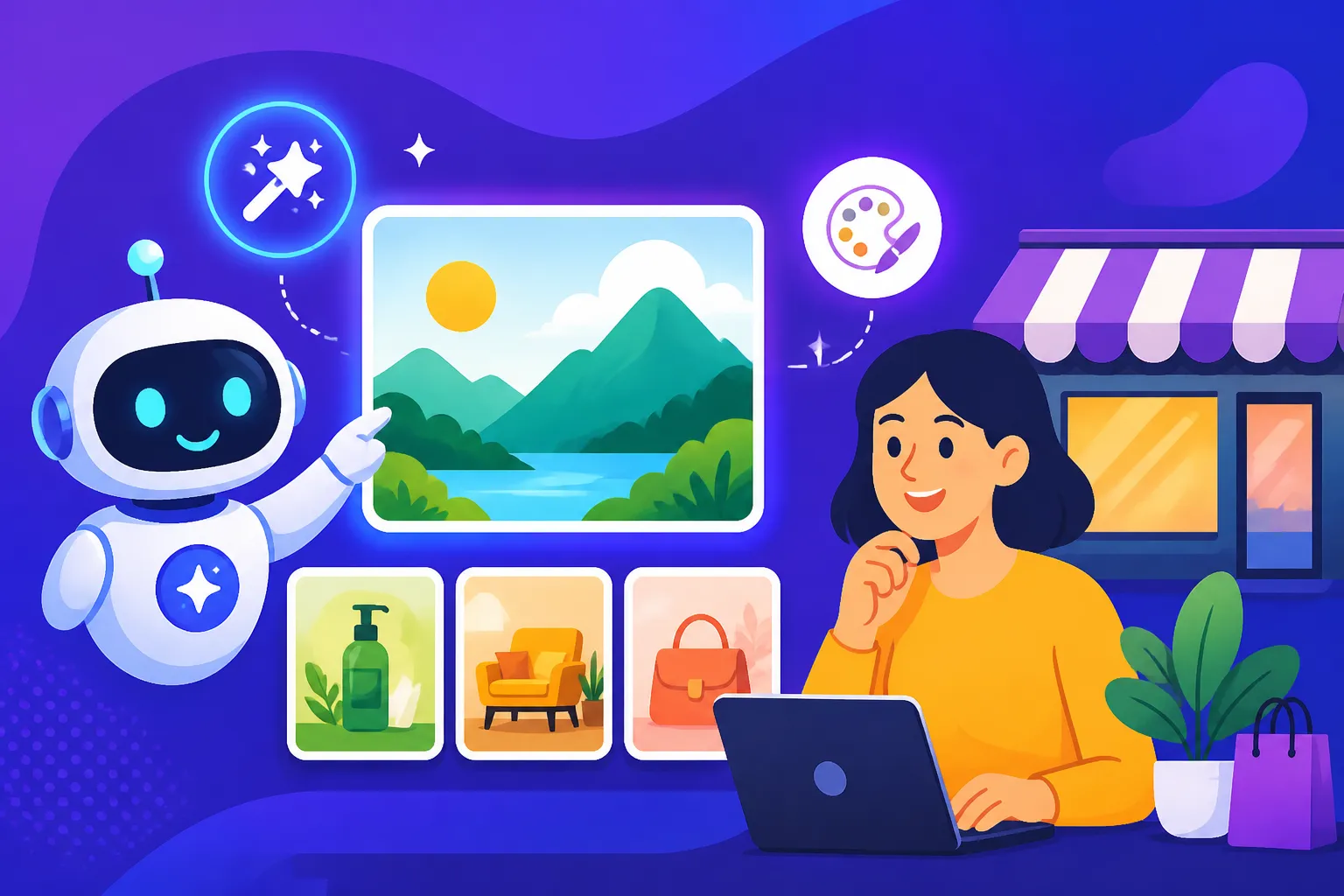
Free AI Image Generators for Small Business
Running a small business is a whirlwind, isn't it? You're juggling a million things, often with a shoestring budget and limited resources. The thought of hiring a professional designer for every graphic you need—for social media, blog posts, or even a quick flyer—can feel like a luxury you just can't afford. But what if you could tap into powerful image creation tools without spending a dime? This guide is here to walk you through the best free AI image generators available, showing you how these incredible tools can transform your small business's visual content, save you time, and keep your marketing fresh and engaging, all without breaking the bank.
The Real Need for Visual Content in Small Business
Let's be honest, in today's digital world, stunning visuals aren't just a nice-to-have; they're absolutely essential. Whether you're a local bakery trying to showcase your latest cronuts, an independent consultant needing professional-looking social media banners, or an Etsy shop owner dreaming up new product mockups, high-quality images are what grab attention. People scroll past text-heavy posts, but they stop for a captivating picture.
The challenge, of course, is how to get those images when you don't have a photography studio in your back pocket or a graphic design degree. Many small business owners I know resort to generic stock photos that look, well, generic. Or worse, they spend hours trying to wrestle with complex design software, only to produce something that doesn't quite hit the mark. The frustration is real when you know you need to stand out but feel like your hands are tied by budget and skill constraints. This is precisely where the magic of AI image generators comes in, democratizing design and putting creative power directly into your hands.
Why Quality Visuals Are Non-Negotiable
Think about your favorite small businesses – the ones that always catch your eye online. Chances are, they have a consistent, appealing visual presence. This isn't just about aesthetics; it's about building trust and brand recognition. A polished image conveys professionalism and care, suggesting that if you put that much effort into your visuals, you likely put the same into your products or services.
For example, imagine a local coffee shop's Instagram. If their feed is full of blurry, poorly lit photos, you might scroll past without a second thought. But if they're sharing vibrant, beautifully composed shots of their lattes, pastries, and cozy ambiance, you're much more likely to be enticed to visit. These visuals tell a story, evoke emotion, and create an immediate connection with potential customers. In an increasingly crowded marketplace, a strong visual identity isn't just a bonus; it's a fundamental competitive advantage.
Common Visual Needs for Small Businesses
Small businesses have a diverse range of visual needs that AI can help with. Consider the sheer variety: a boutique clothing store needs images for its online catalog and social media ads, a tutoring service might need engaging graphics for educational blog posts, and a local handyman could use professional-looking images for their website and business cards. Product photography, event promotions, infographics, social media headers, blog featured images, email marketing visuals – the list goes on and on.
Traditionally, fulfilling these needs meant a significant investment in equipment, software, and either professional services or a lot of personal time learning complex tools. With AI image generators, many of these hurdles disappear. You can generate custom images tailored to your specific campaign, product, or message in minutes, not hours or days. This agility allows you to react to trends, launch new promotions quickly, and maintain a dynamic online presence without constantly stressing about your visual assets.
Top Free AI Image Generators for Small Business Owners
Now, let's get to the good stuff! The world of AI image generation has exploded, and thankfully, several fantastic options offer robust free tiers perfect for small businesses. These tools can help you generate everything from whimsical illustrations for social media to realistic product mockups, all without upfront costs. While some might have usage limits or certain features locked behind a paywall, their free offerings are often more than enough to get you started and make a real impact.
It's important to understand the nuances of each tool's free tier, especially regarding commercial use. Many free tools allow commercial use, but it's always wise to double-check their specific terms of service. For those wondering about the intricacies, our article on Free AI Image Generators with Commercial Use offers a deeper dive into this important topic.
Microsoft Bing Image Creator (Powered by DALL-E)
If you're looking for a user-friendly and surprisingly powerful option, Bing Image Creator is a fantastic starting point. It's integrated directly into Microsoft's ecosystem, often accessible through Bing Chat or Microsoft Copilot. It leverages the impressive DALL-E technology, which is known for its versatility. The biggest perk? It's genuinely free and offers a generous amount of "boosts" (fast generation credits) daily, which replenish over time.
You can use it to create a wide array of images, from conceptual art for blog post headers to specific scenes for social media campaigns. While it excels at creativity, it's generally not the best for generating photorealistic human faces with perfect consistency, or intricate typography. However, for abstract concepts, scenes, objects, and varied artistic styles, it's incredibly capable. Many small businesses use it for quick, eye-catching graphics for their Facebook or Instagram feeds, or unique illustrations for their website content. If you're wondering Is Bing Image Creator Really Free: What to Know, the answer is a resounding yes, making it a budget-friendly dream for many.
Ideogram AI
Ideogram AI has quickly risen through the ranks, especially for small businesses that need images with actual text. This is a game-changer! Historically, AI image generators struggled immensely with rendering legible text, often producing garbled, nonsensical words. Ideogram has largely overcome this hurdle, making it an invaluable tool for creating logos, posters, social media graphics with slogans, or even book covers.
The free tier provides a good number of generations daily, and the interface is clean and intuitive. If your small business relies on promotional materials that need specific wording, such as a "Flash Sale" banner for an online store or a menu graphic for a restaurant, Ideogram is your go-to. It allows you to experiment with different fonts and styles within your prompt, giving you more control over the final textual output. Our Ideogram Review: Best for Text in Images article delves deeper into its capabilities for typography.
Leonardo AI
Leonardo AI stands out for its extensive range of features and control, even within its free tier. It offers various fine-tuned models, allowing users to generate images in specific styles, from photorealism to fantasy art, and everything in between. The platform also provides tools for image editing, upscaling, and even creating textures for 3D models, making it a robust option for small businesses with slightly more advanced needs or those looking to dive deeper into custom content creation.
The free plan gives you daily "tokens" that refresh, allowing for a good number of generations. For a small business like a game developer creating concept art for their indie game, or a T-shirt designer needing unique graphics, Leonardo AI offers an incredible amount of flexibility. You can generate multiple variations, tweak parameters like aspect ratios and guidance scales, and even use image-to-image prompting. For a detailed look at its free offerings, you might want to check out Is Leonardo AI Really Free: What to Know.
Playground AI
Playground AI is another strong contender for small businesses, offering a generous free plan that includes commercial use for its generations. It's known for its clean interface and ease of use, making it accessible even for those new to AI image generation. What makes Playground AI particularly appealing is its focus on community and sharing, allowing users to explore and learn from prompts created by others.
This tool offers various models, including Stable Diffusion, and provides options for filtering, inpainting, and outpainting (though some advanced features might be credit-based). If you need a simple, consistent way to generate a lot of images for a blog, social media, or marketing campaign without worrying about daily limits as much as some others, Playground AI is an excellent choice. Its ability to iterate quickly and offer different styles makes it a versatile asset.
Here's a quick comparison of these fantastic free tools:
| Feature/Tool | Bing Image Creator (DALL-E) | Ideogram AI | Leonardo AI | Playground AI |
|---|---|---|---|---|
| Core Strength | Versatile creativity, easy access | Text rendering, logos, social graphics | Model variety, control, advanced features | High volume, ease of use, Stable Diffusion |
| Commercial Use | Yes | Yes (with attribution often suggested) | Yes (check specific model licenses) | Yes |
| Text Generation | Poor | Excellent | Improving | Poor to Fair |
| Photorealism | Good for scenes, fair for faces | Good, especially for stylistic portraits | Excellent (with specific models) | Good (with specific models) |
| Daily Limits | ~15-25 fast boosts, then slower | ~25 free generations | ~150 free tokens (variable generations) | ~500 free images per day |
| Best for | Blog images, social posts, general art | Logos, posters, banners, specific text needs | Concept art, specific styles, game assets | High-volume content, quick iterations, general graphics |
Maximizing Free AI Image Generation for Your Business
Getting access to these free tools is just the first step. To truly make them work for your small business, you need to understand how to craft effective prompts, iterate on your designs, and integrate them seamlessly into your existing workflows. It’s not just about typing a few words; it’s about learning to communicate your vision to the AI in a way that yields the best results.
Think of it like learning a new language. You wouldn't expect to fluent overnight, but with practice and understanding the syntax, you can soon express complex ideas. The same goes for prompt engineering. Knowing how to structure your requests, what keywords to use, and how to guide the AI will dramatically improve your output. Our comprehensive guide on How to Write AI Image Prompts is an excellent resource to kickstart your prompt engineering journey.
Crafting Effective Prompts
The key to unlocking amazing images from these free AI tools lies in your prompts. Don't just type "cat." Try "a fluffy ginger cat wearing a tiny crown, sitting regally on a velvet cushion, photorealistic, intricate details, bokeh background." See the difference? The more descriptive and specific you are, the better the AI can understand and generate what you envision.
- Be Specific: Instead of "a cake," try "a three-tier wedding cake with delicate white fondant, adorned with fresh pink peonies and gold leaf accents, studio lighting."
- Include Style: Specify "photorealistic," "oil painting," "watercolor," "cartoon," "pixel art," "3D render." This directs the AI toward a particular aesthetic.
- Mention Details: Think about lighting (e.g., "golden hour," "dramatic shadows," "soft ambient light"), composition (e.g., "close-up," "wide shot," "from above"), and mood (e.g., "serene," "energetic," "mysterious").
- Use Negative Prompts (where available): Some tools allow you to specify what you don't want (e.g., "ugly, deformed, blurry, extra limbs"). This is incredibly helpful for refining images, especially when aiming for photorealism.
Experimentation is crucial. Generate a few images, see what works, and refine your prompt based on the results. It's an iterative process, and you'll get better with every attempt.
Integrating AI Images into Your Workflow
Once you've generated fantastic images, how do you actually use them efficiently for your small business? The goal is to streamline, not complicate.
- Social Media: Use tools like Buffer or Hootsuite to schedule posts and directly upload your AI-generated graphics. For platforms like Instagram, these vibrant visuals can significantly boost engagement. You can create unique social media graphics for every new promotion or product launch. For more specific guidance, check out How to Make AI Social Media Graphics.
- Website & Blog: Optimize your AI images for web use (compress file size) before uploading them to your blog posts or website pages. They can serve as compelling hero images, section dividers, or illustrations to break up text. If you're a blogger, learning How to Make AI Blog Featured Images can save you tons of time.
- Marketing Materials: Use the generated images in your email newsletters, flyers, or digital ads. Tools like Canva can help you easily combine AI-generated images with text and other design elements to create professional-looking marketing collateral.
- Product Mockups: For e-commerce businesses, AI can create unique product mockups without needing to hire a product photographer. Imagine generating a realistic scene of your handmade jewelry being worn, or a new T-shirt design on a model. Our guide on How to Create AI Product Photos for Free offers practical steps.
Remember to keep a consistent brand aesthetic. While AI can generate diverse styles, try to guide it toward images that align with your brand's existing color palette, mood, and overall visual identity. This helps maintain a cohesive and recognizable brand presence across all your channels.
Respecting Commercial Use and Attribution
Many free AI image generators explicitly state that images created on their free tiers can be used for commercial purposes. This is fantastic news for small businesses! However, it's absolutely vital to always check the specific terms of service for each tool you use. Some might require attribution, while others might have limitations on certain types of content.
For instance, while a tool might allow commercial use, it might not offer IP indemnification like some paid enterprise solutions do. This means if there's a copyright dispute over an AI-generated image, you might be solely responsible. For the vast majority of small business uses, this isn't a significant concern, but it's good to be aware. Generally, using AI images for your own marketing, social media, and internal projects is perfectly fine and encouraged. When in doubt, a quick check of the platform's FAQ or terms page will give you clarity. Learning How to Use AI Images Without Copyright Issues is essential for any business.
Limitations and When to Consider Upgrading
While free AI image generators are powerful, it's important to have realistic expectations about their limitations. They're incredible starting points and can cover a vast amount of your visual content needs, but there might come a point where a free tier just doesn't cut it anymore. Understanding these boundaries will help you decide when it might be time to invest in a paid plan or explore more advanced tools.
The goal isn't necessarily to replace human designers entirely, but rather to augment your capabilities and provide a cost-effective solution for everyday visual needs. For highly specific, complex, or hyper-realistic demands, human expertise still often reigns supreme. However, for 90% of a small business's daily content, free AI tools are a godsend.
Common Hurdles with Free Tiers
You'll quickly notice some patterns and challenges with free AI image generation:
- Limited daily generations: While generous, free tiers often cap the number of images you can create per day or month. If you have a busy marketing schedule or multiple projects, you might hit these limits quickly.
- Slower generation speeds: Many free plans prioritize paying users, meaning your image generation might be slower during peak times, or you'll have fewer "fast credits." Waiting minutes for an image when you're on a tight deadline can be frustrating.
- Fewer advanced features: Tools like ControlNet, specific upscaling models, image editing functionalities (like inpainting/outpainting), or advanced custom training options are usually reserved for paid subscribers.
- Lower resolution output: While many free tools offer decent resolution, you might find that for large prints or extremely detailed web graphics, you'll need higher resolutions only available with premium plans or dedicated upscaling tools. Our article on Free AI Image Tools with High-Res Output explores how to get the best resolution possible on a budget.
- Inconsistent character generation: If your brand relies on a consistent character or mascot across many images, free tools can struggle to maintain that consistency. Minor details in faces, clothing, or poses often change between generations.
- Watermarks or branding: While less common now, some free tools might still subtly watermark images or include their branding. Always check if this is the case. Fortunately, many
Free AI Image Generators with No Watermarkare available.
These aren't deal-breakers, but they are factors to consider as your business grows and your visual content needs evolve.
When to Consider a Paid Subscription
So, when does it make sense to bite the bullet and invest in a paid AI image generation tool? Here are a few scenarios where upgrading could be beneficial:
- High-Volume Needs: If you find yourself consistently hitting daily limits or needing hundreds of unique images a month for various campaigns, a paid plan will offer unlimited or significantly higher generation capacities.
- Professional-Grade Quality & Consistency: For highly visible projects like a major website redesign, print advertisements, or consistent product line branding, the enhanced control, higher resolution, and superior consistency offered by tools like Midjourney or Adobe Firefly might be necessary. You might want to compare Adobe Firefly vs Midjourney for Commercial Work to see which suits your needs.
- Advanced Editing & Control: If you need to precisely edit images, add specific elements, or have fine-grained control over composition, paid versions often unlock advanced features like inpainting, outpainting, and ControlNet integrations (especially common in Stable Diffusion-based tools).
- Time is Money: If waiting for slow free-tier generations is costing you valuable time that you could be spending on other business tasks, the faster speeds of paid plans are a worthy investment. Reducing your content creation time is a huge win for small businesses, and How to Speed Up Content Creation with AI Images highlights just how impactful this can be.
- IP Indemnification: For businesses that are particularly risk-averse regarding copyright and intellectual property, some paid enterprise plans (like Adobe Firefly's commercial offerings) provide IP indemnification, offering legal protection against copyright claims.
Even if you do upgrade, remember that the skills you've developed using free tools — like prompt engineering and understanding AI's capabilities — will transfer directly to more advanced platforms. Starting free is always the smartest move to learn the ropes and prove the value before committing financially.
Disclaimer
The information provided in this article is for general informational purposes only and does not constitute professional advice. While we strive to offer accurate and up-to-date information regarding AI image generators and their commercial use, terms of service and legal guidelines for AI-generated content are subject to change. Always review the specific terms and conditions of any AI tool you use, especially concerning commercial rights and intellectual property, before incorporating generated images into your business operations.