Flux vs Stable Diffusion: Full Comparison
Choosing the right AI image generator can feel like navigating a maze, especially when you're trying to figure out which tool truly fits your creative or professional needs without wasting countless hours. Many of us find ourselves torn between popular options, wondering if the hype matches reality, or if a particular tool will deliver the quality and control we desperately need. This in-depth guide is here to untangle the complexities, offering a full comparison of Flux AI and Stable Diffusion to help you make an informed decision and confidently create stunning visuals.
Understanding the Core Philosophy and Approach
When you first dive into the world of AI image generation, you quickly realize that not all tools are built with the same intentions or philosophies. Flux AI and Stable Diffusion, while both powerful image creation engines, emerge from distinctly different conceptual frameworks, which in turn dictate their strengths, weaknesses, and ideal user bases. Understanding these foundational differences is key to appreciating what each platform brings to the table and how they might fit into your workflow.
Flux AI: User-Friendliness and Commercial Focus
Flux AI steps onto the scene with a clear vision: to make high-quality AI image generation accessible and straightforward for everyone, with a strong emphasis on commercial viability. It's often seen as a polished, ready-to-use platform that abstracts away much of the underlying technical complexity. Think of Flux AI as a beautifully designed, intuitive art studio where you can walk in, pick up a brush, and start creating almost immediately, without needing to understand the chemical composition of your paints or the physics of light. The platform often boasts a clean user interface, streamlined workflows, and a focus on producing visually appealing results with minimal prompting effort.
For small business owners, marketers, or content creators who need professional-grade images quickly for their websites, social media, or advertising campaigns, Flux AI often feels like a godsend. The platform usually offers features geared towards ease of use, like pre-set styles, guided prompt building, and quick iteration capabilities. It aims to reduce the barrier to entry, allowing users to focus more on the creative output rather than wrestling with parameters or code. This commercial focus also tends to extend to their licensing models, often providing clear guidelines for commercial use, which is a huge relief for anyone worried about copyright implications when using AI-generated content. If you're looking for a smooth, efficient experience that prioritizes rapid image production for commercial applications, Flux AI tends to hit the mark.
Stable Diffusion: Open-Source Flexibility and Control
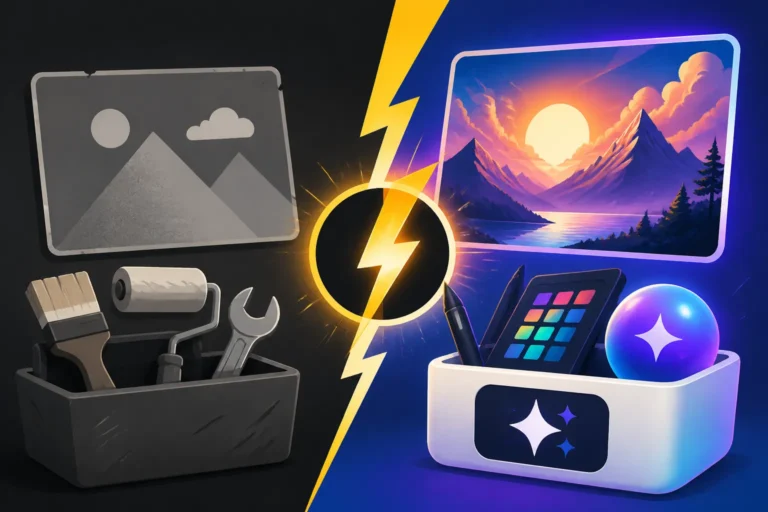
On the flip side, Stable Diffusion represents a different philosophy entirely. It's an open-source model, which fundamentally means it's built by the community, for the community, with transparency and adaptability at its core. If Flux AI is a ready-made art studio, Stable Diffusion is more like a vast, well-equipped workshop where you're given all the raw materials, advanced tools, and blueprints to build your own art studio from the ground up, precisely to your specifications. This approach empowers users with an unparalleled degree of control over the image generation process, from tweaking specific model checkpoints to implementing complex workflows using extensions and custom scripts.
The power of Stable Diffusion lies in its flexibility. Users can run it locally on their own machines (if they have the necessary hardware), or access it through various web-based interfaces and services. This open-source nature means there's a constant stream of new models, LoRAs (Low-Rank Adaptation models), and extensions developed by a global community of enthusiasts and developers. For artists, researchers, or developers who thrive on experimentation, customization, and having absolute dominion over every aspect of their creative process, Stable Diffusion is often the preferred choice. It allows for deep dives into prompt engineering, fine-tuning, inpainting, outpainting, and even generating consistent characters across multiple images. While it might have a steeper learning curve, the rewards in terms of creative freedom and technical mastery are immense. If you’re willing to get your hands dirty and truly understand the mechanics behind AI art, Stable Diffusion offers an endless playground. You can explore topics like Stable Diffusion Alternatives to see other similar open-source models available.
Image Quality and Artistic Output
The ultimate measure of any AI image generator often comes down to the quality of its output and its ability to render diverse artistic styles. Both Flux AI and Stable Diffusion are formidable tools, capable of generating impressive visuals, but they approach and excel in different aspects of image fidelity and creative expression. Understanding these nuances can significantly impact your choice, depending on the specific aesthetic you're trying to achieve.
Photorealism and Detail Fidelity
When it comes to generating images that convincingly mimic photographs, both Flux AI and Stable Diffusion have made incredible strides. However, their pathways to achieving photorealism often differ. Flux AI, with its user-friendly interface, often leverages highly optimized proprietary models that are specifically trained for realistic outputs. This means that a relatively simple prompt on Flux AI can often yield a surprisingly high-fidelity, photorealistic image with excellent lighting, textures, and depth. It tends to handle intricate details like skin pores, hair strands, and fabric textures with a remarkable degree of accuracy, making it a strong contender for product photography, marketing visuals, or any scenario where a lifelike aesthetic is paramount. In many cases, users find Flux AI to be an excellent tool for How to Prompt for Photorealistic Images without needing extensive technical knowledge.
Stable Diffusion, on the other hand, achieves photorealism through its vast ecosystem of community-developed models. While the base Stable Diffusion model is quite capable, its true power for photorealism comes from specialized checkpoints (like Realistic Vision, Juggernaut XL, or DreamShaper) and LoRAs that have been painstakingly trained on massive datasets of real-world photographs. This means that to get truly stunning photorealistic results with Stable Diffusion, you often need to invest time in researching, downloading, and setting up these specific models. Once configured, however, the level of detail and control can be astounding. You can fine-tune every aspect, from camera angles and lens types to specific lighting conditions, allowing for a hyper-realistic output that can be indistinguishable from actual photography. This flexibility makes it a favorite for artists who demand pixel-perfect control and are willing to explore the depth of the model's capabilities. A deeper dive into Stable Diffusion 3.5 Review can highlight its evolving capabilities in this area.
Artistic Styles and Creativity
Beyond photorealism, the ability to generate images in a wide array of artistic styles is crucial for many creators. Here, both platforms offer robust capabilities, but with different approaches. Flux AI, with its commercial focus, often provides a curated selection of popular artistic styles, such as cinematic, anime, watercolor, pixel art, or concept art. These styles are usually accessible through easy-to-select presets or modifiers within the prompt, making it simple for users to experiment with different aesthetics without needing deep artistic knowledge or complex prompt engineering. The results are generally consistent and well-executed within the bounds of these pre-defined styles, catering to users who need reliable stylistic outputs for their projects without extensive customization.
Stable Diffusion, due to its open-source nature, offers an almost limitless artistic palette. The community continuously develops and shares new models, LoRAs, and textual inversions that can replicate virtually any artistic style imaginable – from the brushstrokes of classical masters to the latest digital art trends. Want to generate images in the style of Van Gogh, or perhaps a specific cyberpunk aesthetic? Chances are, there's a model or LoRA for that in the Stable Diffusion ecosystem. This incredible versatility means that artists are not limited by a platform's pre-defined categories but can instead seek out or even train models tailored to their unique artistic vision. The trade-off is that discovering, installing, and learning to effectively use these diverse models requires more effort and technical savvy. However, for those who relish the challenge, Stable Diffusion becomes an unparalleled tool for artistic exploration and pushing the boundaries of AI creativity. Consider looking into Best AI Image Generator for Artists for more insights on tools that cater to diverse artistic needs.
Usability and Workflow Integration
When you're creating images, whether for a hobby or a professional project, the user experience matters just as much as the raw output quality. How easy is it to get started? How intuitive is the interface? Can you integrate the tool seamlessly into your existing workflow? Flux AI and Stable Diffusion, reflecting their core philosophies, offer very different answers to these questions.
Interface and Accessibility for Beginners
For newcomers to AI image generation, the learning curve can be steep, and an intuitive interface can make all the difference. Flux AI is largely designed with this in mind, prioritizing accessibility and ease of use. Typically, its interface is web-based, clean, and guided, often featuring clear input fields for prompts, simple sliders for parameters (like aspect ratio or style strength), and readily available options for upscaling or variations. Users can often get high-quality images with minimal input, making it an excellent choice for those who are just dipping their toes into AI art or simply need quick, aesthetically pleasing results without much fuss. Think of it as a plug-and-play solution where you type a simple description, click "generate," and usually get something decent back immediately. This approach significantly lowers the barrier to entry, allowing beginners to feel productive and creative from their very first prompt.
Stable Diffusion, especially if you're running it locally through interfaces like Automatic1111 or ComfyUI, presents a more complex landscape. While there are some web services that simplify access to Stable Diffusion, the core experience often involves a more technical setup. The interfaces, while incredibly powerful, can be overwhelming for a beginner, with numerous tabs, sliders, and settings for everything from sampling methods to latent space resolution. It’s like being handed the controls of a jumbo jet when all you wanted was a bicycle. The learning curve is undeniable; however, for those who persevere, the depth of control is unmatched. Resources and tutorials are abundant within its active community, helping users navigate this complexity. For a clearer picture of what a simplified experience might look like, exploring something like Is Midjourney Good for Beginners could offer a comparative perspective on ease of use.
Customization and Advanced Features
Once you move beyond basic image generation, the need for customization and advanced features becomes paramount. This is where the differences between Flux AI and Stable Diffusion become even more pronounced. Flux AI, while offering some customization, tends to keep it within a controlled environment. You might have options for iterative generation, basic inpainting/outpainting, or selecting specific models/styles, but these are often presented as user-friendly buttons or sliders rather than deep, granular controls. It excels at delivering specific types of images efficiently, but if your vision requires highly nuanced adjustments or experimental techniques, you might find yourself hitting the platform's inherent limits. Its workflow is often designed to be efficient for common commercial use cases, making it a strong contender for Best AI Image Generator for Commercial Use.
Stable Diffusion, true to its open-source spirit, is a powerhouse of customization. Its ecosystem thrives on advanced features and community-developed extensions. Want to precisely control the pose of a character? ControlNet is your answer. Need to seamlessly extend an image beyond its original borders? Outpainting is built right in. Looking to swap out a specific element within an image without affecting the rest? Inpainting offers pixel-level precision. The ability to load custom models, train your own LoRAs, or blend multiple textual inversions allows for a degree of artistic and technical control that is simply unparalleled by most closed-source platforms. While integrating these features often requires a deeper understanding of the underlying technology and perhaps some command-line interaction, the creative possibilities are virtually endless. For a deeper dive into these capabilities, understanding How to Use ControlNet in Stable Diffusion or How to Use LoRAs in Stable Diffusion can illustrate the sheer power available.
| Feature Area | Flux AI | Stable Diffusion (via popular UIs like Automatic1111) |
|---|---|---|
| Interface | Clean, web-based, user-friendly | Often more complex, many options, steep learning curve |
| Beginner Accessibility | High, guided experience | Lower, requires more technical understanding |
| Core Customization | Preset styles, basic parameters, variations | Extensive models, LoRAs, ControlNet, extensions |
| Image Editing Tools | Basic inpainting/outpainting, upscaling | Advanced inpainting/outpainting, masking, upscaling |
| Workflow | Streamlined for quick, commercial outputs | Highly customizable, experimental, creative control |
| Model Selection | Curated, proprietary models, some public options | Vast community models, custom training, checkpoints |
Performance and Resource Requirements
Beyond the aesthetic output and user experience, the practical aspects of performance and resource utilization play a significant role in deciding which AI image generator is the right fit. Nobody wants to wait ages for an image, or discover their computer can't even run the software they just downloaded. Flux AI and Stable Diffusion, owing to their architectural differences, have distinct profiles in these areas.
Speed of Generation and Efficiency
When it comes to the raw speed of generating images, the comparison between Flux AI and Stable Diffusion isn't always straightforward, as it depends heavily on where and how Stable Diffusion is being run. Flux AI, typically a cloud-based service, benefits from powerful server infrastructure. This means that users often experience very fast generation times, especially for standard image sizes and styles. The platform's optimization aims to provide a snappy experience, allowing for rapid iteration and experimentation without long delays. You send your prompt, and within seconds or a minute, a set of images is usually ready for review. This efficiency is a major draw for professionals on tight deadlines or anyone who values a quick turnaround. The overall Flux Review: Pros, Cons, and Pricing often highlights this speed.
Stable Diffusion's generation speed is much more variable. If you're running it on a powerful local machine with a high-end GPU (like an NVIDIA RTX 4090), you can achieve incredibly fast generation times, often outperforming cloud services for equivalent quality. However, if you're running it on an older GPU or one with limited VRAM, generation can be significantly slower, sometimes taking several minutes for a single image. Many users also access Stable Diffusion through cloud services or online interfaces, where the speed will then depend on the provider's server capacity and your chosen plan. The efficiency also comes down to the model checkpoint being used and the complexity of your prompt and parameters. Highly detailed prompts with multiple ControlNet models or high sampling steps will naturally take longer. This flexibility allows for Cheapest Way to Generate AI Images at Scale if you have the local hardware or know how to optimize cloud usage.
Hardware Demands and Local Hosting
This is perhaps the most significant divergence between the two platforms. Flux AI is almost exclusively a cloud-based service. This means it requires virtually no powerful hardware on your end. All the heavy lifting of AI processing happens on their servers. All you need is a device with a stable internet connection and a web browser. This makes Flux AI incredibly accessible, as you can generate high-quality images from a basic laptop, a tablet, or even a smartphone. This "zero-install, zero-hardware-requirement" approach is a huge advantage for many, democratizing access to powerful AI tools.
Stable Diffusion, on the other hand, can be run locally, which is one of its core strengths for users seeking ultimate control and privacy. However, running Stable Diffusion effectively on your own machine comes with significant hardware demands. A dedicated GPU with at least 8GB of VRAM is generally recommended for a decent experience, with 12GB or more being ideal for larger image sizes, faster generations, and running more complex models or multiple extensions (like ControlNet). Without sufficient VRAM, you'll either experience painfully slow generation times, out-of-memory errors, or be limited to smaller image resolutions. For many, this hardware requirement is a significant barrier, pushing them towards cloud-based solutions or services that host Stable Diffusion. However, for those with the appropriate hardware, local hosting offers benefits like offline generation, complete data privacy, and the ability to endlessly customize without worrying about usage credits or subscription tiers. The question of Is Stable Diffusion Still Worth Learning often comes down to one's willingness to invest in or utilize appropriate hardware.
Pricing, Licensing, and Community Support
Beyond the technical capabilities, the practicalities of cost, legal rights, and access to help are crucial considerations for any tool. Flux AI and Stable Diffusion present very different models in these areas, reflecting their underlying philosophies and target audiences.
Cost Structure and Commercial Use Rights
The financial investment is often a primary concern for users. Flux AI, as a commercial, cloud-based platform, operates on a subscription model. This typically involves paying a monthly or annual fee to access its services, with different tiers offering varying numbers of "credits" or "generations" per month, access to more advanced features, or faster processing. While the entry-level tiers might be affordable, heavy users or those needing premium features will find the costs escalating. The upside is that these subscriptions usually come with clear commercial use rights. This means that images you generate (within the terms of your subscription) are typically safe to use for business purposes like marketing, product design, or client work without fear of copyright infringement from the platform itself. This clarity is invaluable for professionals. You can dive deeper into specific costs with a guide like Flux Pricing and Plans Explained.
Stable Diffusion's cost structure is more nuanced because of its open-source nature. The core Stable Diffusion model itself is free to download and use. If you run it locally on your own hardware, your only "cost" is your electricity bill and the initial hardware investment. This makes it incredibly attractive for hobbyists or those who want to avoid recurring subscription fees. However, if you don't have suitable hardware, you'll need to pay to use Stable Diffusion through a cloud service (e.g., RunPod, Paperspace, or various web-based interfaces that integrate Stable Diffusion). These services often charge hourly rates for GPU rental or offer subscription plans, which can sometimes be more cost-effective than buying an expensive GPU outright, especially for occasional use. When it comes to commercial use rights, Stable Diffusion's license (often CreativeML Open RAIL-M License) generally allows for commercial use, but it's crucial to understand the nuances, especially regarding any custom models or LoRAs you might download, as their individual licenses could vary. This freedom and flexibility make it a prime candidate for exploring how to Generate AI Images Without Paying if you have the means for local hosting.
Community, Updates, and Learning Resources
The support ecosystem around an AI tool can significantly impact your experience and ability to grow your skills. Flux AI, being a commercial product, typically offers official customer support channels (email, chat, knowledge base). Updates and new features are rolled out by the development team, often with accompanying announcements and tutorials. While there might be user forums, the primary learning resources and support come directly from the company. This centralized approach ensures a consistent message and reliable information, which can be reassuring for many users.
Stable Diffusion, conversely, thrives on its decentralized, vibrant, and massive open-source community. Platforms like Reddit (r/StableDiffusion), Discord servers, GitHub, and various online forums are bustling hubs where users share prompts, models, techniques, and troubleshoot issues. When a new feature or model emerges, the community often quickly develops tutorials, guides, and demonstrations. Updates to the core model and new functionalities are driven by an array of developers and contributors worldwide. This collective intelligence means that if you encounter an issue or want to learn a new technique, there's usually someone in the community who has already solved it or can offer guidance. The sheer volume of user-created content – from custom models to intricate workflow diagrams – is overwhelming but incredibly empowering. This rich community makes it easier to find answers to specific questions, such as those that might arise when asking Who Should Use Stable Diffusion: An Honest Take.
Which Tool is Right for Your Creative Journey?
Deciding between Flux AI and Stable Diffusion isn't about one being definitively "better" than the other. It's truly about aligning the tool's strengths with your specific needs, workflow, and technical comfort level. Both are incredibly powerful, but they serve different niches and user preferences. Let's break down when each platform shines brightest.
When Flux AI Shines Brightest
Flux AI is often the hero for those who prioritize efficiency, simplicity, and direct commercial applicability. If you fit into any of these categories, Flux AI might be your ideal companion:
- You're a busy marketer or small business owner: Your primary goal is to generate high-quality, professional-looking images for your campaigns, social media, or website quickly and reliably. You don't have time to delve into complex technical details or troubleshoot errors. You need a tool that just works, with a clear path to commercial usage. This makes it fantastic for tasks like creating AI Images for Marketing or AI for Blog and Article Images.
- You're a content creator on a deadline: Whether you're producing YouTube thumbnails, blog post headers, or social media graphics, speed and consistent quality are paramount. Flux AI's streamlined interface and optimized models allow for rapid iteration and production, keeping your content pipeline flowing without hiccups.
- You're new to AI image generation: The idea of configuring local installations or navigating complex UIs feels daunting. You want an easy-to-learn platform that gives you impressive results right out of the gate, building your confidence as you explore the possibilities of AI art.
- You don't have powerful local hardware: If your computer isn't a gaming beast with a top-tier GPU, Flux AI's cloud-based nature means you can access cutting-edge AI generation without any hardware upgrades.
- You need clear commercial licensing: For business use, having a transparent and straightforward licensing agreement that covers your generated images is non-negotiable. Flux AI typically provides this clarity, reducing legal anxieties.
In essence, if you value a polished user experience, quick results, and hassle-free commercial deployment, Flux AI offers a compelling, ready-to-use solution that empowers you to create visually appealing content with minimal fuss.
When Stable Diffusion Becomes Your Go-To
Stable Diffusion, with its open-source foundation, caters to a different kind of creator – one who seeks ultimate control, deep customization, and a passion for technical exploration. Consider Stable Diffusion if:
- You're an experienced artist or a tinkerer: You enjoy dissecting the creative process, tweaking parameters, and experimenting with various models and extensions. You want to push the boundaries of what AI can do and have fine-grained control over every pixel. You'll especially appreciate tools like How to Use ControlNet in Stable Diffusion.
- You need highly specialized or unique artistic styles: If your vision extends beyond common presets and requires niche artistic styles, specific character consistency, or complex compositions, Stable Diffusion's vast ecosystem of community models, LoRAs, and tools offers unmatched flexibility.
- You have powerful local hardware (or access to cheap cloud GPUs): If you own a high-end GPU, running Stable Diffusion locally grants you unparalleled speed, privacy, and freedom from subscription fees. Alternatively, if you're comfortable with cloud GPU rentals, you can harness its power economically.
- You value privacy and offline capabilities: Running Stable Diffusion locally means your data never leaves your machine. This is a significant advantage for sensitive projects or when working in environments with limited internet access.
- You thrive in a community-driven environment: You enjoy learning from and contributing to a passionate community, discovering new techniques, and leveraging a constantly evolving suite of tools and models developed by a global network of enthusiasts. This vibrant community also addresses topics like Stable Diffusion Pros and Cons for Creators.
- You're a developer or researcher: Stable Diffusion's open-source code allows for deep integration into custom applications, fine-tuning for specific datasets, and academic research into AI art generation.
Ultimately, Stable Diffusion is for the creator who views AI not just as a tool but as a creative partner that can be deeply understood, customized, and molded to fit an evolving artistic vision. It demands more effort upfront but rewards users with boundless creative freedom and technical mastery.
Disclaimer
Please remember that the information provided in this article is for general guidance and informational purposes only. The landscape of AI image generation is rapidly evolving, with new features, models, and pricing structures emerging frequently. Always check the official websites and terms of service for the most up-to-date and accurate information regarding Flux AI, Stable Diffusion, and any other AI tools mentioned.