How to Make AI Images for Online Courses
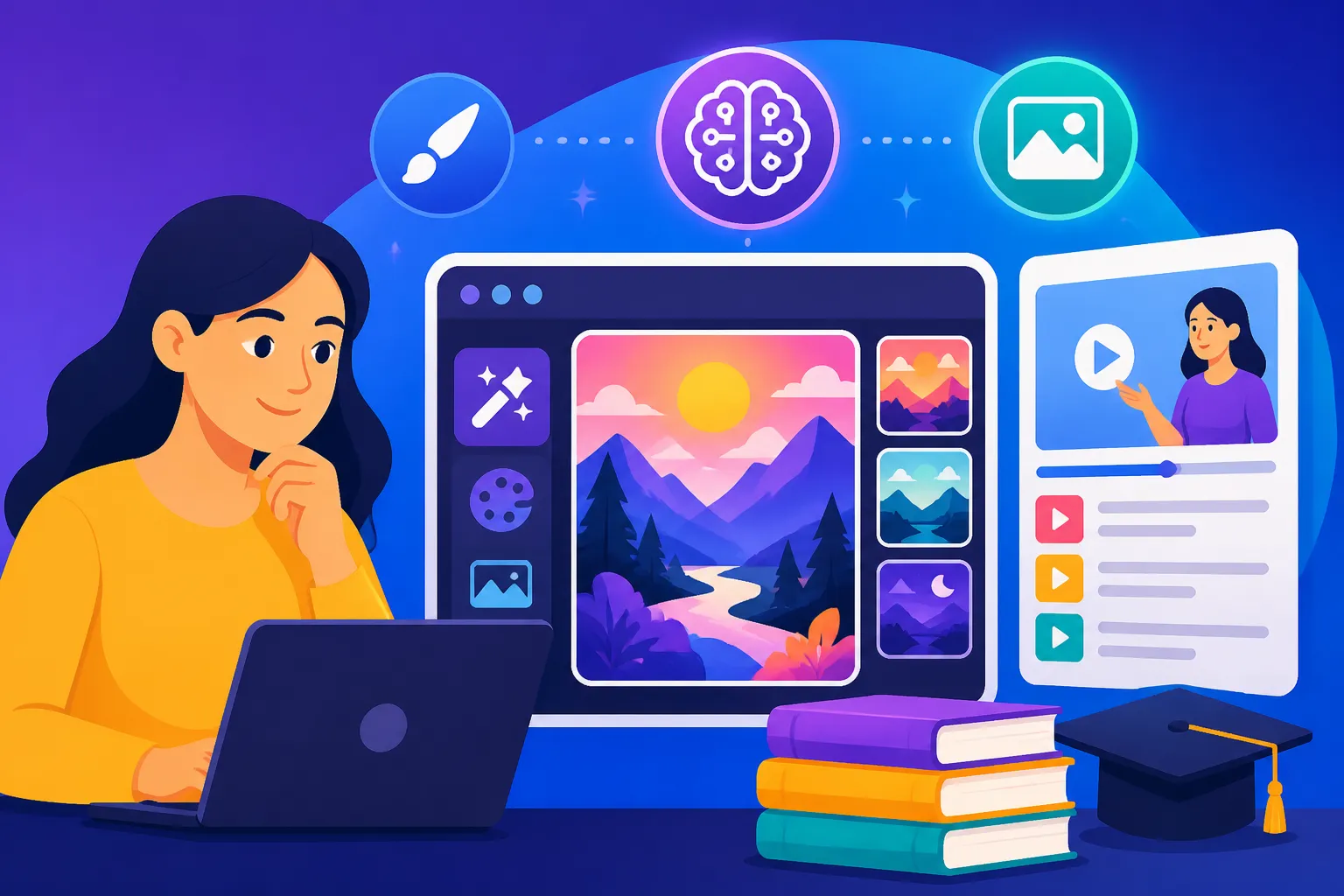
Creating an engaging online course can feel like a Herculean task, especially when you're trying to convey complex ideas without breaking the bank on professional graphic designers or sifting through endless, generic stock photos. It's a common frustration to have brilliant course material but struggle to find the visuals that truly bring it to life and keep your students hooked. This guide is here to unravel the magic of AI image generation, showing you exactly how to make AI images for online courses that are dynamic, relevant, and visually stunning, without the usual headaches.
Why AI Images Are a Game-Changer for Online Course Creators
For years, the visual component of online courses has been a constant juggle between budget constraints, time limitations, and the elusive goal of unique, high-quality imagery. You want your course to look polished and professional, but the resources required often lead to compromises. This is where artificial intelligence steps in, not just as a handy tool, but as a genuine revolution for how course creators approach their visual content.
Overcoming Visual Content Bottlenecks
Think about the traditional workflow: you identify a need for a specific illustration, then you either spend hours searching through stock photo libraries, often settling for images that are close enough but not quite right, or you consider hiring a graphic designer. Hiring a designer is fantastic for bespoke work, but it comes with a significant price tag and lead times that might not align with your course launch schedule. For many independent course creators or small businesses, these costs and delays are simply prohibitive, leading to courses that are visually bland or inconsistent.
AI image generators completely bypass these bottlenecks. Imagine needing a unique diagram illustrating the flow of data in a specific business process, or a whimsical character representing a student's journey through your course. Instead of searching, commissioning, or even trying to doodle it yourself, you can describe it to an AI, and within moments, have multiple options generated right before your eyes. This drastically reduces both the financial outlay and the time commitment, freeing you up to focus on what you do best: developing stellar course content. The ability to iterate quickly, tweak details on the fly, and produce a vast array of visuals means you're no longer limited by what's readily available or what your budget allows.
Enhancing Engagement and Learning Outcomes
It’s no secret that visuals play a crucial role in how we learn and retain information. A well-placed infographic can distill complex data into an easily digestible format, a compelling hero image can set the tone for an entire module, and a series of consistent visual cues can guide students effortlessly through your course material. Generic stock photos, while sometimes necessary, rarely connect deeply with your specific content or brand identity. They can feel impersonal and often fail to convey the nuance of your unique teaching style.
Custom AI images, however, can be precisely tailored to illustrate specific concepts, scenarios, or emotions relevant to your course. For a medical course, you could generate vivid, stylized images of cellular structures or anatomical processes that are both accurate and engaging, far surpassing what you might find in a standard image library. If you're teaching a history course, you could create conceptual images representing historical events or figures in a fresh, interpretive way. This level of customization ensures that every visual serves a clear pedagogical purpose, reinforcing learning points and making the material more memorable. By providing a rich, visually stimulating learning environment, you not only keep students more engaged but also potentially improve their comprehension and retention, leading to better learning outcomes and happier course participants.
Crafting Effective Prompts for Course-Specific Visuals
The secret sauce to generating truly useful AI images for your online courses lies in mastering the art of the prompt. It's not just about typing a few words; it's about translating your specific visual needs into language the AI can understand and interpret. A vague prompt will yield generic results, but a carefully constructed prompt can produce images that feel custom-made for your lesson plans.
Deconstructing the Perfect Prompt Formula
Think of a good AI prompt as a recipe. You need the right ingredients and precise instructions to get the desired outcome. The essential components typically include:
- Subject: What is the main focus of the image? Be as specific as possible. Instead of "a person working," try "a young woman in a modern co-working space, focused on her laptop."
- Style: What artistic style should the image be in? "Photorealistic," "watercolor painting," "cartoon," "pixel art," "3D render," "line art," "flat design," or "vector illustration" are just a few examples. This is critical for maintaining visual consistency across your course.
- Lighting: How should the scene be lit? "Soft natural light," "dramatic studio lighting," "golden hour," "moody chiaroscuro," or "bright, even lighting" can drastically change the mood.
- Composition/Angle: How should the subject be framed? "Close-up," "wide shot," "eye-level perspective," "aerial view," "dynamic action shot."
- Color Palette/Mood: Are there specific colors or an overall feeling you want to evoke? "Warm, inviting tones," "cool, corporate blues," "vibrant and energetic," "calm and serene."
- Details/Context: What other elements are important? Background details, specific objects, textures, clothing, or even the time of day.
Let's look at an example. A less effective prompt might be: "chart about business growth." This could give you anything from a simple bar graph to a confusing infographic. A much better prompt, aiming for a clean, professional look for a business course, could be: "A minimalist infographic showing exponential business growth, with an upward-trending line graph and subtle data points, modern flat design, vibrant green and blue color palette, on a clean white background, digital illustration." You can learn more about refining your inputs in guides like How to Write AI Image Prompts. Remember, generating AI images is an iterative process. Don't be afraid to generate several variations and then refine your prompt based on what you like and dislike in the initial outputs.
Tailoring Prompts for Diverse Course Content
Different course subjects demand different visual approaches. What works for a creative writing course might not be suitable for a programming tutorial. The key is to think about the purpose of the image within your lesson and then craft your prompt accordingly.
For a Business or Marketing course, you might need images that convey professionalism, strategy, data, or innovation. Prompts could include:
- "A team of diverse professionals collaborating around a futuristic holographic projection of a business dashboard, corporate blue and grey tones, photorealistic, wide shot, natural office lighting."
- "Conceptual illustration of market segmentation, represented by colorful, interlocking puzzle pieces, infographic style, clean vector art, isolated on white background."
For Creative Arts courses like photography, painting, or music production, your visuals should inspire and demonstrate artistic principles:
- "A close-up shot of a painter's hand delicately adding a brushstroke to a canvas, impressionistic style, warm studio light, focus on texture and detail."
- "Abstract representation of sound waves transforming into vibrant colors, dynamic and fluid shapes, digital painting, dark background, energetic mood."
For Science and Technology courses, accuracy and clarity are paramount, often requiring diagrams, abstract concepts, or representations of complex systems:
- "Detailed diagram of a neural network architecture, glowing nodes and interconnected lines, scientific illustration style, cool blue and purple hues, dark background, sharp focus."
- "Conceptual image of renewable energy sources, wind turbines and solar panels in a harmonious landscape, clean vector art, bright sunny day, eco-friendly feel."
When crafting these prompts, also consider including keywords that describe the function the image will serve in your course, such as "explainer graphic," "concept illustration," "module cover art," or "section divider." This helps the AI understand the context and intent, leading to more relevant outputs. Remember, the best tools, whether you're using a comprehensive platform or exploring specific functionalities, will respond well to clear, descriptive language, making them truly the Best AI Image Generator for Ease of Use if you know how to talk to them.
Integrating AI Images Seamlessly into Your Course Platform
Generating stunning AI images is just the first step. The real magic happens when you thoughtfully integrate them into your online course platform, making them an integral part of the learning experience rather than just decorative elements. A cohesive visual strategy is essential for a professional and effective course.
Best Practices for Image Generation and Editing
Maintaining visual consistency is crucial for creating a professional and polished online course. When generating multiple images for different modules or lessons, aim for a similar style, color palette, and level of detail. This prevents your course from looking like a mismatched collection of visuals. For instance, if you decide on a "flat design, vector art" style for your explanatory diagrams, stick with it throughout the course. Use consistent keywords in your prompts to guide the AI towards this uniformity.
After generation, most AI images will benefit from a bit of post-processing. Even the most advanced AI tools can sometimes produce minor imperfections or images that aren't perfectly aligned with your brand's specific aesthetic. Simple edits like cropping to focus on key elements, adjusting brightness and contrast, or fine-tuning colors can make a huge difference. Tools like Canva or Adobe Express offer user-friendly interfaces for these adjustments. For higher resolution needs, especially if your images will be viewed on large screens, consider an upscaler. Knowing How to Upscale AI Images effectively can transform a good AI-generated image into a great, print-quality asset. Furthermore, always check generated images for any unintended text, artifacts, or inconsistent elements that might detract from your message. It's often easier to regenerate an image with a slightly tweaked prompt than to try and meticulously edit out major flaws.
Ethical Considerations and Commercial Use
Navigating the ethical landscape of AI-generated content is vital for any course creator. One of the primary concerns is copyright and intellectual property. While many AI image generators offer commercial use rights for images created on their paid plans, it's absolutely critical to understand the specific terms and conditions of the platform you are using. Some platforms, like Adobe Firefly, offer indemnification for commercial use, which provides a layer of legal protection. Always review the End User License Agreement (EULA) for your chosen tool. You can find more specific guidance on these legalities in resources like How to Use AI Images Without Copyright Issues.
Transparency with your learners is another ethical consideration. While you don't necessarily need to put a disclaimer on every single AI-generated image, it's good practice to acknowledge the use of AI tools in your course introduction or FAQ. This builds trust and positions you as a creator who embraces modern technology responsibly. Finally, continuously review your AI-generated outputs for any biases, stereotypes, or inaccuracies that the AI might inadvertently produce. As powerful as these tools are, they learn from vast datasets, which can sometimes reflect societal biases. A vigilant eye ensures that your course content remains inclusive and accurate. When choosing your tools, always consider those offering Free AI Image Generators with Commercial Use to avoid any issues down the line.
Choosing the Right AI Image Generator for Your Course Needs
The AI image generator market is booming, with new tools and features emerging constantly. This can feel overwhelming, but it also means there's likely a perfect fit out there for your specific course creation workflow and budget. Making the right choice means evaluating tools based on their strengths and how they align with your teaching goals.
Evaluating Tools Based on Features and Cost
When diving into the world of AI image generation for your online courses, it's not a one-size-fits-all scenario. Different tools excel in different areas, and your choice should reflect what kind of visuals your course most demands.
- Photorealism vs. Artistic Styles: If your course requires highly realistic images, such as for product demonstrations or true-to-life conceptual scenes, tools like Midjourney or certain advanced Stable Diffusion models might be your best bet. Midjourney, for example, is renowned for its aesthetic quality and photorealistic capabilities. On the other hand, if your course benefits from more stylized visuals – think flat design for infographics, watercolor for creative classes, or cartoon characters for engaging younger learners – then DALL-E, Ideogram, or even Canva AI might be more suitable. DALL-E, especially its integration with ChatGPT, is great for understanding nuanced prompts and generating varied styles. Ideogram shines when you need specific text within your images, a huge advantage for titles or labels in course slides.
- Ease of Use: For course creators who are not graphic design experts, user-friendliness is paramount. Platforms with intuitive interfaces and clear prompting guidance can save a lot of time and frustration. Many tools offer a browser-based interface, while others, like Midjourney, operate primarily through Discord, which can have a slight learning curve.
- Cost and Credit Systems: Budget is always a factor. Many tools offer free tiers with limited credits or features, like the generous free plan from Leonardo AI. Others, like Adobe Firefly, might be included as part of a larger creative suite subscription. Understanding the credit system – how many images you can generate per month, if credits roll over, and the cost of additional credits – is essential. Sometimes, a "free" tool might end up being more expensive if it lacks commercial use rights or requires constant workarounds. If budget is a prime concern, exploring the Best Free AI Image Generators available can be a smart starting point.
Here's a quick comparison of some popular AI image generators, keeping course creation in mind:
| Feature/Tool | Best For | Ease of Use | Commercial Use | Pricing Model | Noteworthy Strengths |
|---|---|---|---|---|---|
| Midjourney | High-quality, aesthetic, photorealistic art | Moderate | Yes (paid plans) | Subscription (Discord-based) | Unmatched artistic quality, strong community |
| DALL-E | General purpose, diverse styles, concept art | High | Yes (paid plans) | Credit-based/Subscription | Good for understanding complex prompts, versatile styles |
| Adobe Firefly | Commercial safety, vector art, creative suite | High | Yes (indemnified) | Subscription (Adobe Suite) | Content Credentials, safe for commercial, strong editing |
| Ideogram | Text rendering, logos, typography | High | Yes (most tiers) | Free/Subscription | Excellent for generating text within images |
| Leonardo AI | Game assets, diverse models, customization | Medium | Yes (most tiers) | Free/Subscription | Robust free tier, fine-tuned models, advanced control |
| Stable Diffusion | Customization, local install, open-source | Low-Medium | Open/Varies | Free (local)/Cloud | Highly flexible, vast community models, ultimate control |
Choosing the Best AI Image Generator Overall often depends on your specific priorities. For course creators prioritizing quality and artistic flair, a deep dive into Midjourney Review: Features, Pricing, and Quality could be valuable. If commercial safety and seamless integration with existing tools are key, then an Adobe Firefly Review for Commercial Use might sway your decision.
Workflow Integration and Scalability
Consider how seamlessly the AI image generator integrates into your existing course creation workflow. Do you prefer a standalone web application, or do you need something that connects with other tools you use? For instance, if you're already deeply invested in the Adobe ecosystem, Firefly might be a natural fit. If you're using ChatGPT for content generation, DALL-E's integration might streamline your process.
Scalability is another important factor, especially if you plan to create multiple courses or frequently update your existing ones. Can the tool handle batch generation of images if you need a large volume of similar visuals? Some platforms offer API access, which could be invaluable for automating image generation for very large-scale projects, though this is typically for more advanced users. Thinking about whether a tool allows you to easily generate variations of images while maintaining consistency (e.g., for different sizes of a thumbnail or different moods for a banner) will ensure your workflow remains efficient as your course library grows. Resources like How to Batch-Generate AI Images can provide further insights into efficient mass production. Ultimately, the right tool should empower you, not complicate your process, allowing you to create rich, engaging visual content that elevates your online courses.
Disclaimer
The information provided in this guide is for general informational purposes only and does not constitute professional advice. While AI image generators offer incredible creative potential, users should always ensure compliance with relevant copyright laws, terms of service for specific AI tools, and ethical guidelines. Always verify the commercial usage rights of any AI-generated content for your specific projects.