Best AI Image Generator for Social Media Graphics
Trying to keep up with the relentless demand for fresh, engaging social media content can feel like a full-time job in itself, leaving many content creators and small business owners feeling constantly overwhelmed and creatively drained. The pressure to stand out in crowded feeds is immense, and hiring a dedicated graphic designer isn't always feasible for every budget. This comprehensive guide will walk you through the very best AI image generators specifically tailored for social media graphics, helping you streamline your content creation, boost your visual appeal, and reclaim your precious time.
Why AI Image Generators are a Game-Changer for Social Media
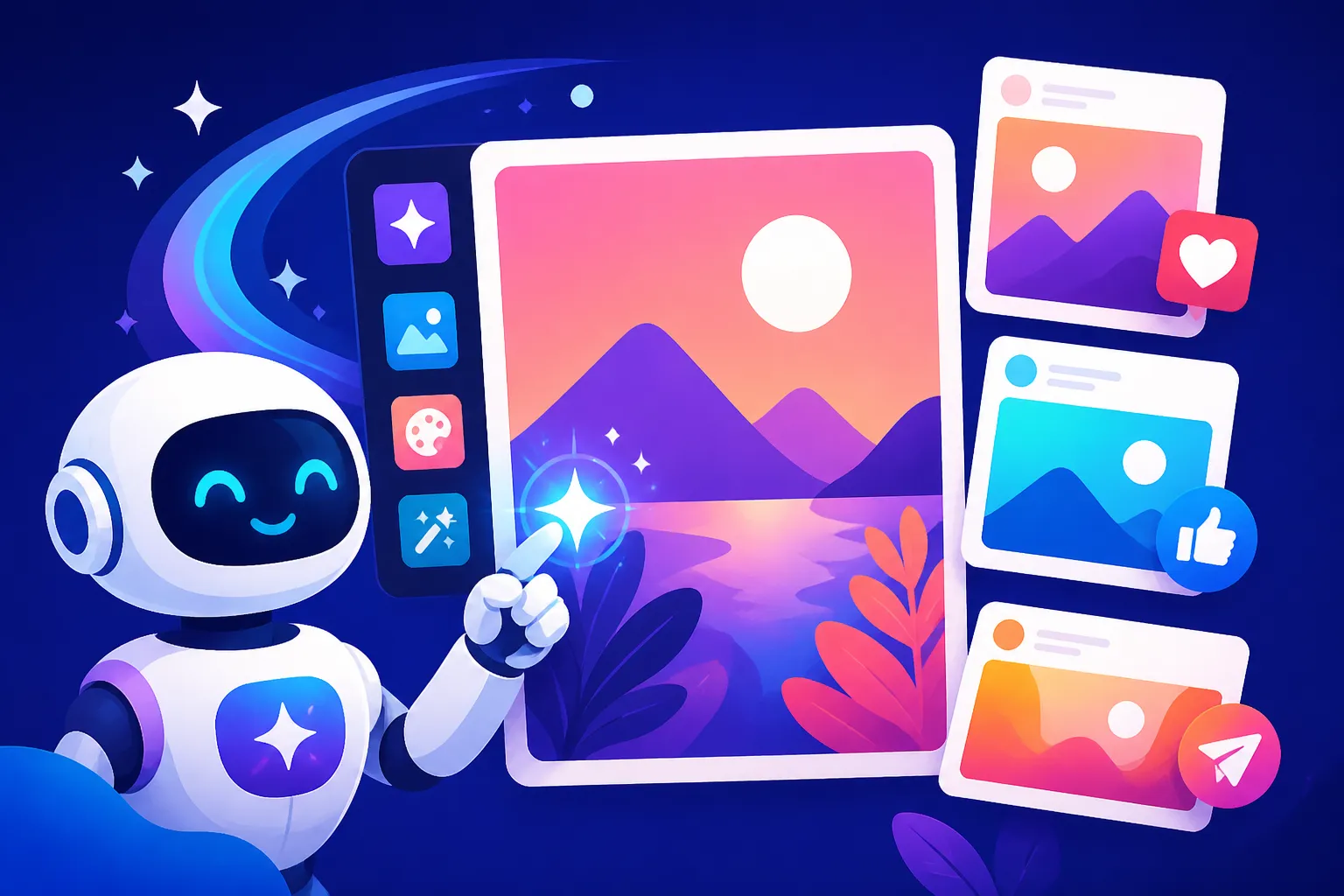
Let's be honest, the digital landscape demands constant visual input. From Instagram carousels to LinkedIn posts, Facebook ads to Pinterest pins, every platform thrives on captivating imagery. But consistently producing high-quality, on-brand graphics without a dedicated design team or endless hours of personal effort has always been a monumental challenge. This is where AI image generators step in, not just as a convenience, but as a genuine revolution for anyone struggling to keep up.
The Frustration of Content Creation
Remember those days spent endlessly scrolling stock photo sites, trying to find an image that almost fits your vision, only to settle for something generic? Or perhaps you've wrestled with complex design software, watching hours tick by as you tried to perfect a simple graphic, only to feel dissatisfied with the outcome. The creative block is real, and the time drain is even more so. Many of us have experienced the sheer frustration of needing a unique visual for a new campaign, only to find our resources—both mental and financial—running thin. This bottleneck in content production often leads to missed opportunities, inconsistent branding, or worse, abandoning ideas because the visual execution feels too daunting. The endless loop of brainstorming, designing, tweaking, and repeating can be utterly exhausting, especially when you're a one-person show or part of a small team.
The Speed and Scale Advantage
Imagine being able to generate dozens of unique visual concepts in minutes, not hours or days. That's the core promise and undeniable advantage of AI image generators for social media. These tools allow you to rapidly prototype ideas, create variations for A/B testing, and churn out a high volume of diverse content that would be impossible with traditional methods. Need a series of images for a week-long promotional campaign? Instead of designing each one individually, you can feed a core prompt into an AI generator and instantly get multiple distinct options, all while maintaining a consistent theme. This unprecedented speed means you can react faster to trends, populate your content calendar far more efficiently, and experiment with visual storytelling without the usual commitment of resources. The ability to batch-create social posts with AI transforms your workflow, freeing you up to focus on strategy, engagement, and other critical aspects of your social media presence.
Key Features to Look For in an AI Tool for Social Media
Not all AI image generators are created equal, especially when it comes to the specific demands of social media. While many tools can produce stunning art, the nuances of creating effective social graphics require a particular set of features. When you're scouting for the right companion for your content strategy, keep these critical elements in mind.
Ease of Use and Intuitive Interface
For social media managers and content creators who aren't professional graphic designers, an overly complex interface is a deal-breaker. The best AI tools for social media graphics prioritize user-friendliness, offering intuitive layouts, clear controls, and straightforward prompt input fields. You shouldn't need a degree in AI engineering to get started. Look for platforms that offer drag-and-drop functionality, pre-set templates optimized for various social media dimensions, and easy editing capabilities directly within the interface. Tools that integrate seamlessly into existing design ecosystems or offer simplified workflows will save you immense time and reduce the learning curve. For instance, if a tool lets you easily adjust aspect ratios for Instagram Stories versus a standard Facebook post with just a click, that's a huge win. The goal is to spend less time figuring out the software and more time generating stunning visuals.
Versatility in Styles and Output Formats
Social media audiences crave variety. A single aesthetic might work for a while, but keeping your feed fresh often means experimenting with different visual styles – from hyper-realistic photography to stylized illustrations, abstract art, or even playful cartoons. The ideal AI image generator should offer a broad range of stylistic capabilities, allowing you to generate diverse visuals from a single prompt or by tweaking style parameters. Furthermore, the ability to output images in various formats (JPEG, PNG, WebP) and resolutions is crucial. You'll need high-resolution images for some platforms or print, while others might benefit from smaller, optimized files for faster loading times. A tool that provides options for transparent backgrounds can also be incredibly useful for layering elements or creating custom collages for your social feeds, giving you more creative freedom.
Consistency and Brand Cohesion
This is perhaps one of the most challenging, yet vital, aspects of using AI for social media graphics. Your brand has a voice, a color palette, and a distinct visual identity, and your social media presence needs to reflect that consistently. The frustration of using AI tools that generate wildly different styles or characters from one prompt to the next is a common pain point. Look for AI generators that offer features like "style transfer," "seed generation," or "character consistency" options. Some advanced tools allow you to upload reference images of your brand assets—like your logo, specific product shots, or even an existing mood board—to guide the AI's output. The ability to fine-tune color schemes, lighting, and overall mood through prompt engineering or integrated editing tools is paramount to ensuring that every AI-generated graphic feels authentically yours. Mastering how to keep brand consistency with AI images is a key skill for any marketer.
Top AI Image Generators for Social Media Graphics
The market is buzzing with AI image generators, each with its unique strengths and quirks. Choosing the right one for your social media needs means understanding what each tool excels at. While many offer incredible capabilities, some truly shine when it comes to the fast-paced, visually driven world of social content.
Canva AI: The All-in-One Design Hub
Canva has already revolutionized graphic design for non-designers, and its integrated AI image generator only extends its power. What makes Canva AI truly stand out for social media is its seamless integration into the broader Canva ecosystem. You're not just getting an AI image generator; you're getting it within a platform that already offers thousands of templates, fonts, stock elements, and intuitive editing tools perfectly suited for social media.
With Canva AI, you can generate images directly within your design canvas. This means you can create a graphic, generate an AI image for a specific section, and then immediately drag, drop, resize, and edit it using Canva's familiar tools. It's incredibly user-friendly and removes the friction of exporting from one tool and importing into another. For small businesses, bloggers, and content creators who rely heavily on Canva AI image generator review for their daily content, the AI feature is a natural extension that speeds up content creation significantly. It's fantastic for quick, iterative design, especially when you need visuals for posts, stories, or banners where the primary focus is often clarity and immediate impact rather than intricate artistic detail.
Ideogram: Mastering Text and Typography
One of the long-standing challenges with AI image generation has been the accurate rendering of text. Often, text appears garbled, misspelled, or just plain illegible within AI-generated images. This is where Ideogram shines brightly, making it an invaluable tool for social media where clear, impactful messaging is paramount. If your social media strategy frequently involves creating images with specific call-to-actions, brand names, or catchy taglines, Ideogram is a must-consider.
Its advanced capabilities in handling typography mean you can reliably generate graphics that incorporate text directly into the image in a visually appealing and readable way. This is a huge advantage over other generators where you'd typically generate the image first and then add text later using a separate design tool like Canva or Adobe Express. With Ideogram, you can prompt for "a vibrant street art mural with the words 'Summer Sale' boldly painted on it," and it will deliver surprisingly accurate results. This makes it a contender for the Best AI Image Generator for Text and a lifesaver for creating engaging promotional graphics or motivational quotes for your audience. Check out an Ideogram Review: Best for Text in Images for more details.
Midjourney and DALL-E: High-Quality and Artistic Flair
When it comes to pure artistic quality, intricate details, and stunning photorealism, tools like Midjourney and DALL-E often lead the pack. These generators are known for their ability to produce breathtaking visuals that can truly make your social media content pop. If your brand leans heavily into aesthetic appeal, luxury, or artistic expression, investing time into learning these platforms can yield incredible results.
Midjourney, accessible primarily via Discord, is renowned for its cinematic, painterly, and often fantastical outputs. It's excellent for creating captivating hero images, abstract backgrounds, or highly stylized visuals that grab attention. For an in-depth look, see our Midjourney Review: Features, Pricing, and Quality . DALL-E, integrated into platforms like ChatGPT and available through its own interface, offers a robust general-purpose image generation capability, often excelling at diverse styles and understanding complex prompts more intuitively. Its strength lies in its ability to combine disparate concepts into coherent, high-quality images. Whether you need an image of a "robot walking a dog on Mars" or a "vintage postcard from a futuristic city," DALL-E can deliver. For more, read DALL-E Review: Is It Worth It. While they might require more specific prompting and often an additional step for text overlay, their ability to generate unique, high-impact visuals is unparalleled for brands prioritizing visual excellence.
Adobe Firefly: Commercial Safety and Integration
Adobe Firefly is a compelling option, particularly for professionals and businesses concerned about commercial usage rights and legal safety. As part of the Adobe ecosystem, Firefly is trained on a dataset of Adobe Stock images, open-licensed content, and public domain content, which gives users more confidence regarding commercial use and intellectual property indemnification. This is a huge relief for businesses creating graphics that will be used for advertising, product promotions, or client work.
Firefly is also tightly integrated with other Adobe creative applications like Photoshop and Illustrator, making it a natural fit for designers who already use Adobe products. Its features extend beyond just image generation to include generative fill, text-to-vector graphics, and text effects, which can be immensely powerful for creating unique and branded social media assets. For social media marketers working within larger organizations or agencies, the peace of mind regarding IP and the seamless workflow with existing tools make Adobe Firefly an extremely attractive choice. Consider reading our Adobe Firefly Commercial Safety Review to understand its benefits fully.
| AI Image Generator | Best For Social Media | Key Strengths | Considerations |
|---|---|---|---|
| Canva AI | All-in-one content creation, beginners | Ease of use, integration with design tools, quick iterations | Less specialized for hyper-realistic art, text can be iffy |
| Ideogram | Graphics with embedded text, quotes, logos | Excellent text rendering, diverse fonts/styles | May require more specific prompting for complex scenes |
| Midjourney | High-impact, artistic, unique visuals | Photorealism, cinematic quality, artistic expression | Learning curve, text integration requires external editing |
| DALL-E | General high-quality images, creative concepts | Versatile styles, good understanding of complex prompts | Text integration often requires external editing |
| Adobe Firefly | Commercial use, existing Adobe users | IP safety, commercial indemnification, integration with Adobe Creative Suite | May require subscription to Adobe Creative Cloud, learning curve if new to Adobe |
Crafting Perfect Prompts for Engaging Social Media Visuals
Generating compelling social media graphics with AI isn't just about picking the right tool; it's fundamentally about mastering the art of the prompt. Your prompt is the instruction manual for the AI, and a well-crafted one can transform generic outputs into viral-worthy visuals. Think of it as painting with words – the more detail and intention you put in, the closer the AI will get to your vision. Learning How to Write AI Image Prompts effectively is paramount.
Structuring Your Prompts for Specific Platforms
Different social media platforms have different visual languages and audience expectations. An image that performs well on LinkedIn might fall flat on TikTok. Therefore, your prompts should subtly guide the AI towards the desired aesthetic and composition suitable for each platform.
For example, Instagram thrives on high-quality, aspirational, or visually striking content. Your prompt might focus on aesthetics, lighting, and mood: "A vibrant flat lay of a minimalist workspace with a cup of artisanal coffee and a laptop, golden hour lighting, soft shadows, warm color palette, clean aesthetic, shot from above, ultra HD." For Pinterest, where vertical images and discoverability are key, you'd want images that are informative and visually appealing, perhaps prompting for "a vertical infographic header image for '5 Healthy Smoothie Recipes,' fresh ingredients, clean design, bright colors, studio lighting, recipe blog aesthetic." On Facebook, a more direct and engaging image might be needed: "A joyful group of friends laughing and sharing pizza at an outdoor cafe, vibrant street scene in background, shallow depth of field, warm and inviting atmosphere." Understanding the nuances of each platform allows you to tailor your prompt to elicit the most effective visual response.
Incorporating Brand Elements and Moods
Beyond just the subject, truly effective social media graphics resonate with your brand's identity. This means consciously injecting elements of your brand's style, colors, and overall mood into your prompts. If your brand is playful and quirky, your prompt might include terms like "whimsical illustration," "cartoon style," or "bright, cheerful colors." If your brand is sleek and professional, you'd lean towards "minimalist design," "muted color palette," "sharp lines," or "corporate photography style."
Consider how you can describe your brand's specific elements: "A [your brand's primary color, e.g., 'forest green'] background with subtle texture, featuring a [product type, e.g., 'sleek silver teapot'], studio lighting, clean, elegant, for a luxury brand advertisement." You can also include specific feelings or emotions you want to evoke: "A serene woman meditating in a tranquil garden, soft morning light, peaceful atmosphere, zen-like, for a wellness brand." Some AI tools even allow you to upload an existing image as a style reference, which can be incredibly helpful for maintaining consistency. The more specific you are about your brand's visual language in your prompt, the better the AI can align its output with your overall brand cohesion.
Overcoming Common Challenges and Maximizing Your AI Graphics
While AI image generators are powerful, they aren't magic wands. There are common hurdles that users encounter, especially when trying to produce polished, brand-aligned social media graphics. Learning to anticipate and overcome these challenges is key to maximizing the potential of these tools.
Ensuring Brand Consistency Across Campaigns
Achieving consistent branding across multiple AI-generated images can be notoriously tricky. One day you get a perfect result, the next it looks wildly different, even with similar prompts. This inconsistency can dilute your brand's visual identity on social media. The solution often lies in meticulous prompt engineering and leveraging specific tool features.
First, create a "master prompt" or a set of core descriptive terms that define your brand's aesthetic—e.g., "minimalist, bright, natural light, warm tones, clean composition, focus on product." Use these terms in every prompt. Second, utilize seed numbers or reference images if your chosen AI tool supports them. A seed number allows you to reproduce a specific visual style or composition from a previous generation, providing a stable foundation. Third, if your tool allows for custom styles or models, train it on your existing brand assets. Some platforms, like Adobe Firefly, offer features that are designed with commercial brand consistency in mind. Finally, treat the AI output as a starting point. Use integrated editing features or external tools like Canva or Adobe Photoshop to make final tweaks, apply consistent color filters, or add your logo. Remember, your aim is to create How to Keep Brand Consistency with AI Images, not just individual pretty pictures.
Handling Text and Logos Gracefully
As mentioned earlier, getting AI to reliably generate text within an image is a common pain point. Many tools still struggle with correct spelling, legible fonts, and proper placement. The last thing you want on a social media graphic is garbled text that confuses your audience.
If your primary AI generator (like Midjourney or DALL-E) consistently produces poor text, the most reliable workaround is a two-step process: generate the image without text, then add your text and logos using a dedicated design tool. Canva, Adobe Express, or even a simple photo editor can be used for this. For logos, always upload your vector or high-resolution PNG logo file as an overlay rather than attempting to prompt the AI to generate it. If you absolutely need text embedded directly in the AI image for a specific artistic effect, consider using tools like Ideogram that are specifically optimized for text rendering. When attempting text, keep it short and simple in your prompt. For tips on how to address common issues, refer to our guide on How to Fix Garbled Text in AI Images.
Iteration and Refinement for Polished Results
The first image an AI generates is rarely the final, perfect one. AI image generation is an iterative process. You'll need to generate multiple variations, compare them, identify what works and what doesn't, and refine your prompts accordingly. Don't be afraid to tweak small details—change a single word, add a descriptive adjective, or adjust a stylistic parameter.
For example, if the initial image is too dark, add "bright studio lighting" or "daylight" to your prompt. If the composition feels off, specify "close-up shot," "wide angle," or "centered composition." Most AI tools offer features to generate variations of a chosen image, allowing you to explore subtle changes without rewriting the entire prompt. This iterative approach is crucial for moving from a good initial concept to a truly polished and effective social media graphic. Think about it: you wouldn't expect a photographer to get the perfect shot on the first click, and AI is no different. Experiment with How to Create Image Variations to get the best results.
Practical Workflows for Integrating AI into Your Social Media Strategy
Integrating AI image generators into your social media workflow isn't just about efficiency; it's about unlocking new creative possibilities. By adopting smart workflows, you can leverage AI to consistently produce high-quality, engaging content that truly resonates with your audience.
Generating Daily Content Quickly
The constant demand for fresh content can be exhausting. AI tools can dramatically cut down the time it takes to create daily social media posts. Instead of scrambling for images, you can set up a "template" of prompts for different types of daily content. For instance, if you have a "Motivational Monday" series, you could have a core prompt like "A serene minimalist landscape with inspirational quote in elegant typography, soft lighting, calm colors." Then, you just swap out the quote or a subtle landscape detail each week.
Many content creators use a batching approach: dedicate an hour or two at the beginning of the week to generate all the visuals needed for the upcoming days. You can create different prompt variations for each day's theme, generate multiple options, and then quickly select and refine the best ones. Tools like Canva AI make this process incredibly fluid, allowing you to generate and place images directly into pre-designed templates for Instagram stories, Facebook posts, or LinkedIn updates. This strategy helps How to Make AI Social Media Graphics and ensures you always have a backlog of stunning visuals ready to go, reducing last-minute stress.
Creating Engaging Ads and Promotions
Social media advertising relies heavily on compelling visuals to capture attention and drive conversions. AI image generators are perfect for rapidly prototyping ad creatives and A/B testing different visual approaches. You can create multiple variations of a product shot, a lifestyle image, or a promotional banner in minutes, allowing you to test which visuals perform best with your target audience without significant design costs or delays.
Consider a scenario where you're launching a new product. You could use AI to generate images of the product in various settings (e.g., "sleek gadget on a modern desk," "gadget used outdoors by an adventurous hiker," "gadget in a cozy home environment"). You can also experiment with different aesthetic styles for your ad banners, perhaps generating both a vibrant, high-energy version and a calm, sophisticated version of the same promotional message. Then, take these AI-generated images and add your specific ad copy and call-to-action using a tool like Canva or directly within your ad platform. This ability to quickly generate diverse ad creatives makes it easier to optimize your campaigns and achieve better results.
Disclaimer
The information provided in this article is for general informational purposes only and does not constitute professional advice. While we strive to offer accurate and up-to-date information, the field of AI technology is rapidly evolving. We recommend consulting with relevant experts or reviewing the terms of service for specific AI tools before making any decisions or relying on the information presented herein. Usage rights, commercial licensing, and content policies for AI-generated images can vary significantly between platforms and may change over time. Always verify these details directly with the AI service provider.