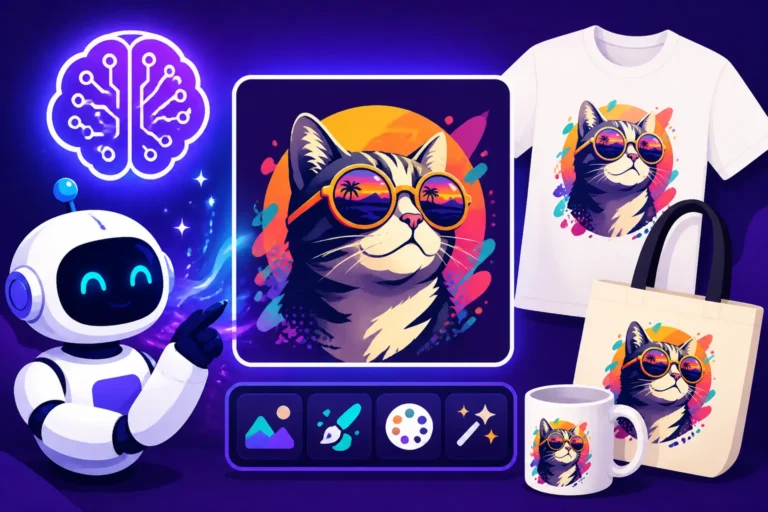
How to Use AI to Create Product Photos
Creating compelling product photos used to be a monumental task, often requiring expensive equipment, professional photographers, and meticulous staging. For small business owners, indie creators, or anyone on a budget, this barrier has historically been a huge source of frustration, making it tough to showcase products effectively online. This guide is here to unravel that complexity, showing you exactly how to leverage powerful AI image generation tools to create stunning, professional-grade product photos without breaking the bank or dedicating countless hours.
The Game-Changer: Why AI for Product Photos?
Let's face it, the traditional way of getting product photos done is a bit of a nightmare for many. You're either spending a fortune on a photographer and studio time, or you're wrestling with your smartphone, trying to get decent lighting in your living room. The results are often inconsistent, time-consuming, and honestly, can sometimes look a little amateurish, which doesn't exactly instill confidence in your potential customers. This is where AI swoops in as a genuine game-changer, democratizing high-quality visuals for everyone.
Overcoming Traditional Photography Challenges
Think about the sheer logistics involved in traditional product photography. You need to prepare your products, often shipping them to a studio. Then there's the booking of the photographer, the lighting setup, the props, and the endless hours of shooting from different angles. If you sell a wide variety of items, or if your product line changes frequently, this becomes an astronomical cost and a massive time drain. Many small businesses simply can't afford this, leaving them at a disadvantage against larger competitors with bigger marketing budgets. The struggle is real when you're trying to launch a new line of handmade soaps but can't afford the crisp, clean shots that make them pop. You might find yourself searching for how to create AI product photos for free just to get started.
Even for those who try a DIY approach, the hurdles are significant. Achieving consistent lighting, sharp focus, and appealing backgrounds without professional gear and expertise is incredibly difficult. You end up with photos that are too dark, too bright, blurry, or have distracting elements in the background, all of which detract from your product's perceived value. This isn't a reflection of your product's quality, but rather the immense challenge of good photography.
Key Benefits of AI-Generated Product Images
The advent of AI image generators has completely flipped this script. One of the most significant benefits is the sheer speed at which you can generate images. Instead of waiting days or weeks for a shoot and editing, you can type a few words and have dozens of unique product photos in minutes. Imagine being able to test different backgrounds or lighting scenarios instantly without having to physically rearrange anything. This rapid iteration is invaluable for marketing and A/B testing.
Another huge advantage is cost reduction. Gone are the days of hefty studio fees, model costs, and equipment rentals. With an AI tool, your primary cost is often a subscription fee that pales in comparison to traditional methods, especially when you consider the volume of images you can produce. This levels the playing field, allowing even the smallest startup to have a visually striking online presence. You can generate professional-looking shots of your product in an endless array of settings, from a minimalist studio to a bustling cafe, without ever leaving your desk. The sheer variety and creative freedom are liberating.
Furthermore, AI tools offer incredible consistency. If you need a series of product photos for an e-commerce store, you can use similar prompts and settings to ensure a cohesive look and feel across all your listings. This is a common pain point that AI elegantly solves, helping you to truly establish a strong brand aesthetic. You'll find that many of these tools also let you generate images that are commercially safe, which is a major concern for businesses.
Getting Started: Understanding the Basics of AI Product Photography
Diving into AI product photography might seem a little daunting at first, especially if you're not super tech-savvy. But trust me, it's more intuitive than you think. The core idea is simple: you describe the image you want, and the AI creates it. The trick is learning how to describe it effectively so the AI understands your vision. It's like talking to a very talented, but sometimes literal, artist.
Essential Tools and Platforms to Consider
The AI image generation landscape is constantly evolving, with new tools emerging all the time. However, some have established themselves as front-runners for their capabilities and user-friendliness. While I won't be giving a sales pitch, it's worth knowing about the types of tools available.
Many popular AI image generators, like Midjourney, DALL-E, and Adobe Firefly, offer robust features for creating realistic product visuals. Some, like Midjourney, excel at artistic and aesthetic images, making them great for lifestyle shots, while others like Adobe Firefly are specifically designed with commercial use in mind, often offering indemnification. Tools like Leonardo AI also provide extensive features for control and customization, which can be fantastic for maintaining brand consistency. Each platform has its own strengths, interface, and pricing structure, so a little exploration will help you find the best fit for your specific needs. For example, if you're focused on vector art or logos for your product branding, you might want to look into something like Recraft.
When choosing a tool, consider factors like the quality of the output, ease of use, available features (e.g., inpainting, outpainting, upscaling), and of course, the pricing model. Some offer generous free tiers or trials, which are perfect for experimenting. Always check their terms of service regarding commercial use rights, as this is crucial for any business venture. For a detailed comparison, you might want to check out resources on the Best AI Image Generator Comparison or even a Free vs Paid AI Image Generators breakdown.
The Anatomy of an Effective Product Prompt
The "prompt" is the instruction you give to the AI, and it's the most critical part of generating good product photos. Think of it as painting a picture with words for the AI. A good prompt isn't just a list of items; it's a carefully structured description that guides the AI toward your desired outcome.
An effective product prompt usually includes several key components:
- The Product: Be very specific about what your product is. Is it a "vintage leather wallet," a "ceramic coffee mug with a blue glaze," or a "minimalist desk lamp"? The more detail, the better.
- The Context/Setting: Where do you want the product to be? On a "wooden kitchen counter," a "sleek white pedestal," "floating in space with neon lights," or "held by a person on a beach"? This sets the scene.
- Lighting: Describe the lighting you envision. "Soft natural daylight," "dramatic studio lighting with harsh shadows," "warm golden hour glow," or "bright, even illumination"? Lighting dramatically impacts mood and realism. This is crucial for how to prompt for studio lighting.
- Style/Aesthetic: What kind of vibe are you going for? "Photorealistic," "minimalist," "cinematic," "bright and airy," "dark and moody," "macro shot," or "flat lay"? This guides the artistic direction.
- Camera Angle/Perspective: How is the shot framed? "Eye-level shot," "overhead view," "close-up," "wide-angle," or "bokeh background"?
- Additional Details: Any other elements that enhance the scene, like "subtle reflections," "water droplets," "floating dust particles," or "clean, seamless background."
For example, instead of just "coffee mug," a powerful prompt might be: "A close-up shot of a minimalist ceramic coffee mug with a matte black finish, placed on a smooth concrete surface. Soft, diffused natural light coming from the left, creating subtle shadows. Photorealistic, studio quality, product photography, high detail, 8k." Mastering this skill is a journey, and you can learn a lot from resources on How to Write AI Prompts for Product Photos.
Step-by-Step: Generating Your First AI Product Photos
Now that we understand the 'why' and the 'what,' let's get into the 'how.' Generating AI product photos is an iterative process, much like traditional photography, but significantly faster and more flexible. It's all about starting with a solid foundation and then tweaking until you get that perfect shot.
Crafting Your Initial Prompt: The Foundation
Your first step is to sit down and truly visualize the product photo you want. Imagine it in your mind's eye. What's the main focus? What mood does it convey? Who is your target audience? If you're selling artisanal candles, you might want a warm, inviting, cozy feel. If you're selling high-tech gadgets, a sleek, futuristic, and clean look is probably better.
Start by outlining the anatomy of your prompt as discussed above. Let's take an example: you're selling a new line of organic skincare serums. You might begin with a prompt like: "Close-up shot of a sleek glass bottle of organic skincare serum, clear liquid visible, with a minimalist label. Set on a smooth white marble surface with a few green eucalyptus leaves subtly blurred in the background. Soft, even studio lighting. Product photography style, photorealistic, high resolution." This gives the AI a strong starting point, clearly defining the product, its environment, and the desired aesthetic. Don't be afraid to be descriptive; the more detail you provide, the better the AI can interpret your vision.
Remember, this is just the beginning. Don't expect perfection on the first try. The goal here is to get a baseline image that you can then work from. Many users benefit from exploring resources on Best AI Image Prompts for Products to get inspiration and learn common effective phrases.
Iterating and Refining for Desired Results
Once you generate your first set of images, it's time to evaluate. Look critically at what the AI produced. Is the product recognizable? Is the lighting correct? Does the background complement or distract? Perhaps the serum bottle looks too much like a potion bottle, or the marble surface isn't quite right.
This is where the iterative part comes in. If the lighting is off, try adding or changing lighting modifiers in your prompt (e.g., "bright diffused light" instead of "soft even studio lighting," or add "rim lighting" or "backlight"). If the background isn't working, specify something new (e.g., "smooth concrete pedestal" or "soft pastel gradient background"). You might also need to adjust stylistic terms, perhaps adding "commercial photography" or "clean e-commerce shot" to steer the AI towards a more utilitarian aesthetic.
Sometimes, a complete re-think of a prompt word or phrase can yield dramatic improvements. For instance, if the bottle doesn't look "sleek," try "elegant glass dropper bottle" instead. Or, if the focus isn't on the product, emphasize it with phrases like "hero shot, product in sharp focus." The beauty of AI is that these revisions take seconds, not hours. It's a dialogue with the machine, teaching it what you want through successive refinements. This process is key to getting from a good idea to a truly outstanding image.
Important Settings and Parameters
Beyond the textual prompt, most AI image generators offer various settings and parameters that can significantly influence your output. Familiarizing yourself with these is crucial for precise control.
- Aspect Ratio: This determines the width-to-height ratio of your image (e.g., 1:1 for squares, 16:9 for wide screens, 4:5 for Instagram portraits). Choosing the right aspect ratio from the start saves you editing later. For e-commerce, a 1:1 or 4:5 is often ideal.
- Stylize/Chaos/Vary: Many tools have parameters that control how "creative" or "chaotic" the AI gets with its interpretation. A lower stylize value might stick closer to your prompt, while a higher one could introduce more artistic flair or unexpected elements. For product photography, you often want lower chaos to maintain realism and focus.
- Seed Value: This is a unique number associated with each generated image. If you find an image you love, you can often use its seed value with the same prompt to generate variations that are visually similar, ensuring a degree of consistency. This is incredibly useful when you need to Create Consistent AI Product Shots across a collection.
- Negative Prompts: Some advanced tools allow you to specify things you don't want to see in your image (e.g., "ugly, blurry, distorted, text, watermark"). This is a powerful way to clean up images and avoid common AI pitfalls like extra limbs or strange artifacts. Learning How to Use Negative Prompts can save you a lot of frustration.
Understanding and experimenting with these parameters can elevate your product photos from generic to genuinely impressive, allowing you to fine-tune every aspect of the composition and aesthetic.
| Parameter Category | Description | Common Use Case for Product Photos |
|---|---|---|
| Aspect Ratio | Defines the image's width-to-height ratio. | Matching e-commerce platform requirements (e.g., 1:1 for product grids). |
| Stylize/Vary | Controls the AI's artistic interpretation and creativity. | Lower values for realism and adherence to prompt, higher for artistic flair. |
| Seed Value | A numerical identifier for a specific image generation. | Reproducing similar images or creating subtle variations of a favored output. |
| Negative Prompt | Specifies elements or qualities to exclude from the image. | Avoiding undesirable features like blurry edges, poor lighting, or text. |
| Image Weight | Balances the influence of text prompt vs. input image. | When starting from an existing product photo to guide the AI. |
Mastering the Art: Advanced Techniques for Stunning Product Shots
Once you've got the hang of basic prompt writing and iteration, you'll naturally want to push the boundaries and create truly stunning product shots that stand out. This is where advanced techniques come into play, allowing for greater control, consistency, and creative expression.
Achieving Consistency Across Product Lines
One of the biggest headaches for brands with multiple products is maintaining a consistent visual identity. Imagine if your line of essential oils all looked like they were shot in different studios with different lighting. It just doesn't look professional. AI can actually make this easier than traditional photography. The key is developing a "style guide" for your prompts.
Start by creating a master prompt template. This template would define the core elements that remain consistent across all products: lighting style (e.g., "soft, diffused overhead light"), background (e.g., "clean minimalist white background with a subtle shadow gradient"), camera angle (e.g., "eye-level, slightly off-center"), and overall aesthetic (e.g., "photorealistic, commercial product photography, professional studio shot"). Then, for each new product, you simply insert its specific details into this template. For instance, you might have "a polished silver watch" for one product and "a vibrant turquoise blender" for another, while the rest of the prompt structure stays the same.
You can also leverage seed values or reference images. If you generate a fantastic base image for one product, note its seed. Then, when generating images for similar products, use the same seed, often with a slightly modified prompt, to get variations that share the same underlying visual characteristics. Some tools even allow you to upload a "style reference" image to guide the generation, which is incredibly powerful for maintaining a cohesive look. This approach is invaluable when learning how to create consistent AI product shots for a brand.
Creating Diverse Scenarios and Backgrounds
The power of AI really shines when you want to place your product in various, sometimes impossible, scenarios without physical effort or expense. Need your new hiking boots on a snowy mountain peak for an ad campaign? Or your organic tea infuser floating serenely in a Japanese garden? AI can do it.
To achieve this, focus on detailing the background and environment in your prompt. Instead of "white background," try "rustic wooden table with blurred autumn leaves in the background, cozy cabin atmosphere." Or "sleek futuristic laboratory setting, product glowing with soft blue light." Think about the story you want to tell with your product. A protein powder might be shown next to a gym bag on a locker room bench, while a luxury watch could be elegantly displayed on a polished desk in a high-rise office.
Experiment with different times of day (e.g., "morning light," "sunset glow," "moonlit"), weather conditions ("rainy window," "misty forest"), and cultural settings ("Moroccan marketplace," "Scandinavian interior"). Don't forget to consider how props can enhance the scene. Adding "a steaming cup of coffee" next to your new book cover design or "a scattering of fresh berries" around your health supplement can add context and appeal. The possibilities are truly endless, allowing you to tailor your visuals to specific marketing campaigns or seasonal promotions. If you're an Etsy seller, this means you can generate endless variations of product photos, perhaps showing your handmade jewelry in various natural settings, which can significantly boost your listings.
Enhancing Details and Realism
One of the common critiques of early AI images was a lack of fine detail or a slightly "off" look that betrayed their artificial origin. Modern AI models are far better, but you can still help them achieve peak realism.
Micro-details: Specific keywords can significantly improve detail. Instead of just "ceramic mug," try "ceramic mug with a subtle textured glaze" or "fine porcelain mug with delicate gold trim." Add terms like "intricate details," "sharp focus," "crisp edges," "ultra-detailed," or "photorealistic textures." For materials, specify "glossy finish," "matte texture," "brushed metal," "natural wood grain," or "soft fabric folds."
Lighting for Realism: Realistic lighting is paramount. Go beyond "good lighting." Describe specific light sources and their effects. "Studio lighting setup with a softbox and reflector," "rim light illuminating edges," "subtle dappled sunlight through leaves," "warm directional light creating long shadows." You might also mention "subsurface scattering" for items like candles or translucent materials to give them a more natural glow. This attention to detail in your prompt helps the AI understand the physics of light and materials, which is crucial for how to write prompts for photorealistic images.
Subtle Imperfections (if appropriate): Sometimes, a touch of imperfection can make an AI image feel more real. For a handmade product, you might subtly prompt for "a hint of natural wood grain variation" or "slight unevenness on a hand-thrown pot." Just be careful not to overdo it, as the AI might take "imperfection" to mean "ugly artifact." Focusing on "natural elements" like "small dust particles dancing in the light" or "tiny water droplets" on a refreshing drink can also add to the photorealism.
Beyond Generation: Editing and Post-Processing AI Images
Generating an AI image is often just the first step. While some outputs might be perfect straight out of the virtual oven, many will benefit from a bit of post-processing. Think of it like taking a raw photo with a camera – you still need to adjust exposure, color, and maybe crop. AI images are no different, and a few tweaks can elevate them from good to truly exceptional.
Essential Editing Tools and Workflows
You don't need a full professional studio for this. Many familiar image editing software, both free and paid, can do the trick.
- Adobe Photoshop / GIMP: For professional-grade editing, these are the powerhouses. They offer complete control over layers, masks, color correction, retouching, and more. If you're serious about polishing your AI images, mastering one of these is invaluable. You can use features like content-aware fill to extend backgrounds or remove minor imperfections.
- Canva / Adobe Express: For those who prefer a more intuitive, template-based approach, these tools are fantastic. They allow you to quickly add text, graphic overlays, and apply filters, perfect for creating social media graphics or website banners using your AI-generated product shots. They often have built-in AI features too, like background removal.
- Built-in AI Tool Editors: Many AI image generators now include basic editing capabilities. Features like inpainting (filling in a selected area with new AI-generated content), outpainting (extending the image beyond its original canvas), and simple color adjustments are becoming standard. These are great for quick fixes without needing to export to another program. Learning How to Edit AI Images with Inpainting can be a game-changer for minor adjustments.
A typical workflow might involve generating several variations with your AI tool, picking the best one, using the AI tool's inpainting feature to fix any glaring issues like a weird reflection or a slightly distorted label. Then, you'd export it and bring it into Photoshop or Canva for final color grading, sharpening, and any graphical overlays needed for marketing materials.
Fixing Common AI Artifacts and Imperfections
AI, for all its brilliance, isn't perfect. You'll occasionally encounter strange artifacts, especially with complex prompts or highly detailed areas. Learning to spot and fix these is a vital skill.
- Distorted or Blurry Areas: Sometimes, a part of your product or background might look blurry, pixelated, or oddly distorted. Inpainting (using your AI tool's editor or Photoshop's generative fill) is excellent for this. You can select the problematic area and prompt the AI to regenerate just that section, often with improved results. For instance, if a bottle label is garbled, select it and prompt "clean, sharp product label." If the AI image quality tested and reviewed reveals blurriness, try a dedicated upscaler first.
- "Alien" Features (Hands, Faces, Text): This is a classic AI challenge. If your product is held by a model and their hands look unnatural, or if there's text on a product that's unreadable gibberish, you'll need to intervene. For hands, inpainting the area with a prompt like "realistic human hand holding [product]" often works. For text, it's usually best to generate the image without text, then add your brand name or product information later using a graphic design tool like Canva or Illustrator. This avoids the frustration of How to Fix Garbled Text in AI Images.
- Unnatural Reflections or Shadows: AI can sometimes misinterpret lighting, leading to bizarre reflections or shadows that don't make sense. Use selection tools in Photoshop to carefully remove or soften these, or use inpainting to regenerate a more natural-looking reflection. Sometimes, slightly blurring an unnatural background element can also make it less noticeable.
Remember, the goal isn't to meticulously hand-edit every single pixel like a traditional retoucher, but to quickly address the most noticeable imperfections that would detract from your product's appeal.
Upscaling and Image Optimization
Once your AI-generated product photo is looking sharp, you'll need to prepare it for its final destination, whether that's an e-commerce website, social media, or print. This usually involves upscaling and optimizing.
- Upscaling: Many initial AI image generations might be at a lower resolution, especially if you're on a free tier or trying to generate quickly. For professional use, particularly for print or high-resolution website displays, you'll want to upscale them. Dedicated AI upscalers, often separate tools or features within the main AI generator, use AI to intelligently add pixels and detail, making images larger without becoming blurry or pixelated. Tools like Magnific AI Upscaler are renowned for this, allowing you to Upscale AI Images to 4K. This ensures your product looks crisp and clear on any screen size.
- File Format and Compression: For web use, image file size matters immensely for page load speed. Convert your images to appropriate formats like JPG for photos or PNG for images with transparency. Then, use image compression tools (built into editors or online services) to reduce file size while maintaining visual quality. This is crucial for SEO and user experience on your e-commerce site.
- Color Profile: For print, ensure your images are in the correct CMYK color profile, while for web, RGB is standard. Most AI tools generate in RGB, so if you're sending to a printer, a quick conversion in Photoshop is needed to avoid color shifts.
- Metadata: Consider adding relevant metadata (title, alt text, description) to your images, especially for e-commerce. This not only helps with SEO but also makes your images accessible.
By taking these final steps, you ensure that your AI-generated product photos not only look fantastic but also perform optimally wherever they are displayed.
Real-World Applications: Where to Use Your AI Product Photos
So you've mastered the art of generating and refining AI product photos. Now, where can you actually put these stunning visuals to work? The beauty of high-quality, AI-generated images is their versatility. They can enhance nearly every aspect of your online and offline presence, providing a consistent and professional brand image across various platforms.
E-commerce Listings and Online Stores
This is perhaps the most obvious and impactful application for AI product photos. In the competitive world of online retail, your product images are often the very first thing a potential customer sees. They need to be captivating, informative, and instill trust. AI-generated images can fulfill all these criteria, making your products shine on platforms like Shopify, Etsy, Amazon, or your own independent website.
Imagine being able to showcase your handmade jewelry in ten different aspirational settings, from a bohemian beach to an elegant dinner party, all without ever leaving your studio. This allows customers to envision themselves using your product in various contexts, increasing its appeal. You can generate crisp, clean studio shots for your main product gallery, then lifestyle shots for secondary images, and even detailed close-ups highlighting specific features. For example, a prompt like "a sleek silver watch, close-up shot of the watch face, highlighting intricate gears, against a dark, diffused background, photorealistic, macro photography" can give you detailed images that a regular camera might struggle with. Resources for AI Images for Etsy Sellers or AI Images for Amazon Listings can further guide you on platform-specific best practices.
Furthermore, AI can help with creating product mockups. Instead of expensive physical mockups, you can generate realistic images of your designs on t-shirts, mugs, phone cases, or posters. This is particularly valuable for print-on-demand businesses, allowing them to showcase a wide range of products with minimal upfront investment.
Social Media Marketing and Advertising
Social media is a highly visual medium, and cutting through the noise requires eye-catching imagery. AI product photos are a goldmine for content creators and marketers looking to engage their audience and drive sales. You can rapidly produce a diverse range of visuals tailored to different platforms and campaign goals.
For Instagram, you can generate stunning lifestyle shots that align with current trends or create visually cohesive carousels promoting a product line. For Facebook and Pinterest, you can design engaging ads with custom backgrounds and models, testing different creative angles to see what resonates best with your target demographic. Imagine generating a series of photos of your skincare line being used by diverse models in different real-world scenarios – impossible with traditional photography for most small businesses, but easily achievable with AI. Check out articles on How to Make AI Social Media Graphics for more ideas.
AI images are also incredibly useful for A/B testing ad creatives. You can quickly generate multiple versions of an ad image with different colors, compositions, or emotional tones, and then test them against each other to see which performs best. This data-driven approach allows you to optimize your ad spend and achieve better results. Whether it's for Instagram stories, YouTube thumbnails, or banner ads, AI offers unparalleled flexibility and speed in content creation.
Print-on-Demand and Merch Design
The print-on-demand (POD) industry thrives on unique designs and attractive mockups. AI is a natural fit here, enabling designers and entrepreneurs to create compelling visuals for everything from apparel to home decor.
If you're selling custom t-shirts, AI can generate realistic mockups of your designs on various models, in different poses, and in diverse settings. Instead of a flat image of a t-shirt, you can show a person wearing it confidently in an urban environment or casually at home. This helps customers visualize the product on themselves, increasing conversion rates. Similarly, for mugs, tote bags, or phone cases, AI can generate high-quality mockups that make your designs look tangible and appealing. This drastically reduces the need for expensive photoshoots for every new product.
Beyond mockups, AI can also assist in generating unique design elements or even entire illustrations for your merch. If you need a specific graphic of a stylized cat for a t-shirt, or a whimsical landscape for a poster, AI can generate countless options based on your prompts. This expands your creative potential and speeds up the design process, making it easier to launch new products quickly and keep your inventory fresh. It truly revolutionizes AI Images for Print on Demand businesses.
Navigating the Nuances: Ethics, Legality, and Commercial Use
As powerful and convenient as AI image generation is, it also introduces a new set of considerations regarding ethics, legality, and how you use these images commercially. It's not a free-for-all, and understanding the landscape is crucial to avoid potential pitfalls and ensure your business operates smoothly and responsibly.
Understanding Copyright and Commercial Rights
This is probably the biggest question mark for many businesses using AI-generated images. The legal framework around AI-generated content is still evolving, but some general principles are emerging.
Source Material: Most AI image generators are trained on massive datasets of existing images, many of which are copyrighted. This raises questions about whether AI outputs implicitly "copy" from their training data. Currently, in the US, the Copyright Office has stated that purely AI-generated images, without significant human creative input, may not be eligible for copyright protection. This is a complex area, and interpretations vary by jurisdiction.
Platform Terms of Service: Crucially, pay close attention to the terms of service of the specific AI tool you are using. Many commercial-oriented tools, like Adobe Firefly, offer clear commercial use rights and even indemnification against copyright claims for images generated with their specific models. Other tools might have more restrictive terms, especially for their free tiers, or might not offer any indemnification. Always verify that your chosen tool explicitly grants you commercial rights for the images you generate, especially if you plan to use them to make money. A deep dive into Adobe Firefly Commercial Safety Review or Firefly IP Indemnification Explained can offer more insights into how some tools address this.
Your Own Input: If you provide significant creative input – for example, by heavily editing an AI image, using your own reference photos, or refining prompts over many iterations to achieve a specific artistic vision – your resulting image might be considered to have enough human authorship to qualify for copyright protection. However, this is still a grey area. When in doubt, consulting with a legal professional specializing in intellectual property is always the best course of action, particularly for high-stakes projects. It's vital to learn How to Use AI Images Without Copyright Issues for peace of mind.
Disclosures and Transparency
As AI becomes more prevalent, so does the expectation for transparency. While there's no universal legal requirement yet, many creators and platforms are adopting practices of disclosing when an image is AI-generated.
Building Trust: For businesses, transparency can actually be a competitive advantage. Clearly stating that an image is "AI-generated" or "AI-assisted" on your website, social media posts, or product listings can build trust with your audience. It shows that you're forward-thinking and honest, rather than trying to pass off AI images as traditional photography. This is especially true for companies that promote authenticity or craftsmanship.
Avoiding Misrepresentation: In some contexts, misrepresenting an AI image as real photography could lead to ethical issues or even consumer backlash. For instance, if you're selling a physical product and use an AI-generated image that implies a feature or quality that isn't truly present in the physical item, that could be seen as misleading. It’s important for businesses to learn How to Make AI Images Commercially Safe by ensuring they accurately represent their products.
Platform Requirements: Some platforms are starting to implement rules around AI-generated content, especially concerning deepfakes or misinformation. While product photography is generally less sensitive, it's wise to stay informed about any new disclosure requirements from the platforms where you sell or advertise. When using AI to create your images, a simple caption or disclaimer like "Product image generated with AI" can go a long way.
Future Trends in AI Product Photography
The field of AI image generation is evolving at an astonishing pace, and what's cutting-edge today will be standard practice tomorrow. Keeping an eye on emerging trends can help you stay ahead of the curve.
Greater Control and Customization: We're already seeing tools offer incredibly granular control over image generation, allowing users to influence everything from specific object placement to camera lens effects. Expect even more intuitive interfaces that enable non-designers to achieve highly specific, professional results with ease. Imagine being able to precisely control the angle of light or the texture of a surface with simple sliders.
3D Integration: The line between 2D image generation and 3D modeling is blurring. Future tools will likely allow for seamless generation of 3D product models from text, which can then be rendered in any environment, from any angle, with perfect consistency. This would be a game-changer for product visualization and augmented reality applications.
Personalization and Dynamic Content: Imagine AI generating personalized product photos for individual customers based on their preferences or browsing history. For example, a user interested in minimalist decor might see a product in a sleek, modern setting, while another interested in rustic charm sees the same product in a farmhouse-inspired environment. This dynamic content generation could revolutionize e-commerce marketing.
Ethical AI and Bias Mitigation: As AI becomes more sophisticated, there will be an increased focus on developing models that are ethical, unbiased, and transparent in their operations. This will include ensuring diverse representations in AI-generated images and addressing the environmental impact of training large AI models. As a user, staying informed and choosing tools from responsible developers will be key.
By embracing these trends and remaining adaptable, you can continue to leverage AI as a powerful ally in creating captivating product photos that drive your business forward.
Disclaimer
Please remember that the information provided in this guide is for general informational purposes only and should not be considered legal or professional advice. The field of AI technology and its associated legal and ethical frameworks are rapidly evolving. Always consult with a qualified legal professional for advice regarding specific intellectual property, copyright, or commercial use questions related to AI-generated images for your business.