Nano Banana Pro 4K Review
If you've ever generated an AI image, you know the frustration: the perfect concept, the ideal composition, but the resolution just isn't quite there. It's a common bottleneck, especially when you need stunning visuals for print, presentations, or large displays. This guide is here to unravel the capabilities of Nano Banana Pro 4K, diving deep into its upscaling prowess and whether it truly delivers crisp, high-resolution results for your creative endeavors.
What is Nano Banana Pro 4K?
Nano Banana Pro has carved out a niche for itself in the rapidly evolving landscape of AI image generation, and its 4K offering specifically targets one of the most persistent pain points for creators: getting high-resolution outputs. It’s not just another image generator; it positions itself as a specialized tool for enhancing and upscaling AI-generated (and even traditional) images to a higher quality, particularly focusing on that coveted 4K resolution. Think of it as a digital magnifying glass and an intelligent detail enhancer rolled into one, designed to take your imagery from good to genuinely stunning.
Understanding the Core Offering
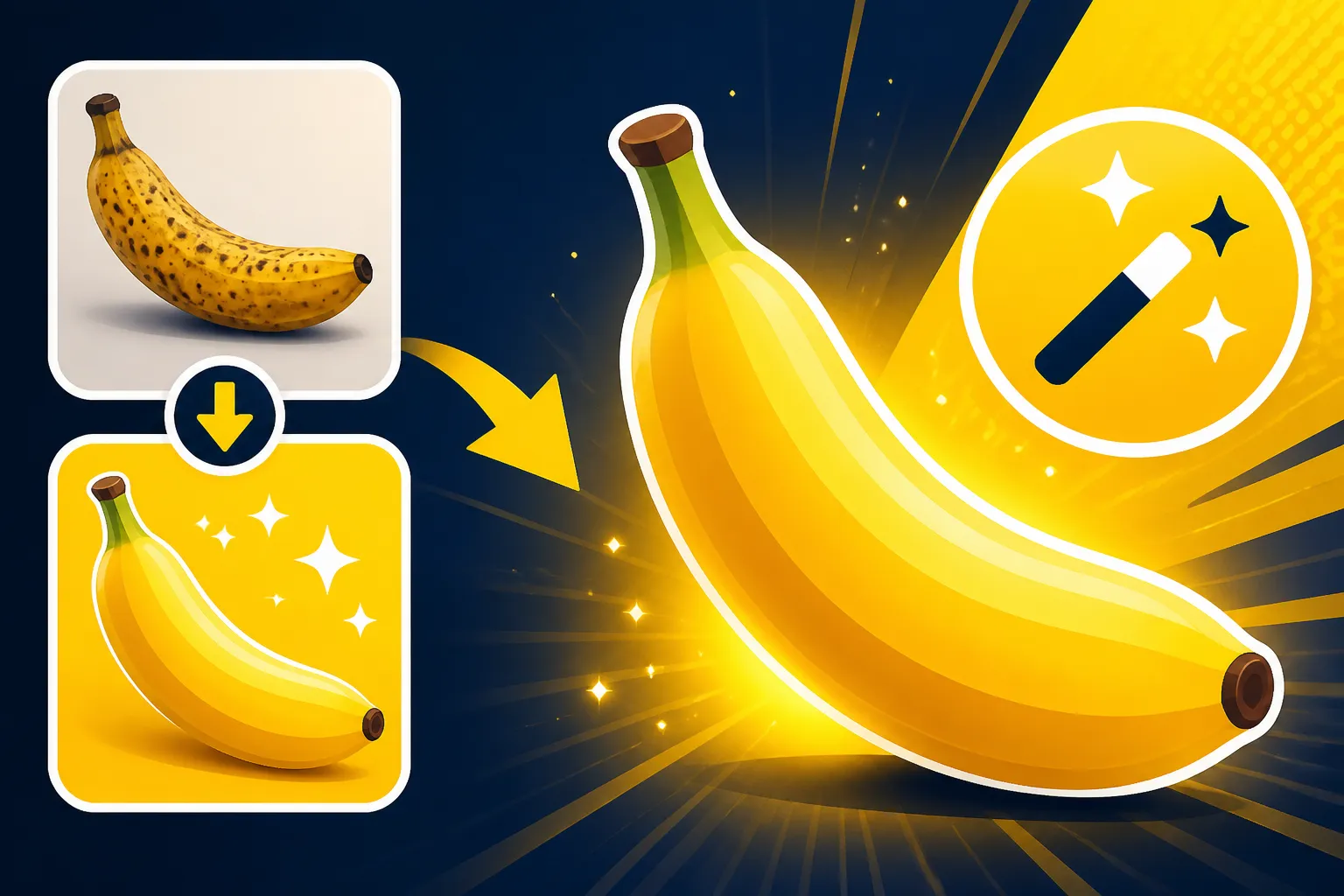
At its heart, Nano Banana Pro 4K is an AI-powered image upscaler. While many general AI image generators like Midjourney or DALL-E have some upscaling capabilities built-in, dedicated upscalers like Nano Banana Pro aim to do one thing exceptionally well: increase image resolution without losing detail or introducing artifacts. For digital artists, marketers, or even casual users looking to make their AI art shine, this means transforming a standard resolution image—perhaps 1024×1024 pixels—into a much larger, crisper version, such as 3840×2160 pixels, which is the standard for 4K.
The "Pro" in its name suggests a suite of advanced features, moving beyond basic pixel multiplication to intelligent algorithms that reconstruct and enhance details. It's not simply stretching pixels; it's about the AI understanding the image content and intelligently adding information to make it look naturally sharper and more defined at a larger size. This becomes critical when you're preparing images for professional portfolios, high-resolution advertisements, or even large format printing where every pixel counts.
Key Features at a Glance
Nano Banana Pro 4K isn’t just a one-trick pony. It brings several features to the table designed to streamline the upscaling process and enhance image quality.
- Advanced 4K Upscaling: This is the flagship feature, promising to take images and boost them to 4K resolution. What's impressive here is the AI's ability to extrapolate detail, reducing the common blurriness or pixelation you'd find with traditional resizing methods. It aims for a natural, high-fidelity result, which is crucial for maintaining the artistic integrity of your original creation.
- Artifact Reduction: One of the banes of upscaling, especially with AI-generated images, is the introduction of unsightly artifacts—those strange blurs, pixel distortions, or digital noise. Nano Banana Pro specifically targets these issues, working to clean up and smooth out images as it scales them up. This feature is particularly valuable when working with older, lower-quality images or images from less sophisticated AI models.
- Detail Enhancement: Beyond just increasing pixels, the tool intelligently sharpens edges, clarifies textures, and brings out subtle nuances that might be lost in lower resolutions. This isn't just a global sharpen filter; it's a context-aware enhancement that applies sharpening where it's most needed, like on eyes in a portrait or the fine lines of a landscape.
- Batch Processing: For those who work with multiple images, the ability to process several files at once is a huge time-saver. Imagine needing to upscale a collection of product photos or a series of illustrations for a book. Batch processing allows you to set it and forget it, letting the AI do the heavy lifting while you focus on other tasks.
- User-Friendly Interface: A powerful tool is only as good as its usability. Nano Banana Pro aims for an intuitive interface that makes it easy for both beginners and seasoned professionals to navigate. You don't need to be an expert in image editing or AI prompting to achieve impressive results.
These features combine to offer a compelling package for anyone serious about the visual quality of their AI-generated or digital art. While some general AI generators are improving their output quality, a dedicated upscaler like Nano Banana Pro can be a valuable addition to a creator's toolkit, especially when needing that extra polish for high-stakes projects.
Deep Dive into 4K Upscaling Performance
When we talk about a 4K upscaler, the real test is how well it performs under scrutiny. It’s not enough to simply make an image bigger; it needs to be *better*. Nano Banana Pro 4K aims to deliver on this promise, but what does that look like in practice? We need to consider both the raw quality of the output and the efficiency with which it achieves those results.
Image Quality and Detail Preservation
The holy grail of upscaling is to maintain or even enhance image details while increasing resolution, all without introducing unwanted distortions. Nano Banana Pro 4K leverages advanced AI models trained on vast datasets of images to intelligently “guess” what missing pixels should look like. This is where it theoretically surpasses traditional bicubic or bilinear interpolation methods, which often lead to blurry or blocky results.
In my experience, with a good quality source image, Nano Banana Pro 4K can indeed produce remarkably sharp and detailed outputs. For instance, if you feed it an AI-generated image of a character with intricate clothing, it can often enhance the fabric textures, button details, and even the subtle strands of hair, making them far more defined than in the original. I've seen it take a decent 1024×1024 portrait from an AI model and transform it into a stunning 4K image, where suddenly the individual pores on the skin or the gleam in the eyes become much more apparent. This kind of detail retention and enhancement is critical for projects where realism and clarity are paramount, such as in digital art portfolios or high-end marketing collateral.
However, it's not magic. If your source image is exceptionally low-resolution or contains significant existing artifacts, even the most advanced AI upscaler will struggle to invent details that aren't there. You might see some "hallucinations" – details that the AI conjures up but don't quite make sense – if the input quality is too poor. The best results come from inputs that are already reasonably good but just need that extra push to 4K fidelity. Comparing it to something like Magnific Upscaler: Worth the Price, Nano Banana Pro holds its own, often delivering competitive results in terms of detail and clarity.
Speed and Efficiency
Generating and upscaling high-resolution images can be a resource-intensive process. Nobody wants to wait hours for a single image to process. This is where the speed and efficiency of Nano Banana Pro become a significant factor for users, especially those on tight deadlines or working with large volumes.
Most modern AI upscalers, including Nano Banana Pro, utilize cloud-based GPU processing, which means the heavy computational lifting happens on powerful remote servers, not your local machine. This setup allows for much faster processing times than if you were trying to run such complex algorithms on an average desktop or laptop. For a typical image, say 1024×1024, I've found that upscaling to 4K usually takes anywhere from a few seconds to a couple of minutes, depending on server load and the complexity of the image. Batch processing naturally takes longer, but the ability to queue up multiple images and let them run in the background is a major convenience.
For professionals or businesses that frequently need high-resolution assets, this efficiency is a game-changer. Imagine a graphic designer creating numerous social media graphics or a photographer needing to quickly enhance a batch of photos. The time saved by efficient batch processing and rapid single-image upscaling can directly translate into increased productivity and quicker project turnaround times. While not always the absolute fastest tool on the market (some specialized tools might optimize for raw speed over extreme detail), Nano Banana Pro strikes a good balance between quality output and reasonable processing times. For a more detailed look at how it stacks up against other speedy options, you might want to check out a Nano Banana Pro vs Flux: Full Comparison.
Pros and Cons of Nano Banana Pro
Like any tool in the creative arsenal, Nano Banana Pro 4K comes with its own set of advantages and disadvantages. Understanding these can help you decide if it’s the right fit for your specific needs, particularly when you’re aiming for top-tier visual output.
Advantages for Creatives and Professionals
For those who rely on high-quality visuals, Nano Banana Pro offers some compelling benefits that can significantly impact workflow and final product quality.
- Exceptional 4K Output: The primary advantage is, of course, its ability to produce genuinely high-resolution 4K images. This isn't just marketing hype; for many types of images, especially those with good starting quality, the detailed output is visibly superior to what many general AI image generators or standard photo editors can achieve with their built-in upscaling. This makes it a strong contender if you're looking for the Best AI Image Generator for Quality or specifically for Best AI Image Generator for Photorealism.
- Preservation and Enhancement of Details: Unlike simple scaling algorithms that can blur or pixelate, Nano Banana Pro is designed to intelligently reconstruct and enhance fine details. This means textures, facial features, and subtle patterns often look sharper and more defined after upscaling, which is crucial for professional applications where clarity matters.
- Reduced Artifacts and Noise: Many users struggle with artifacts and noise when upscaling images, especially those generated by AI. Nano Banana Pro's algorithms are adept at smoothing out these imperfections, resulting in cleaner, more professional-looking images. This can save significant time in post-processing, as you won't have to manually clean up pixelation or strange digital remnants.
- Time-Saving Batch Processing: For content creators, designers, and marketers who manage large volumes of images, the batch processing feature is a massive time-saver. You can set a queue of images to upscale and let the tool do its work, freeing you up for other creative tasks. This efficiency can greatly accelerate project timelines, making it easier to meet demanding deadlines.
- User-Friendly Experience: Despite its advanced capabilities, Nano Banana Pro generally maintains an intuitive interface. You don't need a deep technical understanding of AI or image processing to get excellent results, making it accessible to a wider range of users, from seasoned pros to those just starting with AI art.
Potential Drawbacks and Limitations
No tool is perfect, and Nano Banana Pro 4K has areas where it might not meet every expectation or might present challenges for certain users.
- Dependency on Source Quality: While excellent, Nano Banana Pro isn't a miracle worker. If your initial image is extremely low-resolution, heavily pixelated, or fundamentally flawed, the upscaler can only do so much. It can enhance what's there, but it can't create entirely new, coherent information out of thin air. Expecting a blurry thumbnail to turn into a flawless 4K masterpiece might lead to disappointment. For a comprehensive look at how different tools handle various inputs, consider exploring the Best AI Image Generator Comparison.
- Subscription or Credit-Based Model: Like many advanced AI tools, Nano Banana Pro typically operates on a subscription or credit-based system. This means it's not a one-time purchase, and continuous use will incur ongoing costs. While often justifiable for professionals, budget-conscious users might find this a drawback compared to free or open-source alternatives. You might want to compare its pricing structure with general discussions on Free vs Paid AI Image Generators to gauge its value.
- Limited Creativity Beyond Upscaling: While it excels at upscaling, Nano Banana Pro isn't an all-in-one creative suite. It doesn't generate images from scratch (though it can work with images generated by tools like Midjourney or Stable Diffusion), nor does it offer extensive editing capabilities beyond enhancement. Users might still need other tools for initial generation, complex compositions, or advanced photo manipulation. This makes it a specialized tool rather than a comprehensive creative platform.
- Potential for "AI Look": In some cases, especially with aggressive upscaling or very challenging source images, the AI can sometimes introduce a slightly "smoothed" or "painterly" look that, while high-resolution, might not feel entirely natural to purists. This isn't always a negative, as some artists might appreciate it, but it's something to be aware of if hyper-realistic fidelity is your absolute top priority without any AI intervention.
- No Offline Capability: As a cloud-based tool, you'll need a stable internet connection to use Nano Banana Pro. This isn't usually an issue for most users but could be a limitation for those who need to work offline or in areas with unreliable internet access.
Understanding these pros and cons helps to set realistic expectations for what Nano Banana Pro 4K can deliver and where its limitations lie, allowing you to integrate it strategically into your workflow.
Who is Nano Banana Pro 4K For?
Deciding if an AI image tool is right for you often comes down to your specific needs and workflow. Nano Banana Pro 4K, with its specialized focus on high-resolution output, caters to a particular segment of creators and businesses.
Ideal Users and Use Cases
Nano Banana Pro 4K shines brightest for individuals and organizations where image resolution and clarity are paramount.
- Digital Artists and Illustrators: If you're an artist using AI to generate concepts, characters, or backgrounds, you know how crucial it is to have high-res files for detailed work, prints, or portfolios. Nano Banana Pro can take your initial AI sketches or finished pieces and upscale them beautifully, allowing you to zoom in on intricate details without pixelation. It's an excellent companion for those who use tools like Midjourney but need an extra boost in final resolution.
- Graphic Designers and Marketers: For anyone creating marketing materials, website graphics, or print advertisements, crisp images are non-negotiable. Low-resolution images look unprofessional and detract from your message. Nano Banana Pro helps designers upscale product photos, ad creatives, or social media visuals to ensure they look sharp and impactful across various platforms and mediums, including billboards or large banners. The ability to How to Upscale AI Images effectively for campaigns is a huge plus.
- E-commerce Businesses: Product photography is vital for online sales. Clear, high-resolution images can significantly influence customer purchasing decisions. E-commerce platforms often have specific resolution requirements, and Nano Banana Pro can help you meet these by upscaling existing product shots or AI-generated mockups, ensuring your products look their best.
- Bloggers and Content Creators: While many blog images can be lower resolution, having stunning hero images, infographics, or featured images for your articles can greatly enhance visual appeal and reader engagement. Nano Banana Pro ensures your visual content is top-notch, grabbing attention and conveying professionalism.
- Print-on-Demand Entrepreneurs: If you're designing T-shirts, posters, mugs, or other merchandise for print-on-demand services, you absolutely need high-resolution files. Small, pixelated designs will look terrible when printed. Nano Banana Pro empowers creators to upscale their AI-generated designs to print-ready resolutions, ensuring quality end products.
In essence, if your creative or business output requires images that stand up to scrutiny on larger screens, in print, or for commercial distribution, Nano Banana Pro 4K is designed to meet that demand.
Comparing with Alternatives
The AI image upscaling market is growing, with several players offering similar services. It’s important to consider how Nano Banana Pro 4K stacks up against its competitors.
One major alternative is a general-purpose AI image generator like Midjourney or DALL-E, which have their own built-in upscalers. While these are convenient, dedicated tools like Nano Banana Pro or Magnific AI Upscaler Review often offer superior detail enhancement and artifact reduction. Their algorithms are specifically optimized for upscaling rather than general image generation, leading to a more refined output. For example, while Midjourney V7 has excellent upscaling, a dedicated tool can sometimes pull out even finer textures or provide more precise noise reduction.
Then there are other dedicated upscalers. Tools like Topaz Gigapixel AI are well-regarded for their desktop-based, powerful upscaling capabilities, often preferred by professional photographers. Nano Banana Pro, being cloud-based, offers convenience and accessibility without needing high-end local hardware. When considering Best AI Image Upscalers and How to Use Them, you'll find a spectrum of options, each with its strengths.
For those on a tighter budget, some free AI upscaling tools exist online. However, these often come with limitations like lower maximum resolutions, watermarks, or less sophisticated algorithms that might not preserve detail as effectively. As highlighted in discussions around Cheapest vs Best AI Image Generators, there's often a trade-off between cost and quality. Nano Banana Pro aims to strike a balance, offering premium results via a subscription model.
If you're particularly concerned about specific aspects, like text rendering, you might compare it to tools optimized for that. For instance, you could look into a Nano Banana Pro vs DALL-E for Text comparison, although Nano Banana Pro's primary strength is general image upscaling rather than text generation. For overall image fidelity and a focus on high-resolution output for a diverse range of visual content, Nano Banana Pro makes a strong case for itself as a valuable, specialized tool.
Disclaimer
Please remember that the field of AI image generation and enhancement is evolving rapidly. Information and features mentioned in this review are accurate at the time of writing, but tools and services can change without notice. Always check the latest offerings and terms directly from the service provider.