Canva AI Review: Is It Worth It in 2026
Let's be honest, trying to juggle all the visual content needs for your blog, social media, or small business can feel like a Herculean task. You need eye-catching graphics, unique illustrations, and sometimes even product mockups, but who has the time or budget to learn complex design software or hire a dedicated designer for every single need? This guide will cut through the noise and give you a realistic, in-depth look at Canva AI in 2026, helping you understand if its suite of AI-powered features truly offers the shortcut and quality you're looking for.
Understanding Canva AI: More Than Just a Magic Button
For years, Canva has been the go-to platform for anyone needing quick, user-friendly design without the steep learning curve of tools like Adobe Photoshop. But the world of AI has changed everything, and Canva hasn't been shy about integrating these powerful capabilities directly into its ecosystem. It's not just a single "AI button" you press; rather, Canva AI is a collection of smart tools designed to assist and even automate various aspects of your design process.
The Evolution of Canva's AI Tools
Remember when the coolest thing Canva could do was remove a background with one click? It felt like magic then, and frankly, it still does! But Canva’s journey into AI has been a steady, thoughtful progression. Initially, it started with more assistive features like Smart Mockups, which allowed you to place your designs on realistic product images, or the simple but effective background remover. These were game-changers for small businesses and content creators who couldn't afford a professional photo studio or complex editing software.
As large language models and generative AI became more sophisticated, Canva began rolling out tools like Magic Write, which helps generate text for your designs, and then the star of the show for many: Magic Media. This allowed users to generate images from text prompts, instantly creating visuals that previously required stock photo subscriptions or bespoke design. The brilliant thing about Canva’s approach is that they’ve made these advanced capabilities feel intuitive, hiding the complex AI processes behind user-friendly interfaces. They understand that most of us just want to get our designs done efficiently, not become prompt engineering gurus. This evolution shows a clear commitment to making cutting-edge AI accessible to everyone, not just tech enthusiasts.
Ease of Integration within the Canva Ecosystem
One of the biggest frustrations with many AI image generators is that they often exist as standalone tools. You generate an image, download it, and then upload it to your design software. It's a clunky, time-consuming process that breaks your creative flow. This is where Canva AI truly shines. Its tools are deeply embedded within the existing Canva editor. When you're working on a social media graphic, a presentation, or a blog post header, you can simply click on an element, and relevant AI options appear.
Imagine you're designing a new series of posts for Instagram. You need a consistent visual theme, but your existing photos just aren't cutting it. Instead of leaving Canva to find or create an image, you can use Magic Media right there in your project. Generate a few options, drop them into your design, and then use other AI tools like Magic Edit to tweak them if needed. This seamless integration means less context-switching, faster design cycles, and a much smoother creative experience. For anyone trying to keep up with a demanding content schedule, this integrated workflow is a massive time-saver and a huge benefit compared to juggling multiple separate applications.
Exploring Canva AI's Core Capabilities in 2026
Canva AI in 2026 isn't just one monolithic tool; it's a suite of functionalities designed to assist you across various design needs. From creating images from scratch to intelligently editing existing ones, these features are geared towards empowering non-designers and speeding up workflows for everyone.
Generative AI for Images and Design
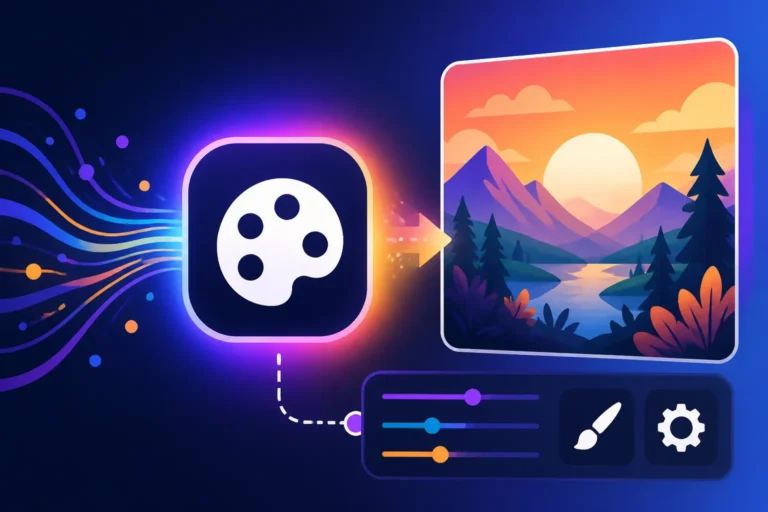
The flagship AI feature in Canva is undoubtedly its generative capabilities, primarily accessed through Magic Media. This tool takes your text prompts and transforms them into visual assets, whether they be images or even short videos. You simply type in a description, much like you would with DALL-E or Midjourney, and Canva's AI gets to work. What makes it particularly user-friendly is the array of style options available—from "Photo" and "Graphic" to more artistic styles like "Watercolor," "Dreamy," or "Anime." This guided approach helps users who might not be experts in prompt engineering achieve specific aesthetics without needing to understand complex parameters.
For example, if you need a whimsical illustration of a cat reading a book in a cozy cafe, you can type that prompt and then select a "Drawing" or "Fantasy" style. Canva generates a few options, and you can pick the one that fits your vision best. This democratizes image creation, allowing someone without artistic skills to produce unique visuals for their blog posts or social media campaigns. While it may not always produce the hyper-realistic, nuanced images that dedicated high-end AI art generators can, the quality is often perfectly suitable for digital content, especially when integrated into an overall Canva design. For those looking to dive deeper into getting great results, learning How to Write AI Image Prompts can significantly improve your outcomes.
Smart Editing and Enhancement Tools
Beyond generating images from text, Canva AI also offers a powerful set of tools to manipulate and enhance existing visuals. These are often the unsung heroes that save hours of manual editing.
- Magic Edit: This feature is truly remarkable. You select an object or area in your image, describe what you want to replace it with, and Canva's AI performs the transformation. Need to change the color of a shirt on a model? Or swap out a coffee cup for a plant? Magic Edit can do it. It's incredibly handy for making quick alterations without needing to master complex selection and cloning tools. A small business owner might use this to update product photos without needing a reshoot, for instance, or to quickly adapt an image to a new marketing campaign theme. This is a game-changer for those who need to iterate quickly and efficiently. If you want to refine your skills in this area, check out resources on How to Edit AI Images with Inpainting.
- Magic Expand: Ever had the perfect photo, but it's the wrong aspect ratio for your social media post or banner? Magic Expand uses AI to intelligently fill in the missing areas of your image, extending the canvas without simply stretching or blurring. It "imagines" what would logically be there, creating a seamless expansion. This is invaluable for adapting content across platforms that have different image dimension requirements, from Instagram Stories to YouTube thumbnails.
- Magic Grab: This clever tool allows you to select and separate any subject from its background with incredible precision. Once separated, you can move the subject, resize it, or apply effects independently. It's like an advanced version of the background remover, but with more control. Imagine isolating a product from a busy background to place it on a clean white backdrop for an e-commerce listing, or taking a person from one photo and integrating them into a completely different scene. These smart editing tools make it easier than ever to create polished, professional-looking visuals, even if you're not a graphic design expert.
Text and Brand Consistency Features
Maintaining a consistent brand identity across all your marketing materials is crucial, but it's often a struggle for small teams or solo entrepreneurs. Canva AI steps in to help here, too. While not strictly image generation, tools like Magic Write assist in generating headlines, body copy, and even marketing taglines, which are often paired directly with your visuals. This ensures that the messaging aligns with the imagery.
Furthermore, Canva's Brand Kit features, combined with its AI tools, help you maintain visual consistency. You can upload your brand fonts, colors, and logos, and then when you use AI to generate or edit images, you can ensure they fit within your established aesthetic. For instance, if you're using Magic Media to create new images for your social media channels, you can then quickly apply brand colors as overlays or incorporate text generated by Magic Write in your brand font. This holistic approach ensures that your How to Use AI Image Generators for Social Media Graphics and AI for Blog and Article Images are always on-brand. For small businesses, this level of integrated brand management, facilitated by AI, is incredibly valuable for building recognition and professionalism without needing a dedicated brand manager.
The Real-World Pros and Cons of Canva AI
When you're trying to decide if a tool is right for you, it's essential to look beyond the marketing hype and get down to the brass tacks. Canva AI, like any powerful technology, comes with its own set of advantages and limitations. Let's break down what truly makes it tick and where you might find yourself wanting more.
The Upsides: Accessibility, Speed, and Convenience
The biggest selling point for Canva AI is, without a doubt, its incredible accessibility. If you can use Canva, you can use Canva AI. There's no obscure coding, no complex command-line interfaces, and no steep learning curve to generate images. This is a massive relief for the millions of people who need visuals but aren't professional artists or developers. It truly embodies the spirit of being the Best AI Image Generator for Ease of Use and the Best AI Image Generator for Beginners.
For small business owners, bloggers, and social media managers, speed and convenience are paramount. Imagine needing an image for a last-minute Instagram post. With traditional methods, you might spend 20 minutes searching stock photos, only to find something generic. With Canva AI, you can generate several unique options in minutes, customize them within the same platform, and have your post ready to go. This drastically cuts down on the time spent on visual content creation, freeing you up for other critical tasks. The integration of all these tools in one place means you’re not bouncing between different apps, downloading and re-uploading, which is a common and often frustrating aspect of using multiple disparate AI tools. For most daily content needs, this integrated workflow is a lifesaver.
The Downsides: Quality Limitations and Creative Control
While Canva AI is fantastic for its ease of use, it's important to set realistic expectations regarding image quality and creative control. If you're comparing it to highly specialized tools like Midjourney or Stable Diffusion, you'll notice some differences. Canva AI's generative images, while improving rapidly, can sometimes lack the intricate detail, artistic nuance, or photorealistic fidelity that the most advanced AI models offer. You might occasionally encounter the typical AI quirks, like oddly rendered hands or slightly warped perspectives, though Canva is constantly working to refine these outputs.
Another aspect is creative control. Advanced AI users often leverage complex prompts, negative prompts, seed numbers, and parameters to fine-tune every aspect of their image generation. Canva, in its quest for simplicity, offers a more streamlined set of controls. While you can choose styles and provide detailed prompts, you generally don't have the granular control over camera angles, lighting intensity, or specific artistic weights that professional artists might desire. This means that for highly specific, high-fidelity, or artistically complex projects, professional designers might find Canva AI more of a supplementary tool rather than a primary one. It really depends on if you ask, Is Canva AI Good Enough for Pros? For quick ideation, social graphics, or blog images, it's fantastic, but for a detailed client brief requiring precise artistic execution, you might still turn to other, more specialized platforms or traditional design methods.
Here's a quick comparison of what you might expect from Canva's free and paid AI features:
| Feature/Capability | Canva Free Tier (with AI) | Canva Pro/Teams Tier (with AI) |
|---|---|---|
| Magic Media (Text-to-Image) | Limited daily generations (often around 5-10) | Generous monthly generations (e.g., 500+), refreshed regularly |
| Magic Edit | Limited daily uses | Extensive daily uses |
| Magic Expand | Limited daily uses | Extensive daily uses |
| Magic Write (Text Gen) | Limited daily uses | Extensive daily uses |
| Background Remover | Not available (typically Pro feature) | Unlimited uses |
| Brand Kit Integration | Basic font/color palette (no custom uploads) | Full brand kit capabilities, including custom fonts and logos |
| Commercial Use | Generally allowed, but check specific asset licenses | Generally allowed and clear for commercial projects |
| High-Resolution Downloads | Limited to standard resolutions | High-resolution downloads available |
As you can see, while Canva AI Free Tier Explained offers a taste, the true power and utility of Canva's AI tools become apparent with a Pro subscription, especially for consistent commercial use. Many users find it one of the Free AI Image Generators with Commercial Use available to test out the features, before committing to a paid plan.
So, Is Canva AI Really Worth It for You in 2026?
After delving into the various AI capabilities that Canva offers, the question boils down to one thing: is it worth it for your specific needs? The answer, as with most tools, isn't a simple yes or no. It really depends on who you are and what you're trying to achieve.
For Casual Users and Small Businesses
For the vast majority of casual users, content creators, bloggers, and small business owners, Canva AI is an absolute game-changer and, frankly, well worth the investment (especially for a Canva Pro subscription, which unlocks its full potential). If your goal is to quickly create visually appealing content for social media, design simple marketing materials, produce engaging blog graphics, or create presentations without needing a degree in graphic design, then Canva AI is an invaluable asset.
It streamlines workflows, offers creative assistance when you're stuck, and allows you to produce a surprising variety of unique images and edited photos directly within the platform you already use. Think about the time saved not having to scour stock photo sites or hire a freelancer for every simple graphic. For a small business owner in, say, Boise, Idaho, who needs fresh images for their Etsy shop or local Facebook ads, Canva AI provides professional-looking results quickly and affordably. It empowers you to be your own designer, even if your "design skills" consist mostly of a good eye for aesthetics. The ease of use and integrated nature of the tools mean you're more likely to actually use them consistently, which translates directly into more engaging content for your audience.
For Professionals and Creative Agencies
Now, for professional graphic designers, large creative agencies, or artists who demand hyper-specific control, absolute photorealism, or highly unique artistic styles, Canva AI will likely serve as a fantastic supplementary tool rather than a primary one. It's probably not going to replace your deep dive into Adobe Illustrator or Photoshop, or your subscriptions to highly specialized AI art generators like Midjourney or certain custom-trained Stable Diffusion models.
A professional might use Canva AI for rapid prototyping, generating quick mood boards, brainstorming visual concepts with clients, or creating low-stakes internal communications and social media content where speed trumps absolute fidelity. For instance, an agency might use it to quickly mock up ten different ad concepts before investing time in refining one with more powerful, intricate tools. It's a great tool for efficiency and volume, but when it comes to highly polished, unique, or client-specific deliverables that require pixel-perfect control, advanced compositing, or unique stylistic elements, they'll probably still gravitate towards more robust, dedicated software. Think of it less as a replacement for high-end design suites and more as an extremely capable assistant that handles a large percentage of your day-to-day visual needs, freeing up your time for the truly complex projects. This is often the comparison point when folks discuss Canva AI vs Adobe Firefly: Full Comparison or other professional-grade tools.
Ultimately, for most people looking to enhance their visual content creation, Canva AI offers a robust, user-friendly, and highly integrated solution that provides significant value. It's a fantastic investment for efficiency and creative empowerment.
Disclaimer
Please remember that the information provided in this article is for general guidance only. The features and pricing of AI tools, including Canva AI, are subject to change rapidly as technology evolves. Always check the latest terms and conditions on the official Canva website for the most up-to-date and accurate information regarding their services and commercial use policies.