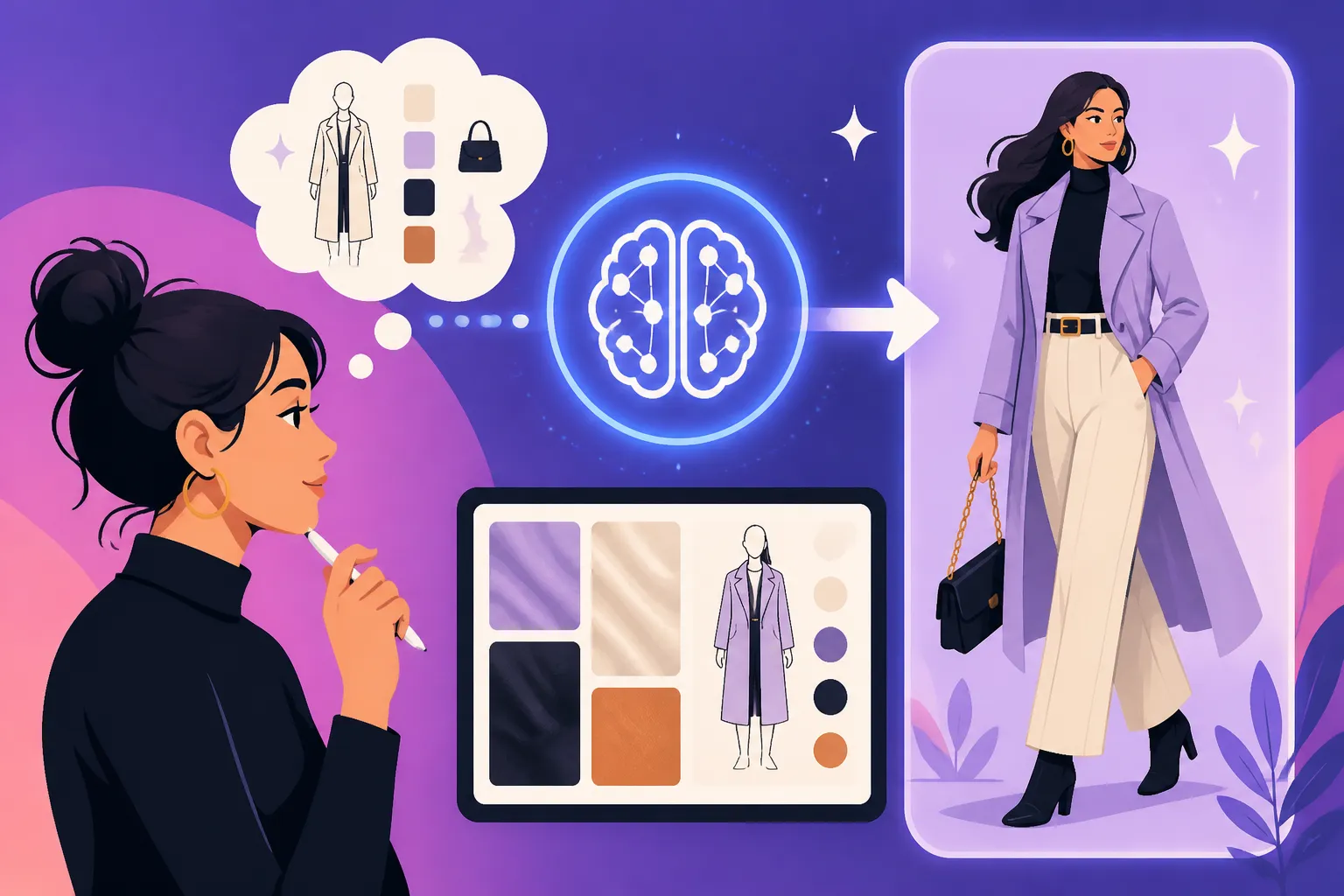
How to Prompt AI for Better Fashion
Have you ever tried to generate a stunning fashion image with AI, only to get something… well, less than runway-ready? Maybe the fabric looked like plastic, the model had an extra limb, or the whole ensemble just felt a bit off and artificial. It’s a common frustration, trust me. We’ve all been there, staring at our screen, wondering why our perfectly good prompt resulted in a fashion faux pas. But don't despair! Getting AI to understand the nuances of fashion, from the drape of silk to the sharp cut of tailoring, is entirely possible. This comprehensive guide will walk you through the art of prompting AI for better fashion images, helping you achieve those stylish, high-quality visuals you envision.
Understanding the Fundamentals of Fashion AI Prompts
Generating compelling fashion imagery with AI isn't just about listing items of clothing; it's about conveying a complete visual story, just like a professional photoshoot. You need to think like a stylist, a photographer, and a creative director all at once. The AI, no matter how advanced, is still essentially interpreting text, so the clearer and more detailed your text is, the better your chances of getting a stellar outcome. It's a delicate dance between specificity and evocative description.
The Core Elements of a Fashion Prompt
Think of your fashion prompt as a recipe. Each ingredient is crucial, and the better you describe it, the more delicious the final dish will be. When it comes to fashion, you're not just asking for a "dress," you're asking for a "vintage crimson velvet evening gown with delicate lace trim." The more descriptive you get, the closer you'll land to your vision. Start by breaking down the image into its essential components: what the model is wearing, who the model is, where they are, and what mood you're trying to evoke.
For instance, instead of just "woman in a blue suit," consider "a confident businesswoman, late 30s, wearing a perfectly tailored navy blue power suit, double-breasted, with sharp lapels, styled with a crisp white silk blouse, walking purposefully through a bustling city street at dusk, cinematic lighting." See the difference? We've gone from a basic sketch to a vivid scene. Focusing on these core elements—the subject, the clothing, accessories, setting, and overall aesthetic—is paramount. If you're struggling with basic prompt construction, our general guide on How to Write AI Image Prompts can provide a solid foundation before diving deeper into fashion specifics.
The Importance of Visual Language and Keywords
AI models are trained on vast datasets of images and their corresponding descriptions. This means they understand visual concepts through the words associated with them. Therefore, your choice of words, your "visual language," is incredibly powerful. Using precise fashion terminology isn't just for industry insiders; it's how you communicate effectively with the AI. Words like "couture," "avant-garde," "bohemian," "minimalist," "streetwear," "haute couture," or "athleisure" instantly give the AI a strong stylistic direction.
Beyond specific styles, think about materials and textures. "Silk," "denim," "leather," "wool," "chiffon," "tweed," and "velvet" all have distinct visual properties that the AI can render with surprising accuracy if prompted correctly. Don't shy away from adjectives that describe movement or feel, such as "flowing," "draped," "structured," "crinkled," or "glossy." The AI will attempt to translate these qualities into the generated image. Experiment with different terms, and you'll quickly discover which keywords resonate most with the model you're using to achieve the desired effect.
Crafting Detailed Prompts for Specific Fashion Styles
Once you have the fundamentals down, it’s time to get specific. Fashion is an incredibly diverse field, and the AI needs clear signals to distinguish between a casual everyday look and a high-fashion editorial. The key here is specificity, layering details upon details to paint a complete picture.
Specifying Garments, Textures, and Materials
This is where the magic really starts to happen. Don’t just ask for a "shirt" when you mean a "crisp white oversized poplin button-down shirt with wide cuffs, half-tucked into high-waisted tailored trousers." Every detail you add helps the AI narrow down the possibilities and create something closer to your vision. Think about the cut: A-line, sheath, straight-leg, flared, slim-fit, baggy, oversized. Think about necklines: V-neck, crew neck, cowl neck, sweetheart. Sleeves: puffed, bell, fitted, long, short, sleeveless.
Consider the interplay of materials and how they fall. For example, "a model wearing a flowing emerald green satin slip dress that drapes elegantly over her figure, showcasing its luxurious sheen and soft folds." The words "flowing," "drapes elegantly," "luxurious sheen," and "soft folds" tell the AI not just what the dress is made of, but how it should look and behave. If you’re generating something like product photography, this level of detail is absolutely essential to get realistic representations of fabric and form.
Defining Models, Poses, and Settings
The clothing doesn’t exist in a vacuum; it’s worn by someone, somewhere, in a particular way. Who is your ideal model? "A statuesque runway model," "a diverse group of street-style influencers," "a confident, smiling woman in her 50s." Specifying age, ethnicity, body type, and even hair color can help, but remember that AI models can sometimes struggle with consistent human anatomy, so be prepared for some iteration.
The pose is equally critical. "Striding confidently," "sitting casually on a café terrace," "dramatically posing on a windswept beach," "candid shot looking over shoulder." These actions and expressions bring the fashion to life. The setting also plays a huge role in establishing the mood. "A minimalist urban loft," "a vibrant Tokyo street," "a serene desert landscape," "a dimly lit vintage jazz club." These settings provide context and atmosphere, allowing the fashion to tell its full story. For more on controlling your composition, take a look at our guide on How to Control Composition in Prompts.
Capturing Era-Specific and Subculture Styles
Fashion is deeply rooted in history and culture. If you're aiming for a specific era or subculture, you must explicitly state it. "1920s flapper fashion," "1970s disco glam," "1990s grunge aesthetic," "Victorian gothic attire," "cyberpunk fashion." These terms immediately cue the AI into a vast database of visual references. Don't forget to include key elements associated with that era or subculture.
For a 1920s flapper, you might add: "drop-waist dress, beaded fringe, cloche hat, long pearl necklace, T-strap shoes." For a punk look: "distressed denim, leather jacket, band t-shirt, combat boots, spiked hair, safety pins." The more iconic details you can list, the better the AI will understand and represent the chosen style. Sometimes, combining these historical references with modern elements can create exciting new looks, but be clear about your intent to avoid confusing the AI.
Leveraging Advanced Techniques for High-Quality Fashion Renders
Once you've mastered the basics, you can elevate your fashion images using more advanced prompting techniques. These methods help you refine, perfect, and troubleshoot your generations, moving from good to truly exceptional.
Using Negative Prompts for Refinement
Negative prompts are your secret weapon for removing unwanted elements or correcting common AI flaws. When generating fashion, you might find issues like "deformed hands," "unrealistic fabric," "blurry faces," "extra limbs," "mutated," or "disfigured." Adding these to your negative prompt can significantly clean up your output. It’s like telling the AI, "Give me this, but definitely not that."
For fashion specifically, you might use negative prompts to avoid "creased fabric," "poor stitching," "distorted patterns," "plastic-like texture," "bad lighting," "unflattering pose," or "generic background." This is particularly useful when you're aiming for high-fidelity, photorealistic fashion shots where every detail matters. Experiment with different negative terms, and you'll see a noticeable improvement in the overall quality and realism of your generated images. Understanding How to Use Negative Prompts can be a game-changer for any serious AI artist.
Incorporating Lighting and Composition Cues
Just as in real-world photography, lighting and composition are crucial for creating mood and highlighting details in AI-generated fashion images. Don't just rely on the AI's default; explicitly guide it. Think about the quality of light: "soft studio lighting," "harsh direct sunlight," "diffused natural light," "golden hour glow," "neon cyberpunk glow." And direction: "backlit," "side-lit," "overhead light."
Compositional cues also add a professional touch. "Full body shot," "medium close-up," "dutch angle," "low-angle shot," "rule of thirds," "leading lines," "shallow depth of field," "bokeh background." These terms help frame your subject and draw the viewer's eye to the fashion elements you want to emphasize. For a deeper dive into making your images look less "AI" and more professional, check out our tips on How to Make AI Images Look Less AI. The combination of precise clothing descriptions with expert lighting and composition details can transform a good image into a stunning editorial piece.
Iteration and Seed Management
Rarely will your first prompt yield perfection. AI image generation is an iterative process. You generate, you evaluate, you refine your prompt, and you generate again. This is where seed management becomes invaluable. A "seed" is a numerical value that determines the initial random noise the AI starts with. If you find an image that's close to your vision but needs tweaks, use the same seed along with your revised prompt. This allows you to make incremental changes while maintaining the core structure and composition of the initial generation.
For instance, if you get a great dress but the model's hair isn't quite right, you can reuse the seed, modify the prompt to describe the hair precisely, and generate again. This saves you from starting from scratch every time and helps you hone in on the perfect image. Many tools, like Midjourney, allow you to easily find and reuse seeds. Keep a log of successful prompts and their seeds for future reference, especially if you're trying to achieve consistent looks across multiple images for a fashion collection. This iterative approach, combined with strategic seed use, is a cornerstone of getting better results.
Troubleshooting Common Fashion AI Image Issues
Even with the best prompts, AI can sometimes throw you a curveball. Distorted limbs, unnatural textures, or garments that defy gravity are common issues. Knowing how to identify and address them is key to successful fashion image generation.
Fixing Distorted Clothing and Accessories
One of the most common frustrations is when clothing looks "off." Fabric might appear stiff, plastic-like, or crinkled in odd ways. Patterns can warp, and accessories might float or distort. The primary way to combat this is through more descriptive prompts about materials and their behavior. Instead of "silk dress," try "flowing silk dress with natural drapes and soft folds." Use terms like "high-quality fabric," "realistic texture," and specify the type of weave or knit if known (e.g., "fine wool knit," "heavy canvas denim").
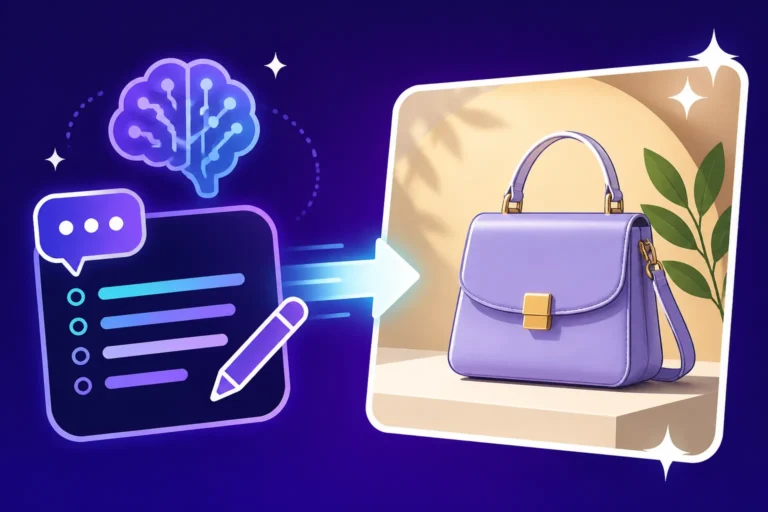
For accessories, be extremely precise. Instead of "bag," try "a structured black leather handbag with gold hardware, held delicately in the model's left hand." If an accessory consistently appears distorted, try isolating it in the prompt, or even generating it separately and compositing it later if your AI tool allows for more advanced editing. Sometimes, simply varying the camera angle or model's pose can inadvertently fix these issues, as certain angles are more prone to generating complex forms correctly.
Addressing Unrealistic Human Anatomy and Poses
Ah, the infamous AI hands and extra fingers! This is perhaps the most persistent challenge in AI image generation, especially for fashion where the human form is central. While negative prompts like "deformed hands," "extra fingers," "ugly hands," or "disfigured body" can help, they are not always a complete solution. One trick is to prompt for elements that obscure hands or feet, like "gloves," "long sleeves," "oversized cuffs," "boots," or "baggy trousers."
For poses, if the AI consistently generates unnatural or stiff postures, try describing the feeling of the pose rather than just the mechanics. "Effortless pose," "dynamic movement," "relaxed stance," "graceful posture." You can also specify common modeling poses like "fashion editorial pose," "catwalk stance," or "vogue pose." Referencing specific angles, such as "from the waist up" or "full-body shot," can help the AI focus its efforts on a particular section of the anatomy, potentially leading to fewer full-body distortions. Our guide on How to Fix Distorted AI Faces can also offer some general strategies applicable to other body parts.
Overcoming AI's Interpretation Quirks
Sometimes, the AI just doesn't quite "get" what you mean, leading to unexpected interpretations. For example, you might ask for a "futuristic dress" and get something that looks more like a robot costume than high fashion. This is where continuous learning and experimentation come in. If a particular word isn't yielding the desired results, try synonyms or alternative descriptions. Instead of "futuristic," maybe "neo-futuristic gown with metallic accents and bioluminescent details."
Another quirk is when the AI blends elements in unintended ways. You might ask for a "model wearing a hat and sunglasses" and get a hat with sunglasses integrated into its design. To combat this, you can sometimes use explicit separation or weighting in your prompt if your tool supports it. For example, "model wearing a hat, and sunglasses." Or simply try describing the items in separate sentences. Persistence and a willingness to iterate are your best friends here. Don't be afraid to break down your complex vision into simpler components and build them back up.
Prompting for Different Fashion Aesthetics
To truly master AI fashion generation, you need to understand how to tailor your prompts to a wide array of stylistic outcomes. The same garment can look dramatically different depending on the aesthetic you're aiming for.
Editorial and High Fashion Prompts
For editorial and high fashion, the emphasis is on drama, artistry, and often a touch of the surreal. Think beyond just the clothing to the story it tells. You'll want to include details about the mood, the artistic direction, and even the "photographer's style."
Key elements to include:
- Model: "Androgynous model," "striking supermodel," "avant-garde muse."
- Clothing: "Couture gown," "architectural tailoring," "deconstructed silhouette," "meticulously handcrafted ensemble."
- Lighting: "Dramatic chiaroscuro," "moody cinematic lighting," "high-contrast studio flash," "ethereal glow."
- Setting: "Minimalist white studio," "abstract dystopian landscape," "opulent baroque interior," "futuristic cityscape."
- Mood/Vibe: "Elegant," "powerful," "mysterious," "ethereal," "surreal," "provocative."
- Artistic Direction: "Vogue editorial," "Harper's Bazaar aesthetic," "hyperrealistic digital art," "futuristic fashion photography."
Example Prompt: "A statuesque supermodel, with an intense gaze, wearing an avant-garde black structured gown with sharp pleats and iridescent fabric, posing dramatically in a minimalist, stark white architectural setting. Shot with high-contrast cinematic lighting, resembling a high-fashion editorial for Vogue. Ultra-realistic, 8K, intricate details."
Casual and Streetwear Prompts
Shifting gears to casual and streetwear, the focus is on authenticity, comfort, and urban cool. These images often feel more candid and less staged, even if they are perfectly curated.
Key elements to include:
- Model: "Cool young person," "diverse group of friends," "stylish urbanite," "influencer-style model."
- Clothing: "Oversized hoodie," "distressed denim jacket," "vintage graphic tee," "chunky sneakers," "cargo pants," "tracksuit."
- Lighting: "Natural daylight," "urban street lamps," "bright sunny afternoon."
- Setting: "Bustling city street," "graffiti-covered alleyway," "skate park," "trendy coffee shop," "rooftop with skyline."
- Mood/Vibe: "Relaxed," "cool," "authentic," "effortless," "edgy," "urban chic."
- Photography Style: "Street photography," "candid shot," "fashion blog style," "dynamic action shot."
Example Prompt: "A stylish young woman, mid-20s, with vibrant dyed hair, wearing an oversized vintage band t-shirt, ripped baggy jeans, and classic high-top sneakers, casually leaning against a vibrant graffiti wall in a bustling city. Golden hour lighting, candid street photography style. Sharp focus, vibrant colors."
Vintage and Period Fashion Prompts
Diving into the past requires a meticulous attention to detail to ensure authenticity. Every element, from the silhouette to the accessories, must align with the chosen era.
Key elements to include:
- Model: "Classic beauty," "retro-styled woman/man," "period-appropriate model."
- Clothing: Be specific about the era: "1920s flapper dress," "1950s swing dress," "1970s wide-leg jumpsuit," "Victorian bustle gown." Include details like "peplum," "puffed sleeves," "high collar," "A-line skirt."
- Fabrics: "Velvet," "tweed," "chiffon," "silk satin," "polyester (for 70s)."
- Accessories: "Cloche hat," "long pearl necklace," "cat-eye glasses," "go-go boots," "bowler hat," "pocket watch."
- Lighting: "Soft, diffused vintage lighting," "sepia tone," "cinematic noir lighting."
- Setting: "Art Deco ballroom," "1950s diner," "Victorian parlor," "1970s discotheque," "cobblestone street."
- Mood/Vibe: "Nostalgic," "glamorous," "elegant," "playful," "rebellious (depending on era)."
- Photography Style: "Vintage photograph," "film grain effect," "black and white photography," "sepia-toned portrait."
Example Prompt: "A glamorous woman, with perfectly coiffed waves, wearing a shimmering gold sequined flapper dress with layers of fringe, a feather headband, and long opera gloves, dancing energetically in an opulent 1920s Art Deco ballroom. Soft, warm vintage lighting, slight film grain. Black and white photograph."
Optimizing for Specific AI Image Tools
While the core principles of prompting remain universal, each AI tool has its own quirks and strengths. Understanding these can significantly improve your fashion outputs.
Midjourney for Artistic and Stylized Fashion
Midjourney is renowned for its artistic flair and ability to create stunning, often dreamlike, and highly stylized images. If you're looking for editorial, avant-garde, or visually striking fashion concepts, Midjourney is an excellent choice. It excels at interpreting abstract and evocative language.
Tips for Midjourney Fashion:
- Parameters: Utilize parameters like
--arfor aspect ratio (e.g.,--ar 2:3for a portrait fashion shot),--style rawfor less artistic interpretation and more direct adherence to your prompt, or--sfor stylize values to control artistic intensity. - Reference Images: Midjourney shines when you provide image prompts. If you have a specific fashion mood board or garment in mind, upload it as a reference image. This can drastically improve consistency and quality.
- Evocative Language: Don't be afraid to use poetic or abstract descriptions. Midjourney often translates these beautifully. "Whispering silk," "shadow play on tailored wool," "liquid gold accents."
- V7 specific features: With Midjourney V7 Features and Updates, you might find even more control over fabric textures and human poses, so always keep an eye on the latest version capabilities. For deeper insights, consider reading our full Midjourney Review: Features, Pricing, and Quality.
DALL-E for Specificity and Object Generation
DALL-E, especially when integrated into platforms like ChatGPT, often excels at following explicit instructions and generating distinct objects. If you need a very particular garment or accessory rendered accurately, DALL-E can be quite precise.
Tips for DALL-E Fashion:
- Clarity over Poetry: DALL-E responds best to clear, unambiguous language. Be direct about what you want. "A red leather jacket" will work better than "a crimson hide outerwear."
- Layering Details: Build your fashion images by layering descriptions. "A model wearing a dress. The dress is blue. The blue dress is made of velvet. The velvet blue dress has long sleeves."
- In-context Editing: DALL-E's strength often lies in its ability to edit and refine within the generation process. If a detail is off, you can often prompt it to "change the color of the scarf to emerald green" or "make the pants slimmer." If you're curious about its capabilities, our DALL-E Review: Is It Worth It provides a detailed look.
Stable Diffusion for Customization and Control
Stable Diffusion, particularly with its various models and local deployment options, offers unparalleled control and customization. If you're a designer who needs to generate highly specific garment variations or integrate custom fabrics and patterns, this is where you can truly fine-tune your fashion output.
Tips for Stable Diffusion Fashion:
- Models and LoRAs: Leverage specific checkpoints and Low-Rank Adaptation (LoRA) models trained on fashion datasets. There are community-created models specifically for haute couture, streetwear, vintage fashion, and even specific designers.
- ControlNet: For precise pose control, use ControlNet. You can upload a reference image of a model in a specific pose, and Stable Diffusion will generate new clothing on that exact pose. This is incredibly powerful for fashion lookbooks or consistent character designs.
- Inpainting/Outpainting: Stable Diffusion's editing capabilities are extensive. You can precisely modify elements of a garment, change colors, add patterns, or even expand the image to add more context. If you're still considering whether to dive in, "Is Stable Diffusion Still Worth Learning" is a relevant read.
Fashion Prompting Table
Here's a quick reference table to help you structure your fashion prompts effectively:
| Element | Basic Prompt Example | Enhanced Prompt Example | Keywords to Consider |
|---|---|---|---|
| Subject | Woman | Statuesque runway model, mid-20s, with sharp features | Androgynous, confident, elegant, edgy, diverse, male, female, non-binary, age-specific (teenager, mature adult), ethnically diverse |
| Garment | Blue dress | Flowing cerulean blue silk slip dress, delicate spaghetti straps, thigh-high slit | Gown, suit, jacket, skirt, trousers, top, blouse, sweater, coat, jumpsuit, romper, tailored, oversized, fitted, A-line, sheath, flared, distressed, embroidered, sequined, fringed, textured, patterned |
| Fabric/Material | Cotton | Luxurious cashmere wool knit, soft and draped, intricate cable pattern | Silk, satin, velvet, leather, denim, tweed, wool, linen, chiffon, lace, organza, metallic, synthetic, neoprene, faux fur, distressed fabric, raw hem, sheer |
| Color/Pattern | Red | Deep crimson red, rich jewel tone, with subtle floral embroidery details | Jewel-toned, pastel, neon, monochromatic, vibrant, muted, polka dot, stripe, plaid, houndstooth, animal print, abstract pattern, geometric, ombre, gradient |
| Accessories | Earrings | Dangle emerald earrings, intricate Art Deco design | Necklace, bracelet, ring, handbag, clutch, backpack, hat (cloche, fedora, beanie), scarf, sunglasses, gloves, belt, watch, statement jewelry, delicate jewelry |
| Footwear | High heels | Sculptural stiletto heels, metallic silver, minimalist design | Sneakers, boots (ankle, knee-high, combat), sandals, flats, loafers, espadrilles, platforms, wedges, open-toe, pointed-toe |
| Pose | Standing | Dynamic action shot, model mid-stride, confident and empowered | Candid, editorial pose, dramatic, relaxed, playful, graceful, artistic, looking over shoulder, sitting, reclining, jumping, running, vogue pose, catwalk stance |
| Setting | City street | Neon-lit Shibuya crossing in Tokyo, bustling, cyberpunk atmosphere | Studio (minimalist, industrial), urban (alley, rooftop, park), natural (beach, forest, mountain, desert), architectural (museum, gallery, historic building), interior (cafe, luxurious apartment), abstract, futuristic, vintage |
| Lighting | Bright | Soft, diffused golden hour light, casting long shadows, cinematic quality | Harsh sunlight, dramatic chiaroscuro, low key, high key, studio flash, backlit, rim light, moody, ethereal, volumetric, neon glow, spotlight |
| Overall Aesthetic | Modern | High-fashion editorial, hyperrealistic, with an avant-garde edge and a touch of surrealism | Minimalist, bohemian, grunge, punk, vintage (specify era), futuristic, cyberpunk, cottagecore, elegant, sophisticated, edgy, glamorous, casual, streetwear, haute couture, artistic, painterly, photorealistic, cinematic, conceptual, dreamlike, whimsical |
| Camera/Lens | Wide shot | Full body shot, captured with a wide-angle lens, shallow depth of field | Close-up, medium shot, full shot, overhead shot, low angle, high angle, fisheye, macro, telephoto, 85mm, prime lens |
Remember, this table is a starting point. Mix and match elements, experiment with new descriptors, and always iterate based on your results!
Final Thoughts on AI Fashion Prompting
Generating incredible fashion images with AI is less about finding a magic prompt and more about developing a comprehensive approach. It's a blend of artistic vision, technical understanding, and a whole lot of patience and iteration. Start by mastering the basics of descriptive language, then layer on specifics about garments, models, and settings. Don't shy away from advanced techniques like negative prompts and precise lighting cues. Remember that different AI tools have different strengths, so choose the one that best suits your creative goals, whether that's the artistic flair of Midjourney or the precision of Stable Diffusion.
The world of AI image generation for fashion is rapidly evolving. Stay curious, keep experimenting, and don't be afraid to push the boundaries of what's possible. With these strategies in hand, you'll be well on your way to creating stunning, runway-ready visuals that truly capture your fashion vision.
Disclaimer
The information provided in this article is for general guidance and informational purposes only. While AI image generation tools are powerful, results can vary greatly depending on the specific model, prompt complexity, and user expertise. Always review the terms of service and commercial use policies for any AI tool you utilize, especially when creating images for professional or commercial purposes.