Midjourney Prompt Guide
Have you ever stared at a blank prompt box in Midjourney, brimming with an amazing visual idea, only to type something out and get results that look absolutely nothing like what was in your head? Or perhaps you've struggled with generating consistent characters or achieving that perfect cinematic lighting? It's a common and incredibly frustrating experience, feeling like you're speaking a different language to the AI. This comprehensive guide is here to bridge that communication gap, transforming your understanding of Midjourney prompting from guesswork to mastery, helping you unlock the full creative potential of this powerful tool.
Understanding the Midjourney Prompt Structure
Diving into Midjourney can feel like learning a new language, and in many ways, it is! The key to successful image generation lies in understanding how to "speak" to the AI effectively. It’s not just about throwing words at it; it's about structuring those words in a way that the model can interpret and translate into the stunning visuals you envision. Many folks get hung up on thinking they need to write a novel in their prompt, but often, clarity and precise structure beat sheer volume.
The Basic Anatomy of a Prompt: Subject, Modifiers, and Parameters
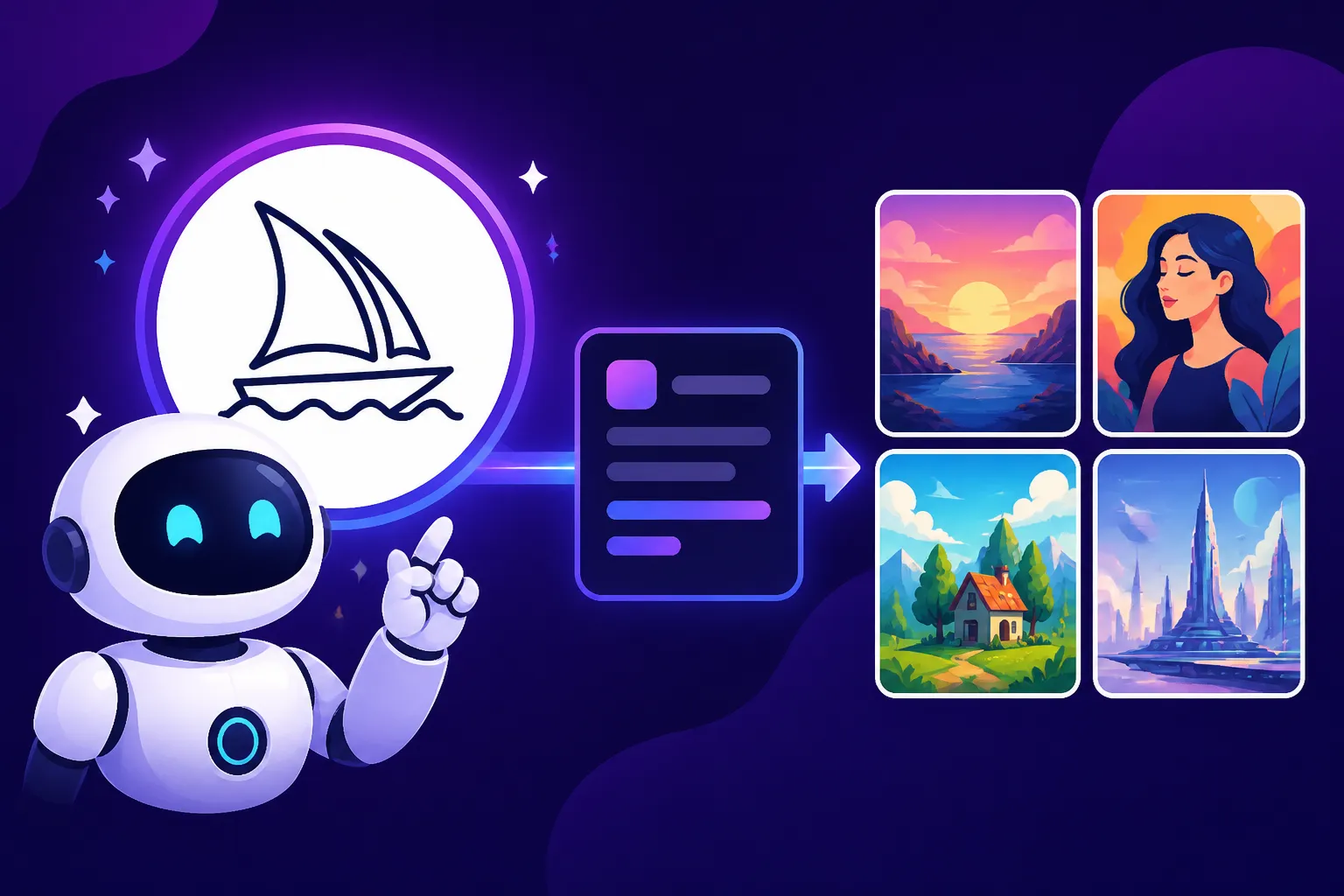
At its heart, a Midjourney prompt usually follows a natural flow, much like how you might describe something to a human artist. It starts with your subject, which is the core of your image. This could be "a majestic lion," "a bustling futuristic city," or "a serene forest glade." Once you've established your subject, you add modifiers. These are descriptive words or phrases that tell Midjourney more about the subject and its context. Think of them as the details that paint the picture: "a majestic lion, with a flowing golden mane, standing on a sun-drenched savannah at sunset."
Finally, we have parameters, which are special commands that start with two hyphens (–) and control various technical aspects of the image generation process. These are like the instructions you'd give a photographer: "use a wide-angle lens," "make it black and white," or "set the aspect ratio to widescreen." Examples include --ar 16:9 for aspect ratio or --v 6 for the version of Midjourney you want to use. Learning to combine these three elements effectively is the foundation of becoming a Midjourney pro. It's about building a clear, concise, and intentional description that guides the AI rather than leaving it to wander aimlessly.
The Importance of Order and Emphasis
You might think the order of words in your prompt doesn't matter, but in Midjourney, it absolutely does! The AI tends to give more weight to words that appear earlier in your prompt. This means placing your most crucial elements or desired aesthetics at the beginning can significantly influence the output. If you want a "cyberpunk samurai in a neon-lit city," writing "cyberpunk samurai" first emphasizes that core concept, making it more prominent than if you wrote "a neon-lit city with a samurai that is cyberpunk."
Furthermore, you can actively emphasize certain words or phrases using a technique called "multi-prompts" and "weighting." By using double colons (::), you can separate parts of your prompt and assign numerical weights to them. For example, forest::2 fire::1 would tell Midjourney to give twice as much importance to "forest" as it does to "fire." This level of granular control is incredibly powerful, allowing you to fine-tune the balance of elements in your composition. It's especially useful when you're trying to combine two strong, potentially conflicting ideas and need one to dominate slightly. Don't be afraid to experiment with moving words around or assigning different weights; it's a huge part of the creative process here.
Short Prompts vs. Long Prompts: When to Use Which
The debate between short and long prompts is as old as AI art itself, and honestly, there's a time and place for both! A short prompt, perhaps just a few words like "enchanted forest," is fantastic for exploration and letting Midjourney surprise you. It gives the AI a lot of creative freedom to interpret and generate diverse results. This is often the starting point for many creators, especially when they're not entirely sure what they want or are looking for inspiration. If you're using Midjourney for quick ideation or just messing around, short prompts are your best friend.
On the other hand, long, detailed prompts are essential when you have a very specific vision in mind. If you need "a serene ancient Japanese garden at dawn, misty fog, cherry blossoms in full bloom, koi pond, traditional stone lantern, soft natural light, highly detailed, photorealistic," then every single one of those descriptive elements is necessary. The longer your prompt, the more specific guidance you're giving the AI, reducing the chances of unexpected interpretations. However, there's a caveat: excessively long prompts can sometimes dilute the meaning or cause the AI to miss crucial details if not structured well. It's a balance of being descriptive without being redundant. When trying to achieve photorealism or replicate a particular artistic style, a longer, well-crafted prompt will almost always yield better results.
The Art of Descriptive Language: Crafting Your Vision
One of the biggest hurdles for new Midjourney users is moving beyond generic descriptions. We've all been there: you type "a dog" and get… well, a dog. But what kind of dog? What's it doing? Where is it? The magic truly happens when you start to paint a picture with your words, guiding Midjourney's immense creative power towards your unique vision. This isn't just about adding more words; it's about adding the right words.
Focusing on the Core Subject and Its Actions
Every image needs a focal point, and your prompt should clearly establish it. Start with your primary subject, then immediately define its state or action. Instead of just "a warrior," try "a valiant warrior standing on a mountain peak" or "a fierce warrior leaping into battle." The action imbues the subject with dynamism and context, telling Midjourney not just what it is, but what it's doing within the scene. This helps the AI understand the narrative you're trying to convey.
Think about the character of your subject. Is the warrior valiant or weary? Is the dragon ancient and wise, or young and mischievous? These seemingly small details drastically alter the mood and visual representation. Don't be afraid to use strong verbs and evocative adjectives to breathe life into your primary subject. This initial specificity sets the tone for the entire image, ensuring that the AI’s foundational understanding aligns with your creative intent.
Infusing Details: Colors, Textures, Emotions, and Environment
Once your core subject and its action are established, it's time to layer in the rich details that make an image truly captivating. This is where you move from a basic outline to a full-fledged masterpiece in your mind's eye. Think broadly about all sensory inputs:
- Colors: Are they vibrant, pastel, monochromatic, earthy? "Crimson robes," "emerald forest," "sepia tone."
- Textures: What do things feel like? "Rough stone," "silken cloth," "weathered wood," "glossy chrome."
- Emotions: If there are characters, what are they feeling? "Pensive," "joyful," "determined," "mysterious."
- Environment: What surrounds your subject? "Misty swamp," "bustling marketplace," "cosmic void," "sun-drenched beach."
For instance, "a valiant warrior standing on a mountain peak" becomes "a valiant warrior, clad in ancient, scarred leather armor, atop a jagged, snow-capped mountain peak under a bruised purple sky, a single tear tracing a path through the grime on his determined face." See the difference? Each added detail provides Midjourney with more specific instructions, significantly narrowing down the possibilities and bringing it closer to your internal vision. This level of detail is critical for complex scenes or when you need to convey a specific atmosphere.
Leveraging Adjectives and Nouns for Precision
Adjectives and nouns are your best friends in prompt writing. Adjectives qualify nouns, adding specificity and flavor. Instead of just "a house," consider "an abandoned Gothic house," "a cozy hobbit house," or "a minimalist brutalist house." Each adjective drastically changes the visual output. Similarly, precise nouns prevent ambiguity. Instead of "a flower," specify "a delicate cherry blossom" or "a vibrant sunflower."
Using synonyms and related terms can also expand your creative toolkit. If "epic" isn't quite hitting the mark, try "grand," "monumental," "heroic," or "sweeping." The more varied and descriptive your vocabulary, the better you can communicate nuance to Midjourney. It’s a process of continuously refining your description, much like a sculptor refining their clay. By focusing on these linguistic building blocks, you gain a tremendous amount of control over the AI's creative interpretations, moving away from generic images to truly unique and impactful ones. This is a skill that improves with practice, so keep experimenting with different word choices.
Mastering Midjourney Parameters for Control
While descriptive language paints the picture, Midjourney's parameters are the brushes and canvas settings that truly define its look and feel. These aren't just optional add-ons; they are powerful tools that give you granular control over composition, style, and mood. Ignoring them is like trying to bake a cake without adjusting the oven temperature or knowing the exact measurements – you might get something edible, but it won't be quite right.
Aspect Ratios and Image Dimensions ( --ar, --w, --h)
One of the first things you'll often want to define is the shape of your image. This is where the --ar parameter comes in, allowing you to specify the aspect ratio. Common choices include:
--ar 16:9for widescreen, great for landscapes or cinematic shots.--ar 9:16for vertical, perfect for phone wallpapers or social media stories.--ar 1:1for square, ideal for Instagram posts or profile pictures.--ar 3:2or--ar 2:3for common photography ratios.
The choice of aspect ratio heavily influences the composition and framing of your generated image. A horizontal ratio might encourage broader scenes, while a vertical one could emphasize height or a single subject.
For more precise control, especially in older versions or for specific needs, you might encounter --w (width) and --h (height) parameters, allowing you to set specific pixel dimensions. However, --ar is generally the more straightforward and commonly used method for defining overall shape. Always consider where your image will be displayed when choosing your aspect ratio. For example, if you're creating images for a blog post, a Best AI Image Generator for Blog Images guide would suggest certain aspect ratios work better for web layouts.
Style and Stylize Parameters ( --s, --style)
Midjourney excels at generating stunning visuals, but sometimes you want to push its artistic interpretation or rein it in. This is where --s (stylize) and --style parameters become invaluable.
- The
--s(stylize) parameter, ranging from--s 0(least artistic, most literal) to--s 1000(most artistic, highly imaginative), dictates how much artistic flair Midjourney injects into your image. A lower stylize value will stick closer to your prompt, providing more predictable results, which is often preferred for photorealism or very specific object generation. A higher stylize value gives Midjourney more freedom to be creative, sometimes resulting in abstract or highly stylized outputs that might surprise you. Experimentation here is key to finding the sweet spot for your vision. - The
--styleparameter, often used with specific Midjourney versions (e.g.,--style rawin V5.2+ or specific stylistic models like--style scenic), can activate predefined aesthetic models.--style rawis particularly popular for those who want less of Midjourney's inherent "opinion" in the image, favoring a more direct interpretation of the prompt, often leading to a more photographic or less overtly artistic look. Understanding these stylistic controls helps you guide the AI toward the general aesthetic you're aiming for. It's about deciding how much of Midjourney's intrinsic artistic bias you want to embrace or suppress.
Chaos, Weirdness, and Other Creative Controls ( --c, --w)
Midjourney isn't just about precision; it's also about exploration and delightful accidents. Parameters like --c (chaos) and --w (weird) are designed for just that.
- The
--c(chaos) parameter, typically ranging from 0 to 100, influences the variety and unexpectedness of your initial grid of images. A low chaos value (e.g.,--c 0to--c 20) will produce results that are quite similar to each other, based closely on your prompt. This is great for refining a concept. A high chaos value (e.g.,--c 80to--c 100), however, will generate very diverse and often wilder images, giving you a broad range of interpretations. This is excellent for brainstorming or when you're looking for something truly unique and aren't afraid of pushing boundaries. - The
--w(weird) parameter, typically ranging from 0 to 3000, introduces unusual aesthetics and compositions. Think of it as adding a "quirkiness" factor. A high weirdness value can lead to surreal, abstract, or even unsettling results, bending reality in interesting ways. It's a fantastic tool for artists looking to create truly avant-garde or experimental pieces.
These parameters, while seemingly simple, are immensely powerful for shaping the creative direction of your generations. They allow you to dial in the exact level of predictability or surprise you desire, making Midjourney an adaptable tool for a wide range of creative tasks. Getting the hang of these parameters is part of mastering the art of the prompt, as detailed in many guides on How to Write AI Image Prompts.
Using Negative Prompts to Exclude Elements ( --no)
Have you ever generated an image only to find a pesky element that you absolutely didn't want? Perhaps a specific color, an object, or a style that just detracts from your vision? The --no parameter is your solution. It's a negative prompt, instructing Midjourney to actively avoid certain elements.
For instance, if you're trying to generate a pristine, natural landscape but keep getting buildings or roads, you could add --no buildings, roads. If you want a black and white image, you might use --no color. It's a remarkably effective way to clean up your generations and steer them away from unwanted inclusions. However, be mindful not to overuse it or make it too broad, as it can sometimes remove desirable elements if your exclusions are too general. A good rule of thumb is to use --no for very specific, recurring nuisances. You can learn more about this in a dedicated guide on How to Use Negative Prompts. This parameter provides a subtle yet significant layer of control, ensuring your final image is closer to what you envisioned.
| Parameter | Function | Typical Range/Values | Common Use Cases | Notes |
|---|---|---|---|---|
--ar |
Aspect Ratio | 1:1, 16:9, 9:16, 3:2, 2:3 |
Photography, social media, wallpapers | Defines the image shape. Crucial for composition. |
--s |
Stylize | 0 to 1000 |
Artistic interpretation, detail level | Lower for literal, higher for artistic flair. |
--style |
Model Style | raw, (various thematic styles) |
Photorealism, specific aesthetic | --style raw reduces Midjourney's inherent aesthetic. |
--c |
Chaos | 0 to 100 |
Variation in generated image grid | Lower for similar results, higher for diverse. |
--w |
Weirdness | 0 to 3000 |
Introduces unusual, surreal aesthetics | Higher for experimental or abstract art. |
--no |
Negative Prompt | Keywords, phrases | Exclude unwanted elements | Be specific; broad exclusions can remove desired items. |
--v |
Model Version | 6, 5.2, 5.1, etc. |
Selects Midjourney model | Different versions have different strengths. |
--seed |
Seed Number | 0 to 4294967295 |
Reproduce specific results | Essential for consistency across multiple generations. |
--iw |
Image Weight | 0.25 to 2 |
Blend images, influence prompt | Controls how much an input image influences output. |
Achieving Specific Styles and Aesthetics
One of Midjourney's most impressive capabilities is its ability to adapt to an incredible range of artistic styles and visual aesthetics. From the hyper-realistic to the wildly imaginative, the AI can often produce exactly the look you're going for, provided you give it the right cues. This isn't just about adding a single style word; it's about understanding the language of art and photography and translating that into your prompts.
Guiding Towards Artistic Movements and Mediums
If you're an artist, designer, or just someone who appreciates art history, you know the distinct feel of different artistic movements. Midjourney can tap into this vast reservoir of visual knowledge. Want something with the soft, broken brushstrokes of Monet? Add "impressionistic painting" or "Monet style." Looking for bold outlines and vibrant colors? Try "pop art style" or "Andy Warhol inspired." For abstract, geometric patterns, "cubist style" might be your go-to.
Beyond movements, consider the medium itself. Do you want an "oil painting," a "watercolor sketch," a "charcoal drawing," a "digital illustration," or a "pencil art"? Specifying the medium dramatically changes the texture, detail, and overall feel of the image. For instance, a bustling market street, vibrant colors, ukiyo-e woodblock print style will yield a drastically different result than a bustling market street, muted colors, chiaroscuro oil painting. The trick is to be precise with your art historical references. This is a powerful technique for creating truly unique and artistically informed visuals, allowing you to explore a variety of visual languages for your projects.
Incorporating Lighting and Camera Techniques
Lighting and camera angles are paramount in photography and cinematography for setting mood and directing attention. Midjourney is remarkably adept at interpreting these cues.
- Lighting: Don't just say "good lighting." Be specific! "Golden hour lighting," "dramatic chiaroscuro lighting," "neon glow," "soft studio lighting," "backlit," "volumetric lighting," or "cinematic lighting" can transform a flat image into one with depth and atmosphere. The time of day ("dawn," "dusk," "midnight") and weather conditions ("stormy," "sunny," "misty") also play a huge role in lighting.
- Camera Techniques: Think like a photographer. "Wide-angle lens," "macro photography," "bokeh effect," "shallow depth of field," "telephoto shot," "dutch angle," "low angle shot," or "drone shot" all tell Midjourney how to frame and compose the scene. For example,
a single red rose, macro photography, dew drops, bokeh effectwill focus intimately on the rose with a blurred background, whilea sprawling cityscape, wide-angle, drone shot, during a blizzardwill capture a vast, atmospheric overview.
By incorporating these specific details, you move beyond simple imagery to create compositions that feel intentionally crafted and professionally executed, adding layers of realism and artistic intent to your AI-generated art.
Crafting Realistic and Photorealistic Images
Achieving photorealism in AI art is often a coveted goal, especially for commercial applications or visual storytelling. Midjourney is exceptionally capable here, particularly with its latest versions. The key is to be incredibly precise and lean into photographic terminology.
- Detail is paramount: Specify "ultra-detailed," "hyperrealistic," "photorealistic," "8K resolution," "film grain," "sharp focus."
- Lighting and Environment: "Natural light," "realistic shadows," "outdoor daylight," "studio lighting." Avoid overly artistic or stylized terms if realism is your goal.
- Camera specifics: "Shot on a Canon EOS R5," "F/2.8 aperture," "85mm lens," "cinematic still," "documentary photography." While Midjourney doesn't actually use a camera, these terms act as powerful stylistic anchors, guiding the AI to mimic the qualities of professional photography.
- Context and Authenticity: Ensure the elements you're prompting for are consistent with reality. For example,
a delicious homemade pizza on a wooden table, steam rising, natural light, deep depth of field, photorealistic, 8Kis far more effective than justpizza, realistic.
Combining these elements consistently will significantly increase your chances of generating images that are indistinguishable from real photographs. This is a skill many marketers and content creators are eager to master, as explored in guides like Best AI Image Generator for Product Photography or Best AI Image Generator for Marketing Images, where realism is often a top priority.
Advanced Prompting Techniques: Iteration and Refinement
Once you've grasped the fundamentals of subject, modifiers, and parameters, it's time to delve into the more sophisticated methods that can truly elevate your Midjourney creations. These techniques are all about fine-tuning, achieving consistency, and seamlessly blending different elements to realize complex visions. They require a bit more understanding and patience, but the results are incredibly rewarding.
Blending Prompts and Image References ( --iw, --v)
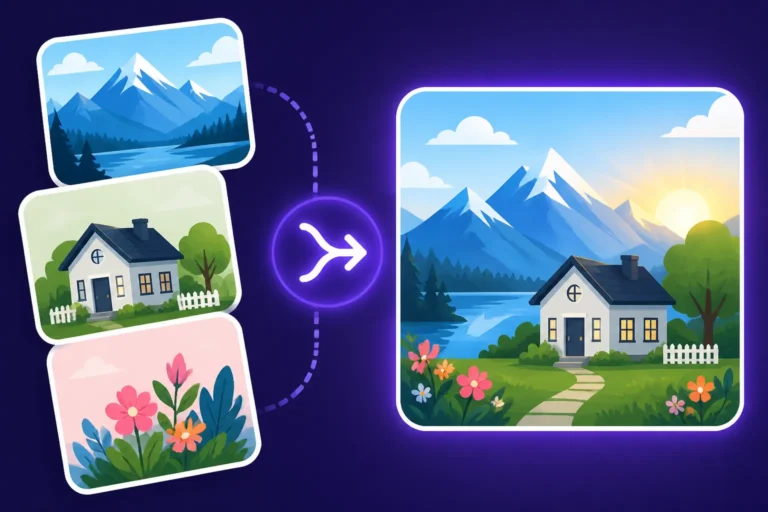
Midjourney isn't limited to just text input; it can also take existing images as inspiration. This is where image prompts come into play. You can start your prompt with one or more image URLs, followed by your text description. This tells Midjourney to incorporate stylistic elements, composition, or even the subject from the provided image(s) into your new generation.
The --iw (image weight) parameter, typically ranging from --iw 0.25 to --iw 2 (default is 1 for most versions), controls how much influence the input image has versus your text prompt. A lower iw means your text prompt has more sway, while a higher iw means the image prompt dominates. This is incredibly useful for maintaining a consistent aesthetic across a series of images, or for generating variations of an existing image while introducing new elements. For example, you could upload a photo of a particular character and then prompt [image URL] a wizard's tower in the same style --iw 0.7. This ensures stylistic coherence, which is a major step up in creative control.
Multi-Prompts and Weighting for Complex Scenarios ( ::)
We touched on this briefly, but multi-prompts with weighting are a cornerstone of advanced Midjourney prompting. When you have multiple distinct concepts you want to combine, and you need to control their relative importance, the double colon :: is your tool.
Instead of writing red car blue sky, which Midjourney might interpret as a single, ambiguous concept, you could write red car::1 blue sky::0.5. This clearly separates "red car" and "blue sky" as individual concepts and tells Midjourney to give the "red car" twice the emphasis. This technique is invaluable when:
- Combining contrasting ideas:
fire::2 ice::1 dragon - Highlighting a specific aspect:
ancient ruins::3 overgrown jungle::1 - Directing focus in complex scenes:
a lone wanderer::2 exploring a vast desert landscape::1 at twilight
The default weight for any segment without a specified number is 1. By mastering weighting, you can balance elements precisely, preventing one concept from overpowering another or ensuring that a crucial detail gets the attention it deserves. This is a far more sophisticated way to communicate complex ideas than simply listing words, making it a favorite among experienced users for consistent output.
The Power of Seeds for Consistency and Iteration
One of the frustrations with AI image generation can be the sheer randomness of it all. You get a great image, but then can't replicate it or make minor adjustments without everything changing. Enter the --seed parameter. Every time Midjourney generates an image, it uses a unique seed number. If you find an image you love, you can click on the envelope emoji reaction (✉️) in Discord (or check the web interface) to reveal its seed number.
By including --seed [number] in your subsequent prompts, you instruct Midjourney to start its generation process from the exact same "starting point" as that original image. This is a game-changer for:
- Generating consistent characters: If you generate a character you like, capture its seed, and then you can regenerate that same character in different poses, outfits, or environments by using the same seed and modifying only the descriptive parts of your prompt. This is crucial for storytelling or brand consistency.
- Iterating on a design: Want to make small tweaks to a fantastic image without losing its essence? Use the seed, then change a few words in your prompt (e.g.,
a majestic dragon, --seed 12345becomesa majestic dragon, *glowing eyes*, --seed 12345). - A/B testing prompts: Test different prompt variations while keeping the initial "randomness" constant to see which words have the most impact.
The --seed parameter is essential for reproducibility and iterative design, moving beyond pure chance to a more controlled and intentional creation process. It’s one of the most powerful tools for creators seeking to maintain a cohesive visual style or develop a series of related images, something often highlighted in discussions about Midjourney Pros and Cons for Creators.
Troubleshooting Common Prompting Issues
Even with a solid grasp of prompting, you'll inevitably run into issues. It's part of the journey! Midjourney, for all its brilliance, is still an AI, and it sometimes interprets our intentions in hilariously (or frustratingly) unexpected ways. The trick is not to get discouraged but to learn how to diagnose and correct these common problems.
Dealing with Distorted Hands, Faces, and Anatomy
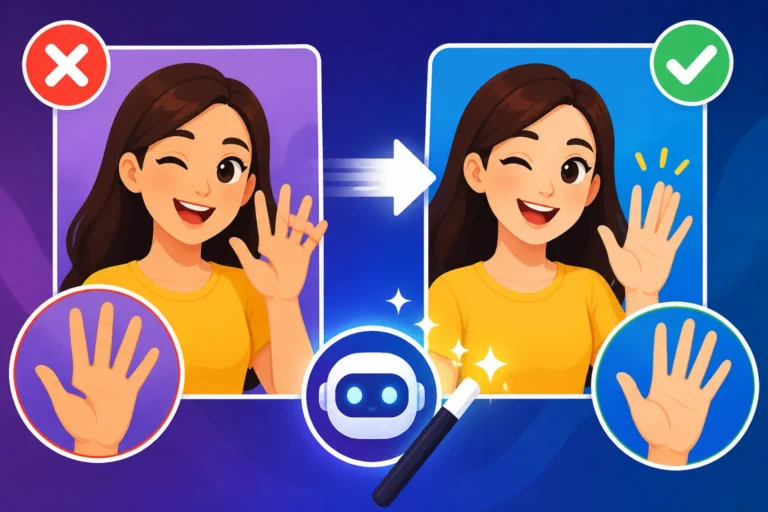
Ah, the infamous AI hands and distorted faces! This is perhaps the most common and persistent complaint about AI image generation. Historically, AI models struggled immensely with accurate human anatomy, often producing extra fingers, melded limbs, or uncanny valley faces. While newer Midjourney versions are significantly better, imperfections still crop up, especially in complex poses or with many subjects.
How to approach it:
- Be hyper-specific: Instead of just "a person," try "a woman with slender fingers holding a cup, clearly defined hands."
- Add "perfect anatomy" or "anatomically correct": Sometimes, explicitly stating this can help.
- Use image prompts: If you have an image with good hand/face anatomy, use it as an image prompt with a lower
--iwto guide the AI. - Zoom/Pan: Use Midjourney's built-in editing features like Zoom Out or Pan to subtly change the composition and often fix these issues in subsequent rerolls.
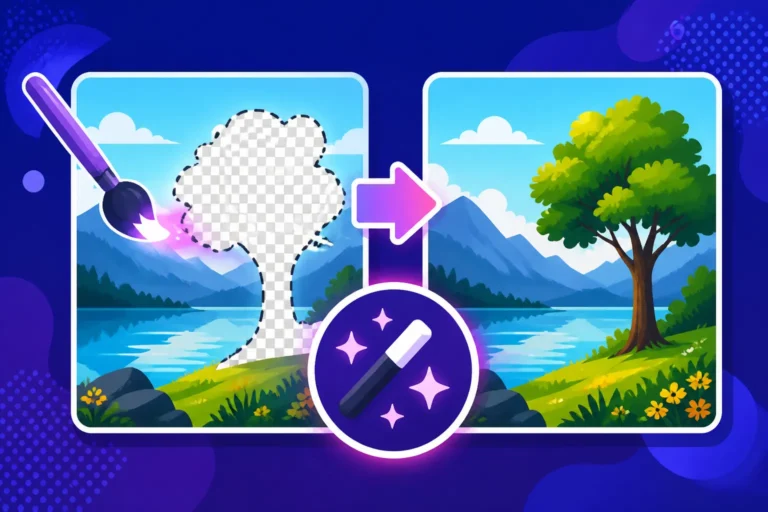
- Inpainting/Outpainting: For more advanced fixes, you might need to use external tools like Photoshop or even other AI tools that offer inpainting features to manually correct problem areas.
- Avoid complex hand gestures: If possible, try to prompt for simpler hand positions or have the hands obscured if they're not central to your image. Many guides, including those about How to Fix Bad AI Image Results, often focus heavily on this particular challenge.
Fixing Garbled or Unwanted Text in Images
Text generation has been another long-standing Achilles' heel for AI image models. While some newer models like Ideogram have made incredible strides in generating legible text within images, Midjourney traditionally struggles, often producing "gibberish" or distorted letters. If you ask for "a sign that says 'Hello World'," you're more likely to get a jumble of random characters.
How to approach it:
- Avoid generating text directly in Midjourney: For specific, legible text, it's often best to generate the image without text, and then add the text in an external image editor like Canva, Photoshop, or even a simple graphics tool. This ensures perfect legibility and control over fonts and placement.
- Use
--no text: If you keep getting unwanted background text, use a negative prompt to remove it. - Try simpler words/short phrases: For very minor, non-critical text (like a small label), shorter, simpler words might have a slightly better chance of being legible, but it's still a gamble.
- Focus on the aesthetic of text, not legibility: If you want "neon signs" but don't care what they say, just prompt for the visual style: "neon signs, glowing letters, futuristic cityscape," and let Midjourney do its impression.
Until Midjourney specifically improves its integrated text generation, external editing remains the most reliable solution for incorporating readable text into your AI art.
Overcoming Generic or Repetitive Outputs
Sometimes, you'll find Midjourney falling into a rut, generating very similar-looking images across different prompts, or producing results that feel… generic. This can be frustrating when you're striving for originality.
How to approach it:
- Increase
--chaos: As discussed earlier, a higher chaos value encourages more diverse and unexpected results. - Vary your vocabulary: If you keep using the same descriptive words (e.g., "beautiful," "stunning," "epic"), Midjourney learns your preferences and might lean into predictable aesthetics. Expand your adjectives and nouns. Use a thesaurus!
- Introduce contrasting elements:
Victorian astronautorsteampunk samuraiforces the AI to reconcile disparate concepts, often leading to fresh ideas. - Experiment with different
--styleparameters or model versions: Sometimes switching from--v 6to--v 5.2(if it fits your needs) or trying--style rawcan break the pattern. - Use image prompts with unique source material: Feeding Midjourney an unusual photo or piece of art as an image prompt can often spark novel outputs.
- Negative prompts for generic elements: If you find certain clichés appearing (e.g., "cinematic lens flare" if you don't want it), add
--no lens flare. - Iterate and build: Start with a broad prompt, then pick the most interesting variation and refine that with more specific details, rather than starting from scratch repeatedly. Think of it as a dialogue with the AI, where each response informs your next question.
By actively experimenting with these strategies, you can push Midjourney beyond its default tendencies and coax out truly unique and captivating imagery. This iterative approach is crucial for mastering any AI image tool, as highlighted in guides like How to Get Better AI Image Results.
Ethical Considerations and Best Practices in Prompting
As AI image generation becomes more powerful and accessible, it brings with it a new set of ethical considerations. It's not just about creating cool images; it's about being responsible and thoughtful in how we use these tools. As content creators and bloggers, we have a role to play in fostering a respectful and safe AI environment.
Avoiding Bias and Harmful Content Generation
AI models, including Midjourney, are trained on vast datasets of existing images and text from the internet. This means they can inadvertently inherit and amplify biases present in that data. For instance, prompting for "a CEO" might predominantly generate images of men, or "a beautiful person" might lean towards Eurocentric beauty standards. Similarly, prompts could unintentionally lead to the generation of inappropriate, discriminatory, or harmful content.
Best Practices:
- Be specific and inclusive: If you want diversity, prompt for it. Instead of "a doctor," try "a female doctor of African descent" or "a diverse group of doctors."
- Avoid stereotypes: Be mindful of prompts that might reinforce harmful stereotypes.
- Report problematic outputs: If you encounter something genuinely offensive or unsafe generated by Midjourney (even accidentally), report it to their moderation team. Midjourney has strict content policies against hateful, violent, or sexually explicit content.
- Educate yourself: Understand the limitations and biases inherent in AI models to prompt more responsibly. It’s about conscious creation, striving for representation and respect in your generated visuals.
Respecting Copyright and Original Artwork
This is a hotly debated and evolving area in the world of AI art. AI models learn from existing art, which often includes copyrighted material. The legal landscape around AI-generated art and copyright is still being shaped. While Midjourney's terms of service generally grant you commercial rights to images you generate (for paid subscribers), the question of whether the AI's "learning" infringes on the original artists whose work it was trained on remains a complex issue.
Best Practices:
- Be cautious with direct artist emulation: While you can prompt "in the style of Van Gogh," directly trying to replicate a contemporary artist's unique, identifiable style could be seen as unethical or even legally risky, especially if done for commercial gain.
- Focus on general styles or movements: Instead of specific artists, opt for broader styles like "Baroque painting," "impressionistic landscape," or "cyberpunk art" to avoid potential issues.
- Use your own source material: If you're using image prompts, use images you own or have permission to use.
- Stay informed: Keep up-to-date with legal developments and community discussions around AI art copyright. For commercial applications, tools like Adobe Firefly are often highlighted for their Adobe Firefly Commercial Safety Review and IP indemnification, which offers more protection. While Midjourney has excellent quality, this aspect requires careful consideration.
Disclosing AI-Generated Content
Transparency is key, especially for content creators. In many contexts, it's becoming best practice, and sometimes a requirement, to disclose when images have been generated by AI. This helps manage audience expectations, maintains trust, and is part of being a responsible digital citizen.
Best Practices:
- Add a simple caption: "Image generated by AI," "AI-assisted art," or "Created with Midjourney."
- Include in your blog's disclaimer: A general statement about using AI tools on your site.
- Be upfront in commercial contexts: If you're selling products or services that feature AI art, clarity is always the best policy.
- Avoid misrepresentation: Never present AI-generated images as traditional photography or human-created artwork without proper attribution.
By embracing these ethical guidelines, you contribute to a healthier and more sustainable future for AI art, ensuring that these powerful tools are used thoughtfully and respectfully.
Building Your Personal Prompt Library and Workflow
As you delve deeper into Midjourney, you'll quickly realize that successful prompting isn't just about one-off creations. It's an iterative process, and building a system to track, organize, and refine your prompts is crucial for efficiency and consistent quality. Think of it as a chef's recipe book or a painter's sketchpad – a repository of proven methods and experiments.
Organizing and Tagging Your Best Prompts
Imagine finding that perfect prompt that generated an absolutely stunning image, only to forget it a week later. It's a tragedy! A robust organization system prevents this.
- Spreadsheet or Document: Create a simple spreadsheet (Google Sheets, Excel) or a document (Notion, Google Docs) where you log your successful prompts. Include columns for:
- Prompt Text: The full prompt you used.
- Seed Number: Crucial for reproducibility.
- Midjourney Version: (
--v 6,--v 5.2, etc.) as different versions yield different results. - Aspect Ratio: (
--ar 16:9, etc.). - Key Parameters: Any other important parameters like
--s,--c,--style raw. - Generated Image Link: A link back to the image in Midjourney or a saved copy.
- Notes/Keywords: Describe the style, mood, or specific elements in the image (e.g., "cinematic," "fantasy," "character consistency").
- Dedicated Tools: Consider prompt management tools specifically designed for AI art, though a simple spreadsheet works wonders.
- Discord Thread/Channel: If you primarily use Midjourney on Discord, create a private channel just for saving your favorite prompt/image pairs. You can use Discord's search function later.
Tagging with keywords (like "portrait," "landscape," "sci-fi," "photorealistic," "logo") allows you to quickly filter and find prompts for future projects. This saves immense amounts of time and helps you leverage your past successes.
Testing and Experimenting with New Approaches
Prompting is an art form that evolves constantly. Midjourney updates frequently, and new techniques emerge from the community. Staying stagnant means missing out on incredible possibilities.
- Dedicated "Experiment" Session: Set aside time specifically for prompt experimentation. Don't go in with a rigid goal; just try new things.
- One-word changes: See how swapping a single adjective or noun impacts the output.
- Parameter tweaking: Play with
--sor--cvalues to see their full range. - New styles: Try incorporating artistic movements or photographic styles you haven't explored before.
- Combine disparate concepts: Push the boundaries by merging unlikely ideas (e.g., "Victorian robot ballet dancer").
- Learn from others: Browse the Midjourney gallery, Reddit communities, or YouTube tutorials. When you see an image you love, try to deconstruct the prompt (if available) and understand why it works. This is like reverse-engineering a good recipe.
- Document failures as well as successes: Sometimes understanding why a prompt didn't work is as valuable as knowing why one did. Your prompt library can also include a section for "failed experiments" with notes on what not to do.
This continuous learning and adaptation are vital for keeping your skills sharp and your creations fresh. The Midjourney community is a fantastic resource for discovering new ideas, as described in guides like AI Image Tools with the Best Community.
Learning from the Midjourney Community
The Midjourney community is vast, vibrant, and incredibly generous. It's one of the platform's biggest strengths and a goldmine for learning and inspiration.
- Official Discord Server: Spend time in the general image generation channels. Watch what others are prompting. You'll often see prompts and the resulting images, giving you direct insight into effective language. The "Showcase" or "Newbie" channels are often full of examples.
- Community Feed/Website: Midjourney's own website features a public gallery where you can see countless amazing images and often the prompts used to create them. This is an unparalleled resource for studying what works.
- Social Media Groups: Join dedicated Midjourney groups on platforms like Reddit (r/midjourney), Facebook, or X (formerly Twitter). People share tips, tricks, and prompt breakdowns constantly.
- Tutorials and Blogs: Many content creators and bloggers focus specifically on Midjourney prompting. Seek out their guides and videos for structured learning.
Don't just passively consume; actively engage. Ask questions (politely, of course!), share your own experiments, and be open to feedback. Learning from the collective experience of thousands of users is one of the fastest ways to improve your prompting skills and discover new creative horizons. Mastering your Midjourney prompting is a continuous journey of discovery and refinement, promising endless creative potential.
Disclaimer
The information provided in this guide is for general informational and educational purposes only. While we strive to offer accurate and up-to-date advice, the field of AI image generation is rapidly evolving. Midjourney's features, pricing, and terms of service can change without prior notice. Always refer to Midjourney's official documentation and terms for the most current and authoritative information. The ethical and legal landscape surrounding AI-generated content, including copyright and commercial use, is complex and subject to ongoing development. We recommend consulting with legal professionals for specific advice regarding commercial use of AI-generated images.