Stable Diffusion vs Midjourney for Control
It can be incredibly frustrating when you have a clear vision for an image in your head, type it into an AI generator, and what comes out is… close, but not quite right. You tweak the prompt, add a few keywords, hit regenerate, and still, that perfect detail or specific composition remains elusive. This guide is here to unravel the complex world of control within AI image generation, specifically diving deep into how Stable Diffusion and Midjourney approach giving you the reins. We’ll explore which tool truly offers more granular control, empowering you to create images that align perfectly with your creative intent.
Understanding the Core Philosophies of Image Control
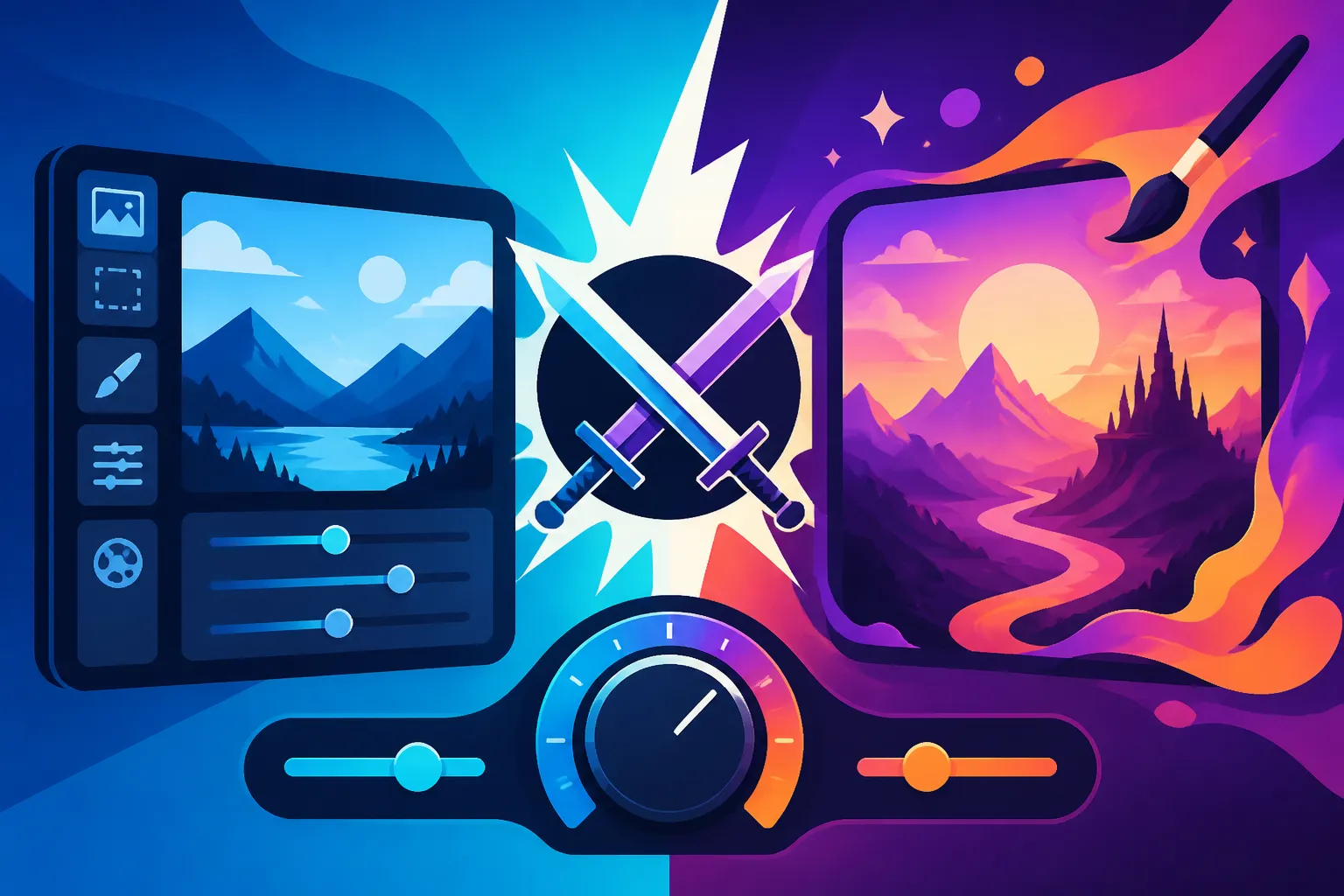
When you venture into the realm of AI image generation, you quickly realize that not all tools are built the same, especially concerning how much control they hand over to the user. Midjourney and Stable Diffusion, while both incredibly powerful, operate on fundamentally different philosophies that dictate the level and type of control you get. It’s like choosing between a high-end, chef-curated tasting menu and a fully stocked, professional kitchen where you can cook anything you desire, provided you have the skills.
Midjourney's Artistic Direction and Curated Control
Midjourney, from its inception, has leaned heavily into a more artistic and opinionated approach. It's often praised for its ability to generate stunning, aesthetically pleasing images right out of the box with relatively simple prompts. The control you have with Midjourney tends to be more about guiding its inherent artistic style rather than dictating every minute detail. Think of it as a highly skilled artist interpreting your request; they'll create something beautiful, but it will have their signature touch.
For many creators, this curated control is a massive advantage. You don't need to be a prompt engineering wizard to get fantastic results. Midjourney provides a set of powerful Midjourney Parameters Explained that allow you to influence aspect ratios, stylization, chaos, and even use image prompts as references. You can explore different styles, remix concepts, and iterate quickly on ideas, pushing the AI in various creative directions. For instance, if you're a blogger needing consistent, high-quality visuals for your articles or a marketer looking for eye-catching social media graphics, Midjourney's streamlined approach to aesthetic control can be a godsend. It excels at delivering coherent, visually striking compositions without requiring you to delve into complex technical configurations.
Stable Diffusion's Granular and Open-Source Freedom
On the flip side, Stable Diffusion embodies the spirit of open-source freedom and granular control. It's not just a tool; it's a flexible framework that can be installed locally, run on cloud services, and extensively modified. This means that the level of control isn't just about tweaking parameters in a user interface; it's about diving under the hood, customizing models, and integrating advanced extensions. If Midjourney is a pre-built luxury car, Stable Diffusion is a high-performance chassis you can endlessly modify with custom engines, turbochargers, and bespoke electronics.
The learning curve for Stable Diffusion can be significantly steeper because of this immense flexibility. However, for those willing to invest the time, the payoff is unparalleled precision. You gain control over virtually every aspect of the image generation process, from the specific model (or "checkpoint") used, to the sampling method, to intricate details of composition and styling through extensions like ControlNet and LoRAs. This level of technical control makes Stable Diffusion a favorite among professional artists, researchers, and developers who need to integrate AI image generation into complex workflows or demand absolute fidelity to a specific vision. The raw power of its open architecture means that if you can imagine a way to control an image generation parameter, there's likely an extension or a custom model within the Stable Diffusion ecosystem to achieve it.
Practical Control: Prompting and Parameters
The true test of an AI image generator's control capabilities often comes down to how effectively you can steer its output using text prompts and supporting parameters. Both Midjourney and Stable Diffusion have robust systems in place, but they offer different pathways to achieving your desired results.
Crafting Prompts for Precision in Midjourney
Midjourney's prompting system is often described as more intuitive, responding well to natural language descriptions. You can simply describe what you want, and the AI will generally produce a visually appealing interpretation. However, achieving precision requires more than just descriptive language; it involves understanding Midjourney's specific parameters and how to use them effectively.
For example, beyond the core subject of your prompt, you can specify aspect ratios (--ar 16:9), control the level of stylization (--s 750), or introduce randomness (--chaos 50). The --v parameter lets you select different model versions, each with its own inherent style and rendering characteristics, providing another layer of artistic control. For instance, experimenting with Midjourney V7 Features and Updates can significantly change the output's aesthetic. Iteration is key; rather than trying to get it perfect in one go, you often generate a few options, then use features like "Vary (Strong)" or "Vary (Subtle)" to explore alternatives, or the "Remix" mode to combine new prompt elements with existing imagery. The new "Pan" and "Zoom" features further extend post-generation control, allowing you to expand the canvas around your generated image and fill in details with new prompts, effectively guiding the AI's understanding of context beyond the initial frame. This iterative, conversational approach allows for a powerful form of guided creativity, especially when you start to explore techniques like permutation prompting, where you can test multiple prompt variations in a single command. Learning How to Write AI Image Prompts effectively for Midjourney involves understanding these nuances.
Deep Dive into Stable Diffusion's Prompt Engineering and Extensions
Stable Diffusion's prompt engineering is a much more intricate beast, but it offers a far greater degree of literal control. Here, your prompts are often highly structured, incorporating techniques like prompt weighting (e.g., (beautiful eyes:1.3)) to emphasize certain elements, or negative prompts (negative prompt: ugly, deformed, blurry) to explicitly tell the AI what not to include. These seemingly small additions can have a dramatic impact on the final output, giving you explicit control over what features are prominent and what flaws are suppressed. If you want to dive deeper into these techniques, a comprehensive Stable Diffusion Prompt Guide can be incredibly helpful.
The real game-changer for control in Stable Diffusion, however, lies in its vast ecosystem of extensions and custom models.
- ControlNet: This is arguably the most powerful tool for granular control in any AI image generator. ControlNet allows you to upload an input image and derive structural information from it, such as human poses (using OpenPose), depth maps, Canny edges, or normal maps. You can then use this derived information to guide your new image generation. For example, you could take a photo of someone in a specific pose, feed it into ControlNet, and then generate a completely new character in that exact same pose, even down to the finger positions. This capability is phenomenal for maintaining character consistency or designing precise layouts. For more information on how to use this, check out How to Use ControlNet in Stable Diffusion.
- LoRAs (Low-Rank Adaptation): LoRAs are small, fine-tuned models that can be applied to a base model to impart specific styles, character features, or objects. Want to generate images in the style of a particular artist, or always include a specific type of vintage camera? LoRAs allow you to do just that, offering incredible consistency and stylistic control. Learning How to Use LoRAs in Stable Diffusion can unlock a new dimension of creative power.
- Custom Checkpoints: Stable Diffusion supports a massive array of community-trained models (checkpoints), each specialized in different aesthetics—from photorealism to anime, digital painting to sci-fi. By choosing the right base model, you're immediately dictating the fundamental style and quality of your output.
This combination of advanced prompt engineering and powerful extensions means Stable Diffusion gives you surgical precision over your generated images, allowing for levels of detail and consistency that are difficult to achieve with Midjourney alone.
Customization and Workflow Integration
Beyond the initial prompt and parameters, the ongoing workflow and ability to customize your environment play a huge role in how much control you truly have over your AI art creation. Both Midjourney and Stable Diffusion offer unique advantages in this area.
Midjourney's Ecosystem for Refinement
Midjourney has significantly evolved its workflow to offer more control and refinement options after the initial generation. While it traditionally operated primarily through Discord, the introduction of its web app is making the process more streamlined and accessible. Once an image is generated, you have several powerful options:
- Upscale and Variations: You can upscale your chosen image to a higher resolution, or generate subtle or strong variations based on an existing image. This allows you to hone in on a specific aesthetic without having to start from scratch every time.
- Remix Mode: This fantastic feature allows you to take an existing image, change the prompt entirely, and effectively "remix" the visual elements with new ideas. Imagine having a stunning landscape and wanting to add a cyberpunk city to it; Remix mode makes this iterative evolution incredibly smooth.
- Pan and Zoom: These newer features offer unprecedented control over composition. You can select an image, then "pan" the canvas left, right, up, or down, extending the scene in that direction. The AI intelligently fills in the new space, maintaining context. Similarly, "Zoom Out" allows you to shrink your generated image within a larger frame, prompting the AI to generate a wider scene around it. This is invaluable for framing, contextualization, and creating dynamic compositions without losing your original subject.
- Style Tuner: This feature, though more advanced, allows you to create a personalized aesthetic based on a series of generated images. You can "tune" Midjourney to your specific artistic preferences, saving a unique style code that you can then apply to future prompts, ensuring stylistic consistency across your projects.
- Character Reference (
--cref): This relatively new parameter allows you to upload an image of a character and reference it in your prompt, prompting Midjourney to generate new images featuring that character with similar facial features and appearance. This is a massive leap forward for maintaining character consistency, a long-standing challenge in AI art.
These features, while still somewhat curated by Midjourney's underlying models, offer a high degree of creative control within a user-friendly interface. For content creators needing quick, high-quality, and stylistically consistent images for their projects, Midjourney's refining tools provide a very efficient workflow.
Stable Diffusion's Infinite Customization and Local Hosting
Stable Diffusion truly shines in its customization and integration capabilities, especially for those who demand full ownership and flexibility in their workflow. Because it’s open-source, you're not locked into a specific platform or set of tools.
- Local Hosting and Hardware Control: The ability to run Stable Diffusion locally on your own computer means you're limited only by your hardware. You control the processing power, the storage, and when and how you generate images. This is particularly appealing for privacy-conscious users or those who need to generate a massive volume of images without incurring cloud computing costs.
- Custom Model Training: For the ultimate control, Stable Diffusion allows users to train their own custom models (fine-tuning) using their specific datasets. Want to generate images of your cat in various styles, or create product shots with a very particular lighting setup? You can train a LoRA or even a full checkpoint on your own images, giving you hyper-specific control over future generations.
- Inpainting and Outpainting: These features allow for pixel-level editing within Stable Diffusion. With inpainting, you can select an area of an image and regenerate only that part with a new prompt (e.g., "change the dog's collar to blue"). Outpainting extends the canvas beyond the original image, intelligently filling in the new areas based on your prompt and the existing image context. These are powerful tools for meticulous editing and scene expansion, offering direct control over visual elements. You can learn more about How to Edit AI Images with Inpainting here.
- Integration with Other Software: Stable Diffusion can be integrated into various creative software workflows. For instance, plugins for Photoshop or Blender allow artists to use AI generation directly within their existing design environments, bridging the gap between traditional and AI art. This is crucial for professionals who need to maintain consistency across a suite of tools.
- Scripting and Automation: For developers and power users, the open-source nature means you can write scripts to automate image generation, apply complex batch processing, or create dynamic interfaces. This level of programmatic control is unmatched by more closed platforms.
The sheer breadth of customization options and the freedom of local hosting mean that Stable Diffusion offers an almost infinite degree of control for those with the technical know-how and a willingness to explore. When considering tools for advanced image manipulation or specific artistic demands, exploring Stable Diffusion Alternatives might also be useful for comparison.
Which Tool Offers More Control for Different Users?
The question of which tool offers "more" control isn't a simple one, as it heavily depends on what kind of control you're seeking and what your goals are. Both Midjourney and Stable Diffusion excel in their respective domains.
When Midjourney's Guided Control Shines
Midjourney's approach to control is perfect for users who prioritize ease of use, speed, and high aesthetic quality without getting bogged down in technical minutiae. It's an excellent choice for:
- Artists and Designers Focused on Aesthetic Exploration: If your primary goal is to quickly generate beautiful, high-quality images with diverse artistic styles, Midjourney's intuitive prompting and robust style variations make it incredibly efficient. You can guide its artistic sensibility with specific keywords and parameters, allowing you to iterate on visual themes with remarkable speed. Many find it ideal for generating abstract art, character concepts, or mood boards. Check out Who Should Use Midjourney: An Honest Take for more insights.
- Marketers and Bloggers Needing Consistent Visuals: For those in content creation who need a steady stream of engaging images for social media, blog posts, or marketing campaigns, Midjourney's ability to produce consistent, brand-aligned aesthetics with less effort is a major plus. The new character and style reference features particularly help maintain brand identity across various visual assets.
- Beginners and Hobbyists: If you're just starting your AI art journey and want to create impressive visuals without a steep learning curve, Midjourney offers a welcoming and rewarding experience. Its refined outputs often look professional even with basic prompts.
Midjourney offers robust control within its defined framework, making it a powerful tool for guided creativity. The ability to quickly upscale and generate How to Upscale AI Images is also a huge time-saver.
When Stable Diffusion's Absolute Control is Essential
Stable Diffusion, conversely, is the powerhouse for those who demand absolute, granular control over every pixel and every aspect of the image generation process. It's the preferred choice for:
- Professional Artists and Illustrators: For artists who need to integrate AI into their existing pipeline, create specific art assets with precise poses, lighting, or compositions, Stable Diffusion's ControlNet, custom models, and inpainting/outpainting capabilities are indispensable. It allows for a level of detail and fidelity that can match or even exceed traditional artistic methods when guided correctly. This is also where techniques like fixing How to Fix AI Hands and Faces become more manageable.
- Developers and Researchers: The open-source nature and extensibility of Stable Diffusion make it a playground for technical users. If you're looking to experiment with new models, train your own, or integrate AI image generation into custom applications, Stable Diffusion provides the foundation and the APIs to do so.
- Users Requiring Hyper-Specific Consistency: Whether it's for product photography that needs consistent backgrounds and lighting, or animation where character models must remain identical across hundreds of frames, Stable Diffusion's ability to lock down elements via ControlNet and LoRAs provides the consistency needed for complex projects.
- Budget-Conscious Power Users: While there's an initial setup effort, running Stable Diffusion locally can significantly reduce ongoing costs, especially for high-volume generation, compared to subscription-based services. Learn more about Who Should Use Stable Diffusion: An Honest Take.
Ultimately, Stable Diffusion provides an unparalleled degree of raw, technical control, allowing for intricate manipulations and highly customized outputs that are difficult to replicate elsewhere.
Here's a quick comparison of their control features:
| Feature/Aspect | Midjourney | Stable Diffusion (via Automatic1111/ComfyUI) |
|---|---|---|
| Prompting | Natural language, specific parameters (–ar, –sref) | Highly structured (weights, negative prompts, attention) |
| Artistic Style | Strong inherent artistic direction, curated | Customizable via checkpoints, LoRAs, user-defined styles |
| Compositional Control | Basic framing, Pan/Zoom, Vary strong/subtle | ControlNet (pose, depth, edges), region prompting, masks |
| Consistency | cref, sref, seeds for minor variations |
ControlNet, LoRAs, specific checkpoints, seed control |
| Image Editing | Remix, variations, upscale, pan/zoom | Inpainting, Outpainting, region redrawing, upscalers, img2img |
| Custom Models | Uses internal models, Style Tuner | Supports vast custom checkpoints, LoRAs, textual inversions, Dreambooth |
| User Interface | Primarily Discord bot (with web app evolving) | Web UI (e.g., Automatic1111), node-based (ComfyUI), local install |
| Learning Curve | Moderate, focused on prompt iteration | Steep, requires understanding of many technical concepts |
| Community | Active Discord, showcase-driven | Highly active, developer-focused, vast resource sharing |
The choice between Stable Diffusion and Midjourney for control boils down to a fundamental question: Do you prefer guided artistic control within a polished, easy-to-use framework, or do you crave absolute, granular technical control that comes with a steeper learning curve and more configuration? Both are phenomenal tools, but they empower creators in distinctly different ways.
Disclaimer
The information provided in this article is for general informational purposes only and does not constitute professional advice. AI image generation tools and their features are constantly evolving. Always refer to the official documentation and community resources for the most up-to-date and specific instructions regarding Midjourney and Stable Diffusion.