Nano Banana Pro vs Midjourney V7
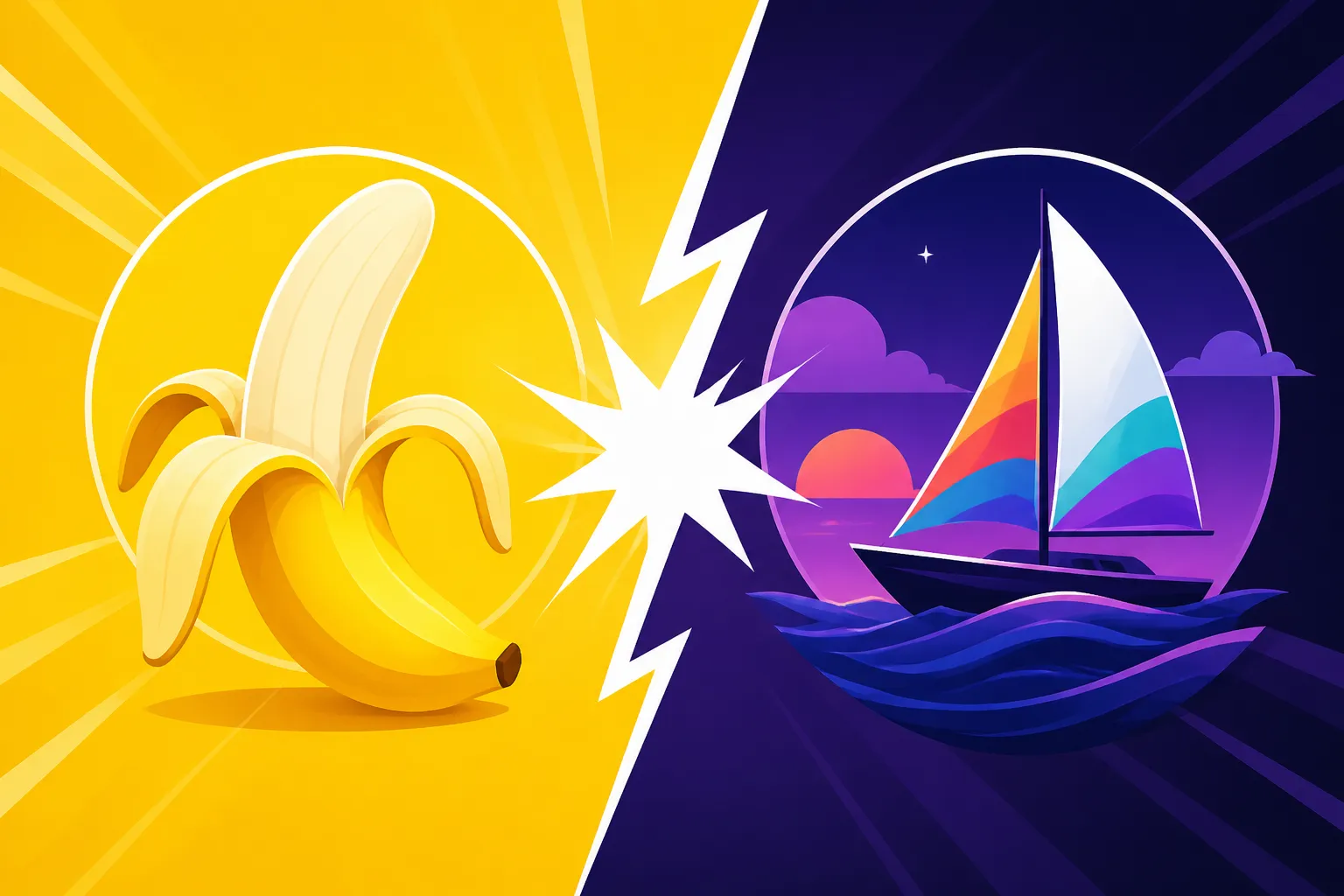
Trying to pick the right AI image generator these days feels a bit like being a kid in a candy store with too many amazing options, and you're worried about picking the one that'll leave a weird aftertaste. It's especially tough when you're comparing powerhouses like Midjourney V7 and a rising contender like Nano Banana Pro, each promising incredible visuals but approaching the craft from different angles. This guide is designed to cut through the noise, offering a detailed comparison of these two robust platforms so you can confidently decide which tool best fits your creative workflow and specific project needs.
Understanding the Core Appeal of Each Platform
When you step into the world of AI image generation, you quickly realize that not all tools are created equal. Each platform, much like a skilled artist, has its own unique style, preferred mediums, and even a distinct personality. Midjourney and Nano Banana Pro are no exception, and understanding their foundational philosophies is key to appreciating their individual strengths.
What Makes Midjourney V7 a Powerhouse?
Midjourney has, without a doubt, become a household name in the AI art community, largely due to its unparalleled aesthetic quality and its ability to consistently produce visually stunning, often dreamy, and highly artistic images. It's truly evolved from its earlier versions, with improvements that artists and creators have been clamoring for. If you've ever seen an AI image that made you stop and say "wow," there's a good chance it came from Midjourney. Its latest iteration, Midjourney V7, has pushed the boundaries even further, refining its understanding of nuanced prompts, improving photorealism, and offering more coherent compositions.
What truly sets Midjourney apart is its deep integration into the Discord platform, fostering a vibrant, collaborative community. This unique approach means you're not just generating images in isolation; you're often surrounded by other creators sharing their prompts, techniques, and awe-inspiring results. For many, this community aspect is a huge draw, offering inspiration and a sense of belonging that's hard to replicate elsewhere. The platform consistently nails artistic styles, from intricate fantasy landscapes to sophisticated portraiture, making it a favorite for those prioritizing aesthetic appeal over brute-force realism. To truly grasp its evolution, diving into the specifics of Midjourney V7 Features and Updates is a must.
However, this Discord-centric nature isn't for everyone. Some users find the interface a bit less intuitive than a dedicated web application, especially if they're not already accustomed to Discord. Yet, once you get the hang of it, the fluidity of generating variations, upscaling, and remixing images becomes second nature. It's a tool that excels in generating highly curated, often artistic images that feel less like "generated" content and more like genuine artwork, which is why it continues to be a top contender when comparing the Best AI Image Generator for Quality.
What Nano Banana Pro Brings to the Table?
On the other side of the ring, we have Nano Banana Pro, a tool that might not have the same widespread community buzz as Midjourney but is quickly making a name for itself, especially among users who prioritize ultra-high resolution and a more streamlined, professional workflow. While Midjourney often focuses on artistic flourish, Nano Banana Pro seems to lean into precision, detail, and delivering images ready for demanding professional applications. The "Pro" in its name isn't just for show; it often indicates a focus on commercial readiness and technical excellence.
One of the standout features that users often praise about Nano Banana Pro is its dedication to producing truly high-resolution outputs, often advertised with 4K capabilities right out of the gate. This means less need for external upscaling tools and more confidence that your generated image will hold up when printed large or displayed on high-density screens. Many users have specifically reviewed Nano Banana Pro 4K Review and found it impressive. This focus on resolution is a game-changer for graphic designers, marketers, and anyone who needs crisp, clear imagery without the usual fuzziness or artifacts sometimes associated with AI.
Furthermore, Nano Banana Pro often offers a more traditional web-based interface, which can be a significant advantage for those who prefer a straightforward, graphical user experience over Discord commands. This can translate to a quicker learning curve and a more direct path from prompt to final image, especially for beginners or those transitioning from other design software. It aims to deliver a robust, performant experience, making it a strong alternative for those who find Midjourney's creative workflow a little too abstract or community-dependent.
A Deep Dive into Image Quality and Style
When we talk about AI image generators, "quality" isn't a single, monolithic concept. It's a complex interplay of aesthetic appeal, prompt fidelity, detail rendering, and how well the output matches the user's intent. Both Midjourney V7 and Nano Banana Pro excel in different facets of this quality spectrum, making the choice between them often a matter of specific artistic or professional requirements.
Artistic Prowess and Aesthetic Nuance
Midjourney V7 is, quite frankly, an artistic prodigy. It has a knack for understanding and executing complex artistic directions, from a "moody oil painting of a cyberpunk street" to a "whimsical watercolor illustration of forest sprites." Its generative models seem to possess an inherent sense of composition, lighting, and color theory, resulting in images that often feel professionally curated and visually captivating. For creators who are looking for that je ne sais quoi – that indefinable artistic flair – Midjourney often delivers in spades. It particularly excels in painterly styles, cinematic scenes, and abstract concepts, where the subtle interplay of light and shadow, combined with a strong sense of atmosphere, is paramount. Many artists specifically choose Midjourney for its unique ability to translate emotional and abstract ideas into compelling visuals. You can really see this depth when you explore the differences between Midjourney V7 vs V6: What Improved.
Consider a scenario where you're designing album art for an indie band. You need something evocative, artistic, and a little mysterious. A prompt in Midjourney might yield several options that perfectly capture that ethereal vibe, each with intricate details and a consistent aesthetic. This focus on artistic depth often means that even when the image isn't hyper-realistic, it's aesthetically pleasing and intentional. The results often reflect a high level of "taste" baked into the model itself, making it a favorite for graphic designers, illustrators, and fine artists looking to augment their creative process.
Nano Banana Pro, while also capable of artistic generation, often approaches quality with a different emphasis: realism and crispness. If Midjourney is the impressionist painter, Nano Banana Pro might be the highly detailed technical illustrator or hyper-realist. It might focus more on accurately rendering textures, sharp edges, and consistent lighting as found in the real world. For tasks demanding photographic fidelity or precise product visualization, Nano Banana Pro's output tends to be incredibly clean and sharp, minimizing the "AI look" that can sometimes plague less refined generators.
Fidelity to Prompts and Detail Reproduction
Prompt fidelity is where the rubber meets the road for any AI image generator. How well does the tool actually understand and translate your words into a visual? Midjourney V7 has made significant strides in this area, especially with its ability to grasp nuanced instructions and maintain coherence across multiple elements in a complex scene. It's gotten much better at handling tricky details like hands and faces, which were once major stumbling blocks for AI art. However, due to its artistic lean, sometimes Midjourney might interpret a prompt with its own "artistic license," delivering something beautiful but perhaps not 100% literal to your exact specifications. For those who want to fine-tune their prompts, there are many resources like a comprehensive Midjourney Prompt Guide.
For example, if you ask Midjourney for "a red classic car driving on a rainy street at night, neon reflections," it will likely give you a stunning, moody image. But if you then specify "a 1967 Ford Mustang Shelby GT500," it might get the car model close but not always perfectly accurate down to the exact year and make, especially if the prompt is short. Its strength lies more in the overall scene and atmosphere. You can gain more control by learning How to Write AI Image Prompts effectively.
Nano Banana Pro, particularly with its focus on "Pro" applications, often boasts a higher degree of literal prompt adherence and detail reproduction, especially concerning realistic elements. If your prompt specifies "a highly detailed close-up of a sterling silver watch with intricate gears visible, macro photography style," Nano Banana Pro is often built to deliver that level of meticulous detail with greater consistency. Its models might be trained with a stronger emphasis on photographic realism and material accuracy, leading to outputs where textures, reflections, and fine elements are rendered with impressive clarity. This makes it particularly valuable for product photography mockups, architectural visualizations, or any application where precise object rendering is paramount. When considering the best tool, it's always good to check how each performs in terms of Midjourney Image Quality Tested and Reviewed against similar metrics for other tools.
User Experience and Workflow Considerations
Beyond the raw output, the actual process of generating images can significantly impact your productivity and enjoyment. The user experience, from the interface design to the iterative tools, plays a crucial role in how effectively you can bring your visions to life.
Interface and Ease of Use
Midjourney's interface is, famously, Discord. This means you interact with the AI by typing commands and prompts into a chat window. For Discord natives, this is incredibly intuitive and even collaborative. You can see what others are generating, learn from their prompts, and get immediate feedback. However, for those unfamiliar with Discord, it can present a steep learning curve. Setting up, understanding commands, and navigating public or private channels might feel daunting initially. The lack of a traditional graphical user interface (GUI) with buttons and sliders can be a barrier for some, even if the creative control through parameters is incredibly powerful once mastered.
For instance, changing the aspect ratio in Midjourney involves adding a --ar parameter, like --ar 16:9, to your prompt. While simple once you know it, it's not immediately obvious to a new user. On the flip side, the community aspect means there's always someone to ask if you're stuck, and countless tutorials exist. This unique approach means that while it might not be the Best AI Image Generator for Beginners, it offers unparalleled depth for those willing to learn.
Nano Banana Pro, based on its "Pro" branding and general industry trends for professional tools, likely offers a more traditional web-based interface. This typically means a clean dashboard with input fields for prompts, dedicated buttons for settings like aspect ratio, style presets, and negative prompts, and perhaps even drag-and-drop functionality for reference images. This kind of GUI is often more immediately accessible to a wider audience, especially those coming from graphic design software or other web applications. The learning curve tends to be shallower, allowing users to jump in and start generating images with minimal onboarding. Such an interface makes it easier for users to experiment with different settings without remembering specific commands, providing a more visual and direct control over the image generation process.
Customization, Control, and Iteration
Both tools offer significant customization and control, but they often manifest differently. Midjourney excels in iterative refinement. After an initial generation, you get options to create variations (V buttons) or upscale (U buttons) individual images. You can also remix images, use stylize parameters to control artistic intensity, and employ image prompts to guide the AI with existing visuals. The ability to use seeds (--seed) for reproducibility and apply multiple prompts to blend concepts (::) provides a deep level of artistic control, making it incredibly powerful for iterating on a creative concept until it's just right. The community often shares advanced techniques, and resources on Midjourney Parameters Explained are abundant.
For example, an artist might generate an initial landscape, then create several variations, pick the most promising one, upscale it, and then use that upscaled image as a new image prompt to guide subsequent generations, slowly honing in on their perfect vision. This fluidity in iteration is a core strength of Midjourney and a reason why many find it so addictive.
Nano Banana Pro likely emphasizes control through more explicit settings and dedicated editing features within its interface. This could include sliders for specific attributes like lighting intensity, color saturation, or textural detail. It might offer in-painting or out-painting capabilities natively, allowing users to refine specific areas of an image or expand its borders directly within the platform. Its focus on high-resolution output also implies a strong commitment to enabling fine-tuned adjustments post-generation, perhaps through built-in editing tools or direct integration with other professional software. The control might feel more granular and technical, geared towards users who need precise adjustments rather than broad artistic interpretations. This makes it a strong contender for those needing specific AI Image Tools with the Best Editing.
Pricing Models and Commercial Viability
The cost of using these powerful AI tools, and more importantly, the legal implications of using the images for commercial purposes, are critical factors for many users, especially professionals and businesses.
Subscription Tiers and Credit Systems
Midjourney operates on a subscription model, offering various tiers from basic to pro. Each tier provides a certain amount of "fast GPU time" (which is essentially how quickly your images are generated) and slower "relax mode" generation. The basic plan gives you a good starting point, but if you're a heavy user or relying on it for your livelihood, you'll likely need to upgrade to a standard or pro plan to get enough fast hours. Payments are typically monthly or annually, with discounts for annual commitments. There isn't a completely free tier with unlimited usage, but new users often get a limited number of free generations to try it out. Understanding Midjourney Pricing and Plans Explained can help you determine the best fit for your budget and usage needs.
For example, a freelancer might start with the basic plan, realizing quickly that for client work, they need more fast hours to meet deadlines. Upgrading to a standard plan, which offers more GPU time and the ability to work in private mode, often becomes a necessity. The cost can add up, but for the quality and creative output, many find it a worthwhile investment compared to hiring traditional artists for every single graphic.
Nano Banana Pro, like many professional-grade tools, likely offers a tiered subscription model as well, possibly with a credit-based system. This means you might purchase credits that are consumed with each image generation, upscale, or advanced editing operation. Often, pro tools bundle features into higher tiers, such as larger image batch processing, access to exclusive models, or priority support. Some might offer a completely free tier with very limited usage or watermarks, while others jump straight into paid plans with a free trial period. The advantage of a credit system can be that you only pay for what you use, which is appealing for intermittent users, though heavy users might find a flat-rate unlimited plan more cost-effective. Ultimately, comparing Free vs Paid AI Image Generators often boils down to balancing features with budget.
Commercial Rights and Indemnification
This is a huge area of concern for anyone using AI-generated images in a professional capacity. With Midjourney, the commercial rights are generally granted to paying subscribers. If you have a paid subscription, you own the images you create. However, it's crucial to always review their most up-to-date terms of service, as these policies can evolve. The question of copyright for AI-generated art is still a developing legal landscape, with different interpretations across jurisdictions. While Midjourney grants users rights, it typically does not offer IP indemnification (meaning they won't defend you in a copyright lawsuit if an image you generated accidentally infringes on existing IP). This places the burden of ensuring commercial safety largely on the user.
For instance, if you generate a character for a commercial product that, by sheer coincidence, closely resembles a copyrighted character, Midjourney wouldn't step in to cover your legal costs. It's why many creators still manually check for uniqueness or use AI images as inspiration rather than direct final assets for high-stakes projects.
Nano Banana Pro, especially given its "Pro" moniker, is expected to clearly outline its commercial use policies. Many tools geared towards businesses understand the critical need for clear commercial rights. They might offer varying levels of commercial rights depending on your subscription tier, or explicitly state that all images generated on paid plans are free for commercial use. The critical differentiator here for some commercial users could be whether Nano Banana Pro offers IP indemnification. While not universally common, some platforms, like Adobe Firefly, have started to offer indemnification for business users, promising to cover legal costs if an AI-generated image (created using their tool) leads to an IP infringement claim. If Nano Banana Pro offers such a feature, it would be a massive advantage for businesses and agencies, significantly reducing legal risks and providing peace of mind when using AI images for marketing, product design, or client projects.
Here’s a quick overview of how they stack up:
| Feature/Aspect | Midjourney V7 | Nano Banana Pro |
|---|---|---|
| Primary Interface | Discord (command-line centric) | Likely Web-based GUI |
| Artistic Focus | High aesthetic quality, artistic styles, creativity | High resolution, photorealism, technical precision |
| Community | Very strong, active, collaborative Discord | Less emphasized, likely dedicated support channels |
| Learning Curve | Moderate (Discord commands) | Potentially lower (web-based GUI) |
| Resolution Output | Excellent, but often requires separate upscaling | Emphasis on native 4K output, sharp details |
| Prompt Fidelity | Strong, with artistic interpretation | Likely high, with emphasis on literal detail |
| Customization | Extensive via parameters, remix, seeds | Likely granular via sliders, built-in editing |
| Pricing Model | Subscription (fast/relax GPU time) | Likely subscription + credit-based |
| Commercial Rights | Generally granted to paying subscribers (check TOS) | Likely clear policies, potential for indemnification |
Which Tool Should You Choose for Your Projects?
Deciding between Midjourney V7 and Nano Banana Pro isn't about one being definitively "better" than the other. It's about aligning the tool's strengths with your specific creative and professional requirements. Each has a distinct personality and workflow that caters to different types of users and projects.
When Midjourney V7 Shines Brightest
Midjourney V7 is your absolute go-to if you're an artist, a creative explorer, or someone who values stunning aesthetics above all else. If your projects demand unique, imaginative, and visually rich imagery that feels less like a photo and more like a piece of art, Midjourney will consistently deliver. It's particularly fantastic for:
- Conceptual Art and Illustrations: Think fantasy landscapes, intricate character designs, book covers, or album art where a strong artistic vision is crucial.
- Mood Boards and Visual Storytelling: For setting a scene or evoking a particular emotion for film pitches, game development, or narrative-driven content.
- Creative Experimentation: If you love exploring different styles, iterating on abstract ideas, and being surprised by aesthetically pleasing results, Midjourney's iterative workflow and vibrant community will be deeply satisfying.
- Social Media Graphics and Blog Images: When you need eye-catching, unique visuals that stand out in a feed, Midjourney's artistic output often has a distinctive look that grabs attention. Many bloggers find it the Best AI Image Generator for Blog Images.
Its Discord interface, while initially a hurdle, becomes a powerful creative environment once mastered, offering a unique blend of personal creation and community inspiration. For those who thrive in a collaborative, idea-rich space, Midjourney can feel like a digital art studio filled with fellow creators. You can even check out how it stacks up against other tools in Midjourney vs Everything: 2027 Showdown.
When Nano Banana Pro is Your Go-To
Nano Banana Pro is likely the stronger contender if your work leans heavily into commercial applications, demands extreme precision, or requires images ready for high-resolution printing or display. It's built for professionals who need reliable, technically sound outputs without the artistic "interpretations" that can sometimes come with more generalized models. Consider Nano Banana Pro for:
- Product Photography and Mockups: If you need crisp, clean images of products, especially with specific material textures and realistic lighting.
- Architectural Visualization and Real Estate: For generating accurate renderings of buildings, interiors, or staged properties where detail and realism are paramount.
- Marketing Materials and Ad Creatives: When your campaigns require photorealistic images that clearly communicate a message without any artistic ambiguity. Its focus on high resolution makes it ideal for Best AI Image Generator for Marketing Images.
- Technical Illustrations and Diagrams: If you need to visualize complex machinery, scientific concepts, or step-by-step processes with clarity and precision.
The assumed web-based GUI makes it more accessible for rapid production and integration into existing professional workflows. If you value a straightforward, efficient process that prioritizes technical quality and literal prompt adherence, Nano Banana Pro is likely to be a more dependable workhorse, especially if it offers robust commercial licensing and indemnification.
Considering a Hybrid Approach
Many professional creators and agencies are finding that the "best" approach isn't to pick just one tool, but to strategically combine them. For instance, you might use Midjourney V7 for initial brainstorming and conceptual art, leveraging its artistic prowess to generate unique ideas and establish a visual theme. Once you have a strong creative direction, you could then switch to Nano Banana Pro to generate the final, high-resolution product shots or marketing materials, ensuring they meet the technical specifications and realism required for commercial deployment.
This hybrid model allows you to leverage the strengths of each platform, getting the best of both worlds: Midjourney's unmatched artistic creativity for ideation, and Nano Banana Pro's technical precision for execution. It's a pragmatic strategy that allows for flexibility and ensures you have the right tool for every stage of your creative process. It's the ultimate way to create the Best Two-Tool AI Image Stack for diverse projects.
Disclaimer
The information provided in this guide is based on general knowledge of AI image generation tools and the stated features of Midjourney V7 and Nano Banana Pro. AI technology and platform features are subject to rapid change and updates. Always refer to the official websites and terms of service for the most current and accurate information regarding features, pricing, and commercial use policies before making any purchasing or usage decisions.