Best Free AI Image Generator for Realistic Faces
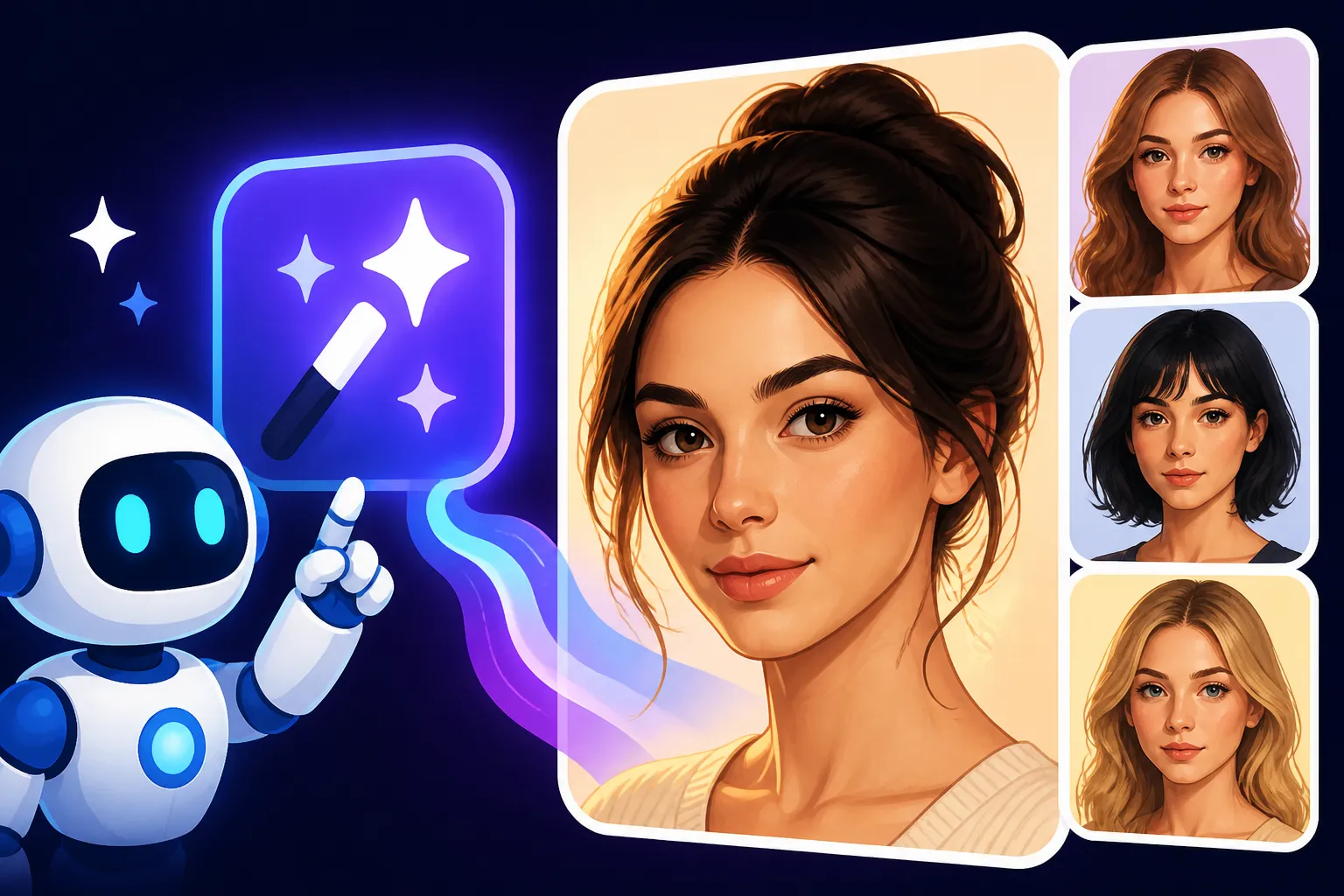
You've been there, haven't you? You fire up a "free" AI image generator, hoping to conjure a truly lifelike portrait, only to be met with something that looks like it stumbled out of the uncanny valley. The eyes are a bit off, the hands are a disaster, or the skin texture resembles plastic. It's incredibly frustrating when you just want a decent, realistic face for your project without breaking the bank. This comprehensive guide is here to cut through the noise, helping you discover which free AI image tools can actually deliver convincing, realistic faces and how to make the most of them.
The Lingering Challenge of Realistic AI Faces in Free Tools
Let's be honest, generating a truly realistic human face with AI is one of the toughest nuts to crack. While AI image tools have come leaps and bounds in creating stunning landscapes, abstract art, or even fantastical creatures, the human face is a whole different beast. The subtle nuances, the delicate play of light and shadow, the intricate anatomy, and the ability to convey genuine emotion are incredibly complex. Free tools, especially, often struggle with this, leaving creators feeling disappointed and wondering if they'll ever get a good result without paying a hefty subscription.
Common Pitfalls in Free Face Generation
The list of ways a free AI can botch a human face is extensive, and many of us have seen them all. One of the most prevalent issues is the dreaded "uncanny valley" effect, where a face is almost human but just off enough to be unsettling or even disturbing. This often manifests as strange proportions, unnaturally smooth or textured skin, and eyes that lack soul or appear vacant.
Another frequent problem is distorted or inconsistent facial features. You might get a character with eyes that are slightly different sizes, a nose that's askew, or lips that look glued on rather than naturally part of the face. Hands, as many AI art enthusiasts know, are notoriously difficult for AI to render correctly, often appearing with too many or too few fingers, or twisted into impossible configurations. This level of imperfection can completely ruin an otherwise decent image, especially when the face is the focal point.
Finally, many free generators tend to produce faces that look generic or lack distinctiveness. They might be technically "realistic" in a broad sense, but they don't have the unique character or individuality that makes a human face truly captivating. This can be particularly problematic if you're trying to generate diverse characters or specific personas for your creative projects or marketing materials.
The Underlying Technical Hurdles
Why is generating a perfect human face such a gargantuan task for AI, particularly for free models? It largely boils down to the complexity of human anatomy and the vastness of the dataset required to learn every subtle variation. AI models learn by identifying patterns in massive amounts of data. While they've seen countless images of faces, replicating the minute details and the way human emotions are subtly etched onto a face is incredibly difficult.
Moreover, free models often operate with fewer computational resources or are trained on smaller, less curated datasets compared to their premium counterparts. This means they might not have the depth of understanding to consistently render details like pore texture, individual strands of hair, or the way wrinkles form around the eyes during a smile. These small imperfections accumulate, leading to results that just don't quite hit the mark of true photorealism.
Top Free AI Image Generators for Realistic Faces
Despite the challenges, some free AI image generators stand out for their ability to produce surprisingly good, realistic faces. They might not always be perfect, but with the right approach, they can often deliver results that are more than adequate for many casual or even semi-professional uses. Let's dive into the contenders that offer the best bang for your no-bucks.
Bing Image Creator (Powered by DALL-E)
When it comes to generating realistic faces for free, the Bing Image Creator, which is powered by OpenAI's DALL-E 3 model, is often a strong front-runner. This tool benefits significantly from DALL-E 3's advanced understanding of prompts and its capability to render intricate details, which is crucial for convincing human faces. Unlike older DALL-E versions or some other free models, DALL-E 3 integrated into Bing tends to interpret context much better, leading to more coherent and less distorted facial features. You can learn more about its capabilities in a detailed DALL-E Review: Pros, Cons, and Pricing.
What makes Bing Image Creator particularly good for faces is its impressive ability to understand complex descriptions of emotions, ages, and even specific lighting conditions. If you prompt for "a middle-aged woman with kind eyes, smiling gently, in warm afternoon light," it often produces a face that genuinely reflects those characteristics. The integration with Microsoft accounts also makes it readily accessible for many users. While it might occasionally produce a slightly stylized result, the overall realism and consistency of faces are remarkably high for a free tool. Keep in mind that while it's fantastic for faces, understanding Is Bing Image Creator Really Free is important to manage your daily boost expectations.
Playground AI's Free Tier
Playground AI offers a robust free tier that allows access to various powerful models, including different versions of Stable Diffusion. This flexibility is a huge advantage when aiming for realistic faces. While Stable Diffusion on its own requires careful prompting, Playground AI's interface often provides helpful controls and pre-sets that can guide you towards better results. Many users find that certain community models available on Playground AI are fine-tuned specifically for photorealism, making them excellent choices for generating human faces.
The real strength here lies in the customization. Playground AI allows users to leverage negative prompts effectively, which is absolutely vital for eliminating common AI flaws like malformed hands or distorted eyes. If you're willing to experiment with different models and settings, and really dig into the prompt engineering aspect, Playground AI's free offering can produce some truly stunning realistic portraits. For a deeper dive into one of its core engines, check out our Stable Diffusion Prompt Guide. The initial learning curve might be a bit steeper than Bing Image Creator for absolute beginners, but the control it offers for refining faces is unparalleled in the free space. For a thorough breakdown, refer to the Playground AI Free Tier Explained guide.
Leonardo AI's Free Plan
Leonardo AI has quickly become a favorite among AI art enthusiasts, and its free plan is surprisingly generous, making it a strong contender for realistic face generation. Leonardo AI prides itself on offering a wide array of fine-tuned models, many of which are excellent for photorealism. Their "PhotoReal" and "Absolute Reality" models, for instance, are specifically designed to generate highly lifelike images, including detailed human faces. The platform also boasts features like image-to-image prompting and ControlNet (for advanced users), which can significantly enhance the realism and consistency of faces. You can get more details in our Leonardo AI Free Tier Review.
The free plan typically provides a daily allowance of credits, which refresh regularly. While not unlimited, these credits are usually enough for casual experimentation and generating several high-quality facial images. The vibrant community section of Leonardo AI also provides a treasure trove of inspiration, allowing you to see what prompts and models others are using to achieve realistic results. This makes it easier to learn and adapt successful strategies for your own face generation endeavors. For those wondering about the value, our Is Leonardo AI Worth It article might provide further insights for paid plans, but its free tier is already a powerhouse.
Crafting Prompts for Hyper-Realistic Faces (Even with Free Tools)
Getting realistic faces from AI isn't just about picking the right tool; it's heavily dependent on how you talk to it. Think of your prompt as a detailed instruction manual for a highly skilled, but sometimes literal, artist. The more specific and evocative you are, the better the chances of getting exactly what you envision, especially when aiming for photorealism in human faces. This is where mastering prompt engineering truly shines, turning mediocre results into stunning ones.
Essential Prompt Elements for Realism
To guide your chosen free AI tool towards generating a truly lifelike face, you need to be deliberate with your prompt. Start by explicitly stating your desire for realism. Phrases like "photorealistic portrait," "hyper-realistic photograph," "ultra-detailed close-up," or "shot on DSLR" are excellent starting points. These keywords immediately signal to the AI that it should prioritize realism over stylized or artistic interpretations.
Next, focus on the subject's details:
- Demographics: Specify age (e.g., "young woman," "elderly man," "child"), ethnicity (e.g., "African American," "East Asian," "Caucasian"), and gender.
- Facial Features: Describe distinct characteristics. Instead of "beautiful eyes," try "piercing blue eyes with long eyelashes" or "deep-set brown eyes with crow's feet." Mention hair color, style, skin texture ("smooth skin," "weathered skin," "subtle freckles").
- Expression and Emotion: This is critical. "Smiling gently," "thoughtful expression," "intense gaze," "joyful laugh" – these details breathe life into a face.
- Lighting: Lighting dramatically impacts realism. Use terms like "natural daylight," "soft studio lighting," "dramatic chiaroscuro," "golden hour glow," or "backlit."
- Camera & Composition: "Close-up portrait," "headshot," "bokeh background," "shot with 85mm lens," "f/1.8 aperture," "Canon EOS R5" or "Sony Alpha 7 IV" can all contribute to a photographic aesthetic.
- Environment/Background: Even if the face is the focus, a subtle background can add context and realism. "Outdoors in a park," "urban street at dusk," "minimalist studio backdrop."
A well-constructed prompt might look like: "photorealistic portrait of a 30-year-old East Asian woman, thoughtful expression, subtle smile, detailed skin texture, delicate laugh lines around her warm brown eyes, short wavy black hair, soft natural light, shallow depth of field, shot on a Sony A7S III with an 85mm lens, urban bokeh background." This level of detail helps the AI piece together a cohesive and realistic image. For more tips, our guide on How to Write AI Image Prompts is an invaluable resource.
The Power of Negative Prompting
Negative prompting is your secret weapon against the "uncanny valley" and common AI mishaps. It tells the AI what not to include in your image. This is particularly effective for realistic faces, where small errors can completely ruin the output.
Common negative prompts to use for faces include:
unrealistic, cartoon, drawing, painting, illustration, ugly, deformed, disfigured, mutated, extra limbs, missing limbs, bad anatomy, bad eyes, poorly drawn face, blurry, low quality, grayscale, monochrome, sketch, text, watermark, signature
For more advanced control, you can even add terms like asymmetrical eyes, wrong proportions, plastic skin, unnatural lighting if you find those specific issues recurring. Experimenting with different combinations of negative prompts can significantly improve the quality and realism of your generated faces, allowing you to avoid those jarring imperfections. Many advanced users also refer to our Midjourney Prompt Guide for insights on how to build robust prompts, even for non-Midjourney tools, as many principles are universal.
Iteration and Refinement: Your Best Friends
Remember, AI image generation is rarely a one-shot deal, especially with free tools. The key to success is iteration and refinement. Don't expect perfection on your first attempt. Generate a few images, analyze what works and what doesn't, and then adjust your prompt accordingly.
Did the eyes look slightly off? Add "perfect eyes" to your positive prompt or "bad eyes" to your negative prompt. Was the skin too smooth? Add "detailed skin texture" or "subtle pores." Use the variations feature if the tool offers it, or slightly tweak your original prompt to explore different outcomes. Sometimes, even changing a single word can have a dramatic impact. Treat each generation as a learning opportunity, refining your instructions until the AI understands your vision for that perfectly realistic face. This iterative process is what separates casual users from those who consistently produce high-quality AI art. Our guide on How to Get Better AI Image Results delves deeper into these strategies.
Realistic Face Generation Features Compared
To help you decide which free tool might be the best fit for your needs, here's a quick comparison focusing on their capabilities for generating realistic faces. While all aim for realism, their strengths and limitations in their free tiers can vary significantly.
| Feature / Tool | Bing Image Creator (DALL-E 3) | Playground AI (Stable Diffusion Variants) | Leonardo AI (Custom Models) |
|---|---|---|---|
| Core Model | DALL-E 3 | Multiple Stable Diffusion variants (e.g., SDXL, various community models) | Numerous fine-tuned models (e.g., PhotoReal, Absolute Reality, Alchemy) |
| Face Realism | Very High (Excellent detail & anatomical correctness, good emotion) | High (Requires careful prompt/model selection, excellent control potential) | High (Specific photorealistic models excel, good control) |
| Ease of Use | Very Easy (Simple interface, natural language understanding) | Moderate (More options, can be overwhelming for beginners initially) | Moderate (User-friendly but with many features to explore) |
| Prompt Complexity | High (Understands complex natural language prompts) | Moderate to High (Benefits greatly from detailed & negative prompts) | Moderate to High (Specific models need tailored prompts) |
| Negative Prompting | Auto-applied by DALL-E 3, some manual input possible | Full manual control, highly effective | Full manual control, highly effective |
| Daily Limits (Free) | Daily "Boosts" (fast generation), then slower unlimited generation | Generous daily credits (e.g., 500-1000 fast images, depends on model) | Generous daily credits (e.g., 150 fast images, depends on model/features) |
| Commercial Use | Generally allowed (check Microsoft's terms) | Generally allowed (check specific model/platform terms) | Generally allowed (check Leonardo's terms) |
| Strengths for Faces | Interprets complex scene/emotion, excellent hands & details | Control over specific models, advanced tweaking, good for iteration | Dedicated photoreal models, community-driven insights, advanced features |
| Weaknesses for Faces | Less direct control over stylistic nuances, can be stylized | Can require more effort to fine-tune without specific fine-tunes | Credits can deplete faster with advanced features |
Who Should Use Which Free Tool for Faces?
Choosing the "best" free AI image generator for realistic faces really depends on your personal workflow, desired level of control, and patience for prompt engineering. There isn't a single universal answer, but rather a tool that aligns best with your needs.
For the Casual User Seeking Quick, High-Quality Results: Bing Image Creator
If you're someone who just wants to generate a few realistic faces without diving deep into complex settings, Bing Image Creator is likely your best bet. Its integration with DALL-E 3 means it's incredibly good at understanding natural language prompts and producing surprisingly accurate and detailed faces right out of the gate. You don't need to be an expert in negative prompting or model selection; just tell it what you want, and it often delivers. It's fantastic for generating images for quick blog posts, social media updates, or just personal creative exploration where high quality is desired without a steep learning curve. While it's excellent, it's always good to explore alternatives. For instance, sometimes a dedicated platform might offer more control, such as when comparing Midjourney vs DALL-E: Which Is Better in a paid context, but for free, Bing shines.
For the Experimenter Who Wants Control and Advanced Options: Playground AI
For those who enjoy tinkering, experimenting, and have a bit more patience to learn, Playground AI offers a more advanced playground (pun intended). Its access to various Stable Diffusion models means you can often find a specific model that's fine-tuned for the kind of realism you're after. The robust negative prompting capabilities and other controls allow you to really sculpt the image and eliminate common flaws. If you're willing to iterate, learn from the community, and refine your prompts, Playground AI can yield some exceptionally high-quality and realistic faces. It's an excellent choice for graphic designers, artists, or marketers who need more bespoke results and don't mind a slightly more hands-on approach. Consider checking out Stable Diffusion Alternatives for more tools in this vein.
For the Dedicated Creator Looking for Model Variety and Community Support: Leonardo AI
Leonardo AI strikes a great balance between ease of use and advanced features, making it ideal for dedicated creators who want consistent, realistic faces but also appreciate community resources. Its specialized photorealistic models are a huge advantage, often producing stunning results with less effort than generic models. The credit system is fair for daily use, and the community's shared prompts and creations can significantly fast-track your learning process. If you're building a portfolio, creating assets for a personal project, or need a reliable source for high-quality faces, Leonardo AI's free tier provides a powerful ecosystem. It's a stepping stone to understanding what makes the Best AI Image Generator for Quality in general.
Final Thoughts on Free Realistic Face Generation
While the quest for perfectly realistic AI-generated faces using only free tools can still present hurdles, the landscape has improved dramatically. You no longer have to settle for overtly artificial or unsettling images. Tools like Bing Image Creator, Playground AI, and Leonardo AI offer genuinely impressive capabilities without requiring a financial commitment.
The key takeaway is that success hinges not just on the tool, but on your skill as a "prompt engineer." By being precise, detailed, and strategic with your positive and negative prompts, and by embracing an iterative workflow, you can coax these free AI platforms into producing highly convincing and realistic human faces. Don't be afraid to experiment, learn from others, and keep refining your approach. The perfect AI-generated portrait might be just a few prompts away!
Disclaimer
The information provided in this article is for general informational purposes only. While we strive to provide accurate and up-to-date content, the field of AI technology is rapidly evolving. The capabilities, features, and terms of free AI image generators can change without prior notice. Always refer to the official websites and terms of service of any AI tool before use, especially for commercial projects. We do not guarantee specific results or endorse any particular tool over another.