Best AI Image Generator for Each Budget
Choosing the right AI image generator can feel like navigating a maze, especially when you’re trying to balance incredible creative potential with a realistic budget. It’s easy to get overwhelmed by the sheer number of options, each promising fantastic results but often coming with confusing pricing models, hidden credit systems, or limitations you only discover after you’ve already invested time or money. This comprehensive guide is here to cut through that noise, helping you understand the landscape of AI image tools and find the best fit for your specific financial constraints, from completely free options to premium, feature-rich subscriptions.
Understanding AI Image Generator Pricing Models
Before we dive into specific tools, it’s crucial to understand how AI image generators typically structure their costs. It's not always a straightforward "pay X, get Y" situation, and knowing the different models will help you make a more informed decision.
Free Tiers and Their Limitations
Many AI image platforms generously offer a free tier, and for casual users or those just dipping their toes into the world of AI art, these can be incredibly valuable. Tools like Bing Image Creator, or the free access provided by Ideogram and Leonardo AI, allow you to generate a certain number of images daily without spending a dime. However, these free tiers often come with strings attached that can impact your workflow and output.
For instance, you might find that free generations are significantly slower than paid ones, leaving you waiting minutes for images that a premium user gets in seconds. Resolution can also be a common limitation, with free images often capped at a lower quality, making them unsuitable for professional printing or high-res digital use. Watermarks are another frequent hurdle; while some free tools like Bing Image Creator don't impose them, others might subtly brand your creations, which isn't ideal for commercial projects. Most importantly, commercial use rights are often restricted or unclear on free plans. Always double-check the terms of service, as using free images for a client project or product might land you in hot water. If you're looking for Best Free AI Image Generators, many excellent options exist, but understanding their limitations is key.
Subscription Models: Credits vs. Unlimited
When you step up to a paid plan, you'll generally encounter two main types of subscription models: credit-based and "unlimited" generation.
Credit-based systems, popular with platforms like Midjourney and certain Adobe Firefly plans, work much like a pre-paid phone card. You purchase a subscription that grants you a specific number of "fast hours" or "credits" per month. Each image generation, especially high-quality or fast ones, consumes these credits. If you run out, you can often buy more, or your generations might revert to a slower, "relaxed" mode. This model is great if your usage is predictable, or if you need bursts of high-speed generation. The downside is the anxiety of watching your credits dwindle, especially during heavy creative sessions or when experimenting with many prompts. For example, understanding Midjourney Pricing and Plans Explained reveals how their tiers are structured around fast hours.
"Unlimited" generation, or what appears to be unlimited under a fair-use policy, is often found in tools accessible through platforms like ChatGPT Plus, which includes DALL-E access, or certain tiers of Playground AI. Here, you pay a flat monthly fee and can generate as many images as you like, within reasonable usage limits. This model offers peace of mind, allowing for extensive experimentation without worrying about extra costs. It's fantastic for content creators, marketers, or hobbyists who generate images frequently. The trade-off might be slightly less fine-grained control or specific niche features compared to highly specialized credit-based tools, or occasional throttling during peak usage if you truly push the limits.
Pay-As-You-Go Options
Beyond standard subscriptions, some advanced users or businesses might interact with AI image generation via pay-as-you-go models, often through APIs (Application Programming Interfaces). These are less common for direct-to-consumer platforms but are prevalent in the backend of many services. For example, if you're running Stable Diffusion on a cloud server or integrating it into a custom application, you'd typically pay for the computational resources used, rather than a fixed subscription or image credits.
This model offers ultimate flexibility, as you only pay for exactly what you consume. It's ideal for developers, large enterprises, or those with highly variable, bursty workloads that don't fit neatly into monthly credit allocations. The barrier to entry is higher, requiring technical expertise to set up and manage, but it can be the most cost-effective at scale if optimized correctly. For solo creators, this is rarely the first choice unless they have a very specific, custom workflow in mind.
Top AI Image Generators for Every Budget
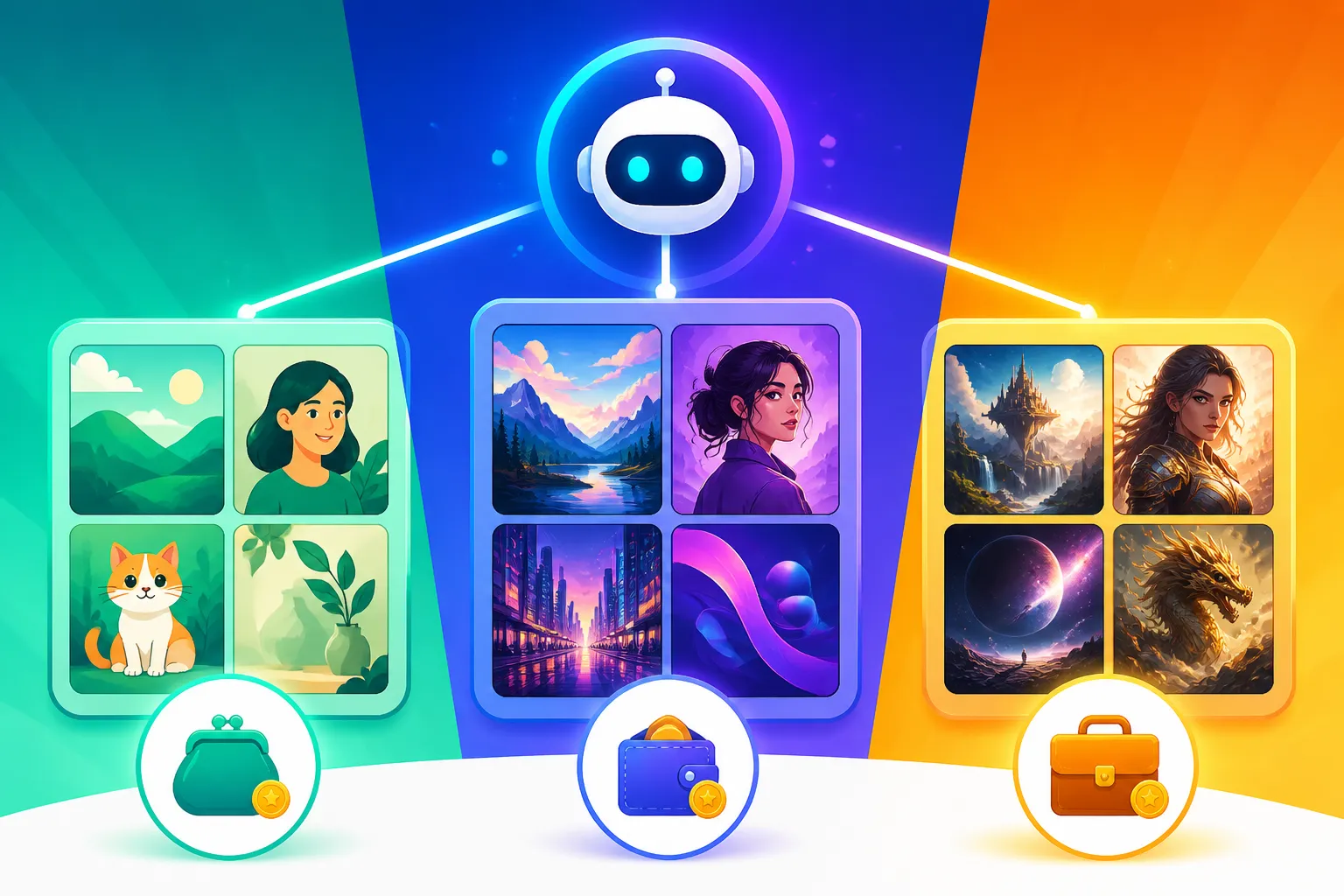
Now that we understand the financial mechanics, let's explore some of the best AI image generators available, categorized by budget range. This isn't just about the lowest price, but about the best value and features you get for what you pay.
Best Options for Free (or Nearly Free)
For those just starting out, on a tight budget, or needing occasional images for personal projects, these tools offer fantastic value without needing your credit card.
- Bing Image Creator: This tool, powered by DALL-E 3, is completely free to use and integrated into Microsoft's ecosystem (Edge browser, Copilot). It's incredibly straightforward: type your prompt, and it generates four images. The quality is surprisingly good, often producing creative and visually appealing results. It's fantastic for quick ideas, blog post illustrations, or social media graphics, and best of all, there are no watermarks. The main limitation is its speed after you run out of "boosts" (fast generations), which can slow to a crawl, and less granular control over the output compared to professional tools.
- Ideogram: Known for its exceptional ability to generate text within images, Ideogram offers a generous free tier with daily credits. This makes it a standout choice for creating logos, posters, or social media banners where legible text is crucial – something many other AI generators struggle with. You get decent control over styles and aspect ratios, and the community feed is a great source of inspiration. The free credits reset daily, making it a reliable option for consistent, moderate use. Its ability to render text makes it a serious contender if that's a key requirement.
- Leonardo AI: This platform is a darling among artists and creators due to its versatility and control. Leonardo AI provides daily tokens that replenish, allowing you to generate a good number of images for free. What makes it powerful is access to various custom-trained models, allowing you to lean into specific aesthetics like "3D Animation Style" or "Photography." It also includes features like image prompting, negative prompting, and control over tiling. It's an excellent choice for those who want more creative control than simple prompt-and-generate tools offer, even on a free plan.
- Canva AI Image Generator: If you're already a Canva user, their integrated AI image generator is a convenient, nearly free option. While it might not boast the same advanced features or raw generation power as dedicated tools, it's perfect for quickly adding AI-generated elements directly into your designs, presentations, or social media posts. The free tier of Canva offers a limited number of AI image generations, and it’s very beginner-friendly. For designers who need a seamless workflow, this integration is invaluable.
It's important to note that while these tools are "free," they often have limits on daily generations, resolution, or lack advanced editing capabilities. For serious commercial work, their terms of service regarding Free AI Image Generators with Commercial Use should be reviewed carefully.
Value-Packed Mid-Range Subscriptions
For those who use AI image generation regularly and are ready to invest a modest amount, typically between $10-$30 per month, you unlock significantly better quality, speed, and commercial rights.
- Midjourney: Often hailed for its artistic flair and stunning, imaginative outputs, Midjourney offers subscription tiers that balance cost and capability. Their basic plan starts around $10/month (billed annually) or $12/month (monthly) and provides hundreds of fast GPU hours, which translates to thousands of images. It operates primarily through Discord, which some find quirky, but it allows for a highly collaborative and inspiring community experience. If you prioritize aesthetic quality, unique styles, and photorealism, Midjourney is a powerhouse. Its various plans are designed for different usage levels, making it accessible to many. You might wonder, Is Midjourney Worth the Subscription? For many, the answer is a resounding yes, especially once you master prompt engineering.
- DALL-E (via ChatGPT Plus): A subscription to ChatGPT Plus, usually around $20/month, grants you access to OpenAI’s DALL-E 3 directly within the ChatGPT interface. This is a fantastic value proposition because you get both an advanced conversational AI and a powerful image generator in one package. DALL-E 3 excels at understanding nuanced prompts and integrating text much better than previous versions. The integration with ChatGPT also makes prompt refinement incredibly easy. It’s a strong contender for content creators, writers, and marketers who need both text and image generation. Considering DALL-E in ChatGPT: How Good Is It, it’s a highly intuitive and high-quality solution.
- Adobe Firefly: Part of the Adobe ecosystem, Firefly is designed with commercial users in mind. While it has a free tier with monthly credits, its paid plans (starting around $5/month for basic, or included with Creative Cloud subscriptions) offer significantly more generative credits and, crucially, content indemnification. This means Adobe stands behind the copyright safety of images generated commercially with Firefly, offering peace of mind for businesses. It integrates well with other Adobe products like Photoshop and Illustrator, making it ideal for designers and artists already in that ecosystem. For professionals, checking out an Adobe Firefly Review for Commercial Use is highly recommended.
- Playground AI: While it has a very generous free tier, Playground AI's paid plans unlock faster generation, higher quality outputs, and full commercial usage rights. Starting around $15/month, you get practically unlimited image generation and access to premium models. It boasts an intuitive web interface, making it very user-friendly for those who prefer not to use Discord. It’s an excellent all-rounder, offering a good balance of features, speed, and affordability for regular users.
Premium Powerhouses for Professionals
When your projects demand the absolute best in quality, speed, control, or specific commercial assurances, investing in higher-tier plans or specialized tools becomes a necessity. These options are typically for agencies, large businesses, or individual pros for whom AI image generation is a critical part of their workflow.
- Higher Midjourney Tiers (Pro, Mega): For heavy users, Midjourney’s Pro ($48/month, $38/month annually) and Mega ($96/month, $76/month annually) plans offer substantially more fast GPU hours, enabling near-constant, rapid image generation. The Pro plan also includes "Stealth Mode," which prevents your images from being publicly visible on the Midjourney website, essential for private client work. These tiers are for those who need to generate hundreds or even thousands of high-quality images daily without interruption.
- Adobe Creative Cloud with Firefly: For a comprehensive professional suite, a full Adobe Creative Cloud subscription (around $59.99/month for all apps) includes a significant allocation of Firefly generative credits. This is the ultimate package for designers, photographers, and video editors who need a complete toolkit. The deep integration means you can seamlessly generate assets in Firefly and immediately refine them in Photoshop or Illustrator. The commercial safety features, including indemnification, make it an unmatched choice for corporate or agency use, as highlighted in the Adobe Firefly Commercial Safety Review.
- Stable Diffusion (Self-Hosted or Premium Services): Stable Diffusion is unique because it’s open-source, meaning the core model is free to download and run on your own hardware. While this requires a powerful graphics card and some technical know-how, it offers unparalleled control and customization. You can train your own models (LoRAs), use an endless variety of community-created models, and generate images offline without worrying about credits or subscriptions. For those who can't (or don't want to) self-host, various premium web services and APIs (like Stability AI's DreamStudio) offer access to Stable Diffusion at varying costs, often on a pay-per-generation basis. This offers extreme flexibility and is a dream for developers and artists who demand the deepest level of control. If you're considering Stable Diffusion Review: Free and Customizable, it's important to weigh the technical commitment against the creative freedom.
Here’s a quick overview of popular AI image generators across different budget ranges:
| Tool | Budget Range | Key Features | Best For | Pricing Model |
|---|---|---|---|---|
| Bing Image Creator | Free | DALL-E 3 quality, no watermarks, easy to use | Casual users, quick ideas, personal projects | Free (with daily fast boosts) |
| Ideogram | Free/Budget | Excellent text rendering, diverse styles | Logos, posters, graphics with text | Free daily credits / Paid subscriptions |
| Leonardo AI | Free/Budget | Custom models, image prompting, good control | Artists, concept art, diverse styles | Free daily tokens / Paid subscriptions |
| Canva AI | Free/Budget | Integrated with Canva, user-friendly | Designers, quick assets for presentations | Limited free generations / Canva Pro |
| Playground AI | Budget/Mid-Range | Generous free tier, unlimited (paid), web-based | Regular users, general content creation | Free limited / Paid "unlimited" subscriptions |
| Midjourney | Mid-Range/Premium | High artistic quality, photorealism, unique styles | Professional artists, stunning visuals | Credit-based (fast hours) subscriptions |
| DALL-E (ChatGPT+) | Mid-Range | Great prompt understanding, text integration | Content creators, marketers, general use | Flat monthly fee for ChatGPT Plus |
| Adobe Firefly | Mid-Range/Premium | Commercial indemnification, Adobe ecosystem | Businesses, agencies, professional designers | Generative credits (free/paid) |
| Stable Diffusion | Budget/Premium (DIY) | Ultimate control, open-source, custom models | Developers, advanced artists, specific needs | Free (self-hosted) / Pay-as-you-go APIs |
Maximizing Your AI Image Generation Budget
Even with a budget in mind, you want to get the most bang for your buck. There are smart ways to approach AI image generation that can significantly extend your available credits or make your free usage more effective.
Smart Strategies for Cost-Effective Creation
The key to efficiency lies in thoughtful interaction with the AI. Don't just type a vague prompt and hit generate.
Firstly, optimize your prompts. A well-crafted prompt can save you dozens of wasted generations. Spend a little time learning how to structure your commands, including details about subject, style, lighting, and composition. Many tools offer parameters and negative prompts to guide the AI more precisely. Resources like How to Write AI Image Prompts can be incredibly helpful here. The more specific you are, the higher the chance of getting a usable image on the first (or second) try, saving you credits or daily limits.
Secondly, leverage iterative prompting. Instead of trying to get the perfect image in one go, generate a few variations, pick the best one, and then refine your prompt based on what worked and what didn't. Most platforms allow you to remix or generate variations of an existing image, which is often less "expensive" in terms of credits or time than starting from scratch.
Thirdly, batch generation can sometimes be more cost-effective. Some platforms are designed to process multiple image requests efficiently, and if you have a clear vision for several related images, generating them in a batch might make sense. However, this depends on the specific tool; for credit-based systems, each image generated still consumes credits.
Finally, for open-source tools like Stable Diffusion, using community models and LoRAs (Low-Rank Adaptation) can be incredibly cost-effective. These user-trained models are often freely available and can produce highly specialized results without the need for expensive training or premium subscriptions, provided you have the hardware to run them.
When to Upgrade (and When to Stick to Free)
Deciding when to transition from a free tier to a paid subscription, or from a basic plan to a premium one, depends entirely on your needs and usage patterns.
Consider upgrading if:
- Commercial Use is Essential: If you're using images for your business, clients, or monetized content, a paid plan usually offers clearer commercial licenses and, in some cases, vital indemnification (like Adobe Firefly).
- High Volume or Speed is Required: If you find yourself constantly hitting daily limits, waiting for slow generations, or needing to produce many images quickly, a paid plan with more credits or faster processing is a must.
- Consistent Quality and Style: Free tools can be hit-or-miss. Paid tools generally offer more consistent, higher-quality output and better control to maintain a cohesive style across multiple images.
- Advanced Features Needed: Capabilities like inpainting, outpainting, control nets, specific model access, or higher resolution upscaling are often locked behind paid tiers.
Stick to free (or the lowest tier) if:
- Occasional Personal Use: For hobbyists, students, or those who only need a few images now and then for non-commercial projects, the free tiers are perfectly adequate.
- Experimentation and Learning: If you’re just exploring AI art and don't yet have a specific project in mind, free tools allow you to experiment without financial commitment.
- Budget is Strictly Zero: Sometimes, there's simply no room in the budget, and that's okay! Many free tools have advanced enough to produce impressive results for casual use.
Leveraging Free Trials and Bundles
Always keep an eye out for free trials. Many AI image generators offer a limited-time or limited-credit trial period that lets you test out their full features before committing to a subscription. This is an invaluable way to compare different tools side-by-side and see which one truly fits your workflow and aesthetic preferences. Don't be afraid to try a few!
Also, check for bundles or existing subscriptions. If you're already paying for a creative suite like Adobe Creative Cloud, you might already have access to Firefly. Similarly, if you're a ChatGPT Plus subscriber, DALL-E 3 is included. Sometimes, the most cost-effective solution is one you're already paying for, or one that adds minimal extra cost to an existing service. This integrated approach can save you from subscribing to multiple standalone services.
Key Considerations Beyond Just Price
While budget is a major factor, the cheapest tool isn't always the best one. Several other critical aspects should influence your decision to ensure the tool meets your creative and professional needs.
Image Quality and Style
Different AI image generators excel in different areas of visual fidelity and artistic style. Some, like Midjourney, are renowned for their artistic quality, generating highly aesthetic, often cinematic, and photorealistic images that can evoke strong emotions. Others, such as Ideogram, shine when it comes to integrating text legibly into images, which is a common stumbling block for many AI tools. Still others, like specific Stable Diffusion models, might be preferred for anime, abstract art, or stylized illustrations.
Before committing, consider the specific look and feel you need for your projects. Are you aiming for hyper-realistic product shots? Cartoon-style illustrations for a children's book? Or abstract art for a website background? The "best" tool for quality isn't universal; it's the one that best matches your desired aesthetic. For a deeper dive into which tools produce what kind of visuals, exploring resources like Best AI Image Generator for Quality can provide valuable insights. Look at example galleries, user showcases, and community-generated content to gauge a tool's capabilities in your preferred style.
Commercial Use Rights
This is arguably one of the most crucial considerations for anyone planning to use AI-generated images for business, marketing, or client work. The terms and conditions for commercial use vary wildly between platforms and even between free and paid tiers of the same platform.
Many free tiers explicitly prohibit commercial use or have vague language that leaves creators vulnerable. If you're selling products, designing marketing materials, creating social media content for a brand, or illustrating a client's book, you must ensure you have the appropriate commercial license. Paid subscriptions generally come with clearer, more permissive commercial rights. Adobe Firefly, for instance, offers content indemnification for images generated on paid plans, meaning they will defend you if a third party claims copyright infringement on an image you created with Firefly's commercial features. This level of protection is invaluable for professional use cases. Always, always read the fine print regarding intellectual property and commercial usage rights. Getting this wrong can lead to serious legal and financial repercussions. Understanding Free AI Image Generators with Commercial Use is vital before you publish anything.
Ease of Use and Features
Your technical comfort level and workflow preferences should also play a significant role. Some AI image generators are designed for maximum simplicity, with intuitive web interfaces and minimal settings. Tools like Bing Image Creator or DALL-E within ChatGPT are incredibly easy to pick up and use, perfect for beginners or those who need quick results without fuss.
On the other end of the spectrum, platforms like Midjourney (accessed via Discord) or self-hosted Stable Diffusion offer far greater control through extensive parameters, custom models, and editing capabilities. While these provide immense creative freedom, they come with a steeper learning curve. Features like inpainting (editing specific parts of an image), outpainting (extending an image beyond its original canvas), seed control for consistent generations, style references, and upscalers can be game-changers for advanced users.
Consider how much time you're willing to invest in learning a new interface and its intricacies versus how much control you need over the final output. For some, a simple prompt box is enough. For others, the ability to fine-tune every aspect of an image is non-negotiable. Explore user interfaces and watch tutorials to see if a tool's workflow aligns with your preferences. You can find more details on this topic by checking out guides like Best AI Image Generator for Ease of Use.
Disclaimer
The information provided in this article is for general informational purposes only and does not constitute professional advice. AI image generation technology and its associated pricing and legal frameworks are rapidly evolving. Please consult the official terms of service, pricing plans, and legal guidelines of each AI image generator mentioned before making any purchasing decisions or using generated content for commercial purposes.