How to Create a Logo with AI Step by Step
Creating a compelling logo for your business or personal brand often feels like a daunting and expensive endeavor. Between hiring a professional designer, sifting through endless revisions, or trying to piece something together yourself with limited design skills, the process can quickly drain your time, budget, and creative energy. But what if I told you there's a revolutionary way to bring your brand's visual identity to life without breaking the bank or sacrificing quality? This guide is going to walk you through exactly how to create a standout logo using the incredible power of AI, step by step, making the whole process accessible and even enjoyable.
Understanding the Landscape of AI Logo Generation
Let's be real, the idea of AI designing your logo might sound a bit futuristic, or even a little scary if you're worried about losing that human touch. But the truth is, AI image generators have evolved at an astonishing pace, making them incredibly powerful tools for creatives, small business owners, and even established brands looking for fresh ideas. They aren't here to replace human creativity entirely, but rather to augment it, acting as a tireless assistant that can generate thousands of concepts in mere seconds.
The Rise of AI in Visual Design
Gone are the days when logo design was exclusively the domain of graphic designers with years of experience and expensive software. Now, with AI tools like those you'd find in a comprehensive Best AI Image Generator Comparison, anyone can tap into sophisticated algorithms to produce visually striking designs. These tools learn from vast datasets of existing logos, art styles, and design principles, allowing them to understand and then generate new images based on your textual descriptions. It’s like having a creative brainstorm with an infinitely knowledgeable design expert, who can sketch out ideas faster than you can think them.
The primary benefit here is speed and cost-effectiveness. Imagine needing a logo for a new side hustle, a blog, or a quick project. Instead of waiting days for initial mockups from a designer and paying hundreds, you can explore dozens of unique concepts within minutes, often for a fraction of the cost, or even for free with some platforms. This democratizes design, allowing more people to access professional-looking visuals for their projects.
What AI Logo Generators Can and Can't Do
While AI is a phenomenal tool, it's crucial to understand its strengths and limitations. On the one hand, AI excels at rapid ideation, style blending, and generating variations. If you tell it "a minimalist logo for a coffee shop, with a subtle leaf motif and earthy tones," it can instantly produce several distinct options adhering to those parameters. It's particularly good at creating diverse visual interpretations of abstract concepts or combining elements you might not have thought of yourself. For text-heavy logos, tools like Ideogram Review: Best for Text in Images have made huge strides in ensuring legible typography, which used to be a major hurdle for AI-generated images.
However, AI still lacks true conceptual understanding and human intuition. It doesn't grasp the subtle emotional nuances or strategic branding objectives that a seasoned designer brings to the table. You might get visually appealing logos, but they might not always perfectly capture the deep-seated values or unique story of your brand without careful guidance. Furthermore, generating truly unique, non-derivative designs can sometimes be a challenge, as AI learns from existing art. There's also the ongoing conversation around commercial usage rights and copyright, which varies by platform and is essential to understand before using an AI-generated logo commercially. Always check the terms of service, especially for platforms like those discussed in an Adobe Firefly Review for Commercial Use, which often come with strong commercial use guarantees.
Your Step-by-Step Guide to Creating a Logo with AI
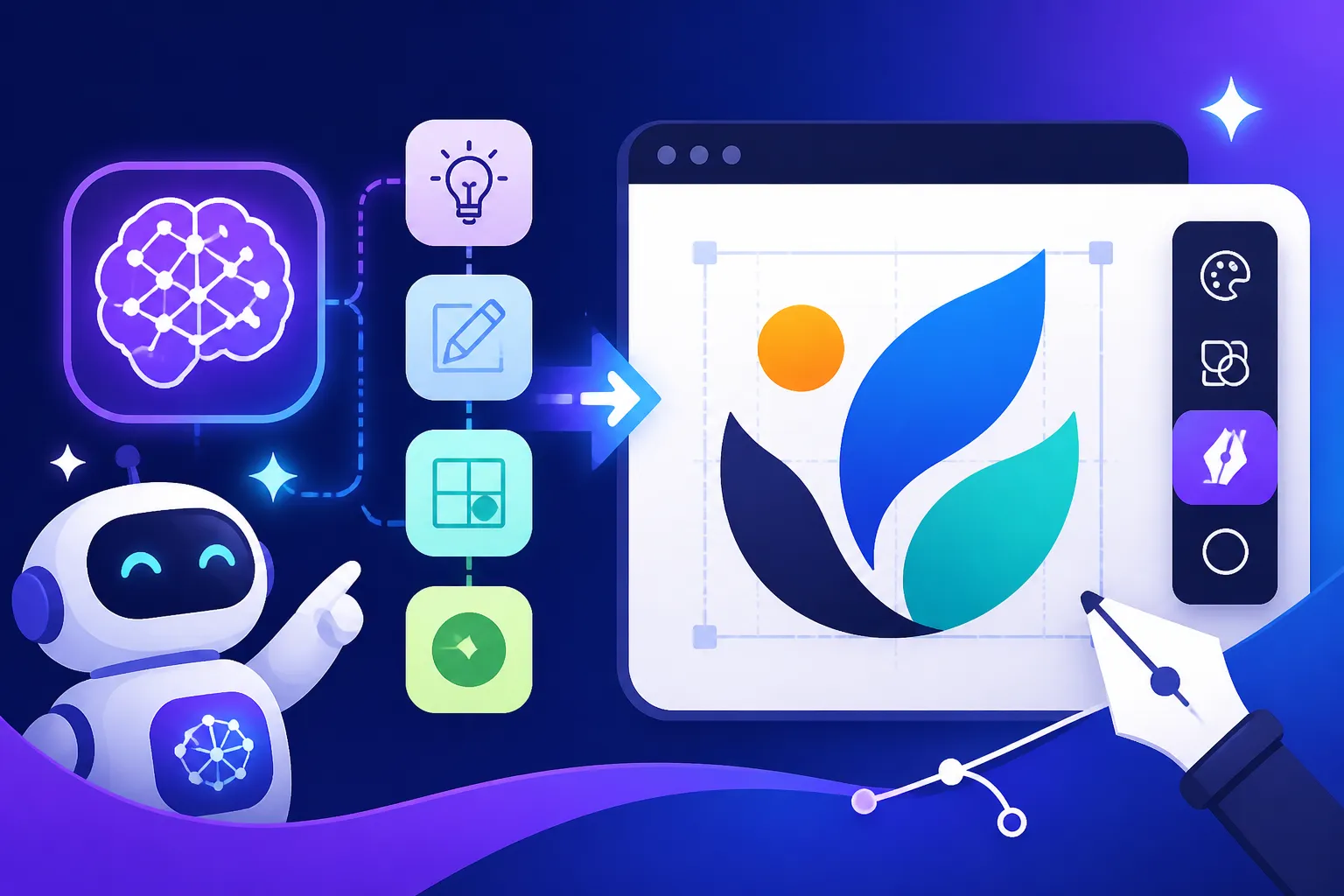
Ready to dive in and unleash your inner designer with AI? Let's break down the process into manageable steps. This isn't just about typing a few words; it's about thoughtful preparation and iterative refinement to get a logo that truly resonates.
Step 1: Define Your Brand Identity Before You Prompt
Before you even open an AI tool, you need to understand what your logo needs to represent. This foundational work is critical and will save you hours of aimless prompting. Think of it like building a house – you don't just start laying bricks; you need a blueprint.
First, clarify your brand's core values. What does your brand stand for? Is it innovation, tradition, playfulness, trustworthiness, luxury, or affordability? For example, if you're a sustainable fashion brand, your values might be eco-consciousness, elegance, and ethical production. Next, identify your target audience. Who are you trying to reach? A logo for a Gen Z tech startup will look vastly different from one for a luxury retirement community. Consider their demographics, psychographics, and what aesthetics appeal to them. Finally, think about your brand's personality. Is it bold and edgy, soft and friendly, sophisticated and minimalist, or vibrant and energetic? The answers to these questions will inform every decision you make in the design process, from color palettes to typography choices and overall style.
Once you have a clear picture of your brand, brainstorm keywords that describe these elements. For our sustainable fashion brand, keywords might include "organic," "minimalist," "leaf," "flow," "elegant," "earthy tones," "natural," "abstract," "modern," and "luxury." These keywords will become the building blocks of your AI prompts, guiding the algorithm towards your vision.
Step 2: Choosing the Right AI Tool for Logo Generation
The AI landscape is teeming with options, and not all tools are created equal when it comes to logo design. You'll generally find two main categories: dedicated AI logo makers and general AI image generators. Each has its pros and cons.
Dedicated AI logo makers, such as Looka, Brandmark, or Tailor Brands, are designed specifically for logos. They often guide you through a questionnaire about your brand, industry, and style preferences, then generate a suite of logo options. These tools typically offer easy customization features for fonts, colors, and layouts, and many provide comprehensive branding kits with social media assets and brand guidelines. They're excellent for beginners who want a streamlined experience and often come with commercial licenses built into their pricing.
General AI image generators, like Midjourney, DALL-E, or Stable Diffusion, are far more versatile. They can generate virtually any image you describe, including logos. Their strength lies in their creative freedom and the ability to produce highly artistic or complex designs that dedicated logo makers might struggle with. However, they require more skill in prompt engineering (we'll get to that next!) and typically demand more post-generation editing, like vectorization or cleanup, using external software. For those looking for free options, exploring Best Free AI Image Generators can lead you to powerful tools that offer a great starting point, though they might have limitations on commercial use or resolution.
Here's a quick comparison to help you decide:
| Feature/Tool Type | Dedicated AI Logo Makers | General AI Image Generators |
|---|---|---|
| Ease of Use | Very high, guided process | Moderate to high, requires prompt engineering skill |
| Customization | Excellent, built-in editors for fonts, colors, layout | Limited within the AI; extensive post-processing often needed |
| Output Type | Often vector-ready, full branding kits | Raster images (PNG, JPG); vectorization requires external tools |
| Creative Freedom | Good, but often template-driven | Extremely high, limited only by your imagination and prompting skill |
| Price Point | Often subscription-based, one-time purchase for specific logos | Varies from free tiers to premium subscriptions, per-image costs |
| Commercial Use | Generally clear licensing included | Varies widely; crucial to check terms for each specific platform |
| Best For | Beginners, quick brand kits, straightforward logo needs | Experienced users, unique artistic designs, exploring diverse styles |
For a first-timer, a dedicated AI logo maker might be less intimidating. But if you're comfortable with a bit of a learning curve and want truly unique, stylized results, a general image generator is incredibly powerful. My advice? Start with a dedicated logo maker to get a feel for the process, then experiment with a general tool if you want to push creative boundaries.
Step 3: Crafting Effective Prompts for Your AI Logo
This is where your brand identity keywords come into play. Writing effective prompts is an art form, especially when it comes to logos. It's not just about listing words; it's about structuring them to guide the AI towards your desired outcome. Many people struggle here, just throwing in random adjectives and wondering why the results are chaotic. A good prompt is specific, descriptive, and often includes stylistic cues. If you want a deeper dive, check out our guide on How to Write AI Image Prompts.
Start with the core subject: What is your logo depicting? Is it an icon, a wordmark, a combination mark, or an emblem? Then, layer in your brand keywords: style, color palette, mood, and any specific elements you want to include.
Prompting Formula Idea:[Type of Logo], [Subject/Object], [Key Visual Elements], [Style], [Color Palette], [Mood], [Technical Parameters]
Let's use our sustainable fashion brand example:
- Initial, simple prompt: "Logo for sustainable fashion brand, leaf, minimalist, green colors." (This is okay, but vague).
- Improved prompt: "Minimalist logo for 'Everbloom Threads', abstract leaf motif, flowing lines, organic, earthy tones, muted greens and creams, elegant, clean vector art, no text." (Much better, more descriptive!)
Here's a breakdown of elements to consider for your prompts:
- Type of Logo: "Wordmark," "pictorial mark," "abstract mark," "mascot logo," "emblem logo," "combination mark."
- Subject/Object: "Lion," "mountain," "coffee cup," "abstract swirl," "initials 'E.T.' fused."
- Key Visual Elements: "Geometric shapes," "flowing lines," "sharp edges," "circular," "modern," "vintage texture," "sparkle," "gradient."
- Style: "Minimalist," "geometric," "hand-drawn," "watercolor," "flat design," "3D render," "art deco," "cyberpunk," "retro," "luxury," "futuristic."
- Color Palette: "Earthy tones," "vibrant pastels," "monochrome," "deep blues and golds," "muted greens and creams."
- Mood/Feeling: "Elegant," "playful," "serious," "dynamic," "calm," "energetic."
- Technical Parameters: For advanced users, some tools allow aspect ratios (
--ar 16:9in Midjourney), negative prompts (e.g.,::no photo, text, complex details), or specific rendering engines.
Don't be afraid to experiment! Generate several variations with slightly tweaked prompts. Change one word, add another adjective, or try a different color scheme. You'll be amazed at how much difference a few words can make.
Step 4: Iteration and Refinement of Your AI-Generated Logos
Generating a logo with AI is rarely a one-and-done process. The real power lies in iteration. Once you get your first batch of images, review them critically.
- Identify Promising Directions: Which designs are closest to your vision? Which elements do you love or hate? Select the most promising options to generate variations from. Most AI tools have features to "vary" a specific image or "upscale" it to a higher resolution.
- Refine Your Prompts: If a design is almost there, but not quite, adjust your prompt based on what you see. For example, if the leaf motif isn't abstract enough, add "highly abstract" to your next prompt. If the colors are too bright, specify "muted, desaturated tones." If you want to refine specific details, you might explore tools that offer inpainting features, allowing you to selectively regenerate parts of an image.
- Use Negative Prompts: If you're consistently getting unwanted elements (like extra lines, weird textures, or illegible text), use negative prompts to tell the AI what not to include (e.g.,
::no photo, realistic, busy, cartoon). - Upscale and Clean Up: Once you have a strong contender, upscale it to a high resolution. Even then, AI-generated images, especially complex ones, might have minor imperfections like stray pixels, odd lines, or slight blurriness. You might need to use an external image editor (like Adobe Photoshop or Affinity Photo) for final cleanup or even an AI upscaler like Magnific AI to refine details and boost resolution.
- Vectorization (Crucial for Logos): Most general AI image generators produce raster images (pixel-based, like JPEGs or PNGs). For a logo, you almost always need a vector graphic (scalable without losing quality, like SVG or AI files). If your AI tool doesn't output vectors directly (dedicated logo makers often do), you'll need to convert it. Tools like Adobe Illustrator, Inkscape (free), or online vectorization services (e.g., Vectorizer.AI) can trace your raster image to create a vector version. This step is non-negotiable for professional logo usage, as it ensures your logo looks crisp on everything from a tiny favicon to a giant billboard.
Step 5: Final Touches and Usage Considerations
Once you have your vectorized logo, you're almost ready to go. But there are a few more steps to ensure it's truly ready for primetime.
- Color Variations: Create your logo in a few essential color variations: full color, a single-color version (e.g., black on white, white on black), and perhaps a grayscale version. This ensures versatility across different backgrounds and applications.
- Test on Different Backgrounds: Place your logo on various mockups – a website header, a business card, a T-shirt, a social media profile picture. Does it look good and remain legible? Does it convey the right message? This helps you see how it performs in real-world scenarios.
- Font Pairing (if applicable): If your logo is a pictorial mark or abstract mark and you'll be pairing it with text (like your brand name), carefully choose a font that complements the logo's style. This is a subtle but impactful part of your overall brand identity.
- Favicon and Social Media Icons: Create smaller, optimized versions of your logo for favicons (the tiny icon in browser tabs) and social media profile pictures. Ensure it's still recognizable and clear even at small sizes.
- Brand Guidelines (Optional but Recommended): For long-term consistency, consider creating a simple brand guideline document. This outlines your logo variations, approved colors (with hex/RGB codes), and proper usage, so anyone using your logo knows how to do it correctly. This might seem like overkill for a small project, but it’s invaluable as your brand grows.
Tips for Achieving Professional AI Logo Results
While AI makes logo creation incredibly accessible, getting truly professional, standout results still requires a strategic approach. It's about working with the AI, not just letting it do all the work.
Embrace the Iterative Design Process
Don't expect perfection on the first try. AI is best used as a rapid ideation engine. Think of it like a sketchpad where you can quickly churn out hundreds of ideas. Your job is to curate, guide, and refine. If you're not getting what you want, don't get frustrated; change your prompt. Add more detail, remove conflicting terms, or specify a different artist's style (e.g., "in the style of Saul Bass" for a mid-century modern look). The more you iterate, the closer you'll get to your vision. It's often through this process of seeing what doesn't work that you discover what truly does.
Combine AI with Human Design Principles
AI is a tool, not a substitute for good design. A professional logo, whether AI-assisted or human-made, should adhere to fundamental design principles:
- Simplicity: Is the logo clean and uncluttered? Simple logos are memorable and versatile.
- Memorability: Is it unique enough to stand out and be remembered?
- Versatility: Does it work well across different mediums and sizes?
- Appropriateness: Does it fit your brand's industry and target audience?
- Timelessness: Will it still look good in 5 or 10 years? Avoid overly trendy elements that might quickly become dated.
After generating a range of options, step back and evaluate them against these principles. You might find that an AI-generated logo is aesthetically pleasing but lacks true brand relevance or simplicity. This is where your human eye and understanding of branding come into play. Sometimes, a slight tweak in an external editor can transform a good AI image into a great logo.
Understand the Legalities and Commercial Use
This is perhaps the most critical, and often overlooked, aspect of using AI for commercial projects like logos. The legal landscape around AI-generated content is still evolving, particularly concerning copyright and ownership.
- Check Terms of Service: Every AI image generator has its own terms of service regarding commercial use. Some, like Adobe Firefly, explicitly state that you can use the output commercially and even offer indemnification for copyright claims. Others might have restrictions, require specific subscriptions, or state that the user owns the output, but the AI company retains rights to the underlying model. Always, always read these terms carefully.
- Originality Concerns: Since AI models are trained on vast datasets of existing images, there's always a theoretical risk of generating something too similar to an existing copyrighted work. While dedicated logo makers often aim to produce more generic (and thus less risky) designs, highly artistic outputs from general image generators could potentially infringe if they too closely mimic a copyrighted style or specific element.
- Trademark Search: Regardless of how you create your logo, if you intend to use it for your business, it is essential to conduct a thorough trademark search. This protects you from inadvertently infringing on an existing brand's intellectual property and ensures your logo is legally unique. Consulting with a legal professional specializing in intellectual property is highly recommended for any business serious about its branding.
By taking these steps seriously, you can leverage AI's incredible power to create a logo that is not only visually stunning and cost-effective but also legally sound for your commercial ventures. The journey from idea to impactful brand identity is now more accessible than ever, thanks to AI.
Disclaimer
The information provided in this guide is for general informational purposes only and does not constitute legal or professional advice. The field of AI image generation and its associated legal and commercial implications are rapidly evolving. Always consult the specific terms of service for any AI tool you use and seek legal counsel for advice regarding intellectual property, copyright, and trademark protection for your specific business needs.