How to Create AI Product Photos for Free
Let's be honest, getting high-quality, eye-catching product photos can feel like a massive hurdle, especially when you're a small business owner, a budding entrepreneur, or a creator on a shoestring budget. The cost of professional photography, studio rentals, props, and even the time investment can quickly become overwhelming, leaving many to compromise on their visuals. But what if you could bypass those traditional expenses and still produce stunning product imagery that truly stands out? This comprehensive guide will walk you through exactly how to create AI product photos for free, empowering you to elevate your brand's visual presence without breaking the bank.
The Game-Changer: Why Free AI Product Photos Matter for Small Businesses
For years, the visual appeal of a product was directly tied to the budget available for photography. Glossy, professional images were often the exclusive domain of larger brands, leaving smaller players to struggle with less-than-ideal photos taken on phones or with basic equipment. This imbalance made it harder for unique, quality products from independent creators to get the attention they deserved in a crowded marketplace.
Overcoming Traditional Photography Hurdles
Think about the typical challenges involved in traditional product photography. First, there's the sheer financial outlay. Hiring a photographer can run into hundreds, if not thousands, of dollars for a single photoshoot. Then, you have to consider the logistics: finding the right location or studio, sourcing props, styling the shots, managing lighting, and coordinating schedules. It's a time-consuming process that often requires a specific skill set and expensive equipment – cameras, lenses, lighting kits, backdrops. Many small business owners simply don't have the luxury of dedicating a significant portion of their budget or time to this, even though they understand its critical importance for sales and brand perception.
Furthermore, traditional photography can be inflexible. If you launch a new product, decide to change your branding aesthetic, or want seasonal variations, you're back to square one, repeating the entire costly and time-consuming process. This creates a bottleneck for agile businesses that need to adapt quickly to market trends or simply want to experiment with different visual campaigns. The inability to rapidly produce diverse product imagery often means missed opportunities to connect with various customer segments or test different marketing angles effectively.
Empowering Small Businesses and Solopreneurs
This is precisely where free AI image generators step in as a true game-changer. They democratize access to high-quality visuals, leveling the playing field for everyone. Imagine being able to generate dozens of unique product photos in minutes, testing out different backdrops, lighting scenarios, and styles, all without paying a dime for a photographer or studio time. For a solopreneur running an Etsy shop, a blogger selling digital products, or a small e-commerce store owner, this capability is revolutionary.
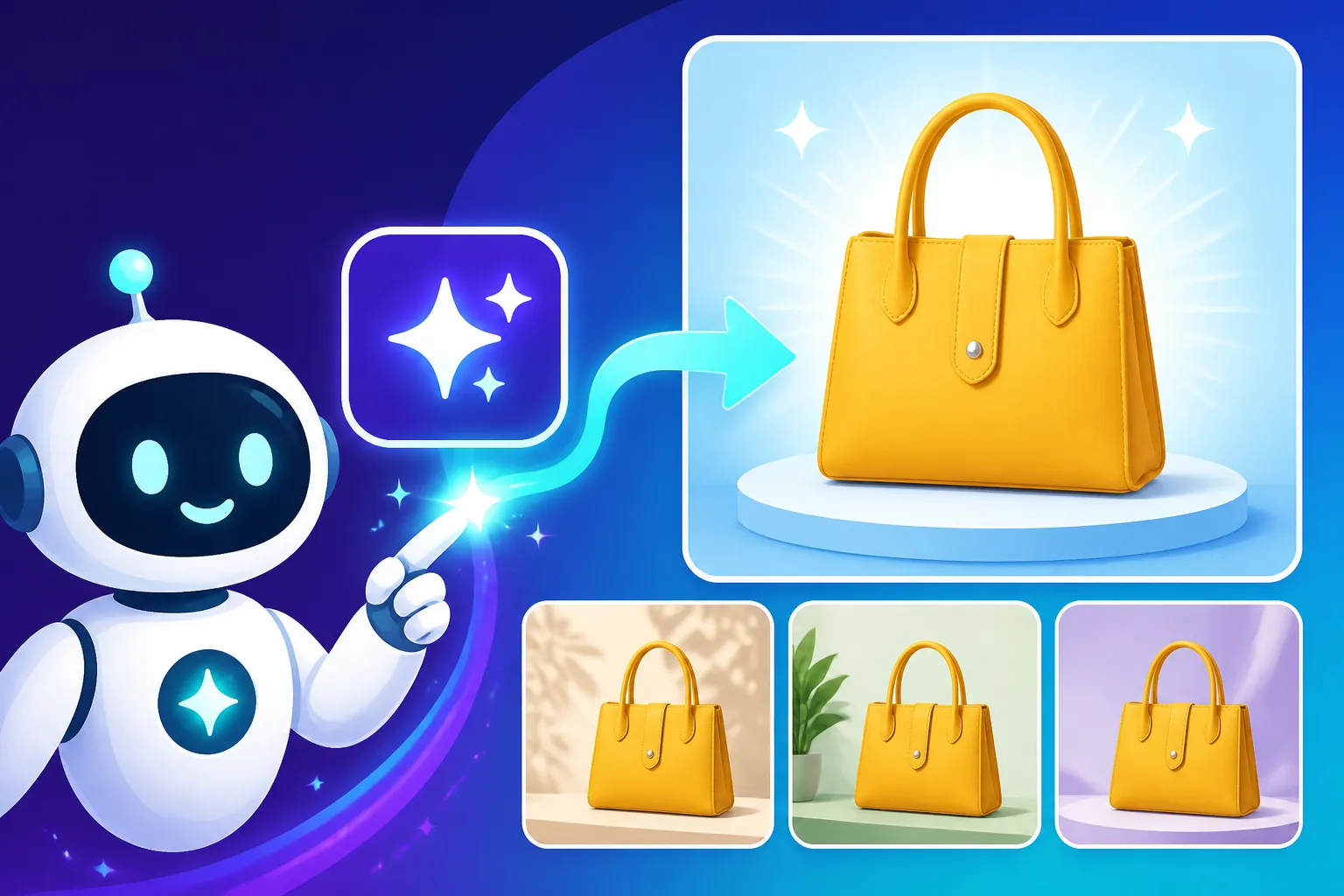
AI tools allow you to quickly mock up a product in various settings – from a minimalist studio shot to a cozy home environment or a vibrant outdoor scene. This means you can create compelling visuals for your website, social media, advertising campaigns, and even mockups for potential products before they're even manufactured. It means less stress about budget constraints and more freedom to be creative, iterate rapidly, and respond to your audience's preferences. It’s about giving every passionate entrepreneur the visual tools they need to present their creations in the best possible light, ensuring their product's quality shines through, regardless of their financial resources.
Getting Started with Free AI Image Generators for Product Photos
The first step in leveraging the power of AI for your product photography is understanding which tools are available for free and how to best utilize them. The landscape of AI image generation is evolving rapidly, with new tools emerging and existing ones improving constantly.
Choosing Your Free AI Tool
While many powerful AI image generators come with a subscription fee, several excellent options offer robust free tiers that are more than capable of generating fantastic product photos. When looking for the "Best Free AI Image Generators" for product photography, you'll want to consider a few key aspects: the quality of realism, control over details, and ease of use.
-
Bing Image Creator (powered by DALL-E 3): This is often a go-to for many beginners because it's integrated directly into Microsoft services and is incredibly user-friendly. Its underlying model, DALL-E 3, is known for its strong understanding of complex prompts and ability to generate relatively realistic images. You get a set number of "boosts" daily for faster generation, but you can continue generating at a slower pace even after they run out. It excels at interpreting nuanced requests for backgrounds, styles, and lighting. You might find its ability to integrate text within images still somewhat hit-or-miss, but for pure product visuals, it's a solid contender. You can read more about "Is Bing Image Creator Really Free: What to Know" to understand its limits.
-
Ideogram: This tool has gained significant popularity for its exceptional ability to render text within images, which is often a major pain point for other AI generators. If your product photos require labels, packaging details, or even a brand slogan integrated seamlessly into the scene, Ideogram can be a lifesaver. Its free tier offers a generous amount of daily generations, and its recent updates have significantly improved its overall image quality and photorealism, making it viable for product shots that need a touch of embedded typography. Check out "Ideogram Free Tier Explained" for more details on its allowances.
-
Playground AI: For those who like a bit more control and editing capabilities within the same platform, Playground AI is an excellent free choice. It offers a very generous free tier with a high daily generation limit and includes features like inpainting and outpainting, which can be incredibly useful for refining your product shots. You can easily remove unwanted elements, extend backgrounds, or make subtle adjustments directly in the browser. It allows you to choose from different base models, including Stable Diffusion, giving you flexibility in terms of style and realism. This platform is fantastic if you want to generate images and then tweak them without jumping to a separate photo editor.
When selecting your tool, consider what kind of product photos you need. If realism is paramount and text isn't a factor, Bing Image Creator or Playground AI might be your best bet. If you absolutely need crisp, integrated text, Ideogram will be your champion. Many creators find success by using a combination of these free tools to leverage their individual strengths.
Crafting Effective Prompts for Product Shots
The secret sauce to getting great AI product photos isn't just the tool; it's the prompt you give it. Think of your prompt as a detailed script for a photographer, telling them exactly what you want in the shot. A vague prompt will yield vague results, while a well-structured prompt will guide the AI to produce precisely what you envision. When learning "How to Write AI Image Prompts," remember to be descriptive and break down the image into its core components.
Here’s a breakdown of essential elements for compelling product photo prompts:
-
The Product Itself: Start with a clear, concise description of your product. Be specific about its material, color, and any unique features.
- Example: "A sleek, matte black ceramic coffee mug, minimalist design."
- Bad Example: "Coffee mug."
-
The Setting/Background: Where is your product? What kind of environment do you want it in? This sets the mood and context. Be specific about colors, textures, and elements.
- Example: "Sitting on a polished light oak wood table, a diffused bokeh background of a cozy, sunlit living room with green plants."
- Bad Example: "On a table."
-
Lighting: Lighting is crucial in photography. Specify the type of light, its direction, and its intensity to create a professional look.
- Example: "Soft, warm studio lighting from the side, creating gentle shadows, golden hour light."
- Bad Example: "Bright light."
-
Style/Aesthetic: Do you want a photorealistic image, a flat lay, a stylized render, or something more artistic? Define the overall vibe.
- Example: "Photorealistic, professional product photography, e-commerce quality, clean aesthetic."
- Bad Example: "Cool picture."
-
Camera Angle and Shot Type: How is the product framed? Is it a close-up, a wide shot, a flat lay, or an eye-level shot?
- Example: "Eye-level shot, slight low angle, macro photography, shallow depth of field."
- Bad Example: "Picture of mug."
-
Negative Prompts (Optional but Powerful): Many tools allow you to specify things you don't want to see. This helps avoid common AI pitfalls like distorted features or unwanted elements.
- Example:
--no blur, text, watermark, ugly, blurry, deformed, extra limbs(This syntax varies by tool, e.g., Midjourney uses--no, others just list unwanted items).
- Example:
Putting it all together (Example Prompt):
"Photorealistic product photography of a sleek, matte black ceramic coffee mug, minimalist design, sitting on a polished light oak wood table. In the background, a diffused bokeh of a cozy, sunlit living room with lush green plants. Soft, warm studio lighting from the side, creating gentle shadows, golden hour light, shallow depth of field, eye-level shot, professional e-commerce quality. –no blur, text, watermark, ugly, blurry, deformed"
Experiment with different keywords and phrases. Tools like Bing Image Creator and Ideogram tend to be very good at interpreting natural language, so you can often be quite descriptive. To truly master the craft, consider exploring a detailed "Midjourney Prompt Guide" or "DALL-E Prompt Guide" even if you're using free alternatives, as many principles are transferable.
Step-by-Step Guide to Generating Your First AI Product Photo
Now that you understand the tools and the art of prompting, let's walk through the practical steps to create your first free AI product photo. The exact buttons and interface might differ slightly between tools, but the underlying workflow remains consistent.
Defining Your Product and Aesthetic
Before you even touch an AI tool, take a moment to clearly define what you're trying to achieve. This isn't just about describing your product; it's about envisioning the entire scene and the emotion it should evoke.
-
Understand Your Product's Core Appeal: What makes your product special? Is it its elegant design, its vibrant color, its utility, or the lifestyle it represents? For instance, if you're selling a handmade artisan soap, you might want to emphasize natural ingredients, gentle textures, and a calming, spa-like aesthetic. If it's a high-tech gadget, you might lean towards a sleek, futuristic, or professional environment.
-
Identify Your Target Audience and Brand Vibe: Who are you selling to? What kind of visuals resonate with them? Are they drawn to minimalist, clean aesthetics, or do they prefer warm, rustic, and cozy scenes? Consistent visuals help build a strong brand identity. If your brand is all about sustainability, your product photos should reflect that with natural materials, earthy tones, or outdoor settings.
-
Gather Visual Inspiration: Look at successful e-commerce sites, Pinterest boards, or even magazines. Save images that capture the mood, lighting, or composition you like. This will give you concrete ideas for your prompts. For example, you might see a beautiful flat lay of a skincare product with delicate flowers and soft diffused light, and think, "Yes, that's the feel I want for my organic hand cream." This step is crucial for how to "How to Use AI Image Generators for Product Photography" effectively.
By doing this groundwork, you're not just throwing words at an AI; you're consciously designing the visual narrative for your product. This clarity will make your prompt writing far more effective and save you countless iterations.
Iterating and Refining Your Images
Once you have your well-crafted prompt, it's time to generate. But rarely does the first attempt yield a perfect image. The magic of AI lies in its iterative nature.
-
Initial Generation: Enter your detailed prompt into your chosen free AI tool (e.g., Bing Image Creator, Ideogram, or Playground AI). Most tools will generate several variations (usually 2-4) based on your prompt.
-
Analyze the Results: Look closely at the generated images.
- Do they capture the essence of your product?
- Is the background as you imagined?
- Is the lighting correct?
- Are there any distortions or strange artifacts (e.g., weird textures, misplaced elements)?
- Does the product itself look realistic and appealing? For instance, if you asked for a "sleek, silver smartwatch," does it look like a watch, or something abstract?
-
Tweak Your Prompt: This is the most crucial step in refinement. Based on your analysis, modify your prompt.
- If the image is too far off: You might need to add more detail to your product description or try a different core style. Perhaps "vintage aesthetic" was too broad, and you need "1950s retro diner aesthetic."
- If elements are missing: Explicitly add them. If you wanted a wooden surface but got marble, change "wooden surface" to "rich mahogany wood surface."
- If something is undesirable: Add it to your negative prompt list. If you keep getting blurry backgrounds when you wanted sharp details, add
--no blurto your prompt. - Experiment with variations: Change one parameter at a time. For example, if you love the product but not the lighting, try regenerating only with different lighting descriptions. Use phrases like "dramatic backlighting," "soft ambient light," or "harsh overhead light."
- You can also explore using reference images if your chosen tool supports it. For example, if you have a specific photo of a product that you want to put in a new AI-generated scene, some tools allow you to upload that product image as part of your prompt, helping the AI understand its shape and appearance. This is a great technique for "How to Create Consistent AI Product Shots."
-
Repeat and Refine: Keep generating and tweaking until you get a result you're happy with. It might take several tries, but each iteration teaches you more about how the AI interprets your words. Don't be afraid to make radical changes to your prompt if you're not getting close to your vision. The goal is to produce "Best AI Image Generator for Product Photography" results.
Optimizing Your Free AI Product Photos for E-commerce
Generating the image is only half the battle. To make your AI-generated product photos truly shine on your e-commerce platform, you need to ensure they meet quality standards and serve their purpose effectively.
Enhancing Quality and Consistency
Even with free tools, you can achieve professional-grade results with a little post-processing and a focus on consistency.
-
Upscaling for Higher Resolution: Many free AI tools generate images at a decent resolution, but sometimes for print or very detailed product zoom functions, you might need something higher.
- Look for built-in upscaling features within your chosen AI tool (e.g., Playground AI often has options).
- If your AI tool doesn't have it, there are many free online AI upscalers available (e.g., Upscale.media, BigJPG) that can enhance the resolution without significant loss of detail. This is crucial when you want to "Upscale AI Images to 4K" for larger displays or print.
- Always check the licensing of free upscaling tools to ensure they're suitable for commercial use if you plan to use your images for selling.
-
Basic Image Editing and Touch-ups: A quick pass through a free photo editor (like GIMP, Photopea, or even Canva's free tier) can make a world of difference.
- Crop and Straighten: Ensure your product is perfectly centered and the image lines are straight.
- Color Correction: Adjust brightness, contrast, and saturation to make your product pop and ensure colors are true to life. Avoid over-editing, as it can make the image look artificial.
- Remove Imperfections: AI images, especially from free tiers, can sometimes have minor glitches or artifacts. Use basic healing or cloning tools to subtly remove them.
- Background Removal/Change: If the AI-generated background isn't quite right, you can use a free background removal tool (e.g., Remove.bg) and then add a clean, solid color background or a different AI-generated one. This helps achieve a consistent look across all your products, which is vital for professional presentation. This ties into "How to Make AI Product Mockups" seamlessly.
-
Maintaining Brand Consistency: Your product photos should visually align with your brand's overall aesthetic.
- Style Guide: Develop a simple style guide for your AI prompts. Decide on preferred lighting (e.g., bright and airy, moody and dramatic), backgrounds (e.g., minimalist, natural wood, urban), and overall mood.
- Consistent Elements: If you're using props or contextual elements, try to keep them consistent across different product lines or variations. This builds brand recognition and a cohesive online storefront.
- This attention to detail helps create a professional and trustworthy impression, guiding your customers through a visually harmonious shopping experience.
Practical Applications for Online Stores
Once you have your polished AI product photos, the possibilities for their application are vast and impactful for your online business.
-
Product Pages: This is the most obvious and critical use. High-quality, varied product photos can significantly increase conversion rates. Show your product from different angles, in different contexts, and highlight key features. Use a mix of clean studio shots and lifestyle images created with AI.
-
Social Media Marketing: AI images are perfect for creating engaging content for Instagram, Facebook, Pinterest, and other platforms. You can generate themed images for holidays, promotional campaigns, or even use them for interactive polls and stories. Imagine a product shown in various dream vacation spots for a travel-themed campaign, all generated in minutes! They're also excellent for "How to Make AI Social Media Graphics" quickly and efficiently.
-
Advertising Campaigns: Run A/B tests with different AI-generated ad creatives to see which visuals resonate best with your audience. You can quickly generate multiple versions of an ad image featuring different models, settings, or color schemes without the cost of a full photoshoot. This allows for rapid iteration and optimization of your marketing spend.
-
Website Banners and Hero Images: Create stunning hero images or banner ads for your website that immediately capture attention and convey your brand's message. AI can help you visualize concepts that might be difficult or expensive to shoot traditionally, like an abstract representation of your product's benefit.
-
Email Marketing: Enhance your email newsletters with visually rich product showcases or lifestyle imagery, making your campaigns more engaging and less likely to be ignored.
-
Blog Posts and Content Marketing: Illustrate your blog posts about your products, industry trends, or how-to guides with unique, AI-generated images that complement your text and improve reader engagement. Many content creators use these for "How to Use AI Image Generators for Blog Images".
By strategically integrating these free AI-generated product photos across your digital presence, you not only save money but also unlock unprecedented creative freedom and agility, allowing your products to consistently look their absolute best.
Free AI Image Generator Comparison for Product Photography
Here's a quick look at some popular free AI image generators and their key strengths for creating product photos:
| AI Tool | Primary Strength for Product Photos | Free Tier Limits / Notes | Commercial Use? | Ideal Use Case |
|---|---|---|---|---|
| Bing Image Creator | Understanding complex prompts, good realism, diverse styles. | Daily "boosts" for faster generation, then slower generation. Requires Microsoft account. | Yes, generally allowed for commercial use by Microsoft (check latest terms, but usually covered under Microsoft Services Agreement for personal, non-commercial use, and DALL-E 3 usage rights generally allow commercial use as long as content policy is followed). | High-quality, varied lifestyle product shots without specific text. |
| Ideogram | Exceptional text rendering, creative typography integration. | Generous daily credits for free. Offers various aspect ratios and styles. | Yes, generally allowed based on their free tier terms (always confirm latest policy). | Product packaging mockups, labels, integrated slogans, branded graphics. |
| Playground AI | Extensive control, in-platform editing (inpainting/outpainting), high daily limits. | Very generous daily image generations. Access to multiple models (e.g., Stable Diffusion). | Yes, often explicitly allows commercial use with their free plans (verify current terms). | Refining images, adding/removing elements, iterative design, consistent styles. |
| Stable Diffusion | Ultimate customization (if self-hosted), strong community, various models/LoRAs. | Free online demos/interfaces exist (e.g., Hugging Face Spaces), but local installation requires computing power. | Yes, open-source license often permits commercial use, but specific models/checkpoints may have their own licenses. | Users with technical knowledge seeking maximum control, specific artistic styles, advanced editing. |
| Canva AI | Integrated into design workflow, easy for quick graphics, simple interface. | Limited free generations per day, part of Canva's broader design suite. | Yes, if used within Canva's commercial license terms for your created designs. | Quick social media product graphics, adding AI images to existing designs. |
Always double-check the latest terms of service and licensing agreements for each platform, as policies can change.
Disclaimer
The information provided in this guide is for general informational purposes only and does not constitute professional advice. While AI image generation tools can be incredibly helpful, it's essential to understand their limitations and continuously verify their terms of service, especially concerning commercial use and copyright. The capabilities and free offerings of AI tools are subject to change without notice. Always exercise due diligence and consult with relevant experts for specific legal or business advice.