AI Images for Etsy Sellers
As an Etsy seller, you know the daily grind: crafting beautiful products, managing orders, and, perhaps most dauntingly, creating captivating visuals that stand out in a crowded marketplace. The struggle to produce consistent, high-quality product photos, engaging lifestyle shots, and unique marketing graphics can be a massive time and money sink. This comprehensive guide is here to demystify how AI image tools can revolutionize your visual content strategy, saving you precious resources while elevating your brand's aesthetic.
The Pressing Need for Stellar Visuals on Etsy
Let's be real, the visual appeal of your Etsy shop is often the very first thing a potential customer notices. In a digital storefront where touch and feel aren't possible, your images do all the heavy lifting, speaking volumes about the quality, craftsmanship, and uniqueness of your products. Skimping on this area is like trying to sell gourmet coffee in a plain paper cup—the quality might be there, but the presentation just doesn't compel buyers to take a closer look, let alone make a purchase.
Why High-Quality Product Photography is Non-Negotiable
Think about your own shopping habits. When you browse Etsy, what makes you click on one listing over another? More often than not, it's that crisp, clear, beautifully styled image that catches your eye. A poorly lit, blurry, or inconsistent photo doesn't just look unprofessional; it actively erodes trust. Buyers subconsciously equate poor presentation with poor product quality, even if it's completely untrue. They need to see your item from multiple angles, understand its scale, and imagine it in their own lives. This means having a range of product shots: clean white background images, detailed close-ups, and aspirational lifestyle photos.
The visual standard on Etsy has risen dramatically over the years. What might have passed as acceptable a few years ago now looks dated and unprofessional. Sellers are increasingly sophisticated in their presentation, using professional photographers or investing heavily in their own studio setups. This creates a challenging environment where your visuals need to not only be good but truly exceptional to compete. Without them, your beautifully handmade jewelry, custom artwork, or unique home decor items might get overlooked, no matter how fantastic they are in person.
The Hidden Costs of Traditional Photo Shoots
For many small business owners and crafters on Etsy, traditional product photography is a monumental hurdle. It's not just the sticker shock of hiring a professional photographer, which can easily run into hundreds or even thousands of dollars per shoot, depending on the number of products and complexity. There are also significant hidden costs and time commitments. Consider the hours spent styling your products, sourcing props, finding suitable locations, and coordinating schedules. Then there's the post-production editing, which can be an entire job in itself, perfecting colors, removing blemishes, and ensuring consistency across all your listings.
If you decide to go the DIY route, you're looking at investments in equipment: a good camera, lighting kits, backdrops, and editing software. Then comes the steep learning curve of mastering photography techniques, lighting principles, and advanced photo editing. This is time that could be spent creating new products, marketing your shop, or engaging with customers. The sheer mental load and physical effort involved in traditional photography can be exhausting, especially when you're a one-person show trying to manage every aspect of your business. This is where the allure of AI image generation truly shines, offering a way to bypass many of these traditional burdens.
Understanding AI Image Generation for Etsy Products
The world of artificial intelligence has gifted us some truly remarkable tools, and AI image generation is certainly one of them. For Etsy sellers, this technology isn't just a novelty; it's a game-changer that can democratize access to high-quality visual content. Instead of expensive cameras or elaborate studios, you're leveraging powerful algorithms to conjure images from text descriptions or even transform existing photos.
How AI Tools Can Transform Your Product Visuals
Imagine needing a lifestyle shot of your handmade ceramic mug on a cozy kitchen counter bathed in morning light, or a detailed close-up of the intricate stitching on your custom leather wallet. Traditionally, these would require precise staging, lighting, and a skilled photographer. With AI, you can describe that scene in a text prompt, and the AI will generate multiple variations for you. This allows for unparalleled flexibility and creativity. You can experiment with different backgrounds, lighting conditions, and even product placements without ever leaving your workshop.
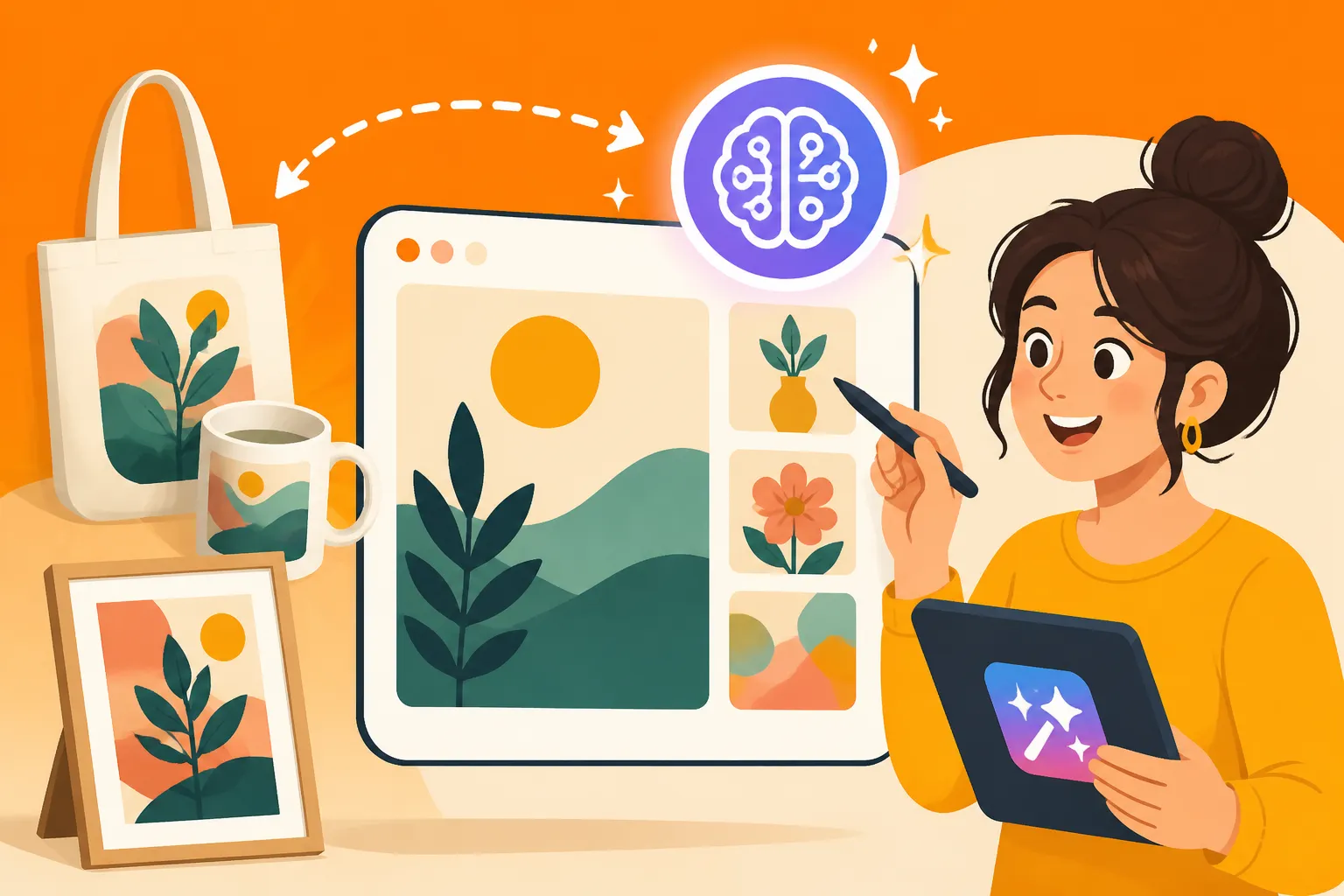
AI tools are particularly adept at generating mockups and staging products within various environments. This means if you sell digital prints, you can instantly see them framed in a minimalist living room or a child's bedroom. If you sell custom t-shirts, you can display them on diverse models without the need for a physical shoot. The ability to quickly iterate and generate a wide array of visual options for your listings means you can test what resonates most with your audience, potentially leading to increased engagement and sales. This is a massive leap forward for accessibility, allowing sellers to compete visually with much larger brands.
Key AI Image Generation Concepts for Sellers
To effectively use AI for your Etsy shop, understanding a few core concepts will be incredibly helpful. Firstly, there's the idea of prompts. This is the text you feed into the AI tool, describing the image you want to create. The more detailed and specific your prompt, the better your results. Think of it like giving instructions to a very literal artist. You might describe the subject, style, colors, lighting, and composition. Learning to write effective AI Image Prompts is a skill in itself!
Secondly, many AI tools utilize models or styles. These are pre-trained datasets that influence the aesthetic of the generated image. Some models excel at photorealism, others at producing painterly or cartoonish styles. Experimenting with different models can drastically alter the output, so it's worth exploring. Thirdly, negative prompts are crucial. These tell the AI what you don't want to see in your image (e.g., "ugly, deformed, blurry, low quality"). This helps refine the output and avoid common AI artifacts like distorted hands or strange textures. Finally, concepts like inpainting (editing specific areas of an image) and upscaling (increasing image resolution) are powerful tools for refining and preparing your AI-generated visuals for your Etsy listings. You can even read guides on how to Upscale AI Images to learn more.
| Concept | Description | Etsy Seller Application |
|---|---|---|
| Prompting | Detailed text descriptions that guide the AI in generating images. | Describing desired product shots (e.g., "handmade silver necklace, close-up, natural light, bokeh background, elegant, on a wooden display"). |
| Models/Styles | Pre-trained datasets influencing the aesthetic (photorealistic, artistic, cinematic, etc.). | Choosing a photorealism model for product photography or an artistic model for promotional banners. |
| Negative Prompts | Specifying elements to exclude from the generated image. | Ensuring product images are "no blurry edges, no distorted shadows, no strange artifacts" to maintain professionalism. |
| Inpainting/Outpainting | Editing specific parts of an image or extending its borders. | Fixing a small flaw in an AI-generated mockup, adding more background space for text, or subtly changing a product's color. |
| Upscaling | Increasing the resolution of a generated image without losing quality. | Preparing AI-generated images for high-resolution Etsy listings or for printing on promotional materials. |
| Iterative Generation | Generating multiple variations based on a prompt, then refining or blending them. | Creating many different lifestyle scenarios for a single product, then selecting the best ones or combining elements from several. |
Practical Applications for Etsy Sellers
AI image generators aren't just for creating fanciful art; they have incredibly practical, tangible applications that can directly benefit your Etsy business. From staging your products to designing compelling marketing materials, these tools can streamline your workflow and elevate your shop's aesthetic without breaking the bank.
Generating Mockups and Lifestyle Shots
This is arguably one of the biggest wins for Etsy sellers. How often do you wish you had professional lifestyle shots of your products but lack the budget, models, or perfect setting? AI can fill that gap beautifully. Imagine you sell handcrafted candles. Instead of staging a shoot, you can generate an image of your candle glowing warmly on a rustic coffee table in a minimalist living room, complete with a cozy throw blanket and a good book. If you sell digital wall art, AI can place your designs seamlessly into various interior settings – from a modern gallery wall to a boho bedroom. This helps potential buyers visualize your product in their own space, making it far more appealing.
You can also use AI to create specific mockups. Selling t-shirts? Generate your design on a diverse range of models, in different poses, and wearing various outfits. This not only makes your listings more engaging but also appeals to a broader audience. For jewelry sellers, AI can create elegant hand models showcasing your rings or necklaces, complete with flattering lighting and backgrounds. The possibilities are vast, allowing you to create an entire library of diverse, high-quality lifestyle and mockup images for every product without the logistical nightmare of traditional photoshoots. It's a fantastic way to enhance your product photography without needing a studio.
Creating Consistent Branding Elements
A strong brand identity is crucial for standing out on Etsy. This means having a cohesive visual language across your shop banner, listing photos, social media posts, and packaging inserts. AI image generators can be invaluable in maintaining this consistency. You can use them to create background textures or patterns that align with your brand's aesthetic. For example, if your brand is earthy and natural, you can generate images of distressed wood, soft linen, or botanical elements to use as backdrops or overlay textures for your product photos.
Beyond backgrounds, AI can help design unique brand accents. Need a custom icon for your shop's "About" section? Or perhaps a small, elegant graphic to include on your thank-you notes? AI can generate these quickly, ensuring they match your established color palette and style. This level of visual cohesion builds trust and makes your shop feel more professional and memorable. It ensures that every touchpoint a customer has with your brand reinforces your unique identity, from their first click on a listing to the unboxing experience. You could even use it to generate ideas for logos, though it's important to refine them with traditional design tools for crispness and scalability. For those interested in this aspect, exploring articles like How to Use AI Image Generators for Logos can provide deeper insights.
Crafting Eye-Catching Promotional Graphics
Etsy isn't just about listing products; it's about promoting them. Social media, email newsletters, and even Etsy's own ad platform require constant infusions of fresh, engaging visual content. This is another area where AI image generation shines. You can quickly whip up compelling graphics for your Instagram stories, Pinterest pins, or Facebook ads. Imagine promoting a new line of jewelry with a stunning AI-generated image of a model wearing your pieces in a high-fashion, ethereal setting, or creating a seasonal sale graphic featuring your products nestled amongst autumn leaves or festive holiday decor.
The speed at which you can generate these graphics is a huge advantage. Instead of spending hours designing a single promotional image, you can create multiple variations in minutes, allowing you to A/B test different visuals to see what performs best. This iterative process is a marketer's dream, providing valuable insights into your audience's preferences without a hefty time investment. From holiday promotions to flash sales announcements, AI can ensure your marketing efforts are always visually fresh and highly engaging. If you're looking to elevate your social media presence, you might want to learn How to Use AI Image Generators for Social Media Graphics.
Step-by-Step Guide to Integrating AI into Your Etsy Workflow
Diving into AI image generation might seem a bit daunting at first, but with a structured approach, you can seamlessly integrate these powerful tools into your existing Etsy workflow. It’s all about learning the ropes, experimenting, and refining your process to get the best results for your unique products.
Crafting Effective Prompts for Etsy-Specific Needs
The magic of AI image generation truly begins with your prompt. Think of it as telling a highly imaginative, yet very literal, artist exactly what you want. For Etsy sellers, this means being incredibly specific about your product, its features, the desired environment, and the overall mood. Don't just say "a candle." Instead, try "a handcrafted soy candle with a wooden wick, amber glass jar, minimalist label, glowing warmly on a reclaimed wood coffee table, soft natural morning light from a window, cozy hygge aesthetic, highly detailed, photorealistic." Adding details like lighting, style, and keywords that evoke specific feelings can dramatically improve your results.
Experiment with different keywords and phrases. Use descriptive adjectives for texture, color, and material. Specify camera angles (e.g., "overhead shot," "eye-level," "extreme close-up") and composition (e.g., "rule of thirds," "centered"). Don't forget negative prompts to filter out undesirable elements like "blurry, distorted, ugly, extra fingers" if you're generating models. Many AI tools allow you to iterate on prompts, taking an initial generation and refining it with more details or by adjusting parameters. This is where patience and practice pay off. To master this, a deep dive into How to Write AI Image Prompts can be incredibly beneficial.
Editing and Refining AI-Generated Images
While AI can produce impressive initial generations, they often require a little human touch to truly shine and be ready for your Etsy shop. This is where your existing photo editing skills (or new ones you'll acquire) come into play. Common tasks include cropping the image for optimal composition, adjusting brightness and contrast, fine-tuning colors to match your product's true hues, and sharpening details. Many AI tools now offer built-in editing features, like inpainting (to remove or change small elements) or outpainting (to extend the canvas), which can be incredibly useful.
For example, if your AI-generated lifestyle shot has a background element that's slightly off or a shadow that's too harsh, you can use inpainting to correct it. If you need more space around your product for text overlays (like a sale banner), outpainting can seamlessly expand the image. You might also want to add your shop's watermark or logo to the finished image. The goal is to make the AI-generated image indistinguishable from a professionally shot photograph, ensuring it perfectly complements your brand and meets Etsy's quality standards. For those curious about making tweaks, exploring How to Edit AI Images with Inpainting is a great starting point.
Ensuring Commercial Viability and Copyright Compliance
This is a critical, yet often overlooked, aspect when using AI-generated images for your Etsy business. The question of who owns the copyright to AI-generated art is complex and evolving, varying based on the specific AI tool used and the jurisdiction. Most major AI image generators, however, offer commercial use rights for images created on their paid plans. Always, and I mean always, read the terms of service for the specific AI tool you are using. This will clarify whether you can legally use the generated images for commercial purposes, like selling products on Etsy, and if there are any attribution requirements.
Furthermore, be mindful of using prompts that could generate images infringing on existing copyrights or trademarks. For instance, prompting for "Mickey Mouse" will likely generate copyrighted material. Focus on generic descriptions and original concepts. If you're incorporating your own photographs as source material for AI transformations, ensure you own the rights to those original photos. It's about being informed and responsible to protect your business. For comprehensive advice on this topic, reading up on How to Use AI Images Without Copyright Issues is highly recommended, as is understanding How to Make AI Images Commercially Safe.
Challenges and Considerations for Etsy Sellers Using AI
While AI image generation offers incredible opportunities, it's not a magic bullet without its own set of challenges. As an Etsy seller, navigating these considerations will be key to successfully integrating AI into your workflow without compromising your brand or your bottom line.
Maintaining Authenticity and Brand Voice
One of the most significant concerns for Etsy sellers, especially those who pride themselves on handmade, unique items, is maintaining authenticity. There's a fine line between using AI as a tool to enhance your presentation and relying on it so heavily that your shop loses its genuine, personal touch. Customers often come to Etsy specifically seeking handcrafted items and the story behind them. If your product photos look too polished, too generic, or too "AI," you might inadvertently alienate your target audience. The goal isn't to replace your authentic product with an AI facsimile, but to present your actual product in the best possible light.
This means being deliberate in your use of AI. Perhaps you use it for creating diverse lifestyle mockups, but still include at least one or two photos of your actual hand in the frame, or a shot of your workspace, to reinforce the handmade aspect. Your brand voice, often conveyed through your product descriptions and "About" page, also needs to remain consistent with your AI-generated visuals. If your brand is quirky and whimsical, make sure your AI images reflect that, rather than defaulting to a generic, corporate aesthetic. It's a balance of leveraging technology while staying true to what makes your Etsy shop special.
The Evolving Landscape of AI Tools and Ethics
The field of AI is moving at an astonishing pace. New tools, features, and ethical guidelines are emerging constantly. What's considered best practice today might be outdated tomorrow. This means continuous learning is essential. Keeping up with updates from tools you use, understanding changes in commercial licensing, and staying informed about broader ethical discussions around AI art will be important. For instance, the debate around AI-generated art's impact on human artists is ongoing, and as a seller, being aware of these conversations can inform your own practices.
There are also evolving discussions about transparency. Some argue that AI-generated images should be disclosed as such, while others believe that if the image serves its purpose and doesn't mislead, such disclosure isn't necessary. For Etsy sellers, this could mean considering how you present your images. While you don't need to shout "AI-generated!" in every listing, being honest if asked, or subtly noting that lifestyle shots are "digital mockups," can help build trust. The landscape is still murky, but staying informed allows you to make conscious decisions that align with your brand values and ethical stance.
Overcoming the "AI Look" and Achieving Uniqueness
Despite rapid advancements, many AI-generated images can still have a certain "look" that some people instantly recognize—a hyper-smooth quality, a subtle uncanny valley effect, or a lack of genuine imperfection that gives human art its character. For an Etsy shop, where uniqueness and handcrafted quality are paramount, this "AI look" can be detrimental. The challenge is to make your AI-generated images not just good, but distinctive and reflective of your specific brand aesthetic.
This involves careful prompt engineering, as discussed earlier, but also post-processing. A little bit of manual editing, adding subtle textures, a unique color grade, or even a slight imperfection can help break that generic AI veneer. Experiment with blending AI elements with your own photos. Perhaps you generate a beautiful background and then meticulously composite your actual product photo into it. The key is to treat AI as a powerful assistant, not a replacement for your creative vision. The goal is to craft images that are so compelling and unique that they don't scream "AI," but rather "professional, intentional, and high-quality." After all, the Best AI Image Generator for Quality will only get you so far without a human touch.
Future-Proofing Your Etsy Shop with AI
The integration of AI image tools isn't just about solving immediate visual content problems; it's about setting your Etsy shop up for long-term success and adaptability in an increasingly digital and visually driven marketplace. Embracing these technologies now can give you a significant competitive edge.
Scaling Your Product Line with AI Visuals
One of the most exciting prospects of AI for Etsy sellers is the ability to scale your product line with unprecedented efficiency. Imagine you're expanding your handmade jewelry collection from rings to necklaces and bracelets. Each new product traditionally requires a full photography session, which can be a bottleneck for growth. With AI, once you've established your preferred visual style and prompting techniques, generating new product mockups and lifestyle shots becomes a much faster, more predictable process. You can create a consistent visual language across hundreds of listings without the corresponding astronomical cost or time investment.
This capability is particularly beneficial for sellers who offer a wide variety of similar products, like digital prints, stickers, or custom apparel. You can quickly generate endless variations of your designs in different settings, on different models, or with diverse background elements, all while maintaining a cohesive brand identity. This frees up your time to focus on what you do best: creating more unique products. The ability to churn out high-quality visuals for new items rapidly means you can react faster to trends, launch new collections more frequently, and test new product ideas without a huge upfront photography investment, ultimately allowing your business to grow more dynamically.
Personalization and Custom Orders through AI Mockups
Etsy thrives on personalization and custom orders. Customers love the idea of something made just for them. AI can enhance this aspect of your business by providing quick, high-quality mockups of custom orders before they're even made. Imagine a customer orders a custom-engraved wooden sign. Instead of just sending a text description or a crude sketch, you could generate an AI mockup of their personalized sign, complete with their chosen text and font, beautifully staged in a home environment. This tangible preview can significantly improve the customer experience, reduce back-and-forth revisions, and boost buyer confidence.
For artists offering custom portraits, AI could generate initial style concepts for client approval. For designers of personalized invitations or digital stationery, AI can quickly render previews with the client's specific details. This level of visual proof before production can be a game-changer for customer satisfaction and efficiency in handling custom orders. It's a way to offer a premium, highly visual service that was previously difficult and time-consuming for small businesses. Ultimately, AI Image tools can help you provide a more engaging and reassuring experience for customers seeking that special, personalized touch.
Disclaimer
Please remember that while AI image generation offers powerful tools and exciting possibilities, it's a rapidly evolving field. Always cross-reference information, understand the terms of service for any tool you use, and consider consulting legal counsel regarding copyright and commercial use in your specific jurisdiction. This guide provides general information and should not be considered legal or financial advice.