Is Canva AI Good Enough for Pros
Many creative professionals, especially those deeply entrenched in dedicated design software, often wonder if user-friendly tools like Canva can truly meet their rigorous demands for AI image generation, or if it's just a beginner's playground. The struggle is real: you need fast, high-quality visuals, but the thought of another complex tool with a steep learning curve can be daunting. This guide will thoroughly explore Canva's AI image capabilities, comparing its strengths and limitations against the nuanced needs of professional designers, marketers, and content creators to help you decide if it's a valuable addition to your professional toolkit.
Understanding Canva's AI Image Generation Capabilities
Canva has positioned itself as an accessible design tool for everyone, and its foray into artificial intelligence image generation follows this philosophy. It's not about complex algorithms or deep neural networks that require an engineering degree; it's about making AI-powered creativity as straightforward as possible. This approach has broad appeal, but the question remains whether that simplicity sacrifices the power a pro needs.
The Magic Design and Text to Image Features
At the heart of Canva's AI image generation are features like "Magic Design" and its "Text to Image" tool. When you dive into Canva's offerings, you'll find the Text to Image functionality is incredibly intuitive. You simply type a descriptive prompt – say, "a futuristic cityscape at sunset, neon lights, cyberpunk aesthetic" – and Canva's AI will interpret that text to generate several visual options. It’s designed for immediate gratification, giving you visuals in moments without fuss.
Magic Design takes this a step further, often integrating AI suggestions directly into your workflow. For instance, if you upload an image, Magic Design might suggest layouts, color palettes, and even generate accompanying text or graphics to complement it. While these features are fantastic for quickly getting ideas off the ground or for users who need a design assist, professionals need to consider the level of control offered here. The prompts are generally simple, lacking the granular detail and advanced parameters that dedicated AI art generators provide. This means you get quick results, but perhaps not the precise vision you've meticulously planned.
Integration within the Canva Ecosystem
One of Canva's biggest strengths, and a major draw for professionals already using the platform, is the seamless integration of its AI tools within the broader Canva ecosystem. Unlike standalone AI image generators where you create an image and then have to export it and import it into your design software, Canva keeps everything under one roof. Once an AI-generated image is created, it's immediately available in your project.
This integration is a game-changer for workflow efficiency, especially if Canva is already a central part of your content creation process. Imagine a marketing team member needing a unique image for a social media post: they can generate it, drop it into a pre-made template, add text, apply brand colors, and schedule it, all without leaving the platform. This fluid movement between generation and application is something many dedicated AI tools can't offer without additional steps, making Canva undeniably convenient for those already embedded in its environment.
Where Canva AI Shines for Professionals
While it might not have the raw power or the endless customization options of some specialized tools, Canva AI genuinely excels in several areas that can be incredibly beneficial for professionals, particularly those focused on speed, efficiency, and broad content output.
Speed and Workflow Efficiency
For professionals operating under tight deadlines, speed is often paramount. A social media manager, for instance, might need to produce a dozen unique visuals for various campaigns each week. Spending hours crafting intricate prompts in a complex AI tool, then downloading, uploading, and tweaking in separate software, simply isn't feasible. This is where Canva AI steps in as a hero.
The ability to quickly type a prompt, generate an image, and immediately integrate it into a banner, flyer, or presentation saves immense amounts of time. Consider a hypothetical scenario: a small business owner in Vancouver running a flash sale needs new graphics for their Instagram stories right now. With Canva AI, they can generate several options for a "summer sale graphic, vibrant colors, beach theme" in minutes and apply them directly. This rapid turnaround allows professionals to maintain a consistent content schedule and react quickly to market trends without sacrificing visual quality that would come from simply using stock photos that might not fit the exact need.
Ease of Use and Accessibility for Non-Designers
Not every professional who needs images is a trained graphic designer or an AI prompt engineer. Many marketers, bloggers, small business owners, and educators find themselves in roles that demand visual content, yet they lack specialized design skills or the time to learn complex software. Canva AI democratizes image generation, making it accessible to this vast demographic.
Its straightforward interface means you don't need to understand advanced parameters, model versions, or iterative prompting techniques. You simply describe what you want, and the AI does its best to deliver. This empowers professionals to create compelling visuals that once required outsourcing or a significant personal investment in design software and training. For a blogger illustrating an article on a specific topic, Canva AI can provide unique images that stock photo sites might not offer, enriching their content without a steep learning curve, making the process of, for example, creating AI for Blog and Article Images much simpler.
Commercial Use and Licensing
A major concern for any professional utilizing AI-generated content is intellectual property and commercial use. Many advanced AI image generators have complex terms, or their outputs might exist in a legal grey area regarding copyright. Canva, being a platform largely catering to commercial use, offers clear guidelines that largely alleviate these concerns for its paid subscribers.
According to Canva's terms, content created using their AI image generation tools, while subject to their general content license agreement, can typically be used for commercial purposes. This means a marketing agency can confidently use AI-generated images in client campaigns, or a small business can use them for product promotion without worrying about unexpected copyright claims. This peace of mind is invaluable, allowing professionals to focus on their work rather than legal complexities, especially when compared to the sometimes opaque policies of newer or less established AI tools. If you're wondering about Adobe Firefly Review for Commercial Use, you'll find similar clarity there, which is a major benefit for pros.
The Limitations and Gaps for Expert Users
While Canva AI's simplicity and integration are powerful, they inevitably come with trade-offs. For professionals whose work demands a high degree of artistic control, unique output, or pixel-perfect precision, Canva AI often falls short compared to more specialized tools.
Depth of Customization and Control
One of the most significant limitations for advanced users is the lack of granular control over the image generation process. Dedicated AI image generators, such as those covered in a Midjourney Review: Features, Pricing, and Quality or a Stable Diffusion Review: Free and Customizable, offer a plethora of parameters: specific aspect ratios beyond a few standard options, negative prompts to exclude unwanted elements, seed numbers for reproducibility, stylization weights to control adherence to the prompt, and advanced settings for chaos or subtlety.
Canva AI, by design, simplifies this. While you can choose from a few styles (like "Photographic," "Watercolor," "Dreamy"), you can't fine-tune the lighting, camera angle, specific textures, or the exact composition with the same level of precision. If a professional graphic designer needs a very particular aesthetic for a brand identity, or an illustrator requires a character to be consistent across multiple images with exact expressions, Canva AI's "black box" approach can be frustrating. You're largely at the mercy of the AI's interpretation, with limited levers to pull when the output isn't quite right.
Image Quality and Artistic Nuance
For many high-end professional applications, the absolute quality and artistic nuance of an image are non-negotiable. While Canva AI can produce perfectly usable images, it may struggle with the intricate details, anatomical accuracy, or sophisticated rendering that seasoned artists and designers expect. Faces can sometimes appear generic or slightly distorted, hands might have too many or too few fingers, and complex scenes can lack the depth and realism found in outputs from top-tier models.
For projects demanding photorealism that can pass as actual photography, or highly specific artistic styles that require a deep understanding of rendering techniques, Canva AI might not hit the mark. Think of a concept artist needing a creature design with hyper-detailed scales and bioluminescent elements; Canva AI might give a good general idea, but likely won't achieve the level of detail or creative flair that a tool like Midjourney V7 or advanced Stable Diffusion setups can produce. The images are generally good, but sometimes lack that "wow" factor or unique artistic signature that distinguishes truly professional work.
Scalability for Unique and High-Volume Needs
Generating a few images for a blog post is one thing; generating hundreds of consistent, unique images for an entire product catalog, a series of marketing campaigns, or a game's asset library is quite another. Canva AI can sometimes produce outputs that feel somewhat generic or repetitive after a while, especially if you're using similar prompts. Achieving consistency in character design, style, or specific branding elements across a large volume of images can be challenging.
For agencies or freelancers managing multiple client accounts, the ability to generate images that perfectly align with distinct brand guidelines is critical. If a client's brand uses a very specific type of illustration style, recreating that consistently across many assets using Canva AI can be difficult, often requiring significant manual editing post-generation. This limitation means that for truly unique or mass-produced branded content, professionals might find themselves spending more time correcting and refining than they would using a more controllable AI or traditional design methods.
Comparing Canva AI to Dedicated AI Image Generators
To truly understand if Canva AI is "good enough" for pros, it's essential to compare it directly to the established giants and specialized tools in the AI image generation space.
Feature Set and Advanced Tooling
Dedicated AI image generators like Midjourney, DALL-E, and Stable Diffusion are built from the ground up specifically for image creation, often with a focus on advanced users. They boast a much richer feature set, including:
- Diverse Models: Access to multiple underlying AI models (or versions, like Midjourney V7) that excel in different aesthetics, from photorealism to stylized art.
- Granular Control: Parameters for seeds, stylization, image weights, chaos, aspect ratios, and negative prompting, allowing for incredibly precise outputs.
- Image-to-Image: The ability to use an existing image as a basis for generation, maintaining composition or style.
- Inpainting/Outpainting: Tools to selectively edit parts of an image or expand its borders creatively.
- ControlNet/LoRAs (Stable Diffusion): Highly advanced features for pose control, style transfer, and fine-tuning models with custom datasets, which are indispensable for niche professional work.
Canva AI simplifies this, offering a more curated experience. While it has made strides in ease of use, it fundamentally doesn't offer the same level of deep control or the vast array of specialized tools found in its more advanced counterparts. For professionals who are deep into prompt engineering or need very specific manipulations, Canva AI might feel restrictive. For example, if you want to really learn How to Write AI Image Prompts with all the nuances, you'll likely explore more advanced platforms.
Creative Control vs. Convenience
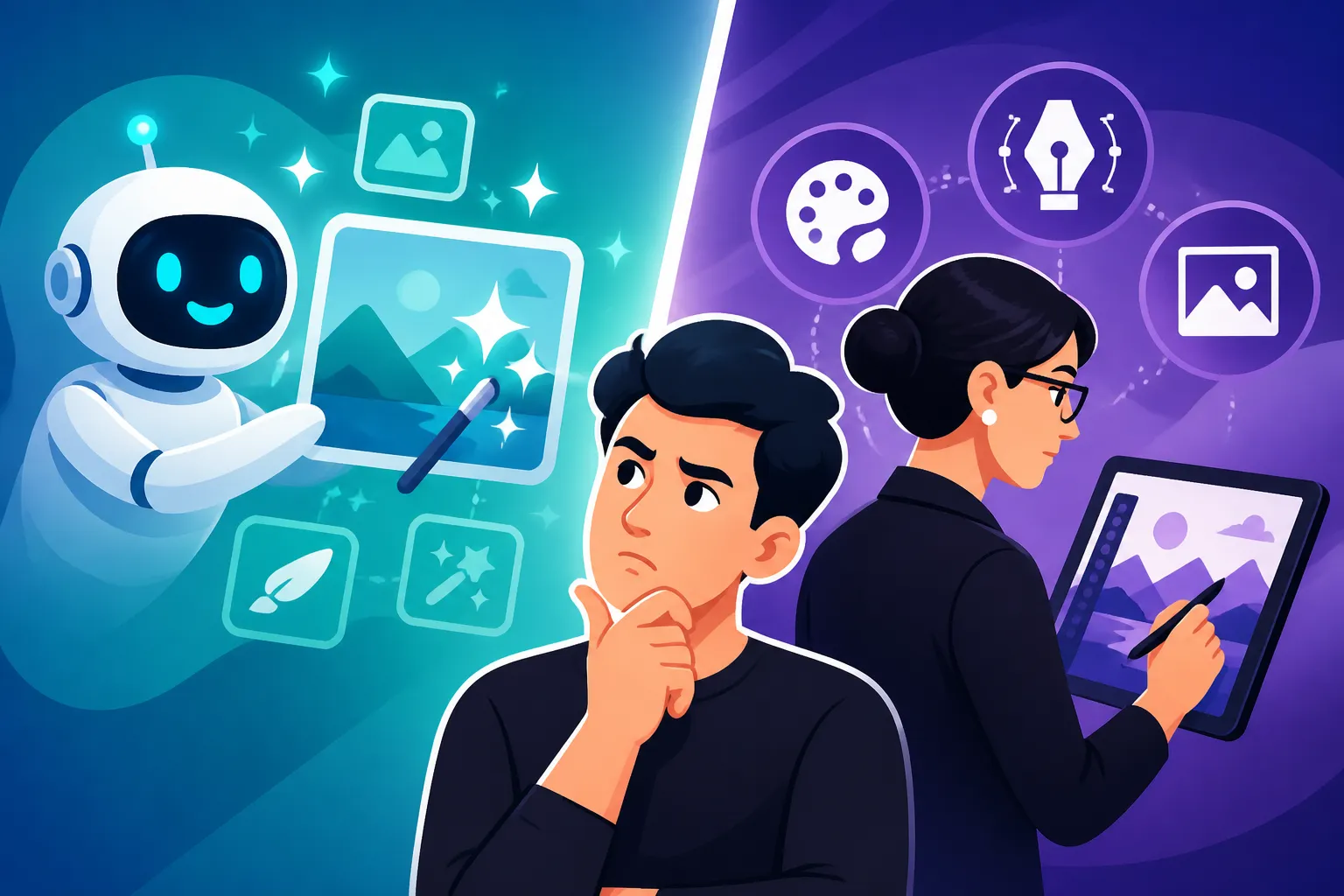
This is the core trade-off when evaluating Canva AI for professional use. On one side, you have maximum creative control offered by tools like Midjourney or Stable Diffusion, which allow artists to push boundaries and achieve highly unique, bespoke results. On the other side, you have the unparalleled convenience and integration of Canva AI, which streamlines the content creation process for quick, functional visuals.
A professional graphic designer might choose Midjourney for a highly conceptual album cover where every pixel needs to reflect a specific artistic vision. They'd accept the longer generation times and external integration steps for that level of control. Conversely, a content marketer needing daily social media updates might choose Canva AI because the convenience of generating and publishing directly within the same platform far outweighs the need for hyper-specific artistic control, especially for rapidly consumable content.
Ideal Scenarios for Each Type of Tool
The best approach for many professionals isn't choosing one tool, but understanding when to use each.
-
Canva AI is ideal for:
- Social media managers needing rapid, visually engaging posts.
- Bloggers and content creators illustrating articles quickly.
- Small business owners creating marketing materials on the fly.
- Educators designing presentation slides or classroom aids.
- Teams needing quick mock-ups or placeholder images. It's truly a Best AI Image Generator for Ease of Use.
-
Dedicated AI Image Generators (Midjourney, DALL-E, Stable Diffusion, Adobe Firefly) are ideal for:
- Professional illustrators, concept artists, and fine artists seeking unique, high-quality art.
- Designers requiring precise control over composition, style, and details for branding or high-fidelity projects.
- Developers integrating AI image generation into custom applications.
- Professionals needing to create consistent characters, complex scenes, or hyper-realistic imagery.
- Anyone needing specific Best AI Image Generator for Commercial Use capabilities with detailed IP indemnification.
Here's a quick comparison:
| Feature/Aspect | Canva AI (Text to Image) | Midjourney / DALL-E / Stable Diffusion |
|---|---|---|
| Ease of Use | Extremely high, beginner-friendly | Moderate to High, can have learning curve |
| Customization | Limited (style presets, basic prompts) | Extensive (parameters, negative prompts, seeds, styles) |
| Output Quality | Good, often generic, can struggle with fine detail | Excellent, highly artistic, can achieve photorealism |
| Integration | Seamless within Canva's design ecosystem | Standalone, requires export/import into other software |
| Speed (Initial) | Very fast for basic concepts | Varies, can be slower for complex generations |
| Consistency | Challenging for repeated elements/characters | Better with advanced techniques (seeds, character sheets) |
| Pricing Model | Included in Canva Pro subscriptions, some free limits | Typically subscription-based, varying tiers and credits |
This table makes it clear that while Canva AI is exceptional for its accessibility and integration, it doesn't aim to compete on the level of deep customization and artistic control that dedicated AI image generators offer. You can explore more about Canva AI Image Generator Review to see detailed features.
Is Canva AI Good Enough for Your Professional Needs?
The ultimate answer to whether Canva AI is "good enough for pros" isn't a simple yes or no; it's a nuanced "it depends" that hinges entirely on your specific role, workflow, and expectations for the output.
Assessing Different Professional Roles
Let's break it down by who you are and what you do:
-
For Bloggers and Content Marketers: Absolutely, Canva AI can be a fantastic tool. If your goal is to quickly generate engaging header images, social media graphics, or illustrations for articles, Canva's speed and ease of use are invaluable. You need visually appealing content fast, and often, absolute artistic uniqueness isn't the primary concern as much as relevance and timely publication. It's perfect for generating images for a Best AI Image Generator for Blog Images type of scenario.
-
For Social Media Managers: Yes, with a caveat. For daily posts, stories, and quick campaigns, Canva AI is incredibly efficient. However, if you're managing a high-end brand that demands a very specific, consistent, and unique visual identity, you might find yourself supplementing Canva AI with images generated from more powerful tools, or relying on traditional graphic design to refine the AI outputs.
-
For Small Business Owners and Entrepreneurs: Without a doubt, Canva AI is a game-changer. These professionals often wear many hats, and design is just one of them. Canva AI empowers them to create professional-looking marketing materials, product visuals, and online presence elements without needing to hire a designer or spend precious time learning complex software. This democratizes design and allows them to compete visually. If you're utilizing the Canva AI Free Tier Explained, it's an even bigger boon.
-
For Professional Graphic Designers, Illustrators, and Concept Artists: Likely not as a primary generation tool, but possibly as a supplementary one. For projects demanding a unique artistic vision, extreme precision, or complex visual narratives, dedicated tools like Midjourney, DALL-E, or Stable Diffusion will offer the necessary control. Canva AI might serve as a quick ideation tool, generating initial concepts or quick variations that can then be taken to more powerful software for refinement. It's unlikely to replace their core professional tools for bespoke client work.
Hybrid Workflows: The Best of Both Worlds
For many professionals, the most effective approach will be a hybrid workflow that leverages the strengths of multiple tools. Instead of viewing Canva AI as an either/or proposition against dedicated AI image generators, consider it as a complementary asset.
You could, for example, use Canva AI for initial brainstorming or generating quick placeholder images for a client presentation. Once the general direction is approved, you might then take the concept to a more powerful tool like Midjourney for a high-fidelity, polished final render. Or, you could generate a background scene in Stable Diffusion, and then import it into Canva to add text, brand elements, and integrate it into a larger design template. This allows you to benefit from Canva's ease of use and integration for layout and final touches, while still tapping into the advanced generation capabilities of specialized AI models. It’s about creating a smart, multi-stage pipeline that optimizes both speed and quality.
Future Outlook for Canva's AI
The landscape of AI image generation is evolving at a breakneck pace, and Canva is actively investing in its AI capabilities. We can expect to see continuous improvements in terms of image quality, greater customization options, and potentially more sophisticated tools integrated directly into their platform. As AI models become more efficient and powerful, it's reasonable to anticipate that the gap between user-friendly tools like Canva and specialized AI generators will narrow, at least for certain types of output.
Professionals should keep an eye on Canva's updates. Features that seem limited today could become robust solutions tomorrow. Staying informed about new features and testing them out regularly will be key to understanding how Canva AI can best fit into an evolving professional toolkit. What might not be "good enough" today could very well be a vital component of your workflow in the near future.
Disclaimer
The information provided in this guide is for general informational purposes only and does not constitute professional advice. AI technology and its capabilities are rapidly evolving, and specific features, pricing, and terms of service for any AI tool, including Canva AI, may change without notice. Always refer to the official documentation and terms of service of any platform before making decisions regarding professional or commercial use.