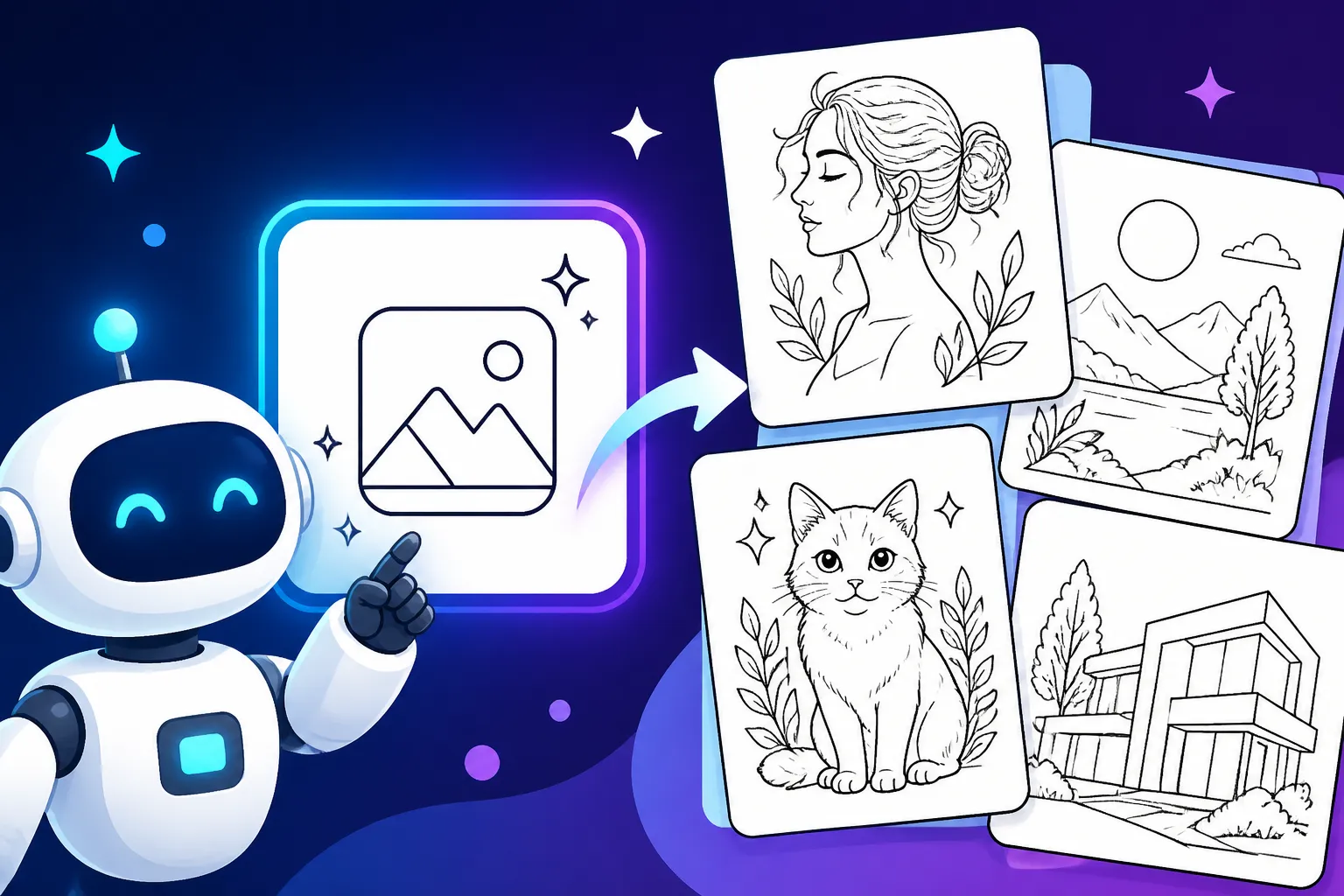
AI Prompt Examples for Line Art Art
It can be incredibly frustrating when you're trying to coax an AI image generator into creating beautiful, clean line art, and it keeps spitting out overly shaded, muddy, or just plain messy results. You're looking for that crisp, elegant simplicity, but instead, you get something that looks like a rough first draft that desperately needs a human touch. This guide is all about equipping you with the precise language and techniques you need to overcome those hurdles and consistently generate stunning line art with your AI tools.
Understanding the Nuance of AI Line Art Generation
When you're diving into the world of AI art, it's easy to assume that "line art" is a straightforward request. After all, it's just lines, right? But as many of us have learned the hard way, getting AI to truly understand and execute the essence of line art can be surprisingly tricky. It often wants to add depth, texture, or color where none is desired, making your simple request feel like a complex negotiation.
Why Line Art Is More Than Just Outlines
Line art, in its purest form, is a powerful artistic medium that relies solely on lines to convey form, texture, emotion, and narrative. It strips away distractions, forcing the artist (or the AI) to communicate with precision and intent. Think about a beautifully drawn manga panel, a classic etching, or a minimalist logo – their impact comes from the deliberate placement and quality of each line.
It's not just about drawing an outline around an object. Line art encompasses a vast spectrum of styles, from the bold, uniform strokes of a cartoon character to the delicate, almost ethereal wisps of a sumi-e painting. Each line carries weight, direction, and character. For AI, this means it needs to understand not just what to draw, but how to draw it – the weight of the line, its continuity, its texture, and its expressive quality. An AI might easily generate a detailed image, but filtering that detail down to just essential lines, without losing the core aesthetic, is the real challenge. It's why sometimes your "line art" requests come back looking more like an incomplete coloring book page than a finished piece.
Common Frustrations with AI Line Art
Let's be honest, we've all been there. You type in "line art of a cat," and you get a fuzzy, greyish blob with some vaguely cat-like contours, or worse, a cat that's 90% shading and 10% outline. These frustrations are incredibly common and stem from how AI models are trained. Many models are heavily influenced by vast datasets of photorealistic images, paintings, and highly rendered digital art. When you ask for "line art," the AI often defaults to trying to suggest depth and form through light shading or subtle gradients, rather than adhering strictly to pure line work.
You might encounter jagged, inconsistent lines that ruin the clean aesthetic you're aiming for. Or perhaps the AI decides to add unintended colors or textures, turning your elegant black and white vision into something murky. Sometimes, it over-renders details, making what should be simple and direct appear overly busy and cluttered. The "blobby" effect, where lines don't quite connect or parts of the image seem indistinct, is another frequent headache. It feels like you're fighting against the AI's natural inclination to fill in all the blanks, when all you want are the beautiful, empty spaces defined by crisp lines. This is where precise prompting becomes not just helpful, but absolutely essential.
Essential Prompting Techniques for Crisp Line Art
To get the AI to truly understand your vision for line art, you need to be incredibly specific with your prompts. Think of yourself as an art director, guiding the AI with clear, unambiguous instructions. It’s not enough to just say "line art." You need to describe the kind of line art, the feel of the lines, and the tools you imagine creating them.
Keywords That Define Line Quality and Style
The secret sauce to generating fantastic line art lies in using keywords that articulate the specific qualities of the lines themselves. It's about being a wordsmith of visual detail. Instead of just "line art," try to paint a picture with your words.
Consider the difference between:
- "Clean line art": This suggests sharp, precise, and unblemished lines, often with uniform thickness, perfect for something like a logo or an infographic. Think of the pristine illustrations you see in modern design.
- "Minimalist line drawing": This implies not just clean lines, but also a reduction of detail to only the most essential elements. It's about capturing the essence with the fewest possible strokes, often resulting in a very iconic or abstract look.
- "Intricate line work": If you're going for something complex, like a detailed tattoo design or an old map, these keywords tell the AI to layer and weave lines together, creating rich textures and dense patterns.
- "Sketchy lines" or "rough sketch": This is for when you want a more organic, hand-drawn feel, perhaps with visible pencil strokes, cross-hatching, or a deliberate lack of perfection. This is fantastic for concept art or more expressive illustrations.
- "Bold outlines" or "thick lines": These terms direct the AI to use strong, dominant lines, creating a powerful, graphic impact often seen in cartoons or comic books.
- "Delicate lines" or "thin lines": For a softer, more elegant, or ethereal feel, these keywords are crucial. Imagine the fine details in a botanical illustration or a subtle portrait.
- "Continuous line drawing": This is a specific artistic technique where the drawing tool never leaves the paper, creating an unbroken, flowing line. It yields a unique, often abstract, and fluid aesthetic.
By incorporating these specific descriptors, you steer the AI away from its default tendencies towards shading and towards the pure linear expression you desire. You can also combine them, like "bold, clean line art" or "delicate, intricate line work" to achieve even more nuanced results. You're effectively giving the AI a style guide just for its lines.
Leveraging Artistic Influences and Mediums
One of the most powerful ways to guide an AI towards a specific line art aesthetic is to reference established artistic styles, movements, or even the tools used in traditional art. The AI has been trained on millions of images, including masterworks and everyday sketches, and by mentioning these influences, you're tapping into that vast knowledge base.
Think about specific artists whose line work you admire. For instance, if you want something with dynamic, sharp lines and strong character definition, you might prompt for "Manga line art by [specific popular Manga artist, like Takeshi Obata for Death Note or Kentaro Miura for Berserk]." The AI will then draw upon its understanding of those artists' distinct styles. If you're after something more historical and detailed, try "Etching by Albrecht Dürer," which immediately evokes intricate, fine lines and cross-hatching typical of Renaissance printmaking. For a fluid, expressive, and somewhat minimalist look, "Ink wash drawing in the style of Sumi-e" can be incredibly effective, as Sumi-e emphasizes brush strokes and the negative space.
Beyond artists, consider the traditional mediums that produce line art:
- "Ink pen drawing" or "fineliner sketch": These suggest crisp, black lines with varying degrees of precision.
- "Charcoal sketch" or "graphite drawing": These will yield softer, more textured, and potentially smudged lines, conveying a sense of raw art or a preliminary study.
- "Ballpoint pen art": This can evoke a specific, often slightly rougher and more casual linear style.
- "Technical drawing" or "blueprint style": These are excellent for precise, geometric, and functional line work, like for architecture or engineering concepts.
The beauty of this approach is that these references act as shorthand. Instead of trying to describe every nuance of an etching, you simply name the style or artist, and the AI accesses its internal representation of that aesthetic. This can drastically improve the quality and consistency of your generated line art. Remember, the more specific you are in guiding the AI towards a recognized style or medium, the better your chances are of achieving the desired outcome. For more general guidance on improving your results, check out tips on How to Get Better AI Image Results.
Practical AI Prompt Examples for Diverse Line Art Styles
Now, let's get down to the brass tacks: actual prompt examples you can use and adapt. I'll break down how to construct these for different line art aesthetics, helping you build your own library of effective prompts.
Minimalist and Clean Line Art Examples
Minimalist line art is all about impact through simplicity. It focuses on the essential form, often using uniform line weights and negative space to create a strong visual statement. It's perfect for logos, icons, or sleek editorial illustrations. The key is to actively tell the AI to not add extra details.
Scenario: You need a clean, iconic logo design for a modern coffee shop, featuring a single coffee bean.
Effective Prompt:Minimalist single line art illustration of a coffee bean, clean lines, black ink on white paper, vector style, graphic design, no shading, no texture, crisp edges.
Breakdown:
Minimalist single line art illustration: Sets the overall style and tells the AI to use minimal strokes.of a coffee bean: Your subject.clean lines: Emphasizes precision and uniformity.black ink on white paper: Specifies the color scheme and medium, reinforcing the crispness.vector style, graphic design: Guides the AI toward a digital, scalable, and professional aesthetic, further implying simplicity.no shading, no texture, crisp edges: Crucial negative constraints to prevent unwanted gradients or visual noise.
Another Example: An elegant outline of a soaring eagle for a nature blog.Elegant, minimalist line art of a soaring eagle, abstract, continuous line drawing, white background, black fineliner pen, simple, clean, no background detail, high contrast.
Here, continuous line drawing adds an extra layer of minimalist complexity, where the entire form is captured in one unbroken line. This requires a specific understanding from the AI. For those interested in deeper diving into how to structure prompts, a guide on How to Write AI Image Prompts would be incredibly useful.
Detailed and Intricate Line Work Examples
Sometimes, simplicity isn't the goal. You want richness, complexity, and a sense of depth conveyed purely through interlocking lines and patterns. Think of the elaborate illustrations in old storybooks, detailed maps, or highly decorative designs.
Scenario: You're designing a book cover that requires an intricate, fantasy-themed illustration of an enchanted forest.
Effective Prompt:Highly detailed intricate line art of a mystical enchanted forest, ancient gnarled trees, hidden creatures, swirling magical energy, black and white etching style, woodcut, cross-hatching, deep shadows, fantastical, high resolution.
Breakdown:
Highly detailed intricate line art: Explicitly asks for complexity and fine detail.of a mystical enchanted forest, ancient gnarled trees, hidden creatures, swirling magical energy: Describes the scene and specific elements.black and white etching style, woodcut, cross-hatching: Powerful artistic references that tell the AI how to render the detail, using specific line techniques. Etchings and woodcuts are inherently about intricate line work.deep shadows: While technically shading, in etching, this is often achieved through denser lines, reinforcing the intricate linear approach.fantastical, high resolution: Adds to the theme and quality.
Another Example: A complex mandala design for a tattoo.Ornate, symmetrical mandala line art design, highly detailed, black fine lines, intricate patterns, sacred geometry, traditional tattoo flash style, no color, clean white background.
The keywords ornate, symmetrical, intricate patterns, and sacred geometry push the AI to create complex, balanced linear designs, while traditional tattoo flash style grounds it in a specific aesthetic. This can be particularly effective when trying to create professional-grade visuals. You might find more guidance on this in an article like Best AI Image Generator for Artists.
Sketchy and Expressive Line Art Examples
For a more dynamic, raw, or artistic feel, sketchy line art is the way to go. It conveys movement, spontaneity, and human touch, often showing the artist's process. This is great for concept art, fashion sketches, or lively character designs.
Scenario: You need a dynamic figure drawing of a dancer in motion, with an energetic, hand-sketched feel.
Effective Prompt:Expressive sketchy line art of a dancer in motion, dynamic pose, fluid lines, quick gesture drawing, charcoal pencil on textured paper, rough texture, minimal background, black and white, art study.
Breakdown:
Expressive sketchy line art: Sets the tone for raw, energetic lines.of a dancer in motion, dynamic pose, fluid lines: Describes the subject and desired action/movement.quick gesture drawing: A specific art term that implies rapid, energetic lines capturing the essence of a pose.charcoal pencil on textured paper: Specifies the medium and surface, guiding the AI to mimic the look and feel of charcoal, which is inherently messy and textural.rough texture, minimal background, black and white, art study: Further refines the aesthetic, preventing over-rendering and emphasizing the artistic process.
Another Example: A bustling street scene, captured with a loose, urban sketch style.Loose, hand-drawn sketchy line art of a vibrant city street, people walking, cars passing, architectural details, ink wash style, urban sketch, pen and ink, quick strokes, slight imperfections, black lines.
The terms loose, hand-drawn, ink wash style, and slight imperfections are key here. They instruct the AI to embrace a less rigid, more organic look, which is often harder to achieve than perfect, clean lines. Sometimes, the "imperfections" are what make these pieces truly shine. If you're looking to generate similar conceptual images for various projects, understanding AI Image Prompt Guide for Beginners can elevate your skills quickly.
Technical and Architectural Line Art Examples
When precision, accuracy, and functional clarity are paramount, technical line art is your go-to. This style is characterized by straight lines, exact angles, and often, a blueprint-like quality. It’s perfect for industrial design concepts, architectural renderings, or schematic diagrams.
Scenario: You need an accurate, detailed drawing of a futuristic vehicle for a design proposal.
Effective Prompt:Precise technical line art drawing of a futuristic modular vehicle, isometric view, architectural drafting style, clean lines, CAD drawing, blueprint aesthetic, black ink on grid paper, no artistic flourishes, engineering diagram.
Breakdown:
Precise technical line art drawing: Clearly states the need for accuracy and functional clarity.of a futuristic modular vehicle, isometric view: Describes the subject and a specific, technical perspective.architectural drafting style, clean lines, CAD drawing, blueprint aesthetic: Powerful keywords that direct the AI to a highly structured, digital, and professional rendering style. CAD (Computer-Aided Design) and blueprints are synonymous with technical drawings.black ink on grid paper: Reinforces the classic technical drawing look.no artistic flourishes, engineering diagram: Crucial negative constraints and additional descriptors to prevent any unintended "artistic" interpretations that would undermine the technical purpose.
Another Example: A cross-section diagram of a complex machine part.Cutaway technical drawing line art of a complex gear mechanism, detailed internal components, cross-section view, patent drawing style, sharp lines, schematics, white background, scientific illustration, no shading.
Here, cutaway technical drawing, patent drawing style, and schematics are excellent for ensuring the AI understands the need for analytical, clear depiction. These examples highlight how vital it is to match your prompt to the exact purpose of the line art.
To summarize these diverse approaches, here's a handy table of prompt elements for different line art styles:
| Line Art Style | Key Positive Prompt Keywords | Key Negative Prompt Keywords | Example Use Case |
|---|---|---|---|
| Minimalist | clean lines, simple outline, vector, single stroke, iconic, geometric |
shading, texture, gradients, detail, color, complex |
Logos, Icons, Minimalist Posters |
| Intricate | highly detailed, dense, ornate, etching, engraving, cross-hatching, baroque |
simple, minimalist, cartoon, flat, smooth |
Tattoos, Maps, Detailed Illustrations, Book Covers |
| Sketchy | rough sketch, charcoal, hand-drawn, expressive lines, gesture drawing, loose, pen sketch |
perfect lines, vector, smooth, digital, precise, color |
Concept Art, Figure Studies, Urban Sketches |
| Technical | blueprint, CAD drawing, architectural drafting, precise lines, isometric view, schematic |
artistic, freehand, sketchy, organic, shading, texture |
Blueprints, Product Designs, Diagrams, Patent Art |
Refining Your Line Art Generations
Even with the best prompts, AI generation can sometimes be a journey of trial and error. The first output might not be exactly what you envisioned, and that's perfectly normal. The real skill often lies in knowing how to refine and steer the AI toward perfection, adjusting your inputs based on what it gives you back.
Using Negative Prompts to Clean Up Output
Negative prompts are your secret weapon against unwanted elements, especially when aiming for pure line art. They explicitly tell the AI what not to include, which is incredibly powerful when the AI has a tendency to add things you don't want. For line art, this often means combating its urge to introduce shading, color, or excessive detail.
Here's why and when specific negative prompts are crucial:
no shading,no shadows,no gradients: These are absolute must-haves for true line art. The AI, left to its own devices, will almost always try to add subtle depth or dimension through shading, which can muddy your lines and detract from the minimalist aesthetic. Be firm and tell it no!no color,black and white(as a positive prompt): Whileblack and whitein your positive prompt is a good start, explicitly statingno colorin the negative can prevent accidental color hints or subtle chromatic shifts that sometimes sneak in.no textures,smooth: If you're going for clean, crisp lines (e.g., vector-style), telling the AIno textureswill prevent it from adding paper grain, brush strokes, or other surface qualities that aren't desired. Usingsmoothas a positive prompt can also reinforce this.no photorealism,no realistic details: If your line art is meant to be stylized, artistic, or abstract, these negative prompts will help prevent the AI from trying to render human-like skin textures or photographic environmental details.no complex background,simple background,white background: For line art where the subject should truly stand out, directing the AI to keep the background minimal or entirely white ensures focus. An overly detailed background can distract from the lines themselves or introduce unwanted noise.
Sometimes, the AI might generate artifacts or odd shapes. Including broad negative terms like blurry, distorted, ugly, or amateur can sometimes help, though it's often more effective to address specific visual issues with targeted negative prompts or by iterating on your positive descriptions. Mastering negative prompts is a game-changer for control; learn more about How to Use Negative Prompts.
Iteration and Parameter Adjustments
Generating AI images is rarely a one-shot deal. It's an iterative process, much like traditional art, where you sketch, refine, and adjust. Don't be discouraged if your first few attempts aren't perfect. Instead, use them as stepping stones.
- Small, Incremental Changes: When an image isn't quite right, resist the urge to rewrite the entire prompt. Instead, make small, targeted changes. If the lines are too thick, try adding
thin linesordelicate strokes. If it's too sketchy, addcrisp linesorclean edges. Observe how each change affects the output. - Aspect Ratios: Pay attention to your desired canvas. Tools like Midjourney use
--arparameters (e.g.,--ar 16:9for a widescreen image,--ar 2:3for a portrait). Specifying the aspect ratio from the start ensures your composition is suitable for its intended use, whether it's for a social media graphic or a poster. An incorrect aspect ratio can sometimes force awkward compositions or cut off important parts of your line art. - Style Weights (if applicable): Some advanced AI tools allow you to assign weights to different parts of your prompt, giving more emphasis to certain keywords. For example, in Midjourney, you can use
::to weigh terms (e.g.,line art::2 cat::1). This can be particularly useful if you want to ensure the "line art" aspect is prioritized over other descriptors. - Upscaling for Detail: Once you have a promising base image, most AI generators offer an upscaling option. This enhances the resolution and often refines the details, making your lines even sharper and more defined. For intricate line art, upscaling is often essential to bring out all the fine details. If the upscaling isn't clean, you might need an external tool. Read more about How to Upscale AI Images.
- Inpainting and Outpainting: While primarily for editing within an image or extending its borders, features like inpainting (found in tools like Adobe Firefly or DALL-E) can be invaluable. If a small section of your line art is imperfect – a line is too thick, or a small smudge appeared – inpainting allows you to select that area and re-prompt it for correction, often with great precision. This can save you from regenerating an entire image for a minor flaw. For advanced editing techniques, explore How to Edit AI Images with Inpainting.
- Referencing Past Successes: Keep a log of prompts that worked well! If you generated a fantastic minimalist line art piece of a tree, save that prompt and adapt it for a flower or an animal. This builds a personal library of effective prompts tailored to your desired styles. This strategy is also discussed in guides like Midjourney Prompt Guide or other tool-specific resources.
Remember, every AI model has its quirks. What works perfectly in one tool might need slight adjustments in another. Don't be afraid to experiment, combine different techniques, and slowly build your intuition for how your chosen AI responds to your linguistic guidance. Sometimes, the issue isn't your prompt but a general AI flaw; if you are encountering issues, consult a guide on How to Fix Bad AI Image Results.
Disclaimer
The information provided in this article is for general guidance and informational purposes only. While we strive to offer accurate and up-to-date advice on using AI image generators, the field of artificial intelligence is rapidly evolving. The capabilities, features, and optimal prompting techniques for AI tools can change frequently. Always refer to the specific documentation and community resources for the AI image generator you are using. The effectiveness of prompts can vary significantly between different AI models and versions.