AI Prompt Examples for Anime Art
It’s incredibly frustrating when you’re trying to conjure up a specific anime aesthetic with AI image generators, only to be met with something that looks… well, generic or just plain wrong. You type in "anime girl," and you get a character that lacks the vibrant personality or detailed style you had in mind. This guide is here to demystify the process, offering concrete prompt examples and strategies to help you achieve truly authentic and stunning anime art with AI.
Understanding the Core Elements of Anime Prompts
When you're diving into the world of AI art generation for anime, it's not enough to just type "anime style." Anime is a vast ocean of distinct visual languages, and getting your AI tool to understand the nuances requires breaking down your vision into its fundamental components. Think of it like giving a director a full script instead of just a genre.
Character Design and Features
Anime characters are defined by their iconic features, often exaggerated for emotional impact or stylistic flair. This is where your prompt needs to be incredibly specific to avoid a generic, AI-generated face that looks more like a doll than a dynamic character.
You want to think about the eyes first and foremost. Are they large and sparkling, typical of shojo heroines, conveying innocence or wonder? Or perhaps narrower, more intense, reflecting a stoic shonen protagonist? You might use keywords like "large, expressive eyes," "sparkling blue eyes," "determined gaze," or "sharp, cat-like eyes." Don't forget about the shape: "almond-shaped eyes" versus "round, wide eyes." Then, move on to hair. Anime hair defies gravity and often comes in vibrant, unnatural colors and unique styles. Are you picturing "spiky yellow hair" reminiscent of classic action heroes, "long, flowing pink hair" for a magical girl, or perhaps "short, messy black hair" for a mischievous character? You can also specify common anime tropes like "twin tails," "braids," or "hime cut." Body types and outfits are equally crucial. Is your character "slim and athletic" with "futuristic armor," or "chubby and cute" in a "school uniform"? Specifying these details helps the AI build a consistent visual. For instance, to generate a cute, small character, you might prompt for "chibi style," emphasizing "oversized head and small body."
Artistic Styles and Influences
The term "anime" itself encompasses a huge range of artistic aesthetics. From the detailed, painterly backgrounds of Studio Ghibli to the crisp lines and dynamic action of a modern shonen series, each has a distinctive look. Simply saying "anime" is like asking for "music" – you need to be more specific.
To truly capture a desired look, you need to call out specific studio styles or influential genres. For example, if you're aiming for a lush, dreamlike quality with intricate natural elements, you might include "Studio Ghibli aesthetic," "Hayao Miyazaki art style," or "Makoto Shinkai vibrant landscape." If your goal is more action-oriented with strong outlines and dynamic poses, think about using "Shonen Jump manga style," "MAPPA studio animation," or "dynamic action anime art." For something with more delicate features and pastel color palettes, you could try "Kyoto Animation style" or "shojo anime art." Don't shy away from mixing styles, either! You could prompt for a "cyberpunk anime style" with a "vaporwave aesthetic" to create something truly unique. Understanding these stylistic keywords can drastically improve the relevance and quality of your generated images, moving beyond generic outputs to something that feels intentional and specific. If you’re unsure about what an AI tool can do, a good starting point is often to explore a general guide like Best AI Image Generator Comparison.
Setting, Mood, and Composition
The environment and overall atmosphere are just as important as the characters themselves. A beautifully rendered character can fall flat if the background is boring or the mood is off. This is where you set the scene and evoke emotion.
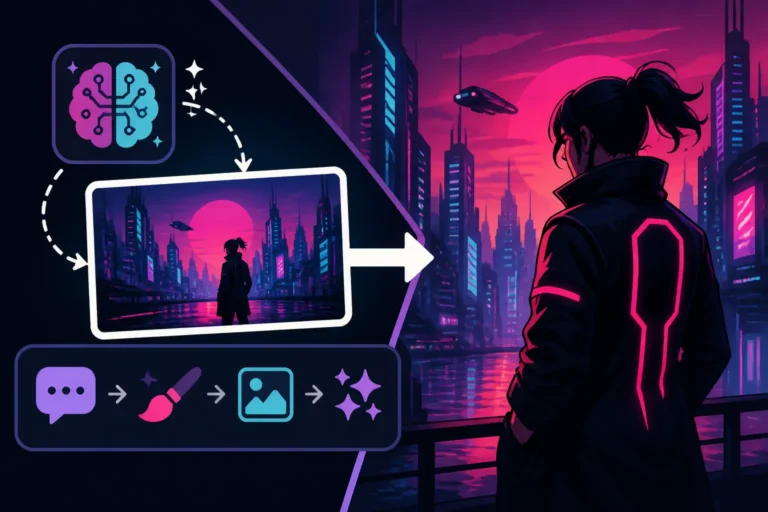
Consider the background: is it a "futuristic Tokyo cityscape at night," a "serene Japanese garden with cherry blossoms," or a "bustling high school classroom"? Detailed environmental descriptions can transform your image. For example, instead of "city," try "Tokyo street, neon signs, rainy night, reflections." Then, think about lighting. "Golden hour lighting" gives a warm, nostalgic feel, while "dramatic chiaroscuro lighting" can add intensity and mystery. "Soft, diffused light" is often used in slice-of-life anime, creating a gentle atmosphere. Camera angles are also vital for composition. Do you want a "wide shot" to show the vastness of a landscape, a "close-up shot" to emphasize character emotion, or a "dynamic low-angle shot" to make a character appear heroic? Even the time of day can influence the mood—a "sunset sky" versus a "moonlit night." Incorporating these elements into your prompt, such as "a lonely character standing in the rain under a streetlamp, dramatic lighting, low angle shot, Tokyo street," will lead to much more compelling and story-driven results.
Crafting Effective Prompts for Specific Anime Genres
To truly master AI anime art, you need to tailor your prompts to the specific tropes and visual languages of different genres. What works for a high-octane shonen battle won't necessarily translate to a gentle shojo romance. Let's break down how to prompt for some popular anime genres.
Shonen and Action Anime Prompts
Shonen anime is all about action, adventure, and often, incredible power displays. Your prompts should reflect this dynamism, focusing on movement, intensity, and impactful visuals.
When crafting prompts for shonen or action anime, emphasize motion and dramatic effect. Think about keywords like "dynamic action pose," "epic battle scene," "energy blast," "speed lines," "explosions in the background," "intense glare," or "muscular build." For example, if you want a hero in the middle of a fight, you might prompt: "Male anime hero, spiky black hair, determined expression, mid-air kick, energy aura, dramatic lighting, rain, destroyed city background, shonen manga art style, dynamic action shot." You can specify the type of power: "fire magic," "lightning strike," "telekinetic force." Also, consider the character's emotional state, using terms like "fierce," "brave," or "resolute." Don't forget about the environment playing a role, like a "crumbling skyscraper" or a "volcanic landscape." This helps ground the action in a believable, if fantastical, world. If you're struggling to get the dynamic poses right, checking out a guide like Midjourney Prompt Guide or How to Write AI Image Prompts can give you a lot of foundational tips.
Shojo and Slice-of-Life Anime Prompts
Shojo and slice-of-life anime often prioritize emotion, subtle beauty, and relatable everyday moments. The aesthetics here are generally softer, with an emphasis on character expressions, charming settings, and delicate details.
For shojo and slice-of-life, the focus shifts from raw power to nuanced feelings and serene environments. Keywords to consider include "soft lighting," "pastel colors," "gentle smile," "blushing cheeks," "dreamy background," "cherry blossoms," "cozy cafe," "school uniform," or "flowing dress." A prompt for a romantic scene could be: "Two anime characters, high school students, gazing at each other, soft sunset lighting, cherry blossoms falling, serene park setting, shojo manga art style, romantic atmosphere." Emphasize the emotional connection and the beauty of mundane moments. Describe facial expressions meticulously: "eyes sparkling with happiness," "shy smile," "tearful but hopeful expression." Details like "warm tea cup," "fluffy cat," or "old bookstore" can enhance the slice-of-life feel. The goal is to evoke warmth, comfort, or tender emotion, often with a subtle, painterly quality.
Mecha, Sci-Fi, and Fantasy Anime Prompts
These genres demand intricate designs, imaginative worlds, and often a blend of advanced technology or mystical elements. Complexity and world-building are key here.
When delving into mecha, sci-fi, or fantasy anime, your prompts need to be rich in detail regarding design, architecture, and magical effects. For mecha, think about "intricate mechanical details," "glowing thrusters," "battle-damaged armor," or "colossal size." A mecha prompt might be: "Giant robot, sleek design, glowing blue eyes, standing in a futuristic city, smoke and dust, dramatic lighting, mecha anime art style, detailed sci-fi." For sci-fi, use terms like "futuristic cityscape," "neon-lit alley," "hovercar," "cyborg," "alien flora," or "space station." For fantasy, focus on "magical glowing runes," "ancient forest," "fantasy creatures," "intricate elven armor," or "glowing magical staff." You might also specify unique materials like "steampunk brass" or "ethereal energy." These genres thrive on visual storytelling through complex world design, so paint a vivid picture with your words.
Advanced Prompting Techniques for Anime Art
Once you've got the basics down, it's time to refine your approach and push the boundaries of what your AI can create. Advanced techniques can help you achieve precise results and troubleshoot common issues.
Incorporating Negative Prompts for Refinement
Negative prompts are your secret weapon for telling the AI what not to include. This is incredibly powerful for removing undesirable elements or steering the image away from generic pitfalls.
Think of negative prompts as a filter. If you're getting images with strange anatomy, distorted faces, or a style that leans too much into Western cartoons, a negative prompt can help. Common negative prompts for anime art include: "ugly, deformed, mutated, extra limbs, bad anatomy, disfigured, low resolution, blurry, poor quality, bad art, watermark, text, signature, Western cartoon, realistic." You can also specify unwanted stylistic elements, like "photorealistic" if you want a more traditional anime look, or "3D render" if you prefer a flat, hand-drawn aesthetic. For example, if you're trying to generate a beautiful anime character and keep getting strange hands, you'd add "ugly hands, extra fingers, deformed hands" to your negative prompt. This acts as a corrective, guiding the AI to avoid patterns that typically lead to flawed outputs. Learning How to Use Negative Prompts effectively is a game-changer for quality control.
Using Aspect Ratios and Quality Boosters
The shape of your image and the emphasis on detail can drastically change the final output. Aspect ratios are crucial for framing, and quality boosters ensure your art looks polished.
Aspect ratios define the width-to-height proportion of your image. A 16:9 aspect ratio is perfect for wide, cinematic landscapes or dynamic action scenes, often seen in anime screenshots. A 9:16 ratio works well for character portraits or social media stories. For a more traditional, balanced look, a 3:2 or 4:3 ratio can be effective. Most AI tools use a default square (1:1), which might not always be ideal for anime aesthetics. Always specify your desired aspect ratio using syntax like --ar 16:9 or --ar 9:16 if your tool supports it. Beyond aspect ratios, adding "quality boosters" can significantly enhance the visual fidelity. Keywords such as "masterpiece," "high detail," "ultra detailed," "8K," "4K," "photorealistic" (if realism is desired within an anime context, e.g., "photorealistic anime"), "cinematic lighting," "unreal engine," "octane render," or "sharp focus" can push the AI to generate more refined and polished images. It's like telling the AI to put in extra effort on the rendering. This is especially useful when you're aiming for a professional-grade image rather than a quick sketch.
Iteration and Blending Styles
The magic of AI art often lies in the iterative process—tweaking, refining, and experimenting. Don't be afraid to try small changes or combine disparate styles to find something truly unique.
Iteration means making small adjustments to your prompt and regenerating. If your first attempt isn't quite right, try adding a descriptive adjective, removing a less important detail, or changing the order of keywords. For instance, if "anime girl, park" isn't hitting the mark, try "cute anime girl, flowing pink hair, laughing, sunny park, soft lighting, vibrant colors." Blending styles can lead to incredibly creative results. Ever wondered what a "Ghibli-style mecha anime" would look like? Or a "cyberpunk samurai anime" with a "watercolor aesthetic"? Combining keywords like "Studio Ghibli aesthetic + mecha anime" or "cyberpunk + traditional Japanese art style" can yield unexpected and exciting fusions. You can even use weights in some tools (like Midjourney) to prioritize certain elements, such as "character design::2, background::1." This iterative and experimental approach is key to discovering new visual territories and perfecting your anime art.
Tools and Practical Workflow for Anime Art Generation
Generating anime art with AI isn't just about the words; it's also about understanding the tools you're using and having a clear process. Different generators have different strengths, and a systematic workflow can save you a lot of headache.
Choosing the Right AI Image Generator
The landscape of AI image generators is constantly evolving, with each tool having its own nuances, strengths, and weaknesses when it comes to specific art styles, including anime.
For anime art, some tools stand out. Midjourney is widely celebrated for its artistic flair and ability to generate highly aesthetic and stylized images, often excelling at capturing various anime aesthetics with remarkable consistency. It's often a go-to for those seeking a distinct visual style. DALL-E (especially through platforms like ChatGPT) is fantastic for understanding natural language and intricate concepts, making it versatile for diverse anime scenarios. Ideogram shines when you need specific text within your anime images, which can be crucial for things like manga panels or title cards, an area where other generators sometimes struggle. Finally, Stable Diffusion offers unparalleled customization and control, especially for those willing to dive into more technical aspects, allowing for fine-tuning models and styles to achieve very specific anime looks, particularly if you're comfortable running it locally or using a platform like Civitai for custom models. Each tool has its learning curve, and it’s worth experimenting to see which one aligns best with your personal workflow and the specific anime style you're chasing. For a deeper dive into these options, you might check out articles like Midjourney vs DALL-E: Which Is Better or Best AI Image Generator Overall.
Step-by-Step Prompting Workflow
A structured approach to building your prompts can make a huge difference, especially when you're aiming for complex or highly specific anime art. Don't just throw words at the AI; build your prompt deliberately.
Here's a workflow I often recommend:
- Start with the Core Subject: Clearly define your main character or object. Example: "A young anime girl"
- Add Key Characteristics: Describe what makes them unique. Example: "A young anime girl with long, flowing pink hair, large green eyes, wearing a school uniform"
- Define the Action/Pose: What are they doing? Example: "A young anime girl with long, flowing pink hair, large green eyes, wearing a school uniform, running through a park"
- Set the Environment/Background: Where are they? Example: "A young anime girl with long, flowing pink hair, large green eyes, wearing a school uniform, running through a park filled with cherry blossom trees"
- Specify Mood and Lighting: What's the atmosphere? Example: "A young anime girl with long, flowing pink hair, large green eyes, wearing a school uniform, running through a park filled with cherry blossom trees, bright sunny day, joyful atmosphere, soft lighting"
- Add Stylistic Elements: This is where you bring in the "anime" part. Example: "A young anime girl with long, flowing pink hair, large green eyes, wearing a school uniform, running through a park filled with cherry blossom trees, bright sunny day, joyful atmosphere, soft lighting, Studio Ghibli aesthetic, anime art style"
- Include Quality Modifiers: Boost the output quality. Example: "A young anime girl with long, flowing pink hair, large green eyes, wearing a school uniform, running through a park filled with cherry blossom trees, bright sunny day, joyful atmosphere, soft lighting, Studio Ghibli aesthetic, anime art style, masterpiece, highly detailed, 4K"
- Refine with Negative Prompts: List anything you don't want. Example: Add
--no ugly, deformed, Western cartoonto the end.
This systematic approach ensures you cover all the bases and provides the AI with a comprehensive blueprint for your vision.
Troubleshooting Common Anime Art Issues
Even with the best prompts, AI image generators can sometimes produce unexpected or flawed results. Knowing how to identify and fix these common issues is crucial for consistency.
One of the most frequent complaints is distorted faces or incorrect anatomy, particularly hands and feet. The AI can struggle with consistent human forms. To combat this, always include positive descriptors like "beautiful face," "perfect anatomy," "well-formed hands," and "intricate details" in your main prompt. In your negative prompt, aggressively target "deformed, mutated, extra limbs, ugly, disfigured, bad anatomy, missing limbs." Another common issue is generic or bland outputs that lack the specific artistic flair you desire. This often means your stylistic descriptors aren't strong enough. Try adding more specific studio names ("Kyoto Animation style," "Ufotable animation"), art movements ("Ukiyo-e influence"), or even specific color palettes ("pastel colors," "vibrant neons"). Lastly, sometimes the AI might blend styles unintentionally or introduce unwanted elements. This is where both positive and negative prompts come into play, along with careful iteration. If it's giving you a Western comic book style when you asked for anime, add "Western comic, American cartoon" to your negative prompt. Persistence and small, targeted prompt changes are your best allies in refining your anime art.
| Anime Art Style | Key Prompt Keywords | Ideal Aspect Ratio | Common Use Cases |
|---|---|---|---|
| Studio Ghibli | whimsical, enchanting, hand-drawn, watercolor, vibrant nature, detailed landscapes, serene, peaceful, soft lighting, character name style | 16:9, 3:2 | fantasy scenes, nature, character portraits, concept art |
| Shonen Manga | dynamic action pose, sharp lines, energetic, intense, muscular, battle, powerful, speed lines, dramatic lighting, bold outlines, manga series style | 16:9, 21:9 | action scenes, heroes, villains, fight sequences, epic moments |
| Shojo Romance | delicate, beautiful, emotional, pastel colors, soft lighting, cherry blossoms, dreamy, elegant, expressive eyes, gentle smile, sparkly, flowing hair, shojo series style | 9:16, 3:2 | romantic scenes, character portraits, emotional moments, school life |
| Mecha/Sci-Fi Anime | futuristic, mechanical details, cyberpunk, neon lighting, giant robots, advanced technology, glowing elements, intricate design, metallic, imposing, cityscape, mecha series style | 16:9, 21:9 | robots, futuristic cities, spaceships, technology showcases, battle scenes |
| Chibi/Cute Anime | adorable, super deformed, oversized head, tiny body, big eyes, round, cute, playful, cheerful, simple background, bright colors | 1:1, 4:3 | mascots, stickers, lighthearted scenes, young characters, social media graphics |
| Cyberpunk Anime | neon glow, rainy streets, dystopian, futuristic city, data streams, augmented, gritty, detailed, high contrast, dark atmosphere, Japanese script, cyberpunk anime style | 16:9, 21:9 | futuristic characters, cityscapes, noir scenes, tech-heavy environments |
Disclaimer
The information provided in this article is for general guidance and informational purposes only. AI image generation tools and their capabilities are constantly evolving. While we strive to provide accurate and up-to-date information, results may vary depending on the specific AI model, prompt engineering techniques, and individual tool updates. Always check the terms of service for any AI image generator regarding commercial use and intellectual property.