Leonardo AI Review
Navigating the ever-expanding landscape of AI image generation tools can feel like trying to find your way through a dense fog, especially when every platform promises groundbreaking results. Many creators and hobbyists alike find themselves overwhelmed, sinking hours into tools that don't quite deliver on their specific needs, or worse, come with hidden complexities and costs. This comprehensive guide aims to clear that fog by taking a deep, honest look at Leonardo AI, exploring its features, capabilities, and whether it’s truly the right fit for your creative journey.
Understanding What Leonardo AI Is All About
When you first dip your toes into the world of AI image generation, you might hear a lot about popular names like Midjourney or DALL-E. But then, a name like Leonardo AI pops up, and you might wonder, "What exactly is this one, and how is it different?" At its core, Leonardo AI is a powerful platform designed to empower creators with an intuitive suite of tools for generating high-quality visual content using artificial intelligence. It’s not just another prompt box; it’s an entire creative canvas tailored for artists, designers, game developers, and anyone looking to bring their imaginative ideas to life with unprecedented speed and flexibility.
Unlike some of its counterparts that might operate primarily through Discord commands, Leonardo AI offers a robust, user-friendly web application. This distinction is crucial for many, as it provides a more traditional and visually oriented workflow that feels familiar to those accustomed to graphic design software. The developers behind Leonardo AI have made a conscious effort to build a platform that feels less like coding and more like creating, offering a bridge between complex AI models and the artistic vision of its users. This focus on accessibility, combined with advanced features, sets it apart as a tool specifically designed with a creative workflow in mind rather than just raw image output.
One of the platform's initial claims to fame was its specialized focus on game development assets, offering tools that could generate textures, concept art, and even 3D models. While it has broadened its scope significantly to cater to a wider array of creative applications, this heritage still influences its design, providing granular control and community-driven resources that are invaluable for iterative design processes. For instance, the ability to train your own AI models on specific art styles or character designs—a feature often called "finetuning"—was a significant draw for users needing consistent visual elements across multiple projects.
The Vision Behind Leonardo AI
Every AI tool has a philosophy, a guiding principle that shapes its development and functionality. For Leonardo AI, that philosophy seems to revolve around empowering the artist by making powerful AI accessible without sacrificing control or quality. The team behind it understood early on that while raw image generation was exciting, true creative integration required more than just spitting out a few random images. Users needed tools to refine, iterate, and integrate AI-generated elements into their existing workflows.
This vision has manifested in a platform that prioritizes customization and iterative design. Instead of a black box where prompts go in and images come out, Leonardo AI provides dials, sliders, and options that allow users to steer the AI's output with precision. For example, being able to select from a vast library of pre-trained "fine-tuned" models means you're not always starting from scratch with a generic model. If you want anime art, there are models specifically trained on anime; if you need photorealistic images, there are models for that too. This level of curated guidance helps users achieve their desired results more efficiently, reducing the frustration of generic or unpredictable outputs.
The emphasis on community is another pillar of Leonardo AI's vision. The platform actively encourages users to share their creations, prompts, and even their custom-trained models. This collaborative environment serves multiple purposes: it inspires new users, provides learning opportunities, and fosters a sense of shared progression within the AI art space. Many users appreciate being able to browse what others have created, remix prompts, and learn directly from successful examples, accelerating their own mastery of the tool. This communal aspect transforms a potentially solitary creative process into a dynamic, interactive experience.
How Leonardo AI Is Different From the Crowd
In a market saturated with AI image generators, simply existing isn't enough; a tool needs to carve out its own niche and offer compelling reasons for users to choose it. Leonardo AI stands out due to its comprehensive suite of tools that go beyond basic text-to-image generation, providing a more integrated creative environment. While many tools excel at a specific aspect, Leonardo AI attempts to offer a holistic solution, particularly for those involved in asset creation and detailed digital art.
One of its most significant differentiators is its focus on custom models. While some other platforms offer basic style variations, Leonardo AI allows users to fine-tune their own models or use community-created ones. This means you can train an AI model on your own art style, a specific character, or even a brand's visual identity, leading to incredibly consistent and on-brand results. For small businesses or indie game developers needing a unified aesthetic across many images, this feature is an absolute game-changer. It means less time spent trying to force a generic model into a specific style and more time creating within a tailored framework.
Moreover, the platform’s advanced editing tools, such as the Canvas Editor, provide a level of post-generation manipulation that many competitors lack. Instead of just generating an image and leaving you to export it to Photoshop for further work, Leonardo AI offers in-painting, out-painting, and basic composition tools directly within its interface. This streamlines the workflow considerably, allowing for rapid iteration and refinement without constantly switching between applications. Imagine generating a base image and then seamlessly expanding its background or altering a specific element—all within the same creative hub.
Key Features and Functionality That Stand Out
Leonardo AI isn't just about punching in a prompt and seeing what happens; it's a comprehensive creative platform packed with features designed to give you an unprecedented level of control over your AI-generated art. For anyone feeling frustrated by the 'black box' nature of some other generators, where you just hope for the best, Leonardo AI aims to put the steering wheel firmly back in your hands. Let's really dig into what makes its feature set so compelling and genuinely useful for various creative endeavors.
Diverse Image Generation Capabilities
At the heart of Leonardo AI is its powerful image generation engine, which supports a multitude of creative approaches. This isn't a one-size-fits-all solution; it’s more like a Swiss Army knife for visual creation. Whether you're starting from scratch with a text description or working to evolve an existing image, Leonardo AI provides the tools to get the job done effectively and efficiently. Many users who initially found themselves limited by simpler tools discover a new realm of possibilities when they explore the depth of its generation options.
The primary function, of course, is text-to-image generation. You input a prompt, and the AI conjures an image based on your description. However, Leonardo AI enhances this by offering numerous controls. You can adjust the "guidance scale" to dictate how closely the AI adheres to your prompt, or experiment with different "prompt magic" settings to add an artistic flair. For example, if you're trying to generate a fantastical creature in a dense jungle, you can specify not just the creature and setting, but also the time of day, lighting, and even the emotional tone, giving you a remarkably precise output. This level of detail helps avoid the common frustration of generating images that are "close, but not quite."
Beyond generating from text, Leonardo AI also excels in image-to-image transformation. This feature allows you to upload an existing image—perhaps a rough sketch, a photograph, or another AI-generated picture—and use it as a base for the AI to transform. You can then add a text prompt to guide the transformation, specifying new styles, elements, or even completely altering the subject while maintaining the original composition or color palette. Imagine turning a simple doodle of a spaceship into a highly detailed, photorealistic render, or evolving a basic product shot into an artistic, stylized advertisement. It's a fantastic way to bridge the gap between human input and AI execution, making it a powerful tool for iterative design and concept exploration.
Specialized AI Models and Fine-tuning
One of Leonardo AI's most significant advantages and a major draw for professional artists and specific niche creators is its emphasis on specialized AI models and the ability to fine-tune them. In the vast ocean of AI-generated content, achieving a consistent style, character, or aesthetic across multiple images is often the holy grail, and Leonardo AI provides one of the best pathways to get there. Users often express relief when they discover they don't have to fight a generic model to get the look they need.
The platform boasts a massive library of pre-trained, fine-tuned models, many of which are created by the community. These models are trained on specific datasets, allowing them to excel at particular art styles, themes, or even character designs. For instance, you might find models specifically for "realistic portraits," "fantasy landscapes," "pixel art," "anime characters," or "architectural visualization." Selecting one of these models before generating an image dramatically improves the relevance and quality of the output, ensuring it aligns with your desired aesthetic from the get-go. This saves countless hours of tweaking prompts to achieve a specific look.
Even more powerfully, Leonardo AI allows users to train their own custom AI models, often referred to as "DreamBooth" models or "fine-tuning." You can upload a collection of your own images—be it concept art, character designs, or product photography—and train a unique model on that dataset. This custom model will then be able to generate new images in your specific style, featuring your characters, or showcasing your products with remarkable consistency. For a brand needing uniform imagery, an artist wanting to replicate their unique brushstrokes, or a game developer requiring consistent asset designs, this feature is invaluable. It essentially gives you a personalized AI artist that understands your specific visual language, which is a massive leap beyond generic generation. You can learn more about this by checking out the guide on How to Prompt for Consistent Characters.
Advanced Editing and Workflow Tools
Beyond just generating images, Leonardo AI provides a suite of advanced editing tools and workflow enhancements that truly set it apart as a comprehensive creative platform. Many artists know the frustration of generating a fantastic base image, only to realize a small detail is off or they need to expand the canvas, requiring a trip to another software package. Leonardo AI aims to minimize those transitions by integrating powerful manipulation features directly into its environment.
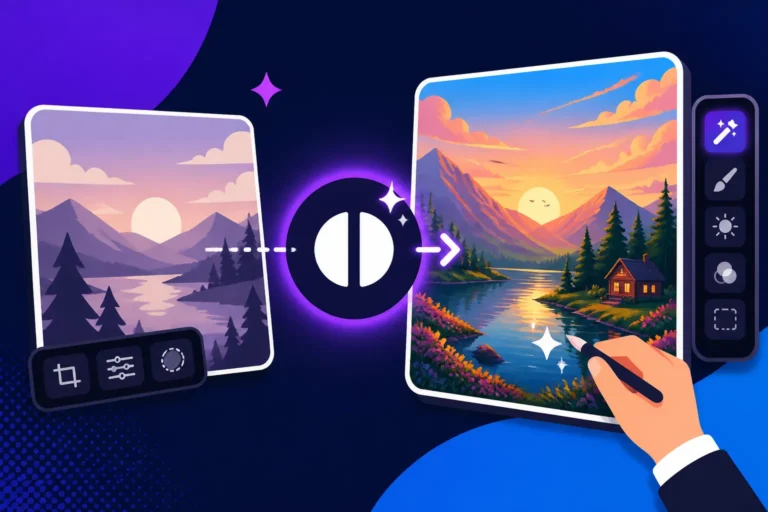
The "AI Canvas" editor is a prime example of this integrated approach. It functions much like a simplified image editor, but with AI capabilities built right in. Here, you can perform tasks like in-painting, which allows you to select a specific area of an image and regenerate only that part with a new prompt. Let's say you've generated a stunning landscape, but the tree in the foreground doesn't quite fit; you can use in-painting to replace just that tree with a different species or remove it entirely. Conversely, out-painting lets you extend the canvas beyond the original image boundaries, with the AI intelligently filling in the new areas to match the existing content. This is incredibly useful for creating wider aspect ratios, adding more context to a scene, or correcting compositions.
Furthermore, Leonardo AI offers features like prompt generation (using AI to help you write better prompts), image upscaling to enhance resolution, and various image remixing options. For instance, if you get a good initial result but want to explore variations, you can quickly generate multiple similar images with subtle changes. The ability to manage and organize your generated images, save prompts, and even categorize them for future use also contributes to a smoother workflow. These tools collectively empower creators to not just generate ideas, but to refine, enhance, and ultimately complete their visual projects without constant software hopping, making the entire creative process far more efficient.
User Experience and Interface Design
When you're diving into any new creative software, especially one powered by something as complex as artificial intelligence, the user experience can make or break your initial impression and long-term adoption. No one wants to spend hours trying to figure out where the "generate" button is, or deciphering cryptic menus. Leonardo AI has clearly put a lot of thought into its interface, aiming for a balance between powerful functionality and intuitive usability, which is often a challenge in the AI space.
From the moment you log in, the dashboard is designed to feel inviting and organized. Instead of a barebones text input, you're greeted with clear sections for image generation, fine-tuned models, your personal feed, and community creations. This immediate overview helps new users orient themselves and discover what's possible, rather than feeling lost in a sea of options. For many, this visual guidance is a huge relief compared to the command-line interfaces or less structured environments found in some other AI tools. The learning curve, while present as with any advanced tool, feels less steep because of the logical layout.
The overall aesthetic is clean and modern, avoiding unnecessary clutter. This allows users to focus on the creative process without distractions. Navigation is straightforward, with clear menus and labels. For instance, when you're in the image generation panel, all the critical controls like prompt input, negative prompt, model selection, aspect ratio, and guidance scale are laid out logically. This thoughtful design minimizes the time spent searching for options and maximizes the time spent experimenting and creating.
Navigating the Leonardo AI Dashboard
The Leonardo AI dashboard serves as your mission control, a central hub from which you launch all your creative projects and manage your assets. Unlike some tools that might throw you straight into a text box, Leonardo AI provides a visually rich entry point that encourages exploration and learning, which is a big plus for beginners and seasoned artists alike. It's often the first point of contact for new users, and its design reflects a commitment to making AI art accessible.
Upon logging in, you’ll typically find several key areas. There’s a prominent "AI Image Generation" button or section, naturally, which is where most users spend their time. But surrounding it are equally important zones: "Fine-tuned Models," where you can browse or select specialized AI models; "Community Feed," showcasing stunning creations by other users (and a fantastic source of inspiration and prompt ideas); and "Personal Feed," which displays your own generation history. This structure means you're never more than a click or two away from discovering new techniques or revisiting your past work.
Managing your creations is also surprisingly intuitive. Generated images are displayed in a grid, and you can easily download them, upscale them, delete them, or use them as a base for further variations. The ability to copy prompts directly from community posts is a huge time-saver and learning aid, allowing you to reverse-engineer impressive images and adapt techniques to your own work. This streamlined navigation helps users stay productive and organized, preventing the common headache of losing track of good prompts or interesting outputs.
Streamlined Prompting and Control Settings
For many new to AI image generation, the idea of "prompt engineering" can feel daunting. How do you describe exactly what you want to an AI? Leonardo AI addresses this challenge by providing a user-friendly interface for crafting prompts and a wealth of control settings that allow for fine-tuning results without needing to be a coding wizard. This blend of simplicity and power is where many users find immense value, moving past the frustration of vague outputs to achieve precise creative control.
The main image generation screen presents a clear text box for your positive prompt (what you want to see) and a separate one for negative prompts (what you explicitly don't want to see). This dual-prompt system is incredibly effective for guiding the AI more accurately. For instance, if you want "a fantastical forest," you might add "no blurry, no distorted limbs" in your negative prompt to avoid common AI glitches. Beneath these boxes, you'll find an array of sliders and dropdowns: aspect ratio selectors, image quantity, guidance scale (how strictly the AI follows your prompt), and options to use an initial image as a reference.
What makes this particularly streamlined is the instant feedback and logical grouping of controls. You can adjust the number of images generated per run, select specific art styles or fine-tuned models from a dropdown, and even use "Alchemy" or "Prompt Magic" toggles for enhanced realism or stylistic consistency. This thoughtful arrangement means you can experiment with different parameters quickly, observe their impact on the output, and iterate on your design without a cumbersome back-and-forth. The learning curve becomes more of an enjoyable exploration rather than a frustrating puzzle, enabling creators to quickly grasp how different settings influence the final image.
Image Quality and Artistic Output
The ultimate test of any AI image generator lies in the quality and versatility of its artistic output. After all, what good are fancy features if the images themselves don't meet your creative standards? Leonardo AI consistently strives to deliver high-fidelity images across a broad spectrum of styles, often allowing users to produce results that rival or even surpass those from more widely recognized tools, especially when leveraged correctly. This focus on delivering visually compelling results is a significant reason why many artists and designers flock to the platform.
One of the platform's standout strengths is its ability to generate images with impressive detail and clarity. Whether you're aiming for photorealism that blurs the line with actual photography or highly stylized digital paintings, Leonardo AI provides the tools and models to achieve remarkable fidelity. Colors are vibrant, textures are often rich, and lighting can be rendered with sophisticated nuances, contributing to images that feel professional and polished. This level of detail is particularly crucial for commercial applications, where crisp, clear visuals are paramount.
However, like all AI tools, the quality can vary depending on the prompt, the chosen model, and the user's expertise. Beginners might initially produce images with some of the familiar AI quirks—slightly distorted hands, unusual compositions, or minor anatomical errors. But with practice and a good understanding of prompt engineering, coupled with the platform's fine-tuned models, users can consistently overcome these hurdles to produce truly exceptional artwork. The community examples often serve as powerful demonstrations of just how high the quality ceiling can be.
Achieving Photorealism and Artistic Styles
One of the most sought-after capabilities in AI image generation is the ability to produce images that are indistinguishable from photographs. Leonardo AI, particularly with its "Alchemy" engine and certain fine-tuned models, makes significant strides in achieving stunning photorealism. Many users, myself included, have been genuinely surprised by how realistic faces, landscapes, and objects can appear, complete with intricate details, natural lighting, and believable textures. This capability is invaluable for marketers, product designers, and anyone needing high-quality, lifelike visuals without the expense of traditional photography.
To achieve top-tier photorealism, you typically need to combine a well-crafted prompt with the right model and settings. Leonardo AI offers dedicated photorealistic models that are trained on vast datasets of real-world images, ensuring the AI understands the nuances of light, shadow, and material properties. Adding specific keywords to your prompt, such as "cinematic lighting," "ultra-realistic," "8K," or "photorealistic," further guides the AI. The "Alchemy" feature, a proprietary generation pipeline within Leonardo AI, is particularly adept at enhancing realism and detail, pushing the boundaries of what's possible with AI. This makes it a strong contender for those looking for the Best AI Image Generator for Photorealism.
Beyond photorealism, Leonardo AI shines in its capacity to render a vast array of artistic styles. Whether your preference leans towards intricate fantasy art, vibrant anime, classic oil paintings, abstract compositions, or minimalistic designs, there’s likely a fine-tuned model or a combination of settings that can achieve it. The platform’s community-driven model library is a treasure trove of stylistic options, allowing artists to explore and create in almost any genre imaginable. For example, if you're a comic artist, you might find a model specifically for a graphic novel aesthetic, allowing you to generate consistent panels quickly. This versatility ensures that Leonardo AI isn't just a one-trick pony; it's a creative powerhouse adaptable to diverse artistic visions.
Consistency and Common Challenges
While Leonardo AI excels in generating impressive images, achieving absolute consistency across multiple generations for the same character or precise elements remains a universal challenge for most AI image tools, including Leonardo. This is a common pain point for creators working on sequential art, character design, or branding, where maintaining a unified look is paramount. You might generate a perfect character once, only for subsequent generations to subtly alter their features or clothing, leading to a frustrating iterative process.
However, Leonardo AI offers some of the best tools available to combat these consistency issues. The ability to fine-tune your own models on specific characters or art styles is the most powerful method. By training a custom model on 10-20 images of a particular character, the AI learns to recognize and reproduce that character's likeness with remarkable accuracy. This significantly improves consistency compared to relying on generic models, which lack that specific training data. You can find excellent advice on this by exploring resources like How to Prompt for Consistent Characters.
Another common challenge across AI image generators, and something users frequently express frustration about, is the occasional distortion of hands, faces, or text. While Leonardo AI has made significant strides with its newer models and "Alchemy" engine, users can still encounter these artifacts, especially with complex poses or intricate textual elements. The platform's in-built editing tools, like the AI Canvas for in-painting, offer a partial solution, allowing you to manually regenerate problematic areas. Additionally, using strong negative prompts (e.g., "ugly, tiling, poorly drawn hands, poorly drawn feet, out of frame, extra limbs, disfigured, deformed, body out of frame, bad anatomy, watermark, signature, cut off, low contrast, underexposed, overexposed, bad art, beginner, amateur, distorted face") can help mitigate these issues, though it requires some trial and error. The journey to perfect consistency is an ongoing one in AI art, but Leonardo AI provides some of the best tools to navigate it.
Pricing and Subscription Plans
Understanding the cost structure of an AI image generator is often as crucial as evaluating its features, especially for creators on a budget or businesses planning larger projects. Many users are wary of "free" tools that suddenly introduce exorbitant fees, or complex credit systems that are hard to decipher. Leonardo AI, like many advanced platforms, operates on a freemium model, offering a robust free tier alongside several paid subscription plans, each designed to cater to different levels of usage and creative needs.
The core of Leonardo AI's pricing is a credit-based system. Each time you generate an image, upscale it, or use certain advanced features, a certain number of credits are deducted from your account. The number of credits consumed depends on factors like the model used, the number of images generated at once, and whether you're using advanced features like "Alchemy" or specific image dimensions. This system offers flexibility, allowing users to choose how they spend their credits based on their project requirements. However, it also means that heavy users will quickly find themselves needing to subscribe to a paid plan or purchase additional credit packs.
It's vital to assess your own anticipated usage when looking at Leonardo AI's plans. Are you a casual hobbyist who just wants to experiment occasionally? Or are you a professional artist generating dozens of images daily for client work? Understanding your workflow will help you determine which plan, if any, offers the best value for your specific needs. The transparency of the credit system, though initially a bit of a learning curve, ultimately allows for predictable budgeting once you get the hang of it.
Free Tier Capabilities and Limitations
For anyone just starting their journey into AI art or simply wanting to test the waters without commitment, Leonardo AI's free tier is an incredibly generous offering. It provides a substantial amount of daily credits that allow users to explore the platform's core functionalities, experiment with different models, and generate a decent volume of images. Many beginners find this free access to be a fantastic way to learn prompt engineering and understand the nuances of AI art without any financial pressure.
Under the free tier, users typically receive a certain number of credits refreshed daily. These credits are sufficient for generating a good number of images, often enough to experiment with various prompts, styles, and models. You can access most of the core image generation features, including text-to-image and image-to-image, and utilize a wide selection of community-trained fine-tuned models. This means you’re not locked into just the basic, generic outputs; you can truly explore the artistic potential of the platform. For example, a hobbyist looking to create unique desktop wallpapers or social media graphics will find the free tier more than adequate for their occasional needs.
However, as expected, the free tier comes with certain limitations. Advanced features like "Alchemy" (which enhances image quality and realism) or higher-resolution upscaling often consume credits at a faster rate or might be restricted. There might also be daily caps on the number of images you can generate or a reduced priority in the generation queue compared to paid subscribers, meaning slightly longer wait times during peak hours. Furthermore, commercial use of images generated on the free tier might have specific terms, so it's always crucial to check Leonardo AI's current policy regarding Free AI Image Generators with Commercial Use. For serious creators or businesses, these limitations often make a paid subscription a more practical necessity to unlock the platform’s full power and ensure commercial viability.
Paid Subscription Tiers and Value
For creators and businesses whose needs exceed the free tier's generosity, Leonardo AI offers a range of paid subscription plans designed to provide significantly more credits, access to premium features, and faster generation times. These tiers are structured to offer increasing value as your usage grows, making them a worthwhile investment for professional workflows or intensive creative projects. Deciding to upgrade from a free plan often comes when a user realizes the time saved and quality gained justify the expense.
Typically, Leonardo AI offers several tiers, such as Starter, Creator, and Artisan, or similar variations, each building upon the last with more credits and enhanced features. For instance, a Starter plan might offer thousands of credits per month, significantly more than the daily free allowance, along with faster image generation. The Creator plan might bump up the credits even further, unlock access to features like higher-resolution upscaling, and provide dedicated queues for even quicker results. The top-tier Artisan plan is usually for power users or agencies, offering a massive credit allowance, top-tier features like the advanced "Alchemy" engine, and commercial usage rights without many restrictions.
The value proposition of these paid plans is clear: increased output, enhanced quality, and professional-grade features. For a freelance graphic designer who needs to generate numerous concepts for clients daily, a Creator or Artisan plan can easily pay for itself through increased productivity and the ability to deliver superior results. Similarly, for an indie game developer, the ability to rapidly prototype assets using a fine-tuned model and then refine them with advanced editing tools makes a paid subscription an essential part of their toolkit. It's an investment in efficiency and creative freedom, allowing you to leverage the full potential of Leonardo AI without hitting frustrating limitations. You can also review articles like Leonardo AI Free Tier Review to get a better sense of how the free and paid plans stack up.
| Feature | Free Tier | Starter Plan | Creator Plan | Artisan Plan |
|---|---|---|---|---|
| Daily/Monthly Credits | ~150-200 Daily | ~8,500 Monthly | ~25,000 Monthly | ~60,000 Monthly |
| Image Generation | Standard | Fast | Faster | Fastest |
| Custom Models | Limited access | Full access | Full access | Full access |
| Fine-Tuning Models | No | Limited | More | Extensive |
| Alchemy Engine | Limited/No | Basic access | Full access | Full access |
| Upscaling | Standard resolutions | Higher resolutions | High-res, faster | Highest-res, priority |
| Commercial Use | Check specific terms | Generally permitted | Generally permitted | Generally permitted |
| Private Generations | No | Yes | Yes | Yes |
| API Access | No | Limited | Yes | Yes |
Note: Credit amounts and features can vary and are subject to change by Leonardo AI. Always check their official pricing page for the most current information.
The Pros and Cons of Choosing Leonardo AI
Every tool has its strengths and weaknesses, and AI image generators are no exception. For creators, understanding these upsides and downsides is crucial for making an informed decision about where to invest their time and resources. Leonardo AI has certainly carved out a significant space in the market, but it's important to look at it through a balanced lens. Many users come to Leonardo after struggling with the limitations of other tools, only to find new advantages, and occasionally, new challenges.
On the positive side, Leonardo AI truly empowers artists with control and flexibility that many competitors lack. Its extensive library of fine-tuned models, combined with the ability to train your own, means you can achieve a level of stylistic consistency and specificity that is hard to match elsewhere. The web-based interface is intuitive and user-friendly, making it far more accessible than command-line tools for those not comfortable with Discord or complex setups. Furthermore, the integrated editing features, like the AI Canvas, streamline the workflow, allowing for comprehensive creation and refinement within a single platform. The generous free tier also makes it incredibly appealing for newcomers to explore without financial pressure.
However, no tool is perfect. While Leonardo AI offers substantial creative control, it still requires a learning curve, particularly for mastering prompt engineering and understanding the nuances of different models and settings. Achieving consistently perfect results, especially with complex anatomical details like hands, still sometimes requires iteration and refinement. For those heavily invested in other ecosystems, integrating Leonardo AI might introduce a slight workflow adjustment, though its export options are robust. And while the free tier is great, heavy users will quickly find themselves needing to pay for credits, which, while offering good value, is still a cost to consider.
The Upsides: Why Creators Love It
There are numerous reasons why Leonardo AI has garnered such a loyal following among digital artists, game developers, marketers, and casual creators alike. Its design philosophy clearly revolves around putting powerful tools directly into the hands of users, leading to a genuinely empowering creative experience. Many who felt limited or frustrated by other platforms often find their creative flow unleashed when they start using Leonardo AI.
One of the biggest upsides is the unparalleled control over output. Unlike some "black box" generators, Leonardo AI provides a granular level of control through various parameters, sliders, and the ability to select from a vast array of fine-tuned models. This means you’re not just hoping for a good result; you’re actively guiding the AI towards your vision. For instance, if you want a character in a specific art style, you can simply select a community model trained on that style, instantly boosting your chances of success. This level of customization dramatically reduces the time spent on trial and error, a common frustration with less refined tools.
Another major benefit is the sheer breadth of its features, particularly the integrated editing capabilities. The AI Canvas, for example, allows for in-painting and out-painting directly within the platform, eliminating the need to constantly export images to external editors. This seamless workflow is a huge time-saver and makes iterative design much more fluid. Imagine generating a base image, then extending its background or swapping out a detail, all without leaving Leonardo AI. This holistic approach makes it a powerful one-stop shop for many visual creation tasks, from concept art to finished pieces. The robust community and learning resources further enhance the experience, providing inspiration and practical tips, making it an excellent platform for learning How to Write AI Image Prompts effectively.
The Downsides: Areas for Improvement
While Leonardo AI offers an impressive array of features and benefits, it's also important to acknowledge its limitations and areas where it could improve. No AI tool is a silver bullet, and understanding these potential drawbacks can help set realistic expectations and inform your decision. For some users, these minor inconveniences might be deal-breakers, while for others, they are easily outweighed by the platform's strengths.
One challenge, common to many AI generators but still present in Leonardo AI, is the occasional difficulty with anatomical accuracy, particularly when it comes to hands and complex poses. Despite advancements in AI models, generating perfectly rendered hands with the correct number of fingers and natural articulation can still be a hit-or-miss affair. While in-painting can help correct these issues post-generation, it adds an extra step to the workflow and can be a source of frustration for artists seeking perfection straight out of the generator. This is a battle almost all AI art platforms are fighting, and while Leonardo is good, it's not immune.
Another potential downside for complete newcomers might be the sheer number of options and settings available. While advanced users appreciate the granular control, a brand-new user could initially feel overwhelmed by the multitude of fine-tuned models, parameters, and generation settings. The learning curve, though well-supported by documentation and community, is definitely there. Compared to simpler, more "one-click" solutions, Leonardo AI demands a bit more engagement and understanding from its users to unlock its full potential. However, this investment typically pays off in much better and more controlled results. Finally, while the credit system is transparent, constant monitoring of credit usage can sometimes pull a user out of their creative flow, especially for those on the free or lower-tier paid plans.
Who Is Leonardo AI Best Suited For?
Choosing the right AI image generator often boils down to matching a tool's capabilities with your specific needs and creative goals. There's no single "best" tool for everyone, and what works wonderfully for a professional game artist might be overkill for a casual hobbyist. Leonardo AI, with its unique blend of features and focus, tends to appeal strongly to particular demographics within the creative community. It’s certainly not just for seasoned pros, but it offers a depth that many professional users appreciate.
If you're someone who values control, customization, and a comprehensive workflow within a single platform, Leonardo AI is likely to be a fantastic fit. It's built for those who want to do more than just generate random images; they want to sculpt, refine, and iterate on their visions. Its emphasis on fine-tuned models and detailed parameters means that artists who are particular about their aesthetic and need consistency will find it incredibly valuable.
Conversely, if you're looking for an extremely simple, bare-bones tool where you just type a few words and get a quick image with minimal fuss, some aspects of Leonardo AI might feel a little overwhelming at first. While it can be used simply, its true power comes from engaging with its more advanced features. This tool thrives when users are willing to learn, experiment, and leverage its robust capabilities.
Indie Game Developers and Concept Artists
For indie game developers and concept artists, Leonardo AI is nothing short of a revelation, offering tools that can dramatically accelerate their workflow and unlock new creative possibilities. The traditional process of creating game assets, from concept art to textures and 3D models, is incredibly time-consuming and often requires a large team. Leonardo AI steps in as a powerful virtual assistant, helping to streamline many of these labor-intensive steps.
One of its primary strengths for this demographic is the ability to rapidly generate concept art. Imagine needing to visualize dozens of character variations, creature designs, or environmental elements for a new game. With Leonardo AI, you can generate numerous concepts in minutes, iterating on prompts to explore different styles, moods, and forms. This speeds up the ideation phase immensely, allowing artists to present a wider range of ideas to their team or clients without spending days on initial sketches. Its rich library of fantasy, sci-fi, and creature-focused models is particularly appealing for game genres.
Beyond concept art, Leonardo AI’s capabilities extend to texture generation. Developers can use it to create unique textures for their 3D models, experimenting with different materials, patterns, and surface details. The platform has also innovated with features like AI-powered 3D texture generation and even some experimental tools for generating 3D meshes, significantly cutting down on the manual labor involved in asset creation. Furthermore, the ability to train custom models on specific art styles ensures visual consistency across all game assets, a critical factor for a cohesive game world. This makes Leonardo AI a standout tool in an article about Best AI Image Generator for Game Art.
Digital Artists and Illustrators
Digital artists and illustrators form another core audience that deeply benefits from Leonardo AI's rich feature set. Whether they're professionals creating client commissions or hobbyists exploring new artistic avenues, the platform provides powerful tools to enhance their creative process, allowing them to push boundaries and increase efficiency. Many artists who once spent hours on initial sketches now use AI to quickly generate foundational ideas.
For illustrators, Leonardo AI can be an invaluable brainstorming partner. If you're stuck on a particular composition or struggling to visualize a unique setting, generating a few AI images can quickly provide fresh perspectives and unexpected ideas. You can use text prompts to describe complex scenes, character interactions, or abstract concepts, and the AI will offer visual interpretations that can then be refined and incorporated into your own traditional or digital artwork. This significantly reduces creative blocks and accelerates the initial ideation phase, allowing the artist to focus their manual efforts on the finer details and personal touch.
Moreover, the platform's advanced editing features, like the AI Canvas, are incredibly useful for digital painting workflows. An artist can generate a base image, then use in-painting to refine specific areas, change elements, or even expand the canvas with out-painting to create a larger, more intricate scene. The diverse range of fine-tuned artistic models also means that illustrators can experiment with styles they might not be proficient in, or quickly generate background elements that match a specific aesthetic without drawing every blade of grass. Leonardo AI truly becomes an extension of the artist's toolkit, augmenting their skills rather than replacing them.
How Leonardo AI Stacks Up Against the Competition
In the bustling arena of AI image generators, Leonardo AI isn't playing a solo act; it's part of a vibrant ecosystem with many powerful contenders. Understanding where it stands in relation to other prominent tools is crucial for creators who want to make the most informed decision about their workflow. Many users frequently ask, "How does Leonardo AI compare to Midjourney?" or "Is it better than Stable Diffusion?" The answer, as always, is nuanced and depends heavily on individual priorities and use cases.
When we consider the major players, each tool has its own unique strengths. Midjourney is renowned for its stunning artistic outputs and often described as having an "artistic eye," excelling at beautiful, evocative imagery, particularly in illustrative and surreal styles. DALL-E, integrated into platforms like ChatGPT, is often praised for its ability to interpret complex, multi-layered prompts and its strong performance with text rendering (though still imperfect). Stable Diffusion stands out for its open-source nature, offering unparalleled customization and the ability to run models locally, which appeals strongly to developers and those who want full control over their models.
Leonardo AI often finds its niche by offering a balance between the artistic flair of Midjourney, the prompt understanding of DALL-E, and some of the customization potential of Stable Diffusion, all wrapped in a more user-friendly web interface. Its focus on fine-tuned models and iterative editing tools makes it a compelling choice for those seeking consistency and a streamlined workflow, particularly for asset creation and specific artistic styles. It's not necessarily about one being definitively "better" than the others, but rather about which tool aligns best with your specific creative demands and technical comfort level.
Leonardo AI vs. Midjourney
The comparison between Leonardo AI and Midjourney is one that frequently comes up in discussions about AI image generation, and for good reason. Both are highly capable tools, but they cater to slightly different user experiences and excel in different areas, making the choice between them a matter of personal preference and project needs. For many, it's not a question of which is definitively "better," but rather "which is better for me and my project."
Midjourney, often lauded for its incredible artistic output, excels at creating visually stunning, often ethereal and highly aesthetic images with minimal prompting. It has a distinctive "Midjourney look" that many creators adore, characterized by rich textures, dramatic lighting, and an almost painterly quality. Its strength lies in generating beautiful, high-quality art quickly, particularly for conceptual or inspirational purposes. However, its primary interface via Discord can be a barrier for some, and achieving precise control or highly specific, consistent outputs (especially for characters) can sometimes be challenging without extensive prompt engineering. For artists prioritizing pure artistic beauty and mood, Midjourney vs Leonardo AI for game art becomes a key consideration.
Leonardo AI, on the other hand, prioritizes control, customization, and an integrated workflow within a dedicated web application. While it can certainly produce beautiful art, its strength lies in giving users more levers and dials to pull. The extensive library of fine-tuned models, the ability to train your own custom models, and the AI Canvas editing features mean that Leonardo AI offers a more hands-on approach to image creation and refinement. If you need consistent character designs, specific product shots, or want to integrate AI images seamlessly into an existing digital art pipeline, Leonardo AI often provides a more robust and controllable solution. It’s arguably more versatile for iterative design and asset creation, even if Midjourney might win on raw "wow factor" for initial artistic generations.
Leonardo AI vs. Stable Diffusion and DALL-E
Comparing Leonardo AI to Stable Diffusion and DALL-E highlights the diverse approaches in the AI image generation landscape, each catering to different priorities and technical comfort levels. Each of these tools has unique selling points, and understanding them helps in selecting the right platform for specific creative tasks.
Stable Diffusion stands out primarily because of its open-source nature, offering unparalleled flexibility and customization. It can be run locally on powerful computers, giving users complete control over their models, parameters, and even privacy. This level of freedom is a huge draw for developers, researchers, and advanced users who want to experiment with different models (LoRAs, ControlNet) and integrate AI generation into complex pipelines. However, this power comes with a steeper learning curve, often requiring technical knowledge to set up and optimize. While online versions exist, the full power of Stable Diffusion is unlocked through local installation, which isn't for everyone. For those who want to dive deep into the technical aspects and have full ownership, exploring Stable Diffusion Alternatives or even a Stable Diffusion Review: Free and Customizable might be more appealing.
DALL-E, especially its integration within ChatGPT, offers a supremely easy-to-use experience, making it highly accessible to general users. Its strength lies in its ability to interpret natural language prompts exceptionally well, often understanding nuanced requests and generating cohesive scenes. It’s fantastic for quick ideation and general-purpose image creation, often forgiving of less specific prompts. However, DALL-E typically offers less granular control over artistic style, specific models, or post-generation editing compared to Leonardo AI. It's often more of a "generate and go" tool. For simple, quick, and context-aware image generation within a chat interface, DALL-E is excellent, but for detailed artistic control or consistent character work, Leonardo AI usually pulls ahead.
Leonardo AI positions itself as a robust, user-friendly web application that bridges the gap between DALL-E's accessibility and Stable Diffusion's customization. It offers a wide range of fine-tuned models and detailed controls in an intuitive interface, making it easier to achieve specific artistic visions than DALL-E, without the technical overhead of a full Stable Diffusion setup. For creators who want powerful control and flexibility without diving into the complexities of open-source models or relying solely on text-based commands, Leonardo AI often presents the sweet spot. It provides a more integrated creative environment than DALL-E and is more accessible than a self-hosted Stable Diffusion instance, offering a balanced proposition for many digital artists.
Disclaimer
The information provided in this article is for general informational purposes only and is subject to change as AI technologies rapidly evolve. While we strive to keep the content accurate and up-to-date, pricing, features, and terms of service for Leonardo AI and other platforms may be updated by their respective providers without notice. Always consult the official websites of these tools for the most current and accurate information before making any purchasing or usage decisions.