Krea AI Free Tier Explained
It can feel like every powerful AI image tool comes with a hefty price tag, or at the very least, a confusing credit system that leaves you wondering if you're getting your money's worth. Many aspiring artists, content creators, and small business owners often hesitate, not wanting to invest in a subscription before truly understanding what a tool can do. This comprehensive guide will explain everything you need to know about the Krea AI free tier, helping you navigate its features, understand its limitations, and get the most out of every free generation.
What Exactly is Krea AI's Free Tier Offering?
Krea AI burst onto the scene with its innovative real-time image generation and other powerful features, quickly becoming a favorite for many looking for speed and control in their AI art workflow. The good news for those on a tight budget or just curious is that Krea AI does offer a free tier. It’s not just a basic demo; it provides a genuine taste of what the platform is capable of, albeit with certain parameters and limits. Understanding these initial offerings is key to determining if it’s the right starting point for your creative journey.
Accessing Krea AI Without a Subscription
Jumping into Krea AI's free tier is usually straightforward. Typically, you'll just need to create an account using an email address, and you're good to go. There's no credit card required upfront, which is a massive relief for anyone tired of accidentally rolling into paid subscriptions. This low barrier to entry means you can experiment and explore the interface without commitment, allowing you to gauge its usability and creative potential firsthand. For many, this initial freedom is invaluable, especially when trying to figure out which AI image generator truly aligns with their creative process and technical comfort level. It contrasts sharply with some platforms that immediately ask for payment details or only offer very limited free trials.
Krea AI’s free access is designed to give you a legitimate feel for the platform, not just a superficial peek. While the specific number of daily credits or generations can sometimes fluctuate based on platform updates, the core principle remains: enough access to create meaningful work. This includes engaging with its real-time generation capabilities, which are often cited as a standout feature. Imagine sketching a simple shape or adding a few strokes with your mouse, and watching as AI instantly interprets and renders a complex image in real-time. This dynamic feedback loop is a game-changer for iterative design and visual brainstorming, and it’s a significant part of what makes the free tier so appealing for newcomers.
Core Features Available in the Free Plan
Even without a subscription, Krea AI's free tier gives you access to some of its most compelling tools. The real star of the show for many users is the real-time generation feature. You can literally draw on a canvas, add a prompt, and see the AI generate images instantly as you draw or type. This responsive, interactive experience is something that sets Krea AI apart from many other tools, where generation often involves waiting for a batch process. This means you can quickly iterate on ideas, test different concepts, and get immediate visual feedback on your prompts and sketches. It's incredibly powerful for brainstorming and refining concepts on the fly.
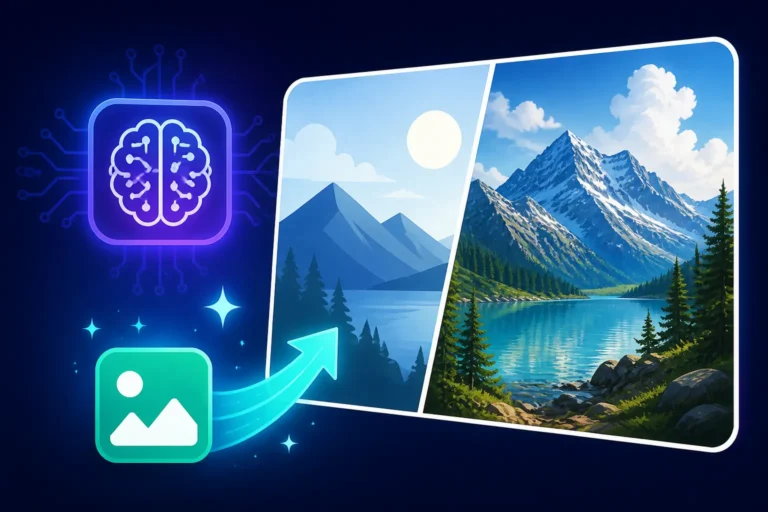
Beyond real-time, the free tier also typically allows access to various image-to-image functionalities. This means you can upload an existing image – perhaps a rough sketch, a photograph, or another AI-generated asset – and use it as a base for Krea AI to transform. You can guide this transformation with text prompts, blending your visual input with the AI's generative power. This feature alone opens up a world of possibilities for artists looking to refine their work or explore stylistic variations without having to start from scratch. Whether you're trying to add a specific mood to a landscape or apply a unique art style to a character sketch, the image-to-image tools provide a robust foundation for creative exploration. It’s a fantastic way to bridge the gap between human input and AI output, making the creative process more collaborative and intuitive.
Understanding the Limitations of Krea AI's Free Access
While Krea AI's free tier is genuinely generous, it's important to set realistic expectations. Like any freemium model, there are certain limitations designed to encourage users to eventually upgrade to a paid plan. These aren't necessarily drawbacks, but rather a strategic balancing act by the developers to offer substantial value while still sustaining their operations. Knowing these constraints upfront will help you plan your projects effectively and avoid frustration when you hit a wall.
Credit System and Daily Generation Caps
The most immediate limitation you'll encounter with Krea AI's free tier is usually a credit system or a daily generation cap. This means you won't have unlimited access to its powerful generation capabilities. Typically, users receive a certain number of credits or generations each day, and once those are used up, you'll either have to wait until the next day for them to refresh or consider purchasing more. This structure is common across many free AI tools, from Bing Image Creator Review: Is It Worth It in 2026 to Ideogram Free Tier Explained. It encourages thoughtful prompting and iteration, as each generation consumes a piece of your daily allowance.
For instance, if you get 50 free generations a day, you might find yourself being more deliberate with your prompts, trying to combine multiple ideas into one request rather than experimenting with dozens of subtle variations. This isn't necessarily a bad thing; it can actually force you to be a more precise "prompt engineer." However, it can be a hurdle if you're working on a large project requiring extensive iteration or rapidly generating many different concepts. Creative sessions might need to be spread out over several days, or you might find yourself holding back on truly ambitious ideas until you decide whether a paid plan is worth it. It’s a good system for casual users, but those with higher volume needs will quickly feel the pinch.
Image Quality, Resolution, and Upscaling Restrictions
Another common area where free tiers often have limitations is in the output quality and resolution of the generated images. While Krea AI's real-time generations are impressive, the free tier might not allow you to export images at the highest possible resolution or with the same level of detail as paid subscribers. This is a practical consideration for creators who need high-fidelity images for print, professional presentations, or detailed digital artwork. You might find that free tier images are perfectly suitable for social media posts, blog headers, or quick mockups, but they might not hold up for larger formats or projects requiring pristine visual quality.
Furthermore, advanced features like integrated upscaling might be limited or entirely absent in the free version. Upscaling is the process of intelligently increasing an image's resolution without significant loss of quality, often adding detail in the process. Without easy access to a robust upscaler, you might be stuck with images that look good on screen but become pixelated or soft when enlarged. This is a significant factor for graphic designers, illustrators, or anyone whose final output needs to be crisp and clear. While external upscaling tools exist, having it integrated seamlessly into your AI workflow, as it often is with paid plans, makes a huge difference in efficiency and final quality. For a deeper dive into upscaling, you might want to read about Magnific Upscaler: Worth the Price.
Navigating Commercial Use and Licensing
This is perhaps one of the most critical, yet often overlooked, limitations of many free AI image generators, including potentially Krea AI's free tier: commercial use rights. While you can typically generate images for personal projects, hobbies, or learning purposes, using them for commercial endeavors – like selling products, creating marketing materials for a business, or using them in paid client work – can be restricted. The terms of service for free tiers often specify that images generated without a paid subscription might not carry the same robust commercial rights or intellectual property indemnification as those generated on a paid plan.
It is absolutely crucial to read Krea AI's specific terms of service regarding commercial use for its free tier before using any generated images in a professional context. Using images without proper licensing can lead to legal issues down the line, ranging from takedown notices to copyright infringement claims. This is a common concern across the AI art space, and it’s why understanding the specific licensing terms is so important. Some tools, like Adobe Firefly Commercial Safety Review, go to great lengths to provide clear commercial rights, but this is usually tied to their paid offerings. Always err on the side of caution and assume that commercial use might be restricted unless explicitly stated otherwise in the free tier's terms. For freelancers or small businesses, this could mean that while Krea AI's free tier is excellent for concepting, the final, commercially viable assets might need to be generated on a paid plan or with an alternative tool.
Maximizing Your Free Krea AI Generations
Given the limitations of the free tier, especially the daily credit caps, it becomes an art form in itself to get the most out of every single generation. You don't want to waste precious credits on vague prompts or repetitive outputs. By adopting smart strategies, you can significantly enhance your efficiency and creative output, making your free Krea AI experience far more rewarding. Think of it as a creative challenge to be resourceful.
Crafting Efficient Prompts to Save Credits
The key to efficient generation in Krea AI's free tier lies in precise and well-structured prompting. Instead of throwing a few words at the AI and hoping for the best, approach your prompts with a clear vision. Start by defining your subject, then add specific details about style, lighting, composition, and mood. For example, instead of just "forest," try "enchanted forest, bioluminescent plants, mystical fog, golden hour lighting, cinematic, ultra realistic." This level of detail gives the AI a much clearer direction, increasing the likelihood of getting a desirable result on the first try.
Experiment with prompt chaining and iterative refinement. Instead of generating a completely new image each time you want a slight change, try to modify your existing prompt. If you like the composition but want a different color scheme, edit the prompt to specify "emerald green and silver hues" instead of creating a whole new prompt from scratch. Many AI tools are designed to iterate on previous outputs, so learn to leverage this. Remember that negative prompts can be just as powerful as positive ones; specifying what you don't want (e.g., "no blurry background, no mutated hands") can save you generations by preventing common AI errors. Learning to write effective prompts is a skill that translates across many platforms; you can find more guidance in a general How to Write AI Image Prompts guide.
Leveraging Real-Time Generation and Image-to-Image Effectively
Krea AI's real-time generation is a standout feature, and it's particularly valuable when you're working with a limited number of free credits. Instead of committing to a full-blown generation, use the real-time canvas to sketch out ideas and test prompt variations. You can quickly see how different keywords or drawing inputs affect the output without spending a full credit on each experiment. This allows for rapid prototyping and visual brainstorming in a low-stakes environment. Think of it as a visual scratchpad where you can refine your concept before hitting the "generate" button for a final output.
Similarly, the image-to-image feature can be a massive credit-saver. If you have a rough sketch or even a basic image from another source, you can upload it and use Krea AI to enhance or transform it. This means you're not relying solely on text prompts to define the entire image from scratch. By providing a strong visual foundation, you give the AI a head start, often leading to more predictable and desirable results with fewer iterations. Whether you're turning a simple line drawing into a detailed illustration or adding a specific artistic flair to a photograph, image-to-image can significantly reduce the number of generations needed to achieve your vision. It's about working smarter, not harder, with your available resources.
Deciding When a Paid Plan Becomes Necessary
There comes a point for many users where the free tier, no matter how generous, simply can't keep up with their creative demands. This usually happens when you start needing higher resolution images, more daily generations, or unrestricted commercial use rights. If you find yourself consistently hitting the daily credit cap, getting frustrated by resolution limits, or needing to use images for client work or product sales, it's a strong indicator that a paid plan is worth considering. The mental overhead of managing limited credits can stifle creativity and slow down your workflow, which might cost you more in time than the subscription fee itself.
Before upgrading, evaluate your actual usage and specific needs. Are you just dabbling, or is Krea AI becoming an integral part of your creative or professional workflow? Compare Krea AI's paid plans to other alternatives in the market, such as those reviewed in Best AI Image Generator Overall, to see if it truly offers the best value for your specific use case. Sometimes, a different tool might be better suited for your high-volume or specific commercial needs. However, if Krea AI's unique real-time features and intuitive interface have genuinely boosted your productivity and creative output, investing in a subscription could easily pay for itself through saved time and enhanced project quality.
Krea AI's Free Tier Compared to Other Budget-Friendly Tools
The landscape of free and budget-friendly AI image generators is constantly evolving. While Krea AI offers some unique advantages, especially with its real-time capabilities, it’s rarely the only free option available. Understanding how its free tier measures up against competitors can help you make an informed decision, or even lead you to combine different free tools for a more versatile workflow. Each platform has its own strengths and weaknesses when it comes to no-cost access.
How Krea AI Stacks Up Against Other Freebies
When we look at other prominent free AI image generators, Krea AI's real-time generation often stands out as a unique selling proposition. Tools like Bing Image Creator Free Tier Explained, powered by DALL-E, offer robust image generation and are typically integrated into Microsoft products like Copilot. Bing Image Creator usually provides a decent number of "boosts" for faster generation, but it lacks the instant, interactive feedback loop that Krea AI excels at. The generation process for Bing is more traditional: input prompt, wait for images. If speed of iteration and visual sketching is your priority, Krea AI's free tier might feel more dynamic.
Then there's Ideogram, which has made a name for itself with exceptional text rendering capabilities within images. The Ideogram Free Tier Explained often provides a generous daily allowance of generations, making it fantastic for creating logos, posters, or social media graphics that require legible text. Krea AI, while improving, might not consistently produce text as flawlessly as Ideogram in its free tier. So, if text accuracy is paramount, Ideogram might be the superior free choice. However, for complex visual concepts where text is secondary, Krea AI’s interactive approach could be more beneficial.
| Feature | Krea AI Free Tier | Bing Image Creator Free Tier | Ideogram Free Tier | Leonardo AI Free Tier | Playground AI Free Tier |
|---|---|---|---|---|---|
| Key Differentiator | Real-time interactive generation | DALL-E 3 quality, Microsoft integration | Excellent text rendering, diverse styles | Customizable models, advanced editing | Generous daily images, extensive editing |
| Credit System | Limited daily generations/credits | Daily "boosts" for faster generation | Generous daily credits | Daily credits, refreshes regularly | Very generous daily images |
| Resolution | Standard, may require external upscaling | Good standard, often high enough for web | Good standard, suitable for web | Standard output, upscaling sometimes limited | Standard output, some upscaling features |
| Commercial Use | Check specific T&Cs, often restricted without paid plan | Generally allowed with attribution | Check specific T&Cs, often allowed with attribution | Check specific T&Cs, often allowed with attribution | Check specific T&Cs, generally allowed |
| Advanced Features | Real-time drawing, image-to-image | Basic prompt styling, DALL-E specific features | Text in image, varied aspect ratios | Model selection, ControlNet, image prompts | Inpainting/Outpainting, image remix, various models |
| Ease of Use | Intuitive, especially for real-time | User-friendly, direct prompting | User-friendly, prompt modifiers | Moderate, some learning curve for advanced features | User-friendly, good for beginners |
Unique Strengths and Weaknesses in the Free AI Landscape
Krea AI's undeniable strength in the free tier landscape is its real-time generation and interactive canvas. This feature democratizes a level of creative control that often requires more complex setups or expensive software. For artists who think visually and want immediate feedback, Krea AI offers an unparalleled experience. It's excellent for rapid ideation, concept exploration, and truly understanding how different prompt elements influence the output, almost like having a digital drawing assistant. This interactive element makes it a fantastic learning tool, letting users iterate visually rather than relying solely on text-based trial and error.
However, its weaknesses might lie in areas where other free tools shine. While Krea AI is constantly improving, some users might find its photorealism or consistent character generation in the free tier not quite on par with top-tier models like those behind DALL-E 3 (as found in Bing Image Creator). Similarly, as mentioned, text rendering can be a challenge. For those seeking highly realistic images, or perfect typography, alternative free tools like Leonardo AI Free Tier Review or even Playground AI Free Tier Explained might offer more consistent results in those specific niches, often with generous daily allowances. Leonardo AI, for example, is often praised for its ability to fine-tune models and offer more control, even in its free tier. Playground AI, on the other hand, frequently boasts incredibly high daily image limits, making it ideal for high-volume experimentation. The best approach for many is to try out several free tiers and see which tool, or combination of tools, best fits their specific creative needs.
Practical Scenarios for Using Krea AI's Zero-Cost Option
The beauty of Krea AI's free tier lies in its versatility, particularly for those who need quick visuals, are exploring new creative avenues, or are operating on a shoestring budget. While it has limitations, its strengths make it incredibly useful for a range of practical applications. Don't underestimate the power of free tools when harnessed effectively.
Rapid Prototyping and Idea Exploration
One of the most powerful applications for Krea AI's free tier is rapid prototyping and idea exploration. Imagine you're a graphic designer needing to present three wildly different concepts for a new client's logo or a marketing campaign. Instead of spending hours sketching or mocking up ideas in traditional software, you can use Krea AI's real-time generation to quickly visualize various themes, color palettes, and stylistic approaches. You can literally draw a basic shape and prompt it to be a "futuristic tech logo," then immediately tweak the prompt to "organic nature logo," and see instant transformations. This iterative visual feedback loop drastically speeds up the initial brainstorming phase.
For writers or storytellers, this means you can generate quick visual references for characters, settings, or mood boards without any financial commitment. Planning a sci-fi novel? Generate concepts for alien landscapes, futuristic cities, or unique creature designs in minutes. This ability to quickly generate diverse visual outputs helps solidify concepts, validate ideas, and even inspire new directions before any significant resources are committed. It allows for a playful, experimental approach to creativity that might be too costly or time-consuming with paid tools, making it one of the Best Free AI Image Generators for early-stage design.
Learning and Experimentation
For newcomers to AI image generation, Krea AI's free tier is an invaluable learning tool. The interactive nature of its real-time generation makes it incredibly intuitive for understanding how prompts work and how different keywords influence the AI's output. You can observe in real-time how adding "cinematic lighting" changes a scene, or how specifying an "impressionistic art style" transforms a simple object. This hands-on, immediate feedback is far more effective for learning prompt engineering than simply reading guides or trial-and-error with slower generators.
It's also a fantastic sandbox for artists looking to integrate AI into their existing workflows. You can experiment with using your own sketches or photos as starting points for the image-to-image feature, exploring how the AI interprets your input and transforms it. This process can help you develop a unique hybrid artistic style, blending your personal touch with AI capabilities. Without the pressure of a subscription fee, you're free to make mistakes, try outrageous prompts, and truly understand the nuances of AI art generation. It's a perfect environment for honing your skills before deciding if you want to invest in more advanced tools or deeper subscriptions.
Generating Quick Visuals for Non-Commercial Use
Finally, Krea AI's free tier is perfectly suited for generating quick, engaging visuals for personal or non-commercial use. Need a cool new wallpaper for your desktop? Want to create a unique image for a personal blog post or a non-monetized social media update? Krea AI can whip up stunning visuals in a flash. For instance, generating a featured image for a blog post about digital art or an intriguing visual for your Instagram story about a new hobby becomes effortless and cost-free.
This makes it ideal for hobbyists, students working on non-commercial projects, or anyone who simply wants to add a creative spark to their everyday digital life. You might find it useful for creating greeting cards, personalized digital art for friends, or even just exploring different aesthetic styles for pure enjoyment. While commercial use often requires careful consideration and likely an upgrade, the free tier excels at providing a steady stream of beautiful, custom-generated images for all your personal creative needs. It democratizes access to powerful generative art, allowing anyone to become a digital artist, even without a budget.
Disclaimer
Please note that the information provided in this article is based on publicly available information about Krea AI's free tier and general knowledge of AI image generator freemium models as of the last update. Features, credit systems, and terms of service for free tiers can change rapidly. Always refer to Krea AI's official website and their most current terms of service for the most accurate and up-to-date information regarding their free plan and commercial use policies.