AI Images for Merch Design
Let's be real, the struggle to constantly churn out fresh, appealing designs for your merchandise can feel like a never-ending battle. You're trying to keep up with trends, stand out from the crowd, and avoid spending a fortune on graphic designers or countless hours staring at a blank canvas. This guide is here to unburden you, diving deep into how AI image tools can become your secret weapon, transforming the way you create unique, eye-catching merch designs that truly resonate with your audience.
The Revolution of AI in Merch Design
The world of print-on-demand and custom merchandise is more competitive than ever. Whether you're a small business owner, a content creator, or a passionate artist, the pressure to deliver a constant stream of innovative and high-quality designs is immense. This is where artificial intelligence steps in, not just as a fancy new gadget, but as a genuine game-changer, fundamentally altering the creative workflow for merch designers.
Why Traditional Merch Design is a Headache
Anyone who's dipped their toes into designing merchandise knows it's rarely as straightforward as it seems. First, there's the sheer time commitment. Conceptualizing an idea, sketching it out, digitizing it, refining colors, ensuring resolution, and then going through endless revisions can eat up days, if not weeks. This is precious time that could be spent on marketing, customer service, or other aspects of your business. The clock is always ticking, especially when you're trying to capitalize on a fleeting trend or seasonal demand.
Then, of course, there's the cost. If you're not a seasoned graphic designer yourself, you're likely paying freelancers or agencies by the hour or per design. Those costs add up incredibly fast, especially if you need a diverse range of items or multiple variations of a single concept. Many independent creators operate on tight budgets, and commissioning custom art for every single T-shirt, mug, or sticker design can quickly become unsustainable. It often forces creators to compromise on originality or settle for generic stock art, which defeats the purpose of "unique" merchandise.
How AI Changes the Game for Creators
AI image generators have burst onto the scene, offering a powerful antidote to these traditional headaches. Suddenly, the barriers to entry for creating compelling visual assets have plummeted. You no longer need years of Photoshop experience or a massive budget to bring intricate, professional-grade designs to life. The speed at which you can generate concepts is astonishing; what used to take hours of brainstorming and sketching can now be iterated upon in minutes.
Beyond speed, AI fosters an incredible level of originality and accessibility. You can explore styles you might never have considered, combine disparate elements, and produce designs that truly stand out in a crowded marketplace. This democratizes design, allowing anyone with an idea to create visual merchandise that competes with designs from established studios. For entrepreneurs and small businesses, this means more frequent product launches, more diverse offerings, and the ability to test new niches without significant financial risk. It's about empowering you to be both the visionary and the rapid executor.
Understanding AI Image Generators for Merch
Before you dive headfirst into creating your next best-selling T-shirt design, it's crucial to understand the foundational principles of how these AI tools actually work, especially when it comes to the specific demands of merchandise. It's not just about typing in a few words and hoping for the best; there's a nuanced art and science to it that directly impacts the quality and usability of your final output.
The Basics: Prompting for Design
At its core, interacting with an AI image generator is about crafting effective "prompts." These are the text instructions you give the AI, telling it exactly what you want to see. Think of it like describing your dream design to an incredibly fast, highly imaginative, but very literal artist. The more detailed and clear your instructions, the closer the AI will get to your vision. It's not just about the subject, but also the style, mood, color palette, lighting, composition, and even the camera angle.
For merch design, this means moving beyond simple commands like "cool dragon." Instead, you might try something like: "a stylized majestic dragon head, rendered in vibrant neon colors, synthwave aesthetic, symmetrical, no background, high detail, for a t-shirt design, vector art, smooth lines." This level of specificity guides the AI to produce results that are much more aligned with printable merchandise. Experimenting with different keywords and modifiers is key, often leading to unexpected but brilliant outcomes. A great starting point is learning to write a good AI Image Prompt Guide for Beginners.
Essential Features for Merch Design
When choosing an AI image generator for merchandise, not all tools are created equal. You need to look for specific features that cater to the unique requirements of print. The first and arguably most critical is high resolution. A design that looks crisp on your screen might turn into a blurry mess when printed on a T-shirt or a mug. Many AI tools will generate images at a decent size, but you'll often need to upscale them to ensure they meet the minimum DPI (dots per inch) for professional printing. This is where tools with built-in upscaling or those that integrate well with external upscaling software become invaluable. You can learn more about how to upscale AI images to 4K to ensure your designs are print-ready.
Another non-negotiable feature is clear commercial rights. You're creating products to sell, so you absolutely need to ensure that the images generated by the AI tool can be used for commercial purposes without legal headaches. Always check the terms of service for each platform. Some, like Adobe Firefly, explicitly offer indemnification for commercial use, providing peace of mind. Others might have more restrictive licenses, especially on free tiers. Related to this is the ability to generate vector graphics or images that can be easily converted to vectors. Raster images (like JPEGs or PNGs) can pixelate when scaled, but vectors (like SVGs) can be resized infinitely without losing quality, making them perfect for logos, stickers, and apparel that need to be adaptable across various product sizes. While direct vector output from AI is still evolving, some tools are better at generating line art or simplified designs that are easier to vectorize in post-production. The ability for the AI to handle text generation reliably is also a huge plus, though this is still an area where many tools struggle. For detailed advice on this, check out how to make AI images commercially safe.
| Feature | Importance for Merch Design | Why it Matters |
|---|---|---|
| High Resolution | Essential | Prevents pixelation and blurriness when printed at larger sizes. |
| Commercial Rights | Non-negotiable | Ensures legal use of designs for selling products. |
| Vector Output/Ability | Highly Recommended | Allows infinite scaling without quality loss for diverse product types. |
| Transparent Backgrounds | Very Important | Crucial for layering designs on apparel and removing unnecessary elements. |
| Consistent Style | Important | Helps maintain brand identity across multiple merch items. |
| Text Generation | Medium | Still challenging for AI, but useful for slogans if done well. |
| Easy Editing | Recommended | Simplifies post-processing to refine and perfect designs. |
Practical Applications: Designing Specific Merch Items
The beauty of AI image generators is their versatility. They can be leveraged to create designs for almost any type of merchandise you can imagine. However, each product category comes with its own set of considerations, and tailoring your AI approach to these specifics will yield far better results.
T-Shirts, Hoodies, and Apparel Graphics
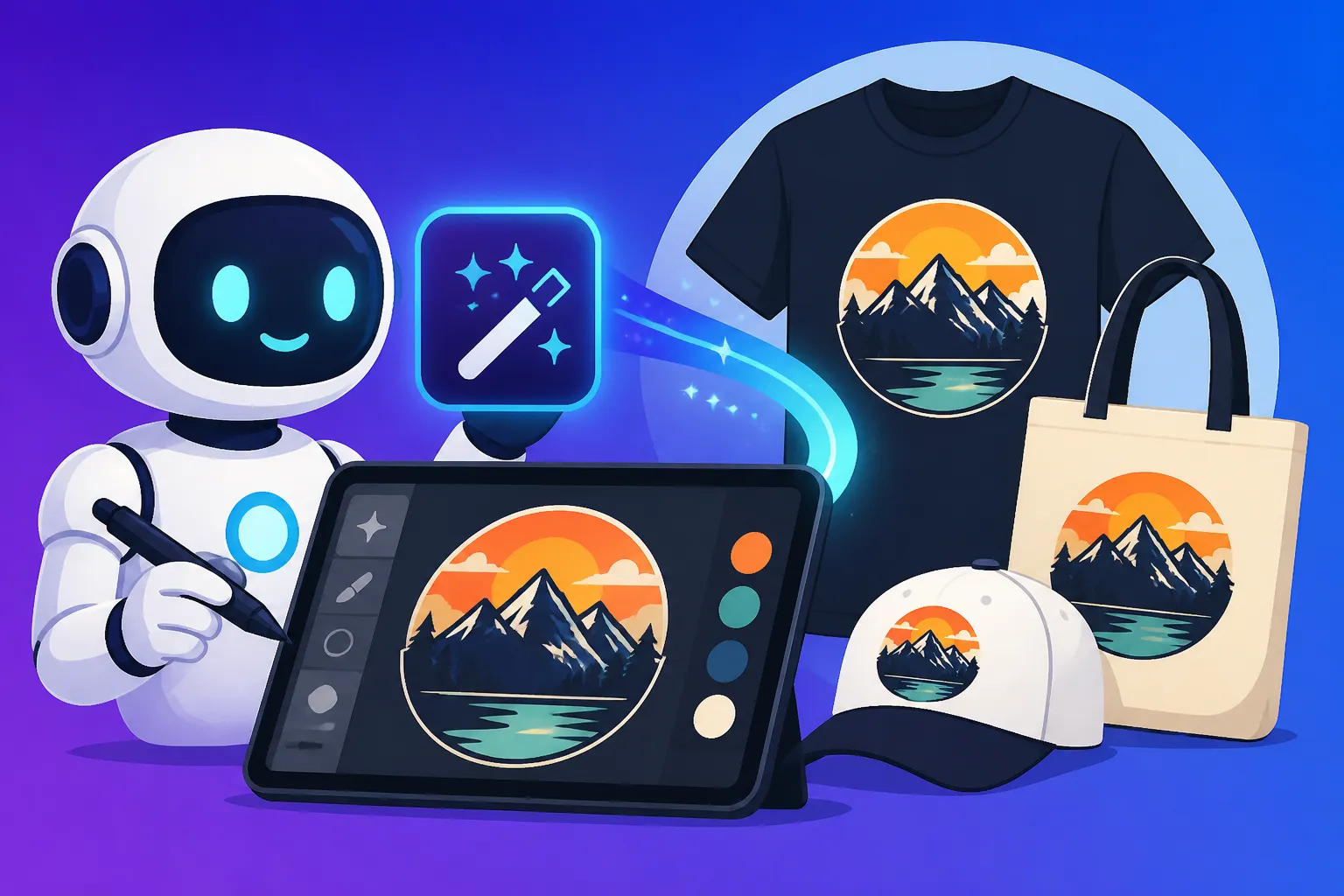
Apparel is often the first thing people think of when it comes to merchandise, and AI can be incredibly powerful for generating T-shirt designs, hoodie graphics, and even repeating patterns for all-over prints. The key here is focusing on bold, clear imagery that translates well from a digital screen to fabric. You'll want designs with strong outlines, distinct color separations, and a memorable focal point. When prompting, consider the type of apparel. A minimalist graphic for a premium tee will require a different prompt than a grunge-inspired design for a streetwear hoodie.
Many designers use AI to quickly mock up different concepts. For instance, you could prompt for "a detailed vintage robot riding a skateboard, retro sci-fi art style, distressed texture, single graphic for t-shirt front" or "abstract geometric pattern, vibrant blues and purples, seamless, for all-over hoodie print." You can also explore specific aspect ratios that fit a standard T-shirt print area, like a square (1:1) or portrait (2:3) orientation, to ensure the AI output is immediately usable. Don't forget to specify "transparent background" if you want just the graphic without a surrounding color block. If you're looking for more guidance, check out how to use AI Image Generators for T-Shirt Designs.
Stickers, Mugs, and Small Item Art
Smaller merchandise items like stickers, enamel pins, and mugs require designs that are often more concise, legible, and possibly vector-friendly. For stickers, you'll want clear cut lines and vibrant colors that pop. AI can generate intricate sticker designs, character art, or even fun typographic elements. When prompting, specify "chibi style character for sticker," "line art minimal icon, transparent background," or "cute cartoon cat holding a coffee mug, for mug design." The importance of transparent backgrounds is amplified here, as you don't want a white box around your graphic if it's going on a clear sticker or a colored mug.
For mugs, consider how the design wraps around the cylindrical surface. Simpler, more central designs often work best, or a repeating pattern. For any small item, ensure the details remain clear even when scaled down. This means avoiding overly complex textures or tiny text that would become unreadable. Some AI tools excel at generating illustrative or iconic styles that are naturally suited for these kinds of items, making them perfect for creating unique small item art.
Posters, Wall Art, and Print-on-Demand
Moving to larger formats like posters, wall art, and even framed prints for print-on-demand services allows for more intricate and detailed designs. Here, the emphasis shifts to artistic quality, atmospheric rendering, and higher resolutions. You can explore a wider range of styles, from photorealism to impressionistic paintings, digital art, or abstract compositions. These items often become focal points in a room, so the aesthetic appeal is paramount.
When prompting for posters, think about the overall scene, the mood, and the narrative you want to convey. "Epic fantasy landscape, flying dragons, vibrant sunset, digital painting, wide cinematic aspect ratio" or "minimalist abstract shapes, earthy tones, subtle textures, high art poster." You'll definitely want to ensure your AI output is at the highest possible resolution, and be prepared to use an upscaler if the initial image isn't sufficient for large-format printing. Consider if you want space for text at the top or bottom for titles or branding. These larger art pieces offer a fantastic opportunity to showcase the AI's ability to create stunning, gallery-worthy visuals. For inspiration on branding, you might want to look into how to make AI logos for a business.
Crafting Effective Prompts for Unique Merch
Generating truly unique and high-quality designs for your merchandise with AI isn't just about knowing what features to look for in a tool; it's fundamentally about mastering the art of the prompt. Your prompts are the blueprints for your creative vision, and the better you craft them, the closer the AI will get to delivering exactly what you need. This takes practice, experimentation, and a good understanding of how AI "thinks."
Deconstructing a Successful Merch Prompt
A powerful AI prompt isn't just a string of keywords; it's a carefully structured sentence or phrase that communicates multiple layers of information to the AI. Think of it as painting a picture with words. For merch design, a successful prompt typically includes several key components:
- The Subject: What is the main focus of your design? Be specific. Instead of "dog," try "a French Bulldog wearing sunglasses."
- The Style: How do you want it to look? This is crucial for matching your brand aesthetic. Examples include "vector art," "vaporwave style," "watercolor painting," "retro 80s comic art," "minimalist line art," or "photorealistic."
- The Mood/Atmosphere: What feeling should the design evoke? "Playful," "mysterious," "energetic," "calm," "epic," "funny."
- Color Palette: Specify colors if you have a brand guideline. "Vibrant neon pink and electric blue," "muted pastel tones," "black and white with a single pop of red."
- Specific Elements/Details: Any additional objects, textures, or compositional elements. "Sitting on a skateboard," "with a distressed texture overlay," "sparkling stars in the background," "symmetrical composition."
- Technical Parameters (often tool-specific): This includes aspect ratios (
--ar 2:3for a vertical design, common in Midjourney), negative prompts (--no text, ugly, blurryto exclude unwanted elements), and sometimes even camera angles or lighting.
Let's break down an example: "A cute cartoon sloth hanging from a branch, wearing a tiny wizard hat, vibrant whimsical style, pastel colors, transparent background, clean lines, t-shirt graphic, 4K." This prompt clearly defines the subject, style, mood, colors, specific details, and intended use, maximizing the chances of a usable output. Mastering these elements is a core part of how to write AI image prompts.
Iteration and Refinement for Perfect Designs
Rarely will your very first prompt generate the perfect design. AI image generation is a highly iterative process, and embracing this is key to success. Think of it as a conversation with the AI. You propose an idea, the AI provides a response, and then you refine your request based on that response. This is where patience and strategic thinking come into play.
Start with a broader prompt, and then gradually add more specific details or modifiers. If the first batch of images isn't quite right, analyze what went wrong. Was the style off? Were the colors not quite right? Did it include elements you didn't want? This is where negative prompts become your best friend – adding --no [unwanted elements] can dramatically clean up your results. For example, if the AI keeps generating blurry backgrounds when you want a clean graphic, add --no background, blurry background.
Consider using seed numbers if your AI tool offers them. A seed number allows you to regenerate variations of a specific image, giving you more control over consistency and making minor tweaks without losing the core composition you liked. For instance, if you get a good initial image, you can tell the AI to generate new variations based on that image's seed. This is especially helpful for creating a series of related designs. Finally, don't underestimate the power of upscaling and outpainting. If your base image is great but not high-res enough, an upscaler can significantly enhance its quality. Outpainting features (available in some tools) allow you to extend the canvas, giving you more flexibility for different print sizes and compositions, or adding elements to the background. Understanding these iterative processes will help you get better AI image results.
Overcoming Challenges and Maximizing Output
While AI image generators offer incredible potential for merch design, they're not a magic bullet that solves every problem instantly. There are specific challenges to navigate, especially concerning legalities and post-generation refinement. Addressing these proactively will ensure your AI-powered merch venture is both successful and sustainable.
Navigating Copyright and Commercial Use
This is perhaps the most crucial and often misunderstood aspect of using AI for commercial purposes. The intellectual property landscape around AI-generated art is still evolving, and it varies significantly between tools and jurisdictions. Your primary concern should always be: Can I legally sell this design?
Most paid AI image generators, like Midjourney, DALL-E, and Adobe Firefly, explicitly grant commercial rights to their subscribers. However, even within these tools, there might be nuances. For example, Adobe Firefly has been lauded for its commercial safety, offering indemnification for enterprise users, meaning Adobe takes on the legal risk if an image it generates is found to infringe on existing IP. Other tools like Midjourney also grant commercial rights, but the indemnification might not be as explicit. Free tiers, such as those found on platforms like Ideogram or Leonardo AI, often have more restrictive commercial terms or might require attribution. Always, always, read the fine print of the specific AI tool you are using before launching any products with its generated art.
Another layer of complexity is the "originality" of AI art. While the output is technically "newly generated," there's a debate about whether AI models, trained on vast datasets of existing art, might inadvertently reproduce or be inspired too closely by copyrighted material. To mitigate this risk, strive for unique prompts, combine multiple styles, and always review your generated images for any unintended resemblances to popular characters, logos, or artworks. When in doubt, lean on your own creativity for the final touches, or consider using the AI as a brainstorming partner rather than a final design generator. This ensures you're protected and ethically sound, particularly when it comes to the complex topic of how to use AI images without copyright issues.
Editing and Enhancing AI-Generated Designs
Even with the most perfectly crafted prompt, AI-generated images often require some post-processing to reach print-ready perfection. Think of the AI as a super-talented assistant who provides a strong foundation, but you, the designer, still need to apply the finishing touches. This is where your traditional graphic design skills, or even simple editing software, come into play.
First, upscaling is almost always necessary for print. While some AI tools have decent built-in upscalers, external tools like Magnific AI or even Photoshop's "Super Resolution" can work wonders in increasing resolution and adding detail for large prints. Next, refinement of imperfections is critical. AI models have come a long way, but they can still struggle with anatomical correctness (especially hands and faces), garbled text, or strange artifacts. These often need manual correction in photo editing software. Tools like Photoshop or GIMP are excellent for making minor adjustments, cleaning up edges, or correcting strange elements. You can learn more about how to edit AI images with inpainting to correct specific areas.
Finally, vector conversion is a game-changer for many merch items. While AI can produce vector-like images, true vector output is rare. Converting raster images (PNG, JPEG) to vectors (SVG, AI, EPS) using software like Adobe Illustrator or free alternatives like Inkscape allows your designs to be scaled infinitely without pixelation. This is essential for logos, detailed line art, or designs that will be used across a wide range of product sizes, from tiny pins to large banners. Even if you start with a raster image from AI, a clean design can be vectorized relatively easily, making it incredibly versatile for all your merch needs.
The Future of AI in Merch and Creative Business
The landscape of AI image generation is evolving at a breakneck pace, and its integration into the merchandise design process is only going to deepen. As a creator or business owner, staying informed and adaptable is key to harnessing these tools for long-term success and growth. This isn't just about making a few cool designs; it's about fundamentally rethinking your creative pipeline and business strategy.
Expanding Your Merch Line with AI
One of the most exciting prospects of AI in merch design is its ability to facilitate rapid expansion and diversification of your product lines. Traditional design processes often limit how many new products you can launch due to time and cost constraints. With AI, you can generate a multitude of design variations, explore different aesthetic themes, and quickly test out new niche markets without significant upfront investment. Imagine being able to:
- Create themed collections: Quickly generate a series of designs around a specific topic or holiday, offering a cohesive collection of T-shirts, mugs, and phone cases in a fraction of the time.
- Target micro-niches: Develop highly specific designs for unique interests, knowing that the AI can quickly conceptualize and render visual ideas that might be too obscure for a human designer to grasp without extensive input.
- A/B test designs effortlessly: Generate several variations of a design and test them with your audience to see which resonates best, making data-driven decisions on your product offerings.
- Maintain brand consistency: With careful prompting, you can guide the AI to generate images that adhere to your established brand colors, styles, and motifs, ensuring a cohesive look across all your merchandise.
This capability empowers small businesses and individual creators to compete more effectively with larger brands, offering a dynamic and ever-evolving catalog of products that caters to diverse customer tastes.
Staying Ahead: Trends and New Tools
The world of AI image generation is a marathon, not a sprint. New models, features, and techniques are being released constantly, and what's cutting-edge today might be standard tomorrow. To truly leverage AI for your merch business, you need to cultivate a mindset of continuous learning and experimentation. This means:
- Keeping an eye on updates: Follow the major AI tools like Midjourney, DALL-E, Stable Diffusion, and Adobe Firefly for their latest model releases and feature announcements. A new update could introduce better text rendering, improved photorealism, or advanced editing capabilities that directly impact your workflow. You might find value in following a Midjourney V7 Review or checking out the GPT Image 2 Release Notes and Review for the latest improvements.
- Experimenting with prompt engineering: As AI models evolve, so do the optimal ways to prompt them. Spend time refining your prompt structure, learning new modifiers, and discovering innovative ways to guide the AI to your desired output. Joining community forums for tools like Midjourney can be incredibly helpful for sharing and learning new prompt techniques.
- Exploring complementary tools: AI image generation doesn't exist in a vacuum. Look for tools that complement your workflow, such as AI upscalers like Magnific AI, vector conversion software, or even other AI-powered design assistants that can help with mockups or marketing copy. Sometimes, the best solution involves a combination of different AI image tools.
- Understanding ethical considerations: As the technology advances, so do the discussions around ethical AI use, intellectual property, and artistic authenticity. Staying informed on these topics is not just good practice but crucial for building a sustainable and responsible business.
By embracing this continuous learning approach, you ensure that your merch business remains at the forefront of design innovation, always ready to capitalize on the next wave of AI capabilities to create truly outstanding products.
Disclaimer
Please remember that the information provided in this guide is for general informational purposes only. The landscape of AI technology and its associated legalities (especially concerning copyright and commercial use) is rapidly evolving. Always consult the specific terms and conditions of any AI image generator you use and, if necessary, seek legal advice regarding the commercial use of AI-generated content for your specific business needs.