GPT Image 2 vs Midjourney V7
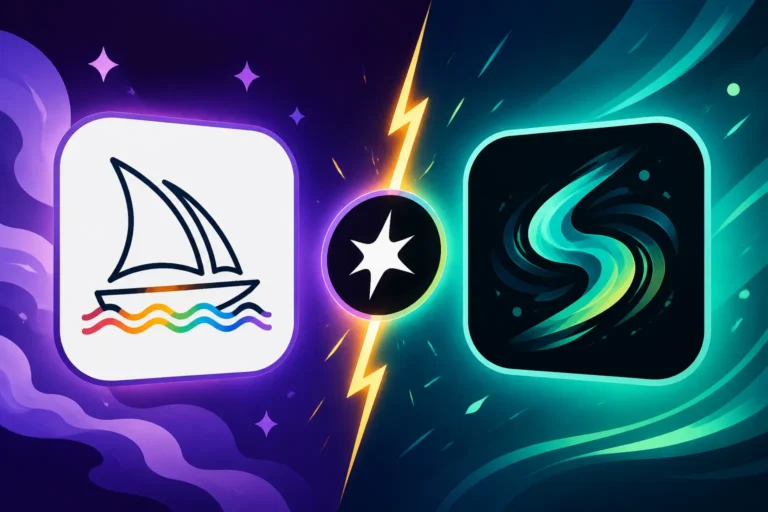
Navigating the ever-evolving landscape of AI image generation can feel like a full-time job, especially when you're trying to figure out which tool will actually deliver on its promises. If you've been grappling with whether to invest your time and creative energy into the latest iteration of OpenAI's offering, GPT Image 2, or the visually stunning Midjourney V7, you're not alone. This comprehensive guide is here to cut through the noise, providing a realistic, in-depth comparison to help you understand their strengths, weaknesses, and which one truly aligns with your specific creative and commercial needs.
GPT Image 2: Your Conversational Creative Assistant
GPT Image 2 isn't just an update; it's a significant evolution, deeply integrated within the ChatGPT ecosystem. For anyone who's struggled with the sometimes cryptic nature of AI prompting, this tool aims to be your most intuitive creative companion. It’s no longer about just typing in a prompt and hoping for the best; it’s about having a dialogue.
Seamless Integration and Iteration
One of the biggest game-changers with GPT Image 2 is its tight integration with ChatGPT. This means you don't just generate an image in isolation; you can discuss it with the AI, refine your vision, and iterate on designs without ever leaving the conversation. Imagine you're a small business owner trying to whip up some quick marketing graphics. Instead of moving between platforms, you can simply tell ChatGPT, "Hey, generate an image of a cozy coffee shop interior with soft lighting for my blog post about remote work." If the first attempt isn't quite right, you can follow up with, "Can you make the lighting a bit warmer and add a cat sleeping on a windowsill?" This conversational approach makes the process feel incredibly natural and less like you're barking commands at a machine. It's a massive leap in accessibility for non-designers and content creators who need rapid adjustments. If you're curious about how this integration stands up, our detailed article, "DALL-E in ChatGPT: How Good Is It", dives deep into its capabilities.
Strengths in Text and Concept Generation
Where GPT Image 2 truly shines is its remarkable ability to handle text within images and generate coherent, conceptually sound visuals from complex, multi-layered prompts. Gone are many of the days of garbled, unreadable text that plagued earlier AI image models. Whether you need a simple call to action on a graphic or a title for a YouTube thumbnail, GPT Image 2 often gets it right on the first or second try. This is a huge advantage for marketers, social media managers, and anyone creating branded content where legible typography is non-negotiable.
Beyond text, its understanding of abstract concepts and nuanced instructions is impressive. You can ask for something like "a representation of financial anxiety in a futuristic cityscape, with muted colors and a sense of isolation," and it will produce surprisingly thoughtful interpretations. This makes it fantastic for ideation or for generating conceptual art where the narrative is as important as the aesthetics. For instance, a blogger illustrating an article on personal growth could ask for "a metaphorical image of a person breaking through a glass ceiling, illuminated by golden light, in a painterly style," and GPT Image 2 would likely deliver a compelling visual. This power for rapid conceptualization is a definite win for efficiency. For a broader look at how different tools handle text, you might want to read "Best AI Image Generator for Text".
Limitations and Niche Applications
While GPT Image 2 offers incredible convenience and conceptual prowess, it's not without its limitations, especially when compared to a dedicated art generator like Midjourney. For professional artists or those seeking pixel-perfect control over every detail, GPT Image 2 might feel a bit constrained. Its artistic styles, while varied, often lean towards a more 'digital art' aesthetic, and achieving true photorealism or specific painterly textures can be more challenging and less consistent than with Midjourney.
The resolution and output options are generally good for web use, but if you're aiming for large-format prints, high-fidelity game assets, or intricate design elements, you might find yourself wishing for more fine-tuned control over composition, lighting, and camera angles. Think of it this way: GPT Image 2 is fantastic for getting you 80-90% of the way there with minimal fuss, but that last 10-20% of polished, highly specific artistic detail can be elusive. It prioritizes speed and conversational ease over absolute artistic command. Understanding these trade-offs is crucial when you look at the "DALL-E Pros and Cons for Creators".
Midjourney V7: The Pinnacle of Artistic Expression
Midjourney has long been the darling of the AI art community, and with V7, it continues to push the boundaries of what's possible in generative art. It's less of a utilitarian tool and more of a digital canvas for serious creators. V7, building on the already impressive V6, focuses heavily on enhancing photorealism, artistic fidelity, and providing creators with even greater control over their output, albeit through its unique interface.
Unrivaled Aesthetic Quality and Photorealism
When it comes to generating breathtaking, high-quality images that often blur the line between AI and real photography, Midjourney V7 is arguably in a league of its own. The advancements in photorealism are astounding; you can prompt for a "close-up portrait of an elderly fisherman with weathered skin, golden hour lighting, cinematic, incredibly detailed," and the results can be astonishingly lifelike, capturing subtle nuances in texture, shadow, and expression that are hard to replicate elsewhere.
Beyond photorealism, Midjourney excels at a vast spectrum of artistic styles, from ethereal fantasy landscapes to gritty cyberpunk cityscapes, from intricate architectural renders to hyper-stylized comic book art. Its understanding of artistic direction, lighting, composition, and mood is incredibly sophisticated. Artists often turn to Midjourney when they need that 'wow' factor, an image that not only fits the prompt but also possesses an inherent artistic quality and depth. Our "Midjourney V7 Features and Updates" article delves into all the new capabilities that make this version so powerful.
Advanced Control and Creative Depth
Midjourney, while powerful, has traditionally had a steeper learning curve, primarily due to its Discord-based interface and the nuanced use of parameters. However, for those who master it, this complexity unlocks an unparalleled level of creative control. V7 continues to offer and refine a rich set of parameters that allow you to dictate aspect ratios, stylization levels, chaos, seed values for consistency, and even incorporate image prompts for style transfers or blending. This depth of control is what allows professional artists and designers to consistently achieve their specific visions.
For instance, if you're designing album art and need a very particular mood and composition, Midjourney's parameters allow you to fine-tune elements like --ar (aspect ratio), --style raw for less opinionated results, or --sref for style references from other images. While not as conversational as GPT Image 2, the deliberate application of these controls enables precision that's vital for professional output. Learning "How to Write AI Image Prompts" effectively for Midjourney is key to unlocking its full potential.
Interface and Learning Curve Challenges
The primary hurdle for many new users is Midjourney's reliance on Discord. While the team is developing a web app, the core experience still revolves around interacting with the bot through text commands in Discord channels. This can feel clunky and unintuitive compared to a polished web interface, especially for users accustomed to traditional graphic design software. The prompt structure, while powerful, also demands a more structured approach, often requiring multiple parameters and clear descriptors to guide the AI effectively.
Another challenge is text rendering. While Midjourney V7 has improved significantly, it still struggles more consistently with generating accurate, legible text within images compared to GPT Image 2. For scenarios where text is critical, users often generate the image in Midjourney and then use another tool like Adobe Photoshop or Canva to overlay text, which adds an extra step to the workflow. Despite these minor frustrations, the sheer artistic output often makes the learning curve worth it for those dedicated to high-quality visuals. Don't forget to check out the "Midjourney Pros and Cons for Creators" to get a balanced view.
Head-to-Head Comparison: Where They Shine and Stumble
When we put GPT Image 2 and Midjourney V7 side-by-side, it becomes clear that they excel in different arenas. Both are formidable tools, but their design philosophies and target users diverge significantly.
Image Quality and Aesthetic Output
- GPT Image 2: Produces high-quality, often visually pleasing images, particularly strong in conceptual art and consistent character generation. Its aesthetic leans towards a clean, often digital illustration or stylized look. Photorealism is good but can sometimes lack the 'pop' or nuanced detail of Midjourney.
- Midjourney V7: Unparalleled in artistic quality, photorealism, and diverse stylistic capabilities. It produces images with incredible depth, detail, and a distinct artistic flair. For fine art, realistic portraits, complex landscapes, or highly specific artistic directions, Midjourney is generally superior. Our article on "Best AI Image Generator for Photorealism" often highlights Midjourney's strengths here.
Ease of Use and Workflow
- GPT Image 2: Wins hands down for ease of use. Its conversational interface within ChatGPT makes prompting intuitive, allowing for rapid iteration and refinement through dialogue. It's incredibly user-friendly for beginners and those who need quick, functional images without a steep learning curve.
- Midjourney V7: Requires more effort to learn and master. The Discord interface can be intimidating, and understanding its various parameters is essential for advanced control. While powerful, the workflow is less direct and conversational.
Text Rendering Capabilities
- GPT Image 2: A clear leader in this category. Its ability to generate accurate and legible text within images is a major advantage, making it excellent for social media banners, advertisements, and blog graphics where text is integral.
- Midjourney V7: Has improved but still lags behind GPT Image 2. While it can generate text, it's less consistent, and often requires external editing or multiple attempts to get clean, readable results. If text is paramount, be prepared for extra steps.
Control and Customization
- GPT Image 2: Offers a good level of control through detailed prompts and conversational refinements. You can guide the AI quite effectively, but it's less about granular, technical parameters and more about descriptive language.
- Midjourney V7: Offers a much deeper level of control through its extensive parameters (aspect ratio, stylization, seed, image weights, etc.). For artists who want to meticulously craft their output, Midjourney provides the tools to do so. This level of control is often critical for professional projects.
Pricing and Accessibility
Both tools operate on a subscription model, but their structures differ.
- GPT Image 2 (via ChatGPT Plus/Team/Enterprise): Accessed through a ChatGPT Plus subscription (currently around $20/month) or higher tiers. This gives you not only image generation but also access to the advanced GPT-4 model for text generation and other features. This bundled value can be very appealing. For more on this, check out "DALL-E Pricing and Plans Explained".
- Midjourney V7: Has its own tiered subscription plans, typically starting around $10-$30/month for basic access, scaling up for more GPU time and features. It's a dedicated image generation service. A deeper dive into "Midjourney Pricing and Plans Explained" will give you the specifics.
Here's a quick summary table comparing the two:
| Feature | GPT Image 2 (via ChatGPT) | Midjourney V7 |
|---|---|---|
| Primary Interface | Web-based (ChatGPT chat window) | Discord (with upcoming web app) |
| Ease of Use | Very high (conversational, intuitive) | Moderate to high (steep learning curve for advanced features) |
| Image Quality | High, strong in concepts/consistency, good general purpose | Extremely high, exceptional photorealism & artistic styles |
| Text Rendering | Excellent, reliable for legible text in images | Improving, but often requires refinement or external editing |
| Creative Control | Good, guided by conversational prompts and iterations | Superior, fine-grained control via extensive parameters |
| Photorealism | Good to very good | Outstanding, often indistinguishable from real photos |
| Artistic Style Diversity | Broad, leans towards digital/stylized | Extremely broad, covers a vast range of artistic mediums/styles |
| Iteration Process | Conversational refinement, direct edits through chat | Rerolls, variations, parameter adjustments |
| Best For | Marketers, bloggers, quick concepts, text-heavy graphics | Professional artists, designers, high-fidelity art, unique styles |
| Pricing Model | Included with ChatGPT Plus/Team/Enterprise | Separate subscription tiers |
Which AI Image Tool is Right for You?
The choice between GPT Image 2 and Midjourney V7 really boils down to your primary use case, your skill level, and what you prioritize most in an AI image generator.
For the Content Creator, Marketer, or Casual User
If you're a blogger, social media manager, small business owner, or anyone who needs to generate a high volume of functional, visually appealing images quickly and efficiently, GPT Image 2 is likely your best bet. Its conversational interface means you can generate relevant images for "AI for Blog and Article Images" or "AI Image Generators for Social Media" without getting bogged down in technical jargon. The superior text rendering alone makes it invaluable for creating infographics, ad creatives, or YouTube thumbnails that rely on clear messaging. You can go from an idea to a polished graphic in minutes, making your content workflow smoother than ever. Think of a scenario where you're putting together a presentation and need a dozen diverse but conceptually linked images; GPT Image 2 can handle that with incredible speed and flexibility, allowing you to refine each one as you chat.
For the Professional Artist, Designer, or Visionary
If your work demands the highest aesthetic quality, photorealism, or the execution of a very specific artistic vision, Midjourney V7 is the undisputed champion. Whether you're creating detailed illustrations for a book, generating concept art for a video game, designing unique album covers, or producing stunning marketing visuals where visual impact is paramount, Midjourney's capabilities are hard to match. The investment in learning its parameters and Discord-based workflow pays off in the sheer beauty and fidelity of its output. While it might take a bit more time to master "Midjourney Prompt Guide", the results speak for themselves. You'd choose Midjourney for a project like an entire series of character designs for a graphic novel, where maintaining a consistent and unique artistic style across many images is crucial. Its nuanced control over lighting, composition, and style allows for an artistic precision that GPT Image 2, for all its strengths, currently can't replicate.
When to Consider a Hybrid Approach
Interestingly, many seasoned creators don't pick just one; they often leverage the strengths of both. You might use GPT Image 2 for rapid ideation, generating multiple concepts or text-heavy elements, and then take a strong concept over to Midjourney V7 for final rendering into a high-fidelity, polished piece of art. Or, you could generate a stunning image in Midjourney and then use GPT Image 2 (or another image editor) to add text overlays. This "best of both worlds" strategy can be incredibly powerful, optimizing your workflow for speed, versatility, and ultimate quality.
Ultimately, both GPT Image 2 and Midjourney V7 represent incredible advancements in AI image generation. The "better" tool isn't universal; it's entirely dependent on your needs, your budget, and the specific demands of your creative projects. Take the time to experiment with both, if possible, and see which one truly empowers your creative process.
Disclaimer
Please note that the field of AI image generation is rapidly evolving. Information regarding features, pricing, and capabilities of AI tools like GPT Image 2 and Midjourney V7 is subject to change. Always check the official websites for the most up-to-date details. This article provides general information and should not be taken as professional advice.