Recraft V3 Vector Review
Struggling to create clean, scalable vector graphics for your brand or projects without investing hours in complex software? Many of us have felt the frustration of generating a beautiful AI image, only to realize it pixelates when resized or can't be easily edited for different applications. This deep dive into Recraft V3's vector capabilities will explore how this AI tool tackles these challenges, offering a promising solution for designers and content creators alike.
Understanding Recraft V3 and the Importance of Vector Art
The world of digital design has been utterly transformed by AI, making it possible to conjure up stunning images from simple text prompts. Yet, for many, the leap to usable, editable, and scalable design assets has remained a significant hurdle. This is where the specific focus on vector art comes into play, and where Recraft V3 aims to make a real difference.
The Evolving Landscape of AI Design Tools
When AI image generators first burst onto the scene, there was an incredible wave of excitement. Suddenly, anyone could type a few words and see fantastical landscapes, photorealistic portraits, or abstract art materialize before their eyes. It was magic! But for those of us involved in professional design, marketing, or branding, that initial excitement often met a dose of reality. The images were beautiful, yes, but they were almost universally raster images.
Raster images, like JPEGs or PNGs, are made up of tiny pixels. They're fantastic for photos or detailed paintings where every subtle shade matters. The problem? When you try to scale them up – say, from a small website icon to a billboard advertisement – they become blurry, pixelated, and unprofessional. You've probably seen it happen; a logo that looks crisp on a phone suddenly looks like a mosaic when printed large. This limitation quickly became a pain point for designers and businesses who needed flexibility.
The promise of AI has always been to make creative tasks more efficient and accessible. For a long time, vector art remained the domain of skilled graphic designers using specialized software. But now, AI is stepping into this realm, offering the potential to generate and manipulate vector graphics with unprecedented speed. This shift promises to democratize vector design, making professional-grade assets available to a much wider audience, without compromising quality.
Why Vector Art is a Game-Changer for Designers
Vector art isn't just another image format; it's a fundamental shift in how digital graphics are constructed, offering critical advantages that make it indispensable for professional design work. If you've ever dealt with print materials, branding, or web elements that need to look sharp everywhere, you'll already understand the sheer power of vectors.
The most celebrated benefit of vector graphics is their unparalleled scalability. Unlike raster images that pixelate when enlarged, vector images are defined by mathematical paths, points, and curves. This means you can blow up a tiny logo on a business card to cover the side of a building, and it will remain perfectly crisp and sharp, without any loss of quality. This is absolutely crucial for branding, where a logo needs to be recognizable and clean across every medium, from tiny app icons to massive street banners.
Beyond scalability, vector art offers incredible editability and flexibility. Imagine you have a logo, and your client decides they want to change the primary brand color from a deep blue to an emerald green. With a raster image, you'd be looking at a potentially painstaking process of recoloring individual pixels or reconstructing elements. With a vector graphic, it's often as simple as selecting the element and picking a new color from a palette. You can easily adjust shapes, modify paths, and tweak individual components without degrading the overall image quality, making iterations and revisions a breeze. This level of control is essential for dynamic design projects and ensuring long-term brand consistency.
Finally, vector files are often much smaller in size compared to their raster counterparts, especially for simpler graphics. This makes them ideal for web use, helping pages load faster and improving user experience. Their versatility extends to print, digital interfaces, animation, and even specialty applications like vinyl cutting or embroidery, where precise, scalable outlines are non-negotiable. It's truly a format that allows your designs to live and adapt in countless environments.
Recraft's Vision for Vector Creation
Against this backdrop of evolving AI capabilities and the enduring importance of vector art, Recraft emerged with a clear ambition: to build an all-in-one AI design platform that goes beyond simple raster image generation. From its inception, Recraft positioned itself as a tool for creators who needed more than just pretty pictures – they needed assets that could actually be used in their design workflows.
With Recraft V3, the platform has doubled down on this vision, significantly enhancing its vector capabilities. The goal isn't just to generate images that look like vectors, but to produce genuine, editable SVG (Scalable Vector Graphics) and other vector formats. This iteration focuses on making vector creation more robust, reliable, and integrated into the broader design process. It addresses the pain point of converting raster to vector, and even more impressively, aims to generate native vector art directly from text prompts.
This dedication to vector output sets Recraft V3 apart in a crowded AI image generation market. While many tools still struggle with the nuances of vector paths, clean lines, and editable shapes, Recraft is actively trying to bridge this gap. By focusing on generating high-quality vector assets, Recraft V3 aims to empower a new generation of designers, marketers, and small business owners to create professional-grade graphics that are ready for any application, from a digital ad to a printed product.
Diving Deep into Recraft V3's Vector Generation Features
Recraft V3 isn't just throwing a "vector" label onto its output; it's integrated a suite of tools specifically designed to make vector generation and manipulation accessible and efficient. Let's really get into the nuts and bolts of what it offers.
Core AI-Powered Vector Tools
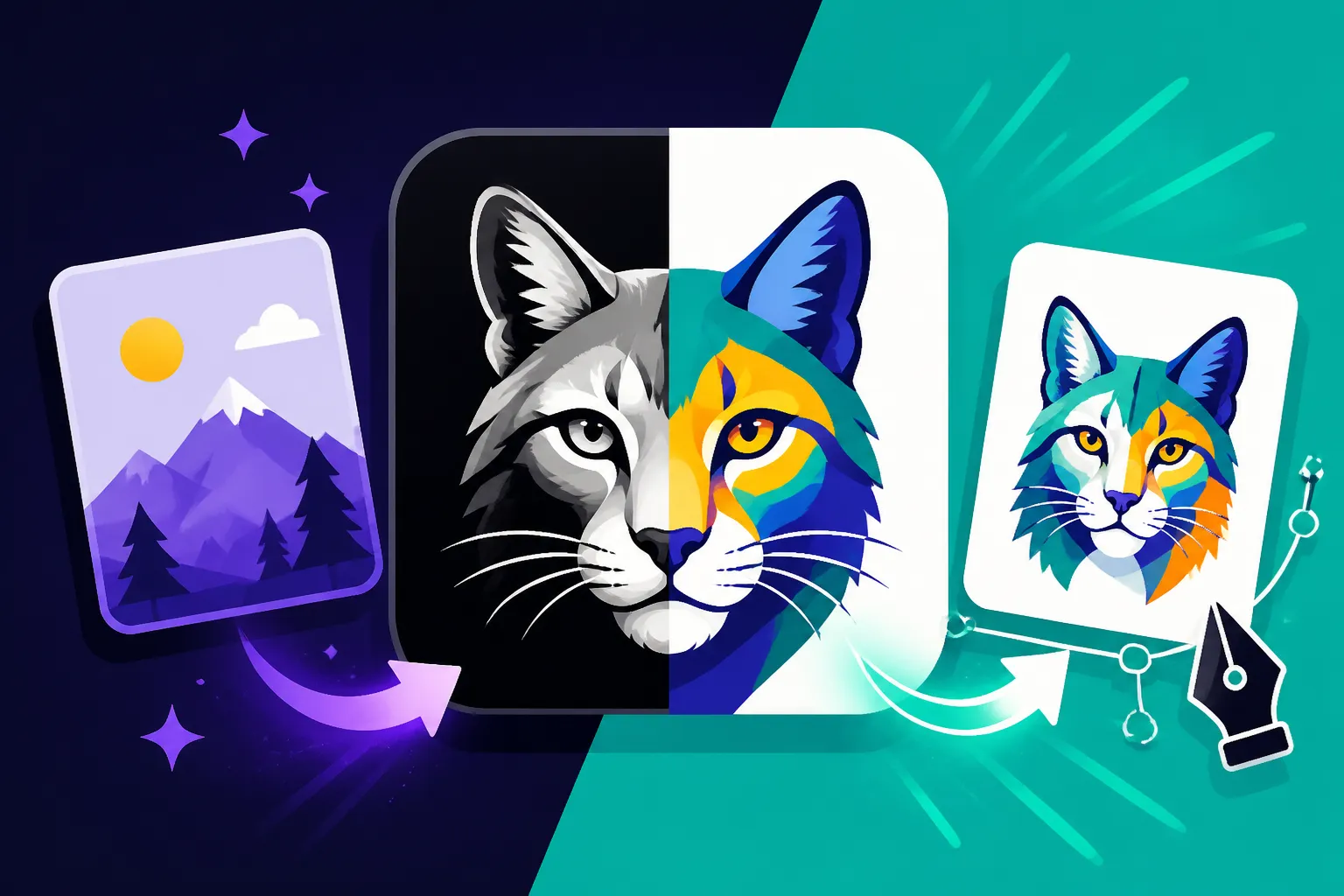
One of the standout features in Recraft V3 is its robust AI-to-Vector Conversion capability. This isn't entirely new in the design world, but Recraft's approach makes it exceptionally user-friendly. You can upload an existing raster image – maybe a sketch you drew on paper, a logo concept you quickly whipped up in a different tool, or even a photograph – and Recraft’s AI will analyze it and convert it into an editable vector graphic. What's crucial here is the cleanliness of the conversion. Many automated tools produce messy vectors with too many anchor points or strange artifacts. Recraft V3 aims for a much cleaner output, making the converted vector ready for immediate editing without extensive manual cleanup. This saves a tremendous amount of time, especially if you're working with legacy assets or quick conceptual sketches.
Even more impressive is Recraft V3's Text-to-Vector Generation. Imagine describing a complex vector icon, a detailed pattern, or even a simple logo idea using natural language. For instance, you could prompt: "minimalist geometric logo for a tech startup, abstract mountain peak, clean lines, two colors, gradient." Recraft then attempts to generate this directly as a vector graphic. This is a significant leap from raster generators, which would merely create an image depicting these elements. With Recraft V3, the output is often a true SVG that can be immediately scaled and edited. Of course, prompt engineering for vectors has its own nuances; you need to be precise about styles, colors, and complexity to get exactly what you envision. While it might still struggle with incredibly intricate scenes requiring perfect spatial relationships or complex text within the vector, it excels at common design elements like icons, logos, and simple illustrations.
Recraft V3 also incorporates a unique approach to Style Transfer for Vectors. This means you can define a specific aesthetic—like "retro 80s neon," "flat design," or "hand-drawn doodle"—and apply that vector style consistently across different generated elements. This is invaluable for maintaining brand cohesion. Instead of manually trying to match styles, the AI helps ensure your entire suite of vector assets, from website icons to social media graphics, speaks the same visual language. It’s particularly useful for creatives exploring diverse aesthetics, helping them create stunning visuals without having to spend hours on each graphic.
Intuitive Vector Editing Capabilities
Generating a vector graphic is one thing; being able to truly refine it is another. Recraft V3 understands that AI isn't always perfect, and designers need control. That's why it offers a suite of intuitive vector editing capabilities right within its interface, bridging the gap between AI generation and hands-on craftsmanship.
At its heart, Recraft V3 provides essential Path and Node Editing tools, familiar to anyone who’s worked with dedicated vector software like Adobe Illustrator or Inkscape. You can select individual paths, adjust their curves, add or delete anchor points, and manipulate segments to fine-tune the shapes generated by the AI. For instance, if the AI creates a leaf icon that's almost perfect but has one slightly awkward curve, you don't need to re-prompt or export to another program; you can simply grab the nodes and smooth it out. This level of granular control ensures that even if the AI gets 90% of the way there, you have the power to achieve that final 10% of perfection. This makes it a great choice for those looking for tools beyond the typical raster options like those explored in our DALL-E Review: Is It Worth It in 2026 or Midjourney Review: Is It Worth It in 2026 articles.
Color Palette Management within Recraft V3 is also incredibly user-friendly. You can easily change the colors of individual vector elements or apply global color changes across your entire design. The tool often suggests harmonious color palettes, and you can save your own custom brand palettes to maintain consistency. This means if you need to create five variations of an icon, each in a different brand color scheme, it’s a matter of a few clicks, not a tedious manual recoloring process. This helps immensely when trying to How to Keep Brand Consistency with AI Images.
Furthermore, Recraft V3 comes equipped with a versatile Shape Library and supports Combinatorial Design. Beyond generating new shapes from scratch with AI, you can leverage a collection of pre-built vector shapes, icons, and elements. These can be easily dragged, dropped, resized, and most importantly, combined or modified to create entirely new designs. This approach significantly speeds up the design process. Need a starburst effect or a common arrow? Instead of prompting or drawing, you can often pull it from the library and customize it, blending AI-generated uniqueness with ready-made efficiency. This allows for rapid prototyping and reduces the amount of time you spend waiting for generations, letting you focus more on creative iteration.
Export and Integration Options
Even the most brilliant vector generation tool is only as good as its ability to integrate into your existing workflow. Recraft V3 shines by offering robust export options, ensuring that your AI-generated vector art can be used wherever you need it.
The cornerstone of its export capabilities is, of course, SVG (Scalable Vector Graphics). This is the gold standard for web-based vector art, allowing graphics to scale perfectly on any screen size. But Recraft V3 goes further, typically supporting other essential vector formats like EPS (Encapsulated PostScript) and PDF (Portable Document Format). EPS files are a common choice for professional printing, ensuring that your designs look fantastic whether they're on a brochure or a large poster. PDFs, while often associated with documents, can also contain vector data, making them versatile for sharing proofs or final files that can be opened on virtually any device. This comprehensive format support ensures maximum compatibility with other design software and printing services, making your Recraft-generated assets truly ready for prime time.
While Recraft V3 doesn't always offer direct, one-click plugin integrations with every single design application out there, its commitment to standard vector formats means it plays nicely with a wide ecosystem of tools. You can generate a logo in Recraft V3, export it as an SVG, and then import it into Adobe Illustrator, Affinity Designer, Figma, or Canva for further advanced manipulation or inclusion in larger projects. This flexibility means Recraft V3 can serve as a powerful front-end for initial vector generation, feeding into more complex design workflows. This makes it a strong contender for those looking to Best AI Image Generator for Commercial Use.
A crucial consideration for any commercial artist or business owner is the commercial viability and licensing of AI-generated content. Recraft generally offers clear commercial use rights for designs created within its platform, provided you have an active subscription. This means you can confidently use your generated vector logos, icons, and illustrations for client work, product designs, marketing materials, and more, without worrying about intellectual property limitations. It's always wise to review their most current terms of service, but this aspect is a significant advantage for professionals who need legally sound assets. This directly impacts questions like Adobe Firefly Commercial Safety Review which is an important consideration for many users.
| Feature | Description | Ideal Use Case | Current Status (Recraft V3) |
|---|---|---|---|
| AI-to-Vector Conversion | Converts raster images (JPG, PNG) into editable vector graphics (SVG). | Digitizing hand-drawn sketches, converting old logos. | Strong, clean output. |
| Text-to-Vector Generation | Creates vector art from descriptive text prompts. | Generating icons, simple logos, abstract shapes. | Good for simpler designs. |
| Path & Node Editing | Manual control over vector lines, curves, and anchor points. | Refining AI output, custom adjustments. | Intuitive and functional. |
| Color Management | Easy selection and application of colors, palette saving. | Branding, design variations, consistent styling. | Comprehensive. |
| Shape Library | Access to pre-made vector shapes and elements for quick use. | Speeding up design, combinatorial design. | Robust selection. |
| SVG Export | Exports designs in industry-standard Scalable Vector Graphics format. | Web design, app icons, digital branding. | Excellent. |
| EPS/PDF Export | Exports designs suitable for professional printing and general sharing. | Print materials, client proofs, detailed artwork. | Reliable. |
| Style Transfer | Applies consistent visual styles across multiple vector elements. | Brand consistency, thematic design. | Effective for cohesive looks. |
Hands-On with Recraft V3's Vector Workflow
Let's move beyond features and dive into what it's actually like to create vector art using Recraft V3. Experiencing the workflow firsthand really helps to understand its strengths and how it can fit into your creative process.
Generating Your First Vector Icon
Starting a new vector project in Recraft V3 is straightforward. You typically begin by selecting a "Vector" or "Illustration" canvas type, which preps the environment for scalable outputs. Unlike some other AI tools that default to raster, Recraft guides you towards vector from the outset, signaling its core strength. Once your canvas is ready, the magic begins with your prompt.
Let's try to generate a simple icon. Imagine you need a minimalist coffee cup icon for a new cafe's website. A good prompt could be: "minimalist line art coffee cup icon, flat design, white background, vector graphic." The key here is to include "vector graphic" explicitly, which helps the AI understand the desired output format. After a moment, Recraft V3 will present a few variations. You might get one with a slightly too-thick line, another with a steam swirl you don't like, and a third that's almost perfect.
This is where the iterative process comes in. Instead of accepting the first batch, you can either tweak your prompt ("thinner lines," "no steam") or use the built-in variations feature to generate more options based on your preferred initial result. For instance, if the third option is close, you can select it and ask for more similar styles, often with slightly different line weights or handle designs. This back-and-forth, refining your prompt and exploring variations, is crucial for getting exactly what you want from AI vector generation. This iterative process is similar to how you would refine a prompt in any AI image generator, but with the added benefit of immediately getting vector outputs, something that can be explored further in a Midjourney Prompt Guide.
Refining and Customizing AI-Generated Vectors
Once you have an AI-generated vector icon that's a good starting point, Recraft V3 empowers you to dive in and make it truly your own. Let's take that "almost perfect" coffee cup icon and refine it. After selecting your chosen variation, Recraft will open it in its native vector editor. Here, you'll see the paths and nodes that define the icon, much like you would in Adobe Illustrator.
You can click on the icon to select individual paths or groups of paths. Perhaps the handle of your coffee cup is a little too angular. You can zoom in, select the path segment, and use the node editing tools to add or adjust anchor points, smoothing out the curve until it's perfectly symmetrical and elegant. If the base of the cup feels a bit too wide, you can select the bottom nodes and subtly move them inwards, resizing the element while maintaining its vector integrity. The ability to manipulate these core vector components directly within Recraft means you don't need to switch software for minor tweaks, streamlining your workflow considerably.
Beyond shape adjustments, changing colors is incredibly simple. You can select the entire cup and instantly change its fill color from a standard black to a rich espresso brown or a vibrant teal, depending on your brand palette. If the icon has multiple elements, you can group them to move or resize them together, or ungroup them to edit components individually. Let's say you want to add a small, stylized "R" (for Recraft!) to the cup; you can add a text element, choose a font, and crucially, this text will also be treated as a vector, ensuring it scales perfectly with the rest of your icon. This is particularly useful for creating mockups or basic How to Make AI Logos for a Business.
Consider a hypothetical client scenario: you've delivered the coffee cup icon, and they love it, but suddenly decide they want the handle to be on the left side, not the right. In traditional raster design, this might mean flipping the entire image, which can look awkward, or redrawing parts. With Recraft V3's vector editing, you can simply select the handle element, detach it, flip it horizontally, and reattach it to the other side of the cup. This kind of flexibility demonstrates how quickly Recraft V3 allows for revisions, saving both your time and your client's patience.
Addressing Common Vector Design Challenges
While Recraft V3 is incredibly powerful, it's helpful to understand how it addresses some common frustrations inherent in vector design, especially when leveraging AI. The key is often finding the right balance between AI assistance and manual refinement.
Maintaining brand consistency across multiple assets is a perpetual challenge for designers, especially when generating diverse elements. Recraft V3 tackles this by allowing you to define and save custom color palettes and even specific stylistic parameters. If your brand uses a particular shade of "forest green" and a "rounded, friendly" line art style, you can input these preferences. When generating new vector icons or illustrations, you can then apply these saved styles, ensuring that every new piece of content aligns perfectly with your brand's visual identity. This feature is a lifesaver for businesses and content creators who need a unified look without manually policing every single graphic. For more on this, check out How to Keep Brand Consistency with AI Images.
Another area where vector tools, including AI ones, can struggle is with the complexity of shapes or subtle gradients. Historically, complex, highly detailed, or photorealistic vector art required painstaking manual work. Recraft V3 is improving in this regard, capable of generating more nuanced gradients and intricate shapes than earlier versions. However, it's realistic to expect that incredibly fine details or highly realistic textures, while technically possible in vector, might still be simplified by the AI or require more post-generation tweaking. The AI might prioritize clean paths over minute textural subtleties, depending on your prompt. This means it might simplify a complex gradient into fewer color stops, for instance.
Finally, effective layer management and organization are crucial in any design project, especially as complexity increases. Recraft V3 provides a decent layering system that allows you to arrange elements, group them, and lock them in place. This prevents accidental edits and keeps your workspace tidy. While it might not have the depth of layer management found in a full-fledged professional application like Adobe Illustrator, it's more than sufficient for the types of vector assets it aims to create, such as logos, icons, and illustrations for web and print. This balance of AI generation and user-friendly organizational tools makes the design process smoother and more efficient.
The Upsides and Downsides of Recraft V3 for Vector Design
Like any powerful tool, Recraft V3 comes with its own set of advantages and limitations when it comes to vector design. It's crucial to have realistic expectations and understand where it excels and where it might fall short for your specific needs.
Advantages of Recraft V3
The most striking advantage of Recraft V3 is its incredible speed and efficiency in generating vector assets. For anyone who has spent hours meticulously tracing paths or drawing complex shapes in traditional vector software, the ability to type a few words and instantly generate multiple vector options feels like magic. This is a game-changer for rapid prototyping, brainstorming design concepts, or quickly producing variations for A/B testing. Imagine needing five different icon styles for a presentation; Recraft can churn them out in minutes, allowing you to focus on strategic choices rather than manual labor. This significantly accelerates the design process for a variety of needs, making it competitive with some of the Best AI Image Generator for Speed contenders.
Another significant upside is Recraft V3's accessibility. Traditional vector design software can have a steep learning curve, requiring an understanding of Bézier curves, anchor points, and complex tool palettes. Recraft V3 significantly lowers this barrier to entry. While there's still a learning curve for effective prompting and understanding its specific editing tools, it's far more approachable for non-vector experts, small business owners, or content creators who need professional-looking graphics without becoming a full-time graphic designer. It democratizes vector design, making it possible for individuals to create high-quality, scalable visuals without years of training.
Recraft V3 also offers remarkable versatility across various use cases. It's not just for logos; it can generate a wide array of vector assets. Need a set of custom icons for your website? Check. Looking for unique vector patterns for product packaging? It can do that too. What about vector illustrations for a blog post or an infographic? Absolutely. This broad applicability means Recraft V3 can become a central hub for a significant portion of your visual asset creation, reducing the need to juggle multiple specialized tools. Whether you're making Best AI Image Generator for Website Graphics or a quick social media graphic, Recraft can likely handle it.
Limitations and Areas for Improvement
While Recraft V3 represents a significant leap forward, it’s important to approach it with realistic expectations, acknowledging its current limitations. It’s not a magic wand that can replace every aspect of human design expertise, especially when it comes to the highest levels of complexity.
One clear area where Recraft V3, and indeed most AI vector generators, still faces a complexity ceiling is with highly intricate or photorealistic vector art that demands nuanced detail. Think of a complex architectural illustration with hundreds of overlapping elements, or a vector portrait that perfectly captures the subtle shading and contours of a human face. While Recraft can produce impressive vector illustrations, it might simplify extremely fine details or struggle with rendering truly photorealistic textures in vector format. For such projects, the manual control offered by traditional software or a skilled human artist often remains superior for achieving that absolute top-tier precision and artistic subtlety.
Another point of consideration is the tension between full creative control and AI "suggestions." Sometimes, the AI's interpretation of a prompt, even a well-crafted one, might subtly deviate from a designer's precise vision. For instance, you might want a leaf icon to have a specific kind of organic curve, and the AI generates something slightly different. While Recraft V3's editing tools allow for significant post-generation refinement, there are moments where a complete manual overhaul might be faster than trying to nudge the AI or correct its output. This isn't a flaw, but rather a characteristic of working with generative AI – you're collaborating with an algorithm, not directing a pen with absolute precision.
Furthermore, while Recraft V3's export options are robust, its integration depth with other advanced design suites might not be as seamless as a dedicated plugin. You can export an SVG and import it into Adobe Illustrator, for example, but you won't necessarily have the same real-time sync or deep feature interoperability you'd get from tools designed to work exclusively within a larger ecosystem. This means you might still have a "handoff" step in your workflow rather than a fully integrated, frictionless experience, especially for larger design studios with established toolchains.
Finally, despite its user-friendly interface, there is still a learning curve to truly master Recraft V3, especially for optimal vector generation. Crafting effective prompts for vector output is different from raster, requiring specific keywords and an understanding of how the AI interprets shapes and lines. Learning its unique set of editing tools and understanding how to combine AI generation with manual refinement also takes time and practice. It's accessible, but not entirely plug-and-play for complex outcomes.
Who Will Benefit Most from Recraft V3 for Vector Art?
Given its strengths and current limitations, Recraft V3 isn't for everyone, but it’s an absolute game-changer for several key groups. Understanding who stands to gain the most from its vector capabilities can help you decide if it’s the right tool for your specific needs.
Small Businesses and Solopreneurs
For small business owners and solopreneurs, Recraft V3 can feel like having a junior graphic designer on staff without the recurring payroll. The reality is, not everyone has the budget to hire a professional designer for every single graphic need, nor the time to learn complex software like Adobe Illustrator from scratch. This leads to a common frustration: either settling for generic stock photos and icons or painstakingly trying to DIY something that ends up looking less than professional.
Recraft V3 solves this by empowering these individuals to create quick marketing assets, cohesive social media graphics, and even foundational logos with surprising ease. Imagine needing a set of custom icons for your new website’s service section or a unique header graphic for an upcoming promotional email. With Recraft, you can generate these in minutes, ensuring your brand looks polished and consistent without breaking the bank. It democratizes professional-grade visual content, making it achievable even for those without a design background. This makes it a fantastic tool for AI Image Generators for Ecommerce Photos or even for local businesses creating flyers.
The cost-effectiveness of Recraft V3, especially compared to the recurring costs of traditional design software subscriptions and the hourly rates of freelance designers, is a major draw. For a fraction of the cost, a small business can generate an almost unlimited array of vector assets, adapting them as needed for evolving marketing campaigns or product launches. This economic advantage, combined with its accessibility, makes Recraft V3 an invaluable asset for resource-constrained entrepreneurs who still demand a high level of visual quality. For those exploring Free AI Image Generators with Commercial Use, Recraft often provides a compelling upgrade path.
Content Creators and Bloggers
Content creators and bloggers live in a visually driven world. Every blog post needs a compelling featured image, YouTube thumbnails need to grab attention in a crowded feed, and social media posts demand unique, shareable graphics. The constant demand for fresh, engaging visuals can be exhausting and time-consuming, often pulling creators away from their core task of writing or recording.
Recraft V3 streamlines this entire process. Instead of sifting through endless stock photo libraries, often ending up with generic or overused images, creators can generate unique illustrations specifically tailored to their content. Need a vector illustration for an article about sustainable living? Prompt Recraft for "minimalist vector illustration of a person watering a plant, muted earthy tones." For a YouTube video about tech reviews, you could generate a sharp, modern icon set. This ability to create custom visuals dramatically enhances the visual appeal of content, making it more distinctive and professional. It's a fantastic tool for Best AI Image Generator for Youtube Thumbnails and definitely for Best AI Image Generator for Blog Images.
Furthermore, Recraft's vector output means these graphics are perfectly scalable for various platforms. That same custom illustration for your blog post can be resized for an Instagram story, a Twitter banner, or even a printed handout for a workshop, all without losing quality. This efficiency and versatility allow content creators to elevate their visual storytelling and maintain a consistent brand identity across all their channels, ensuring that their visuals are always on point and engaging for their audience.
Designers and Marketers Seeking Efficiency
Even seasoned designers and marketers, who are proficient in traditional tools, can find immense value in Recraft V3. It's not necessarily about replacing their existing workflow, but rather augmenting it and acting as a powerful efficiency booster or "design assistant."
One of the most valuable applications for professionals is rapid brainstorming and idea generation. Instead of spending hours sketching or manually assembling concepts, a designer can use Recraft to quickly generate dozens of vector variations based on a few prompts. This is perfect for the initial ideation phase of a logo project or for exploring different stylistic approaches for an ad campaign. It provides a visual springboard, allowing designers to iterate on ideas much faster and present a broader range of options to clients.
Recraft V3 also excels at automating repetitive tasks or generating quick variations. Need a series of icons that are all subtly different, or a collection of vector patterns in various color schemes? Recraft can handle this with impressive speed, freeing up the designer to focus on more complex, high-level creative decisions. For marketers, this means being able to quickly generate multiple ad creatives or social media graphics, each with slight vector variations, for A/B testing campaigns, allowing for data-driven design choices without the heavy time investment. For those already using advanced tools, Recraft V3 can complement their workflow, much like how one might use Adobe Firefly vs Midjourney for Commercial Work to leverage different strengths in their design stack. Ultimately, for anyone who needs to produce a high volume of quality vector assets, Recraft V3 offers a compelling solution to enhance productivity and creativity.
Disclaimer
Please remember that while AI image generation tools like Recraft V3 are powerful, the output can sometimes vary. Always review and refine your generated images to ensure they meet your specific needs and quality standards. Terms of service and commercial use rights for AI-generated content can change, so always check Recraft's latest guidelines.