Playground AI Review: Is It Worth It in 2026
Have you ever felt completely overwhelmed by the sheer number of AI image generators out there, wondering which one actually delivers without demanding a steep learning curve or an even steeper price tag? It's a common frustration, especially when you just want to create something cool or functional without getting bogged down in technical jargon. This comprehensive guide will deep-dive into Playground AI, breaking down its features, capabilities, and limitations to help you decide if it's truly worth your time and creative energy in 2026.
What Exactly Is Playground AI?
Playground AI isn't just another name in the ever-growing list of AI image tools; it's carved out a niche for itself as a highly accessible and user-friendly platform. At its core, it's a web-based image generation tool that allows you to create a wide variety of visuals simply by typing in text prompts. Think of it as your digital canvas where the brushstrokes are words, and an advanced artificial intelligence model does the painting. The beauty of Playground AI lies in its approachability, making it a popular choice for both complete novices and seasoned digital artists looking for a quick and efficient workflow.
It aims to democratize AI art, providing robust features that often come with a price in other tools, but offering them within a generous free tier. This strategy has allowed many aspiring creators and small business owners to experiment with AI-generated visuals without immediate financial commitment, fostering a broader community of users exploring the potential of this technology.
More Than Just a Free Tool
While it's widely known for its excellent free tier, which allows users to generate a significant number of images daily without much restriction, Playground AI is much more than just a freebie. It's a powerful platform that integrates various underlying AI models, including popular versions of Stable Diffusion, and often supports other advanced functionalities. This means you're not just getting a basic image generator; you're tapping into a sophisticated ecosystem designed for creative output.
The platform's continuous development means new features are regularly rolled out, keeping it competitive in a rapidly evolving market. Unlike some free tools that feel like limited demos, Playground AI's free offering is genuinely functional and powerful enough for many use cases, making it a fantastic entry point into the world of AI art. However, like any tool, understanding its full capabilities and knowing when its free tier might no longer suffice is crucial for long-term users. If you're wondering how the free plans stack up, you might find our article on Playground AI Free Tier Explained particularly insightful.
Key Features and Capabilities
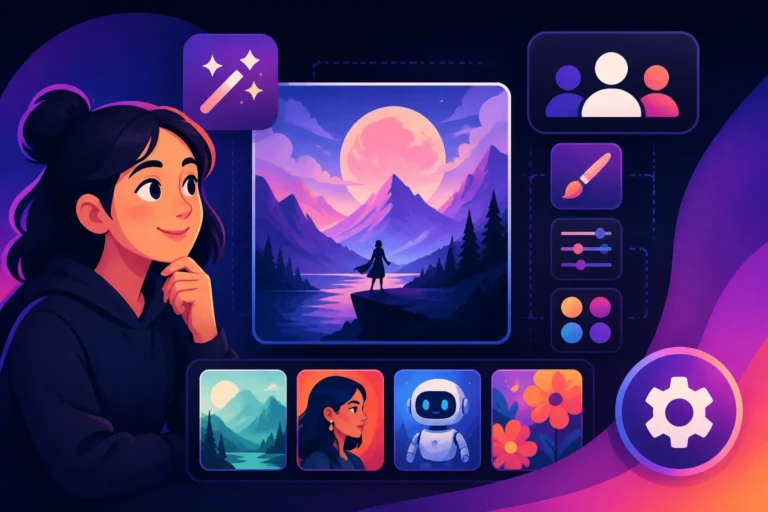
Playground AI boasts a robust set of features that cater to a wide array of creative needs. Beyond simple text-to-image generation, it provides tools for image editing, style customization, and even generating images with consistent characters, which can be a game-changer for content creators or storytellers.
One of its most appreciated features is the ability to use different base models. Users can often switch between various Stable Diffusion models directly within the interface, allowing for different aesthetic outputs depending on their project. This flexibility empowers users to experiment with diverse visual styles, from photorealistic renders to artistic illustrations, all from a single platform. For instance, you could generate a stunning landscape using one model, then switch to another to create a more abstract concept.
Furthermore, Playground AI includes functionalities like inpainting and outpainting. Inpainting allows you to select a specific area of an existing image and regenerate just that portion based on a new prompt, perfect for correcting mistakes or adding new elements. Outpainting, on the other hand, lets you expand the canvas beyond the original image, generating new content that seamlessly blends with the existing picture. This is incredibly useful for adjusting aspect ratios or creating wider scenes from a smaller initial image. These tools give creators a level of control that often requires more complex software, making it a truly valuable asset for anyone looking to go beyond basic generation.
Diving Deep into Playground AI's Strengths and Weaknesses
No tool is perfect, and Playground AI is no exception. Understanding where it excels and where it falls short is vital for making an informed decision about whether it fits into your creative workflow. For many, its strengths far outweigh its weaknesses, especially when considering its cost-effectiveness. However, for those with very specific or high-end requirements, some limitations might become apparent.
Navigating the world of AI image generation means constantly balancing quality, speed, control, and budget. Playground AI tries to hit a sweet spot, providing a solid offering that meets the needs of a broad user base. Let's peel back the layers and look at the real-world advantages and disadvantages.
The Pros: Where Playground AI Shines
Playground AI truly stands out in several key areas, making it a compelling option for many users. The first and most obvious advantage is its accessibility and ease of use. The interface is intuitive, clean, and designed to get you generating images quickly, even if you've never touched an AI tool before. You don't need to be a prompt engineering expert to get decent results, which is a huge relief for beginners.
Its generous free tier is another massive draw. Users can often generate hundreds of images per day without paying a dime, and crucially, these images often come with commercial use rights, depending on the specific model used and the platform's current terms. This is a game-changer for small businesses, bloggers, and content creators who need a constant supply of visuals but operate on a limited budget. Imagine being able to create all the featured images for your blog posts or social media graphics without incurring any costs. You might want to explore our article on Free AI Image Generators with Commercial Use for more details on similar offerings.
Beyond the free aspect, the sheer speed of generation is impressive. In many cases, you can get multiple image variations in mere seconds, allowing for rapid iteration and experimentation. This speed, combined with its in-built editing features like inpainting, outpainting, and basic canvas manipulation, means you can move from concept to polished image remarkably fast. The platform's ability to maintain a consistent style or character across multiple images, once you get the hang of it, is also a significant plus, especially for ongoing projects or branding efforts.
The Cons: Understanding Its Limitations
Despite its many advantages, Playground AI does have some areas where it might not meet the demands of every user. While generally excellent for casual use and many commercial purposes, the absolute highest quality and realism might sometimes fall short when compared to ultra-premium, specialized tools. If you're aiming for hyper-realistic human portraits or intricate architectural renders that are indistinguishable from real photographs, you might occasionally find Playground AI's output a step below what certain other paid platforms can produce.
Another potential limitation, particularly for advanced users, is the level of fine-tuned control. While it offers good prompt control and some editing features, it might not provide the granular customization that open-source tools like a locally-run Stable Diffusion setup or highly professional software like Adobe Firefly can offer. Things like exact pose control (without external tools), complex lighting setups, or very specific compositional rules might require more advanced prompting techniques or post-processing elsewhere.
Finally, while the free tier is incredibly generous, it does come with certain limitations, such as maximum image resolution or specific daily generation caps. For heavy users or those needing print-quality images consistently, upgrading to a paid plan becomes necessary. Also, the intellectual property and commercial rights can sometimes be nuanced depending on which specific base model (e.g., Stable Diffusion 1.5 vs. SDXL) you're using within the platform, so always double-check their terms of service, especially for commercial projects. This aspect is crucial for creators looking to sell their work or use images in client projects.
Is Playground AI Worth It in 2026?
The burning question for many is whether Playground AI still holds its value, especially with new tools constantly emerging and AI technology evolving at breakneck speed. The answer, as with most things in the AI world, is nuanced and depends heavily on your individual needs, budget, and specific use cases. However, for a significant portion of the creative community, Playground AI continues to be a very compelling option.
It maintains its competitive edge by balancing ease of use with powerful features, and critically, by retaining a highly accessible free tier. This combination makes it a strong contender, particularly for those who are just starting out or who don't have the budget for more expensive subscriptions.
For Beginners and Casual Users
For beginners dipping their toes into the exciting waters of AI image generation, Playground AI is, without a doubt, an excellent starting point. The user-friendly interface removes much of the intimidation factor, allowing new users to focus on experimenting with prompts and understanding how AI interprets their ideas, rather than getting lost in complex settings. You can learn the ropes of prompt engineering, experiment with different styles, and create a wide array of images without any financial commitment.
Casual users who need images for personal projects, social media posts, or occasional blog illustrations will find the free tier more than sufficient. The daily limits are generous enough for most non-professional needs, and the quality of the output is generally impressive for quick and easy creation. It's truly one of the Best AI Image Generator for Beginners on the market today. If you're just looking to have fun and explore, Playground AI offers immense value.
For Professionals and Commercial Endeavors
For professionals and those engaged in commercial endeavors, the "worth" of Playground AI becomes a bit more strategic. While the free tier offers commercial use rights (again, depending on the model and current terms), heavy users will quickly hit the daily generation caps and resolution limitations. For sustained professional work, upgrading to a paid plan becomes almost a necessity.
However, even with a paid plan, Playground AI remains highly competitive. Its blend of speed, integrated editing tools, and support for various Stable Diffusion models makes it a strong choice for graphic designers, marketers, and small businesses needing high-volume image creation. For instance, a social media manager could rapidly generate dozens of unique graphics for different campaigns, then quickly edit them directly within the platform. The ability to generate images for client work or product mockups efficiently can translate into significant time and cost savings, making it a valuable asset in a professional toolkit. While it might not replace specialized tools for ultra-niche requirements, it serves as an incredibly capable all-rounder for many commercial applications.
How It Stacks Up Against Other Tools
To put Playground AI's value into perspective, let's look at how it compares to some other popular AI image generators in 2026. This table highlights key aspects that users often consider when choosing a tool.
| Feature / Tool | Playground AI (Free/Paid) | Midjourney (Paid) | DALL-E (Paid/Credits) |
|---|---|---|---|
| Ease of Use | Very High (Intuitive web interface) | Moderate (Discord-based, requires learning commands) | High (Web interface, straightforward) |
| Image Quality | Good to Excellent (Especially with SDXL) | Exceptional (Known for artistic and aesthetic output) | Very Good (Strong on coherence and concept interpretation) |
| Photorealism | Good (Can achieve with skilled prompting) | Excellent (Impressive realism, particularly for faces) | Very Good (Often realistic, but can have a distinct "AI look") |
| Text Rendering | Moderate (Can be inconsistent, though improving) | Poor (Not designed for text, often garbled) | Good (Improving, but still not perfect) |
| Cost | Generous Free Tier, Affordable Paid Plans | Subscription-based, no free tier (some trials exist) | Credit-based, often bundled with ChatGPT Plus |
| Control/Customization | Moderate (Parameters, inpainting/outpainting) | High (Parameters, style weights, image prompts) | Moderate (Basic editing, variations) |
| Speed | Fast | Moderate to Fast (Depending on subscription tier) | Moderate |
| Commercial Use | Generally Allowed (Check model terms) | Allowed (With subscription) | Allowed (With credits/subscription) |
As you can see, Playground AI holds its own, especially when considering its cost. For general utility and accessibility, it often surpasses competitors who either lack a free tier or are more complex to operate. For a deeper dive into comparisons, our article on Best AI Image Generator Comparison could be very helpful.
Practical Tips for Maximizing Your Experience with Playground AI
Getting the most out of any AI tool requires a bit of understanding and practice, and Playground AI is no different. While it's beginner-friendly, there are several strategies and techniques you can employ to consistently generate better, more precise, and higher-quality images. It’s all about learning to communicate effectively with the AI.
Don't be afraid to experiment! The beauty of a tool with a generous free tier is that you can try countless variations without worrying about running out of credits or breaking the bank. This iterative process is how you truly learn what works and what doesn't.
Crafting Effective Prompts
The quality of your output images is directly tied to the quality of your prompts. A good prompt is clear, descriptive, and provides enough detail for the AI to understand your vision, but not so much that it becomes overly restrictive. Think of it like giving instructions to a very talented but literal artist.
Start with the subject, then add descriptive adjectives, style elements, lighting, and composition. For example, instead of "dog running," try "a golden retriever joyfully running through a sun-drenched meadow, dappled light, hyperrealistic, dynamic motion blur." Including artistic styles can also dramatically shift the output. Phrases like "in the style of Van Gogh," "digital painting," "cinematic lighting," or "octane render" can guide the AI towards a specific aesthetic. Remember to iterate; if the first result isn't perfect, tweak a few words, add more detail, or try a different style. Our guide on How to Write AI Image Prompts offers even more comprehensive advice.
Leveraging Advanced Features
Playground AI isn't just about simple text-to-image; it offers a suite of advanced features that, when used correctly, can significantly enhance your creative output. Don't just stick to the basic prompt box; explore the other functionalities available on the platform.
For instance, the "Image to Image" feature allows you to upload a reference image and then use it as a base for your generation, guided by a text prompt. This is fantastic for maintaining a specific composition or character pose while changing details or artistic style. Similarly, mastering the "Negative Prompt" box is crucial. This is where you tell the AI what you don't want to see in your image. Common negative prompts include "ugly, deformed, blurry, low quality, bad anatomy, extra limbs," which can help filter out common AI artifacts. Experiment with different parameters, aspect ratios, and models available in the settings panel to further refine your results. Learning to use these tools will empower you to move beyond basic generations and achieve truly unique and polished results. For more general advice on refining your creations, check out our article on How to Get Better AI Image Results.
Disclaimer
The information provided in this review is for general informational purposes only and is subject to change as AI technology rapidly evolves. Users should always consult Playground AI's official website for the most up-to-date features, pricing, and terms of service, especially regarding commercial use and intellectual property rights.